

 Español
 Català
 Deutsch
 Français
 Português
 Italiano
 Nederlands
 Polski
When the message appears and what it means
When does ‘Could not fetch Scrive statistics: …’ appear?
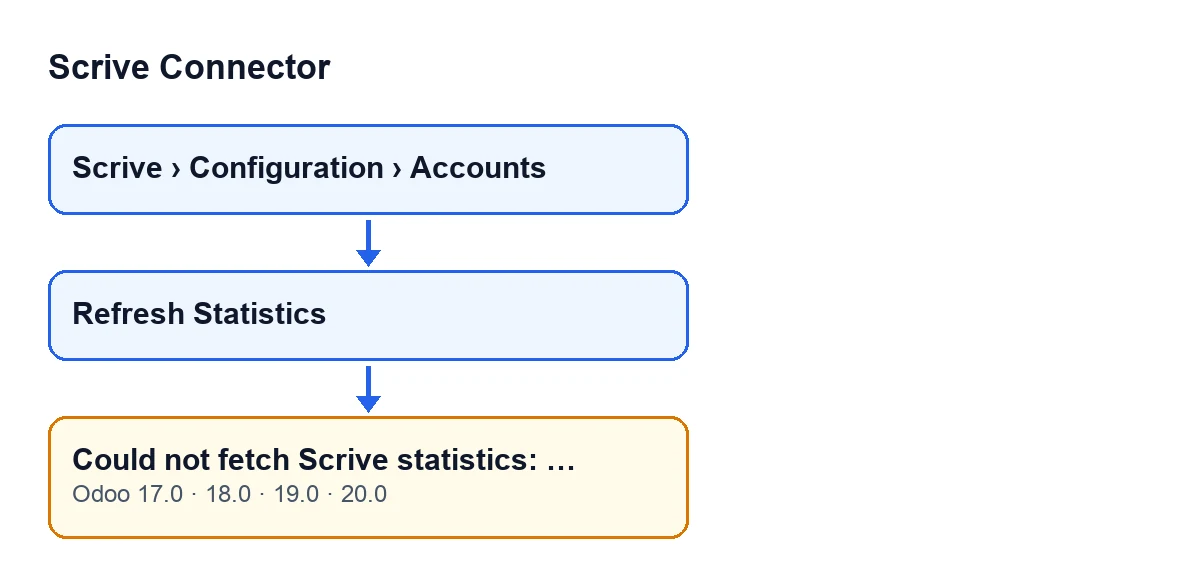
It appears when you press Refresh Statistics on a Scrive account and the request the module makes to Scrive fails with a Scrive API error. At that point the action stops and you see the message.
Where is the button and who can see it?
The account form opens from Scrive › Configuration › Accounts. The Configuration step needs the Manager permission and the Scrive step needs User; if you do not have one of them, you do not see that step of the menu. The Refresh Statistics button is always visible, in Odoo 17, 18, 19 and 20.
What does it mean?
Scrive did not return the usage statistics for the account: the module's request ended with an API error, and the module turns it into this message.
What appears after the colon?
It is the error text returned by the call to Scrive: the module adds it to the end of the message. It is the detail of that particular failure, so it is your clue to what happened. Read it in full before you try again.
How to fix it
How do I fix it?
What explains the failure is the text after the colon, so work from that. Do this, in order: read that text and copy it in full; press Refresh Statistics again; if the message repeats with the same detail, pass it in full to whoever administers the integration, or to FlexigoTech.
Can I repeat the action?
Yes. The error stops the action and nothing it was about to change is saved, so you can press the button again. Each press makes a fresh request to Scrive.
What happens to the account figures when the error appears?
They do not change. The error cuts the action off before the step that writes, so the totals of sent and closed documents and the date of the last request stay as they were.
What the button does when all goes well
What does Refresh Statistics do when there is no error?
It asks Scrive for the usage statistics by day for the last 30 days, adds up the documents sent and closed on each day, and saves on the account the two totals and the date and time of the request. If Scrive replies with no data per day, both totals are saved as zero and there is no error.
And if I press it several times successfully?
Each successful request calculates the two totals and the date and time again, and saves them on the account.
Versions, languages and subscription
Does it appear in every Odoo version?
The message is in the published code of Odoo 17, 18, 19 and 20, and the module is published on Odoo Apps for those four versions. The Refresh Statistics button is always visible in all four.
What text do I search for if my Odoo is not in English?
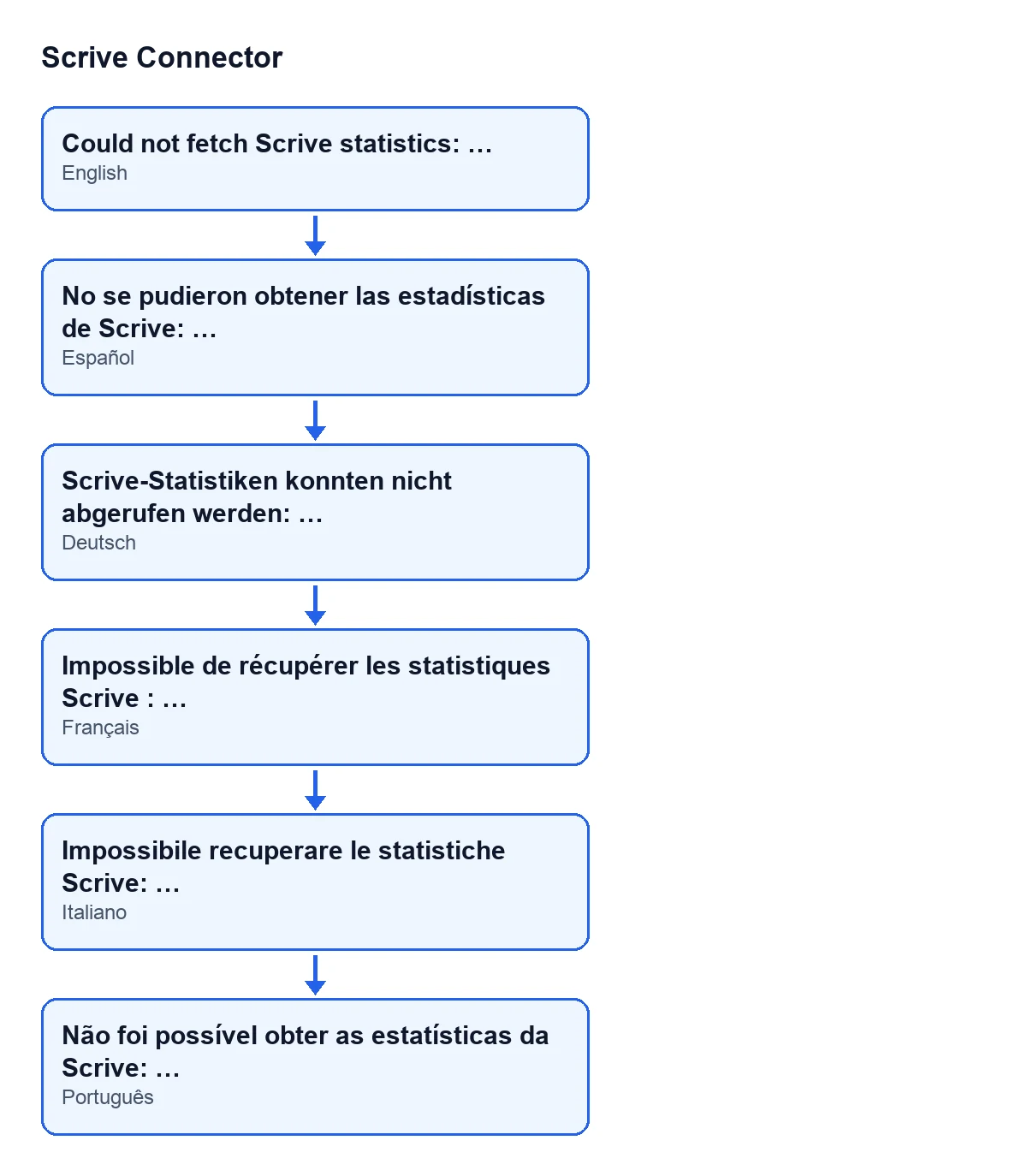
With Odoo in English you see Could not fetch Scrive statistics: …. This is the same message in other languages, according to the module's published translations:
| Odoo language | Message text |
|---|---|
| English | Could not fetch Scrive statistics: … |
| Spanish | Could not fetch Scrive statistics: … |
| German | Scrive-Statistiken konnten nicht abgerufen werden: … |
| French | Impossible de récupérer les statistiques Scrive : … |
| Italian | Impossibile recuperare le statistiche Scrive: … |
| Portuguese | Não foi possível obter as estatísticas da Scrive: … |
What does the subscription have to do with this?
Scrive Connector is a one-off purchase per Odoo version and needs the FlexigoTech Cloud subscription, Connector plan: €49 a month or €490 a year, excluding VAT, with up to 3 accounts on the platform (the Pro plan is €98 a month or €980 a year, excluding VAT, with up to 10). The connection goes through FlexigoTech Cloud, which stores the credentials encrypted, watches the synchronisation and emails you if it fails. Without a subscription, or with the service suspended, whatever the subscription provides stops; your data stays in your Odoo. The one-off price for each version is on the Odoo Apps listing and on the module page.
If the detail after the colon does not make things clear, FlexigoTech implements Odoo 17, 18, 19 and 20 and builds connectors and bespoke integrations. If other messages from the module interest you, there is the one about days and the one about callbacks.
Keep reading
Checked in the connector's source code (version 20.0) and the linked sources
Sources
- Module source code: flexigobe_scrive_connector 20.0 (21b3b940): models/scrive_account.py
- Module source code: flexigobe_scrive_connector 20.0 (21b3b940): views/scrive_account_views.xml
- apps.odoo.com/apps/modules/20.0/flexigobe_scrive_connector
- flexigotech.com/precios.html
- flexigotech.com/en/services.html
- Module source code: flexigobe_scrive_connector 20.0 (21b3b940): __manifest__.py
- Module source code: flexigobe_scrive_connector 20.0 (21b3b940): wizard/scrive_send_wizard.py