

 Español
 Català
 Deutsch
 Français
 Português
 Italiano
 Nederlands
 Polski
When the message appears
When exactly does Callbacks can only be triggered for sent documents. show up?
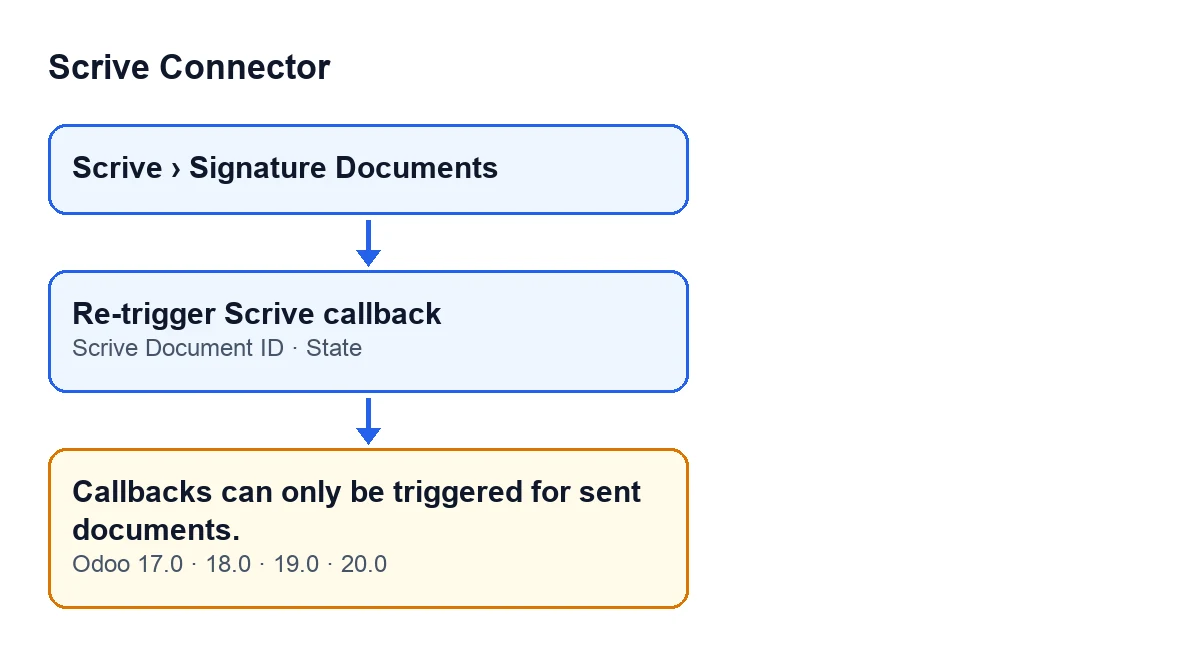
When you press the Re-trigger Scrive callback button on the form of a signature document. The check runs when you press it: if the condition is met, the action stops with this message and nothing is requested from Scrive. It is a check on the document itself.
What is the exact condition?
The message appears if either of two things is true: the Scrive Document ID field is empty, or the document's State is Draft or Preparation. One of the two is enough. Put the other way round, the module lets the action carry on when the document has a Scrive ID and is in any other state.
Why can I see the button if it will not work on my document?
Because the Re-trigger Scrive callback button is always visible, in Odoo 17, 18, 19 and 20, whatever the state of the document. The condition does not hide the button: it comes into play when you press it.
What it means and how to fix it
What does it mean in practice?
The module only accepts a callback re-trigger for a document that has a Scrive Document ID and is outside Draft and Preparation. For this action, a document in those states, or without an ID, counts as not sent.
What do I do if the document is in Draft or Preparation?
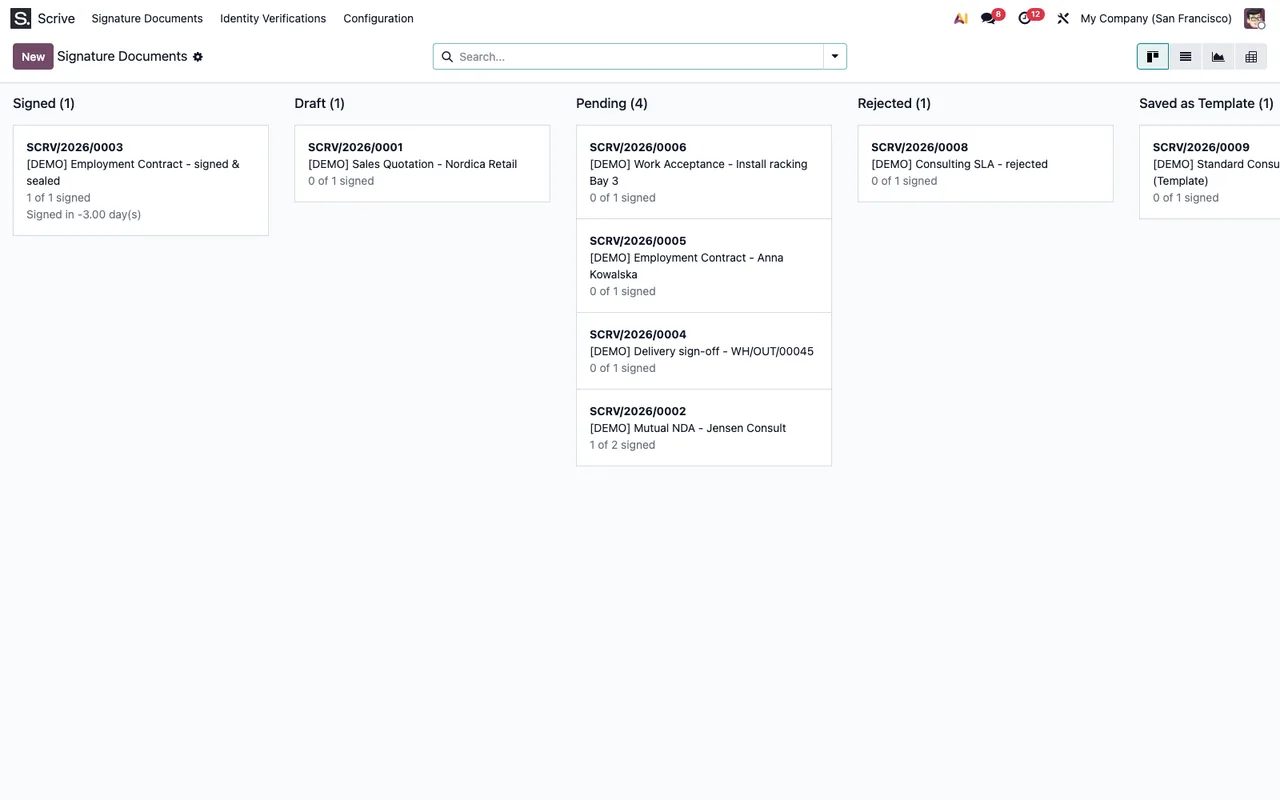
Stop pressing Re-trigger Scrive callback: in those states the module rejects it. Open the document from Scrive › Signature Documents and check its State. Once the document is in another state and has a Scrive Document ID, the check no longer stops you.
And if the state is different but the message keeps appearing?
Then look at Scrive Document ID on the form: if it is empty, the message appears whatever the state. It is a read-only field written by the code, not by the user: the module fills it in a process reached from the Import from Scrive Archive button, and also from another internal method of the module. You cannot type it in by hand, so while it stays empty the button will keep stopping.
When is the condition evaluated?
The condition is part of the method the button runs, and it is evaluated every time you press it, using the ID and state the document has at that moment.
What happens when the check passes
What does the button do when this message does not appear?
According to the Odoo 20.0 code, the method works on one document at a time. If the check passes, it asks Scrive, through the account linked to the document, to re-send that document's callback (a manual re-send request) and finishes.
Does anything change between Odoo versions?
The message is in the published code of Odoo 17, 18, 19 and 20, and the button is visible in all four. The order of steps described matches the Odoo 20.0 code.
Where can I see a document's state and ID?
In the Scrive › Signature Documents menu. The Scrive entry requires the User permission: without it, you do not see that entry. State is shown on the form and in the Signature Documents list; Scrive Document ID is shown on the form, read-only.
Which states does this check let through?
With the ID filled in, every other value of the State field: Awaiting Start, Pending, Signed, Canceled, Timed Out, Rejected, Error and Saved as Template. The check looks at nothing but the ID and the state, so a Canceled or Rejected document that has an ID does not get this message.
How FlexigoTech can help
FlexigoTech implements Odoo 17, 18, 19 and 20 and builds connectors and custom integrations. If you work with this module and a document does not move as you expect, you can see what the module offers on its Odoo Apps page, published for Odoo 17, 18, 19 and 20, or on its page at flexigotech.com.
Quick summary: the message depends on two values of the document, Scrive Document ID and State. With an empty ID, or in Draft or Preparation, the button stops.
Keep reading
Checked in the connector's source code (version 20.0) and the linked sources
Sources
- Module source code: flexigobe_scrive_connector 20.0 (21b3b940): models/scrive_document.py
- Module source code: flexigobe_scrive_connector 20.0 (21b3b940): views/scrive_document_views.xml
- apps.odoo.com/apps/modules/20.0/flexigobe_scrive_connector
- flexigotech.com/en/services.html
- Module source code: flexigobe_scrive_connector 20.0 (21b3b940): __manifest__.py
- Module source code: flexigobe_scrive_connector 20.0 (21b3b940): wizard/scrive_send_wizard.py