

 Español
 Català
 Deutsch
 Français
 Português
 Italiano
 Nederlands
 Polski
Before you enable the mailbox
The mailbox has more fields than the email address
A mailbox configuration is more than an address. The form brings together these fields, each with its technical name in brackets:
Configuration Name(name) andEmail Address(email_address), both text fields.IMAP Host(imap_host),IMAP Port(imap_port),IMAP SSL(imap_use_ssl),IMAP Username(imap_username) andIMAP Password(imap_password).Outgoing Mail Server(smtp_server_id), a field that points to another record.Enabled(enabled), a checkbox.Auto-assign To(auto_assign_user_id) andDefault Category(category_id), also fields pointing to another record.Last Fetch Date(last_fetch_date), a date and time.Company(company_id).
Have your mail provider's details to hand before opening the form: IMAP host, port, username and password, and whether the connection uses SSL. That way you can fill it in in one go.
The mailbox company sets where tickets are created
The module itself explains the Company field: the tickets for emails arriving in that mailbox are created in that company. If several companies share your Odoo database, check this field on every mailbox you set up. It is a single field, but it decides which company each ticket from that address lands in.
Messages you will come across while configuring
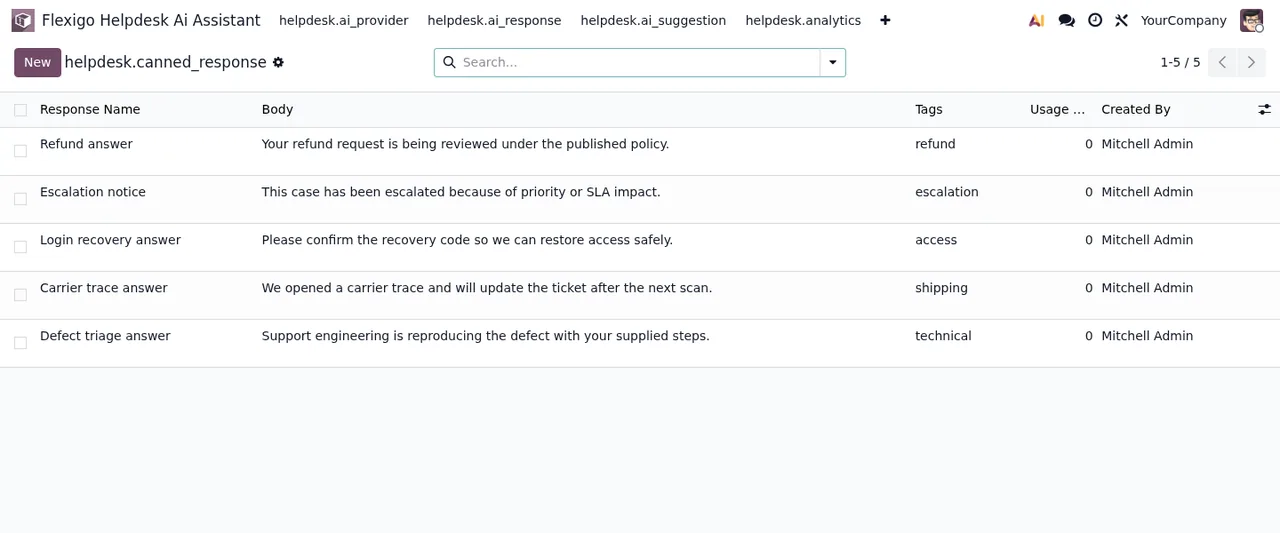
A canned response cannot have an empty body
If a canned response has no text in its body, the module rejects it with Canned response body cannot be empty. The fix is simple: write the body of the response and save again.
Depending on the rule type, field and value are required
When creating a rule you may see Condition field and value must be specified for this rule type. The message says that, for that type of rule, the condition field and the value are mandatory. Fill in both; if you do not want a condition, check the rule type you have chosen.
Ratings only go from 1 to 5
The module validates the score and, if it falls outside the range, shows Rating must be between 1 and 5. Got: %s. If you see it while importing or loading data, check the rating column: any value outside that range stops the record.
A GDPR request covering another company is not completed
This is the message worth understanding before it ever appears: This GDPR request also covers tickets of a company you do not work in, so it was not completed and nothing was anonymised. Someone who works in all their companies has to complete it. What the module is saying is that the request includes tickets from a company you do not work in, so it has not been completed and nothing has been anonymised. There is no half-finished state to tidy up. The fix the message itself gives is for someone who works in all the companies involved in that request to complete it. If you run several companies, decide early on who will have that access.
Subscription, versions and price
If the subscription stops, your data stays in your Odoo
Helpdesk AI Assistant is a module with a FlexigoTech Cloud local service. Without a subscription, or with the service suspended, whatever the subscription provides stops, but the data stays in your Odoo. The local service costs €29/month or €290/year excluding VAT (Pro: €58/month or €580/year excluding VAT).
The module is published on Odoo Apps for 17, 18, 19 and 20, at €9 per Odoo version excluding VAT, a one-off payment per version. With the subscription, the module for new Odoo versions is included if you bought it on flexigotech.com; on the Odoo App Store, each version is bought there, from its listing.
What to look at in the first week
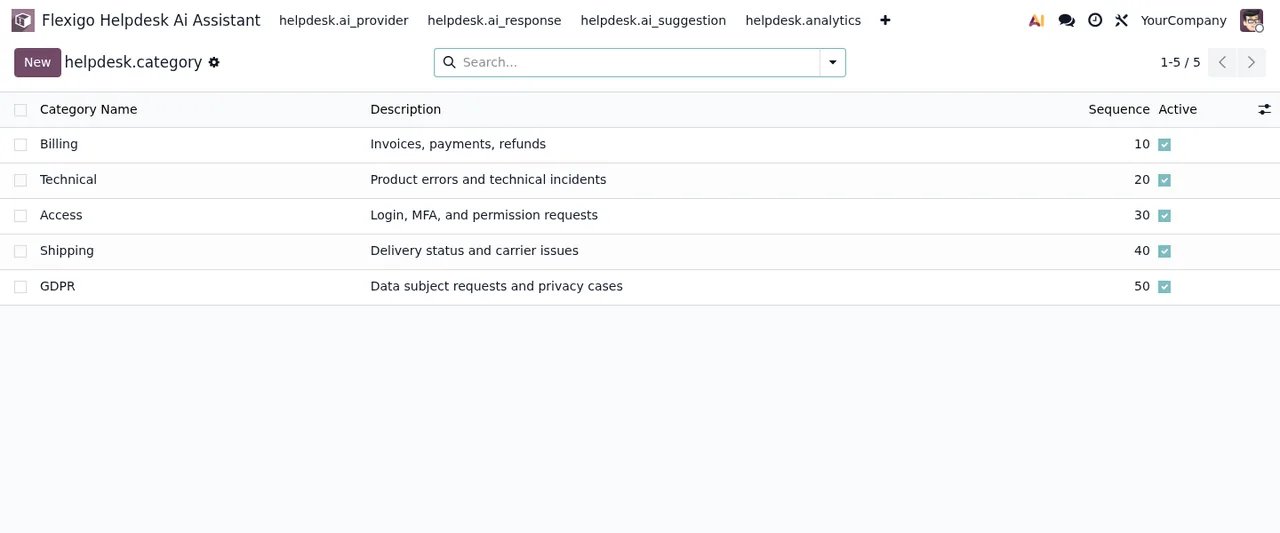
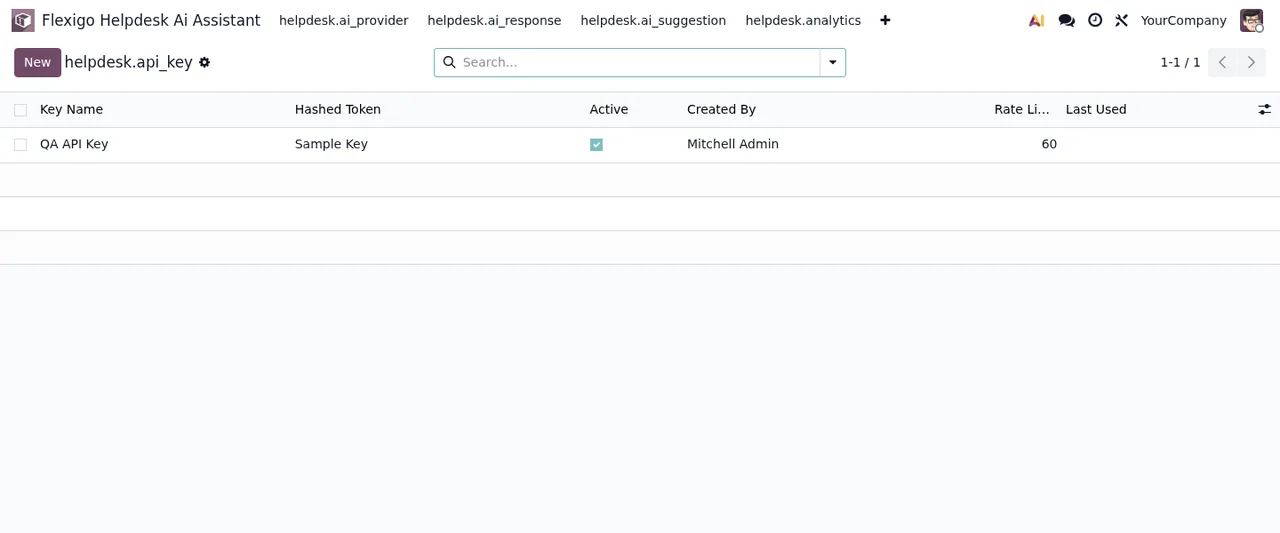
Once the mailbox is configured, spend some time going through the lists the module adds:
- On each mailbox: the value of
Enabled, theCompanyand what appears inLast Fetch Date. - In canned responses: that each body contains the text you actually want to send.
- In categories: that the ones you will use are there and ticked as active.
- In API keys: which ones exist, who created them and whether they are active.
How FlexigoTech can help
FlexigoTech implements Odoo 17, 18, 19 and 20 and builds custom connectors and integrations. If you would rather we set up the mailboxes with you, review how your companies are split before you handle GDPR requests, or adapt the module to the way you work, get in touch through the module page.
Keep reading
Checked in the module's source code (version 20.0) and the linked sources
Sources
- Module source code: flexigo_helpdesk_ai_assistant 20.0 (68fdad7a): models/helpdesk_canned_response.py
- Module source code: flexigo_helpdesk_ai_assistant 20.0 (68fdad7a): models/helpdesk_dsar_request.py
- Module source code: flexigo_helpdesk_ai_assistant 20.0 (68fdad7a): models/helpdesk_priority_rule.py
- Module source code: flexigo_helpdesk_ai_assistant 20.0 (68fdad7a): models/helpdesk_survey.py
- Module source code: flexigo_helpdesk_ai_assistant 20.0 (68fdad7a): models/helpdesk_email_config.py
- apps.odoo.com/apps/modules/20.0/flexigo_helpdesk_ai_assistant
- apps.odoo.com/apps/modules/17.0/flexigo_helpdesk_ai_assistant
- apps.odoo.com/apps/modules/18.0/flexigo_helpdesk_ai_assistant
- apps.odoo.com/apps/modules/19.0/flexigo_helpdesk_ai_assistant
- flexigotech.com/en/services.html
- flexigotech.com/precios.html