

 Español
 Català
 Deutsch
 Français
 Português
 Italiano
 Nederlands
 Polski
What the message says
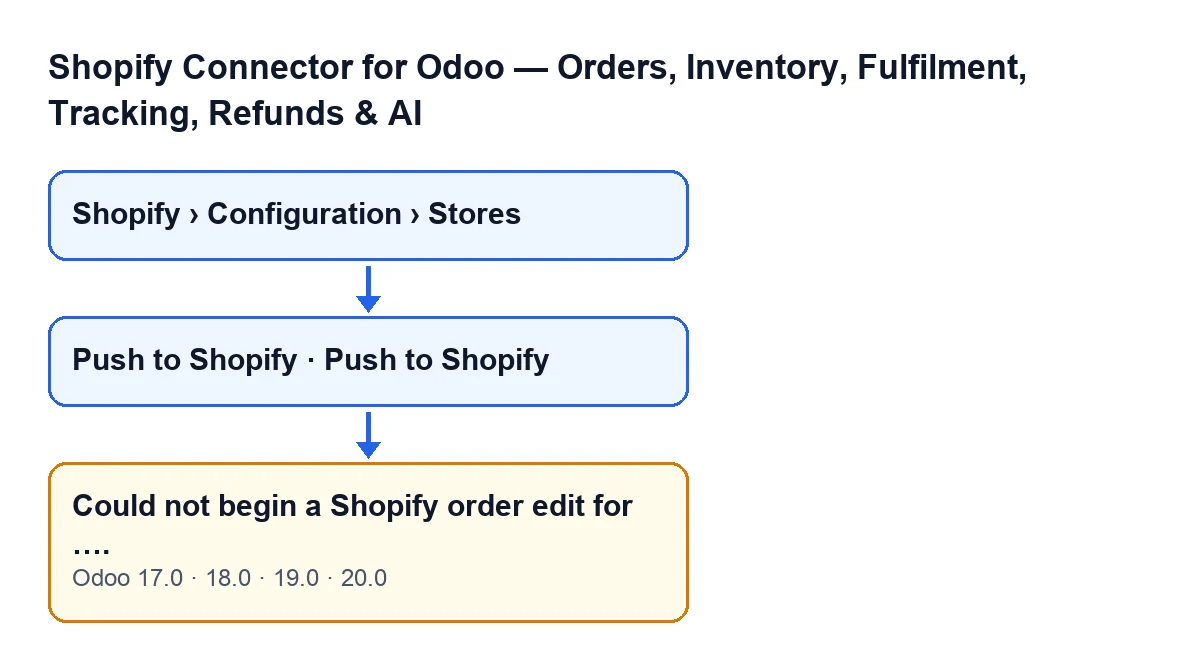
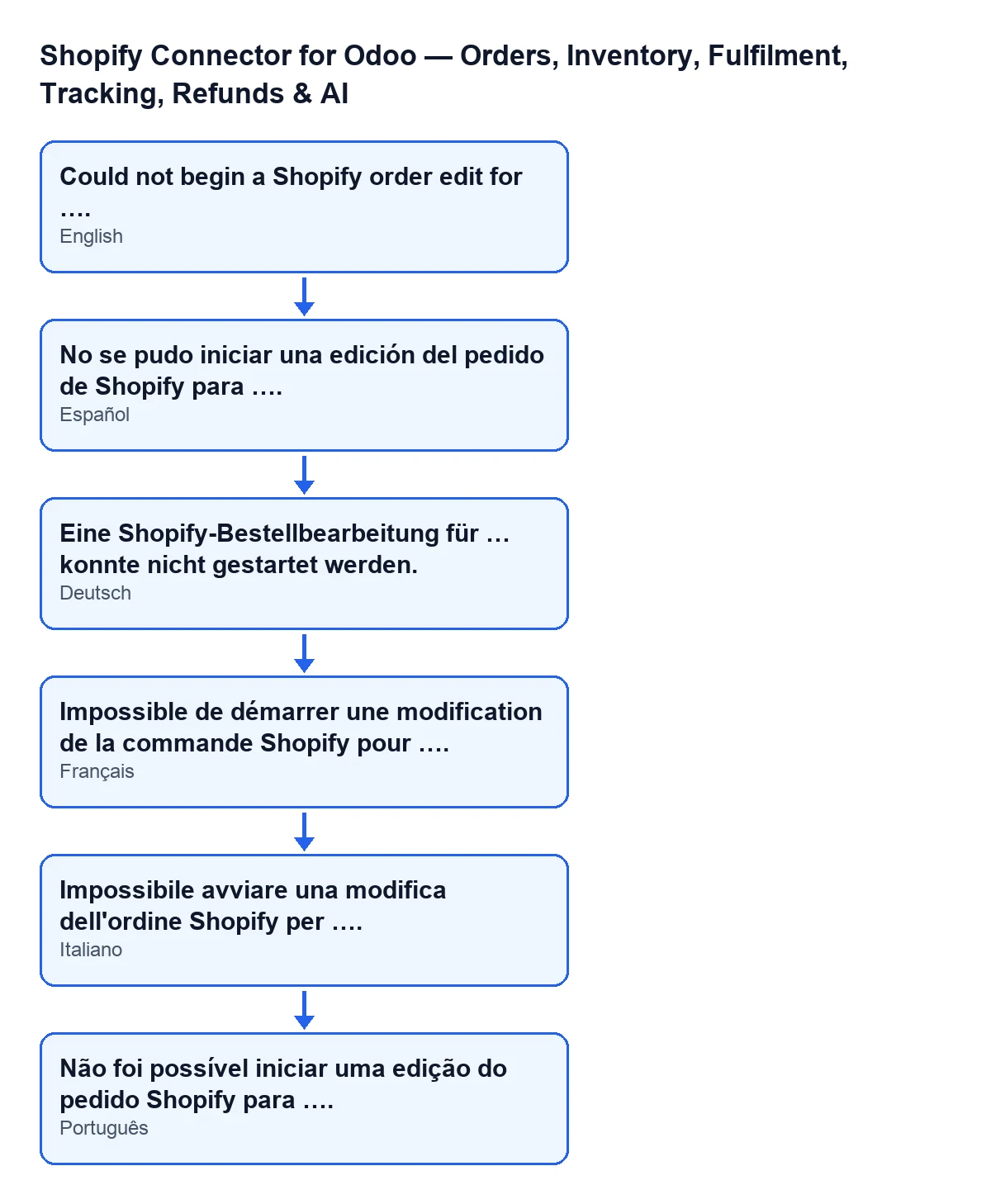
With Odoo in English the message reads Could not begin a Shopify order edit for …; with Odoo in Spanish, No se pudo iniciar una edición del pedido de Shopify para …. It is an error that stops the action. In place of the ellipsis, it shows the name of the sales order as Odoo displays it.

When and why it appears
It appears when you press Push to Shopify
The button sits on the sales order and is hidden when the order has no Shopify Order Ref or is not in the Sales Order state. The condition is the same in Odoo 17, 18, 19 and 20. When you press it, Odoo asks for confirmation: Push the current order lines (quantities, added/removed products) to the linked Shopify order?. Once you accept, the button reaches the code that pushes order edits, and that is where the message can appear.
The exact condition: the edit identifier does not come back
In the Odoo 20 code, the push runs in this order. First it checks that the order has a Shopify reference. Then it asks Shopify to open an edit of the order and checks whether Shopify answers with errors. Finally it takes the identifier of the edit in progress from the answer. If that identifier is empty, it raises the message. That is all the condition says: it does not depend on any line or quantity, because at that point the code has not yet read the order lines.
The ellipsis is the order name
The message includes the name of the sales order you pressed the button on. The figure shows the same text in other languages of the module.
Order matters: the check comes after the edit is requested
Before checking the identifier, the code looks at whether Shopify returned errors when opening the edit, and if it did, it stops at that step. This message covers the case where that check has passed and the edit identifier is still missing.
When it appears, the module has not changed anything yet
After the message the action stops, and nothing it was going to change is saved. The check comes before the order lines are walked through: the module has not yet changed any quantity, nor added or removed any product. The final commit of the edit, which the code leaves for the end, is never launched.
What the button would have done next
If the edit opens, the code walks through the lines of the Odoo order, leaving out section or note lines and delivery lines, and compares them with the lines of the Shopify edit. It changes the quantity of lines that match but differ, adds products that have a Shopify variant and were not in the edit, and sets to zero the lines that are in Shopify but no longer in Odoo. At the end it commits the edit. When the message appears, none of that has run.
The message says nothing about your lines
Because the check comes before the lines are read, an order with changed quantities, new products or removed products is not the cause the code describes. The condition refers only to the answer that comes back when the order edit is opened.
The message text is in all four versions, the sequence described is Odoo 20's
The message is in the published code of Odoo 17, 18, 19 and 20. The order of steps described here (reference, opening the edit, checking for errors, identifier) is the one in the Odoo 20 code.
Where the stores are in Odoo
Store records open from Shopify › Configuration › Stores. The Configuration section requires the Operator permission and the Shopify section requires Viewer: if you lack one of them, you do not see that part of the menu.
What to check when it appears
- Note the order name the message carries.
- Check that the order is still in
Sales Orderand hasShopify Order Reffilled in: those are the two conditions for the button to be visible. - Press
Push to Shopifyagain and accept the confirmation. Since the message is raised before anything is changed, the Odoo order stays as it was. - If the same order gives the same message again, keep its name and get in touch.
How FlexigoTech can help
FlexigoTech implements Odoo 17, 18, 19 and 20 and builds custom connectors and integrations. If the message keeps coming back for a particular order, we can look into it with you from the order name. The module is published on Odoo Apps for 17, 18, 19 and 20 (listing, module page). It is a one-off payment per version and needs a FlexigoTech Cloud subscription, Connector plan: €49/month or €490/year excluding VAT, up to 3 accounts of the platform.
Keep reading
Checked in the connector's source code (version 20.0) and the linked sources
Sources
- Module source code: flexigobe_shopify_seller_connector 20.0 (d7e627b4): models/shopify_instance.py
- Module source code: flexigobe_shopify_seller_connector 20.0 (d7e627b4): views/sale_order_views.xml
- Module source code: flexigobe_shopify_seller_connector 20.0 (d7e627b4): models/fgt_cloud.py
- apps.odoo.com/apps/modules/20.0/flexigobe_shopify_seller_connector
- flexigotech.com/en/services.html
- flexigotech.com/precios.html