

 Español
 Català
 Deutsch
 Français
 Português
 Italiano
 Nederlands
 Polski
The clock on a return
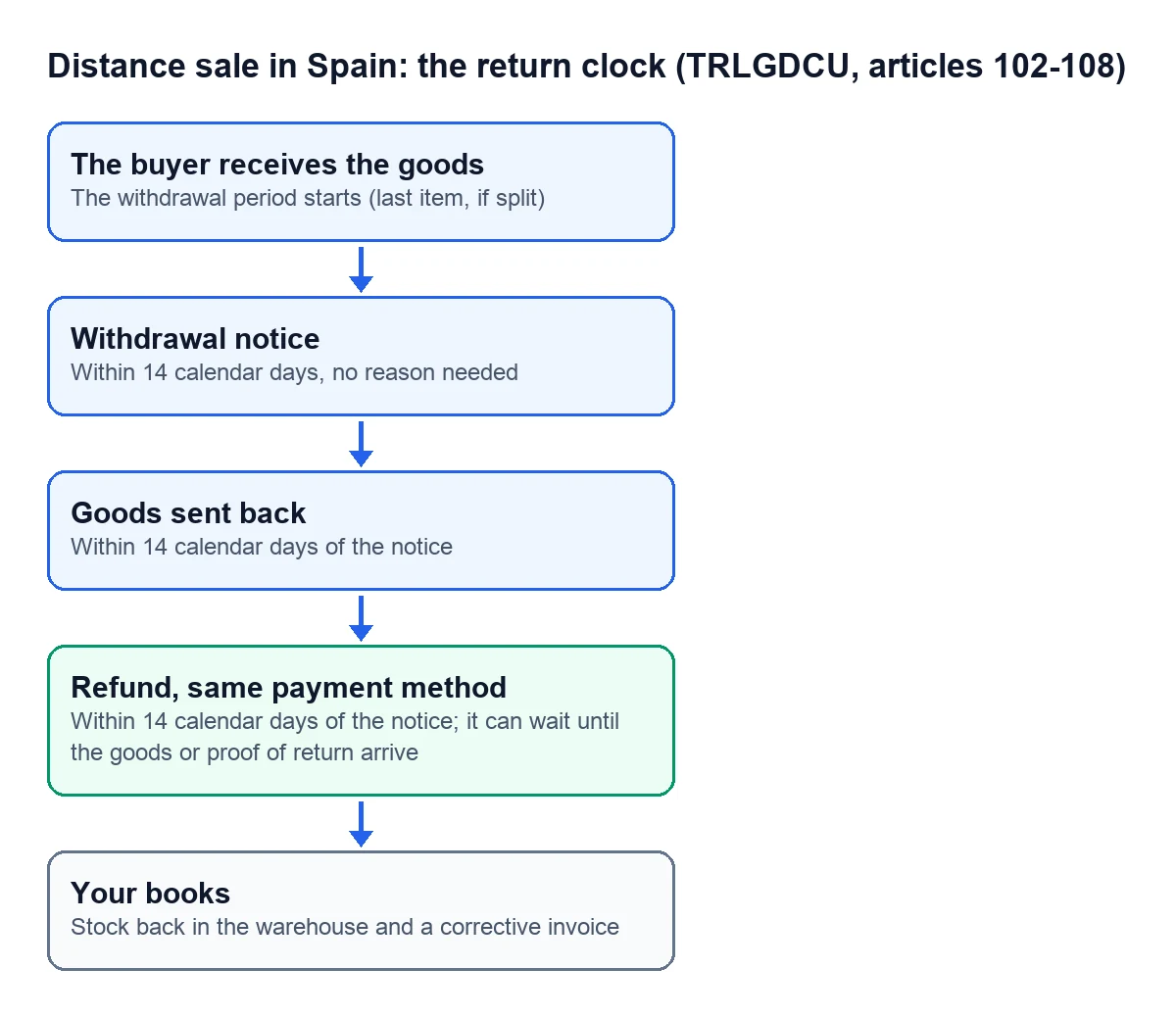
Spain's consumer law (the consolidated text of the Ley General para la Defensa de los Consumidores y Usuarios) sets these times for distance sales:
- The customer receives the order The withdrawal period starts. If the order arrived in several shipments, it runs from the last one.
- Up to 14 calendar days later The customer can withdraw without giving any reason.
- Up to 14 calendar days from their notice The customer sends the product back to you. They only pay the direct cost of the return if you told them about it.
- Up to 14 calendar days from their notice You refund everything they paid, standard shipping included, using the same payment method. You can wait until you receive the product or proof that they have sent it, whichever comes first.
If the product comes back used beyond what was needed to try it, the customer is liable for that loss of value. To claim it you have to be able to show how it went out and how it came back, and you can only do that if you know which unit it was.

What each return leaves behind
The refund is what the customer sees. Behind the scenes, each return leaves three jobs:
- Stock. The product goes back into the warehouse, or not, if it arrives broken. If you keep inventory in a spreadsheet, someone has to remember to add it back and decide whether it can be sold again.
- Corrective invoice. Spain's invoicing regulation (Reglamento de facturación) requires one when the taxable base changes, as soon as you know the reason and within the following 4 years. If the returned goods are deducted on a later sale to the same customer, the correction can go on that invoice.
- Paper trail. The Spanish Commercial Code (Código de Comercio) requires orderly accounts that let you follow your transactions in chronological order, and requires you to keep the business's documents and receipts for six years.
Where control slips away
Without a system that ties those three together, each return passes through several hands and several files: the customer's email, the marketplace dashboard, the stock spreadsheet and the invoicing program. The trouble starts when you need to answer simple questions: whether this return has been refunded, whether the product is back on the shelf, whether the corrective invoice is done. With a few returns a month you can cope. With several shops open, each with its own notifications and dashboard, keeping everything in line takes far more work.
The signs that it is already happening to you:
- You refund before the product arrives because you do not know whether it has arrived.
- The stock in the spreadsheet does not match what is on the shelf.
- The corrective invoice gets done at the end of the month, from memory.
How it works with Odoo
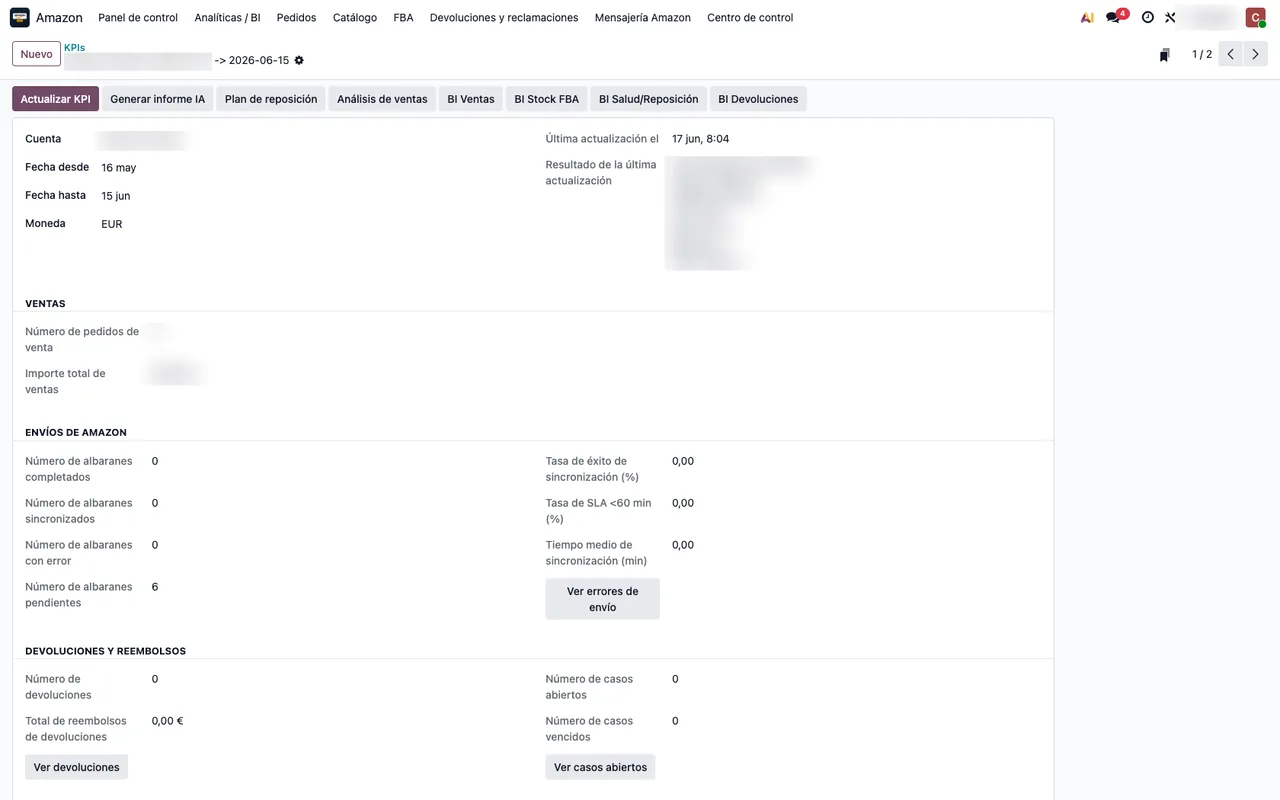
In Odoo, the return is a stock move linked to the original sale, and the credit note is a corrective invoice linked to the original invoice. With the Amazon connector, Amazon returns come into Odoo under Amazon › Returns & Cases › Returns. Once a return is closed, the module finds the order and its delivery, creates the return transfer and validates it; if you switch it on, it also drafts the credit note. The step by step is in how to get Amazon returns back into Odoo stock.
How we set it up
At FlexigoTech we implement Odoo 17, 18, 19 or 20 with your channels connected, so that order, warehouse, return and corrective invoice live in the same place. Odoo Online does not accept third-party modules: we work on Odoo.sh or on your own server. The Connector plan starts at €49 a month, VAT excluded. If your returns process has something of its own, such as a quality check before restocking, we build it to measure at a closed price after a free analysis.
Write to comercial@flexigobe.com, leave your details on our contact page or book a call.
Keep reading
Checked in the connector's source code (version 17.0, 18.0, 19.0 and 20.0) and the linked sources
Sources
- www.boe.es/buscar/act.php?id=BOE-A-2007-20555
- www.boe.es/buscar/act.php?id=BOE-A-2012-14696
- www.boe.es/buscar/act.php?id=BOE-A-1885-6627
- Module source code: flexigobe_amazon_seller_connector 20.0 (e9fb0850): views/menu_views.xml
- Module source code: flexigobe_amazon_seller_connector · 17.0 9a6d49f · 18.0 aecae86 · 19.0 fa9ae73 · 20.0 be50529: models/amazon_spapi_return_line.py
- Module source code: flexigobe_amazon_seller_connector · 17.0 9a6d49f · 18.0 aecae86 · 19.0 fa9ae73 · 20.0 be50529: views/amazon_spapi_account_views.xml
- flexigotech.com/precios.html
- flexigotech.com/services/desarrollo-a-medida.html
- flexigotech.com/en/services.html