

 Español
 Català
 Deutsch
 Français
 Português
 Italiano
 Nederlands
 Polski
How the same unit gets sold twice
The case is simple. There is one unit left of a product. It sells in your online shop mid-morning. The spreadsheet where you track stock gets updated in the afternoon, when someone has a moment. Meanwhile, the marketplace keeps showing that unit and a second customer buys it.
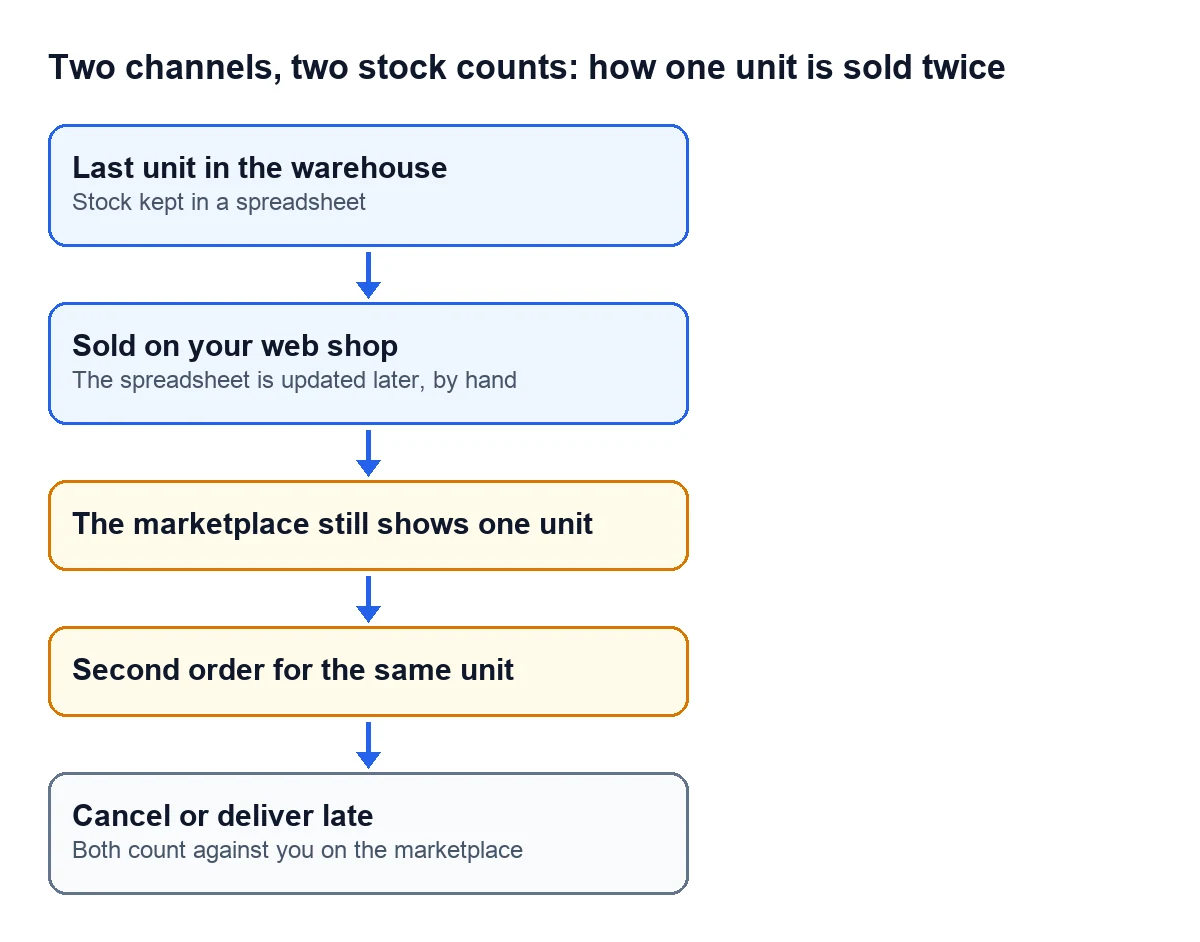
Now you have two bad ways out: cancel the second order or make the customer wait until more stock comes in. Both have a cost you do not see at the time.

What nobody tells you when you open a second channel
The marketplace assumes your stock is up to date
Cdiscount's terms ask sellers to have everything they list in stock and available immediately, to update their stock in real time and to take down anything that stops being available. When you report that you have no stock of a product, Cdiscount blocks its listing automatically. In other words, the system trusts the number you send it.
Cancelling has a cost
Cdiscount also asks you not to cancel sales on your own without a justified reason. And it measures your service: it requires a dispatch rate of 97.5% or higher. If you do not report the shipment after the buyer validates the order, the order is cancelled automatically and that rate gets worse.
So does making the customer wait
The EU Consumer Rights Directive says that, unless you agree on another period, you deliver without undue delay and no later than 30 days after the purchase. If you miss that, the customer gives you an additional period and, if you miss that one too, they can terminate the contract and you refund everything they paid.
Your own shop can keep selling at zero
In Shopify, each variant has its own inventory policy. With CONTINUE, customers can keep buying it when it is sold out; with DENY, they cannot. If a variant was left on CONTINUE by mistake, your website sells what you do not have even when the number is right.
Updating by hand has a catch too
In Mirakl's seller API (Mirakl is the platform behind marketplaces such as Leroy Merlin or Decathlon), creating or updating offers means sending every field: any field you leave out goes back to its default value. Mirakl recommends doing it every 5 minutes and no more than once a minute. No team can keep up that pace by hand.
What really fixes it
Stock that lives in one place, with every channel reading from there. Eurostat describes two ways of sharing information automatically between a company's departments: linking several applications to a common database, or using one modular ERP. Odoo belongs to the second kind.
With Odoo the inventory lives in one place and the connectors share it out:
- The Shopify connector sends Odoo's stock to the store every 20 minutes and, every 6 hours, pulls Shopify's available quantity and sets it as Odoo's on-hand stock, over whatever was there and with no stock move.
- What it sends is the free quantity: what you have minus what is already reserved. A confirmed order reserves the unit straight away, before it has even left the warehouse, so the store stops offering it without waiting for the shipment.
- The Amazon connector syncs its pending price and stock updates every minute.
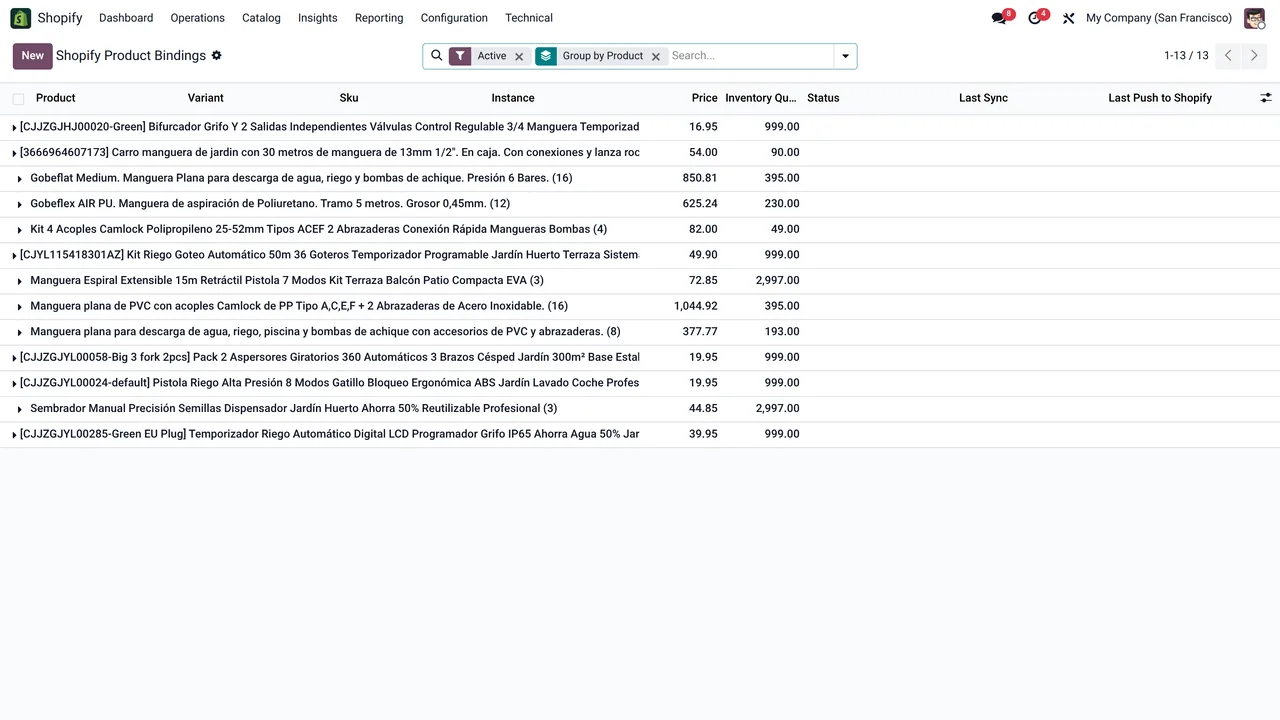
Day to day, this is what changes: orders confirmed in Odoo reserve from the same inventory and the channels get the new quantity on the next run. There is no longer a spreadsheet that someone has to remember to update.
How we set it up
At FlexigoTech we implement Odoo 17, 18, 19 or 20 and connect your stores and marketplaces with our connectors. Odoo Online does not accept third-party modules, so we work on Odoo.sh or on your own server. Each connector can be tried for 14 days from Odoo, free and without a card, and the Connector plan starts at €49 a month, VAT excluded. If the way you work needs something that does not exist, we build it to measure: we analyse the case for free and give you a closed price before we write any code.
Write to comercial@flexigobe.com, leave your details on our contact page or book a call and we will go through it with your channels in front of us.
Keep reading
Checked in the connector's source code (version 17.0, 18.0, 19.0 and 20.0) and the linked sources
Sources
- marketplace.cdiscount.com/wp-content/uploads/2025/08/2025.08.25-CGMAD-FR.pdf
- shopify.dev/docs/api/admin-graphql/latest/enums/ProductVariantInventoryPolicy.md
- developer.mirakl.com/content/product/mmp/rest/seller/openapi3/offers/of24.md
- publications.europa.eu/resource/cellar/6c8e7593-7a75-4b58-b709-542f06ee7a28.0012.03/DOC_1
- ec.europa.eu/eurostat/statistics-explained/index.php?title=E-business_integration
- flexigotech.com/precios.html
- flexigotech.com/services/desarrollo-a-medida.html
- Module source code: flexigobe_shopify_seller_connector · 17.0 2c06264 · 18.0 0272d17 · 19.0 19422d4 · 20.0 2950bdc: data/ir_cron_data.xml, models/shopify_instance.py (action_push_stock, action_pull_stock, cron_push_stock, cron_pull_stock)
- Module source code: flexigobe_amazon_seller_connector · 17.0 9a6d49f · 18.0 aecae86 · 19.0 fa9ae73 · 20.0 be50529: data/ir_cron_data.xml
- flexigotech.com/en/services.html