

 Español
 Català
 Deutsch
 Français
 Português
 Italiano
 Nederlands
 Polski
Where everything lives: the GDPR Toolkit menu
The whole module sits under a single menu, GDPR Toolkit. Its sections are Dashboard, Processing Activities (RoPA), Data Subject Requests (DSAR), Breach Log, DPIAs, Retention Management, Reports and Configuration. The labels are in English, and this glossary keeps them exactly as written, in backticks, so you can match them to what you see in your own Odoo. Four sections (Processing Activities (RoPA), Data Subject Requests (DSAR), Breach Log and DPIAs) share the same layout: a general list starting with All and, next to it, one or two entries with a more specific name. Retention Management, Reports and Configuration have entries with their own names, and Dashboard is a single entry, at GDPR Toolkit › Dashboard.
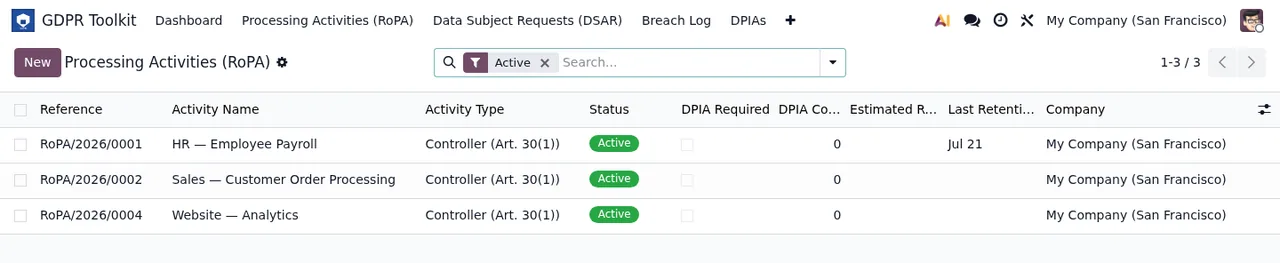
Processing Activities (RoPA) list with the Active filter: reference, activity, type, status, DPIA required, count, retention and company, with the New button and three records.Glossary: processing activities and DPIAs
Processing Activities (RoPA)- The section for processing activities, which the module labels with the acronym RoPA. It holds two entries:
All ActivitiesandDPIA Required. In the screenshot, the list shows columns for reference, activity name, type, status, DPIA required, count, retention and company.
Controller- The value shown in the type column for all three records in the activities screenshot, each of them in
Activestatus.
DPIAs- A dedicated section for DPIAs, at
GDPR Toolkit › DPIAs. It has the full list,All DPIAs, and a second entry,Awaiting DPO Review.
Glossary: requests and breaches
Data Subject Requests (DSAR)- The section for data subject requests. It has three entries:
All Requests,OverdueandDue This Week.
Breach Log- The breach register, at
GDPR Toolkit › Breach Log. It has two entries:All BreachesandActive Incidents.
Confidentiality Breach- The type carried by both breaches in the
Breach Logscreenshots.
NewandUnder Assessment- The two statuses visible on the breaches in the screenshots, one on each row.
Active Incidents- The second entry under
Breach Log. Its view shows a risk level column alongside the notification deadline and the status.
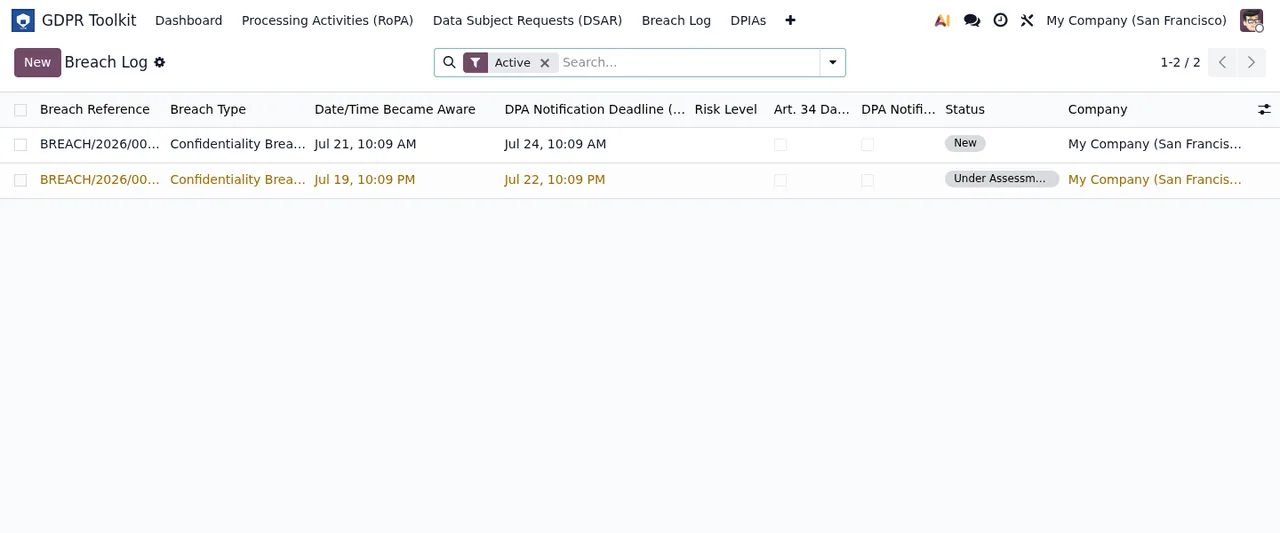
Breach Log with the Active filter: two breaches of type Confidentiality Breach, their dates, the DPA notification deadline, the New and Under Assessment statuses and the company.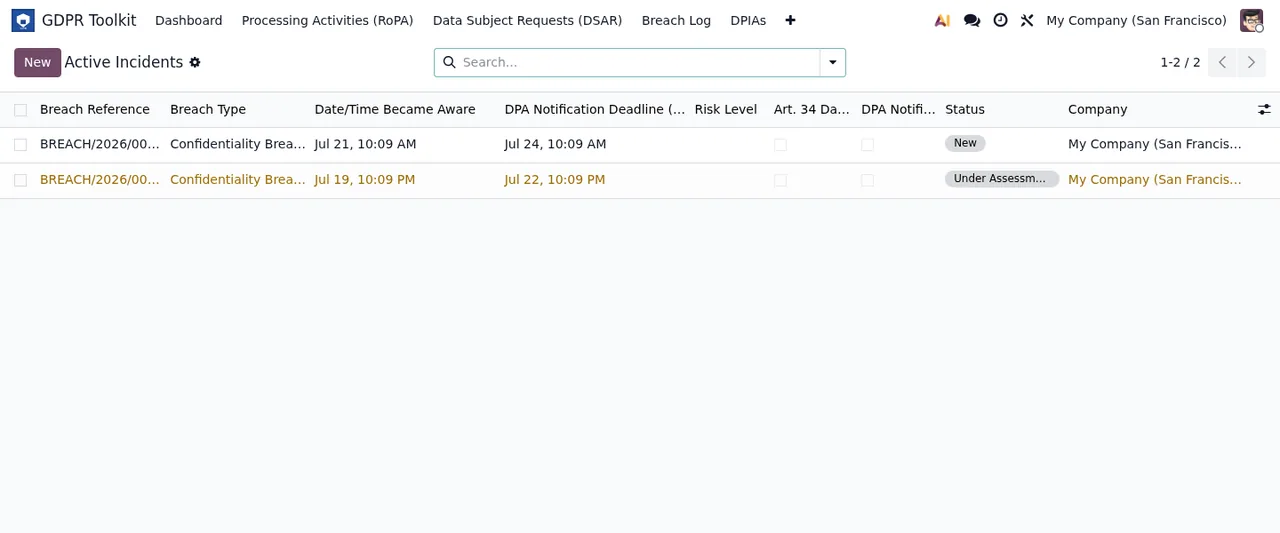
Breach Log › Active Incidents: the two breaches with reference, type, dates, notification deadline, risk level, status and company.Glossary: retention, reports and configuration
Retention Management- The data retention section. It has two entries:
Retention ScheduleandReview History.
Reports- The module's reports, all under
GDPR Toolkit › Reports:Export RoPA (PDF),Export RoPA (Excel),DSAR History Report,Breach Log ReportandDPIA Status Report. The two RoPA export entries carry their format in the name, PDF and Excel.
Audit Log- The audit trail. It has no section of its own: it sits inside the configuration, at
GDPR Toolkit › Configuration › Audit Log.
DPO & Settings- The first entry under
GDPR Toolkit › Configuration.
- The other
Configurationentries Supervisory Authorities,Data Categories,Data Subject Categories,Recipient CategoriesandLegal Bases, each with its own entry in the configuration menu.
The module's scheduled actions
Alongside the menus, the module ships five scheduled actions, and all of them come switched on:
GDPR: DSAR Deadline Reminder, every day.GDPR: Breach Countdown Alert, every hour.GDPR: Retention Expiry Check, every day.GDPR: DSAR Overdue Escalation, every week.GDPR: RoPA Annual Review Reminder, every 12 months.
Their names use the same acronyms and words as the menus: two carry DSAR, one Breach, one Retention and one RoPA. The one with Breach in its name runs most often, every hour.
Which statuses you see on screen
In the module's lists you can read each record's status in its own column. The screenshots show activities in Active, breaches in New and Under Assessment, and a DPIA in draft status (shown as Borrador).
Active filter to the breach register, the active incidents and the DPIA list with a single record in draft status.If you want the detail of which fields to fill in and which statuses each record moves through, see setting up GDPR Compliance Suite.
What you need to get it running
GDPR Compliance Suite is published on Odoo Apps for Odoo 17, 18, 19 and 20, at €9 per Odoo version, one-off payment, excluding VAT. The module works with a local FlexigoTech Cloud service, which costs €29/month or €290/year excluding VAT (Pro: €58/month or €580/year). Without a subscription, or with the service suspended, whatever the subscription provides stops, and your data stays in your Odoo. With the subscription, the module for new Odoo versions is included if you bought it on the module page at flexigotech.com; on the Odoo App Store, each Odoo version is bought there, from the Odoo Apps listing.
How FlexigoTech can help
FlexigoTech implements Odoo 17, 18, 19 and 20 and builds bespoke connectors and integrations. If you are rolling out Odoo and want to bring in GDPR Toolkit or connect it with other systems in your business, we can work on it with you. And if a message pops up that you do not understand, check the guide to the module's error messages and warnings.
Keep reading
Checked in the module's source code (version 20.0) and the linked sources
Sources
- Module source code: flexigo_gdpr_toolkit 20.0 (bd76c09c): views/gdpr_menu_views.xml
- Module source code: flexigo_gdpr_toolkit 20.0 (bd76c09c): data/gdpr_cron_data.xml
- apps.odoo.com/apps/modules/20.0/flexigo_gdpr_toolkit
- apps.odoo.com/apps/modules/17.0/flexigo_gdpr_toolkit
- apps.odoo.com/apps/modules/18.0/flexigo_gdpr_toolkit
- apps.odoo.com/apps/modules/19.0/flexigo_gdpr_toolkit
- flexigotech.com/en/services.html
- flexigotech.com/precios.html