

 Español
 Català
 Deutsch
 Français
 Português
 Italiano
 Nederlands
 Polski
How to read a message from the module
Most messages in this module say the action is reserved for a role (GDPR Managers or Odoo Administrators). The audit log ones, however, name no role at all: they warn that those entries are permanent, immutable records that cannot be deleted or modified. Others explain that an action cannot be done on that record (deleting it, moving its status backwards) or that a previous step is missing. Others ask for mandatory data or enforce a rule, such as one configuration per company.
If you would like to see first which menus and records the module adds, that is covered in how GDPR Compliance Suite works under the bonnet. Here we stick to the messages.
The case: a company works through the module from start to finish
Example Illustrative case: the company and its figures are made up to explain the flow.
Alba Ceramics is a made-up company that has just installed GDPR Compliance Suite in its Odoo. Marta, who is running the rollout, works through the whole flow with a test user and then with the user of the person acting as DPO. These are the messages she meets, in the order they appear.
Configuration per company
Marta creates a new configuration without realising there was already one, and Odoo replies with Only one GDPR configuration record per company is allowed. A configuration already exists for company %(company)s. The reading is straightforward: the module allows one configuration per company and Alba Ceramics already has one, so work on that one.
Activating a processing activity that needs a DPIA
When she tries to activate a processing activity that requires an impact assessment, she gets Cannot activate processing activity "%(name)s": a DPIA is required but no approved DPIA is linked. Please complete and approve a DPIA first. What to do: exactly what the message says, complete the DPIA, get it approved and linked to that activity, then activate again.
Marta drafts the DPIA with her test user and, on submitting it for review, receives Only GDPR Managers can submit a DPIA for review. Approval and rejection are reserved as well: Only GDPR Managers (acting as DPO) can approve a DPIA. and Only GDPR Managers (acting as DPO) can reject a DPIA. She switches to the user with that role. The DPO decides to reject a first draft without writing anything, and the module stops her with DPO comments are required when rejecting a DPIA. Once the comment is written, the rejection goes through.
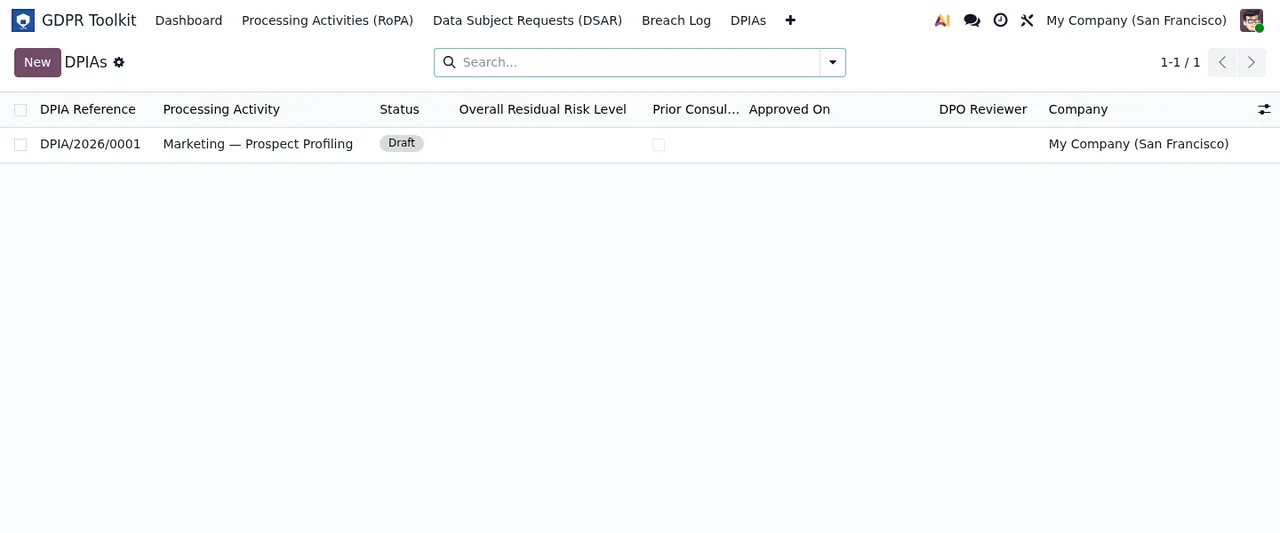
Borrador (draft), with demo data.A data subject request that gets complicated
A portability request arrives (a DSAR in the module). Marta tries to generate the export straight away and gets Identity must be verified before generating a portability export. The data subject's identity has to be verified first; the export comes after.
While working on the request she also sees No Odoo contact linked to this DSAR. Please link a res.partner record first. The request has no Odoo contact linked, and the message asks you to link a res.partner record before carrying on.
Marta picks the wrong status and wants to go back: DSAR status cannot be moved backwards. The audit trail must be append-only. The status only moves forward. Then she tries to delete a duplicate request: DSAR records cannot be deleted. Archive them instead (GDPR Manager / Admin only). Rather than deleting, you archive, and only a GDPR Manager or an administrator can do so.
On another request, an access one, she runs the retention conflict check and gets Retention conflict check only applies to erasure requests. That check is only for erasure requests. And when she decides to close a request as refused without justifying it, she sees Refusal justification is required before closing as refused. Write the justification and close it.
A breach logged by mistake
Someone on the team logs a duplicate breach. Deleting it brings up Breach records are append-only and cannot be deleted. Only an Odoo Administrator can archive a breach record with a written reason. Marta tries to archive it with her own user and receives Only Odoo Administrators can archive breach records. An Odoo administrator has to do it, with the reason in writing. The module also has the message Archive reason is required. for when the archive reason is missing.
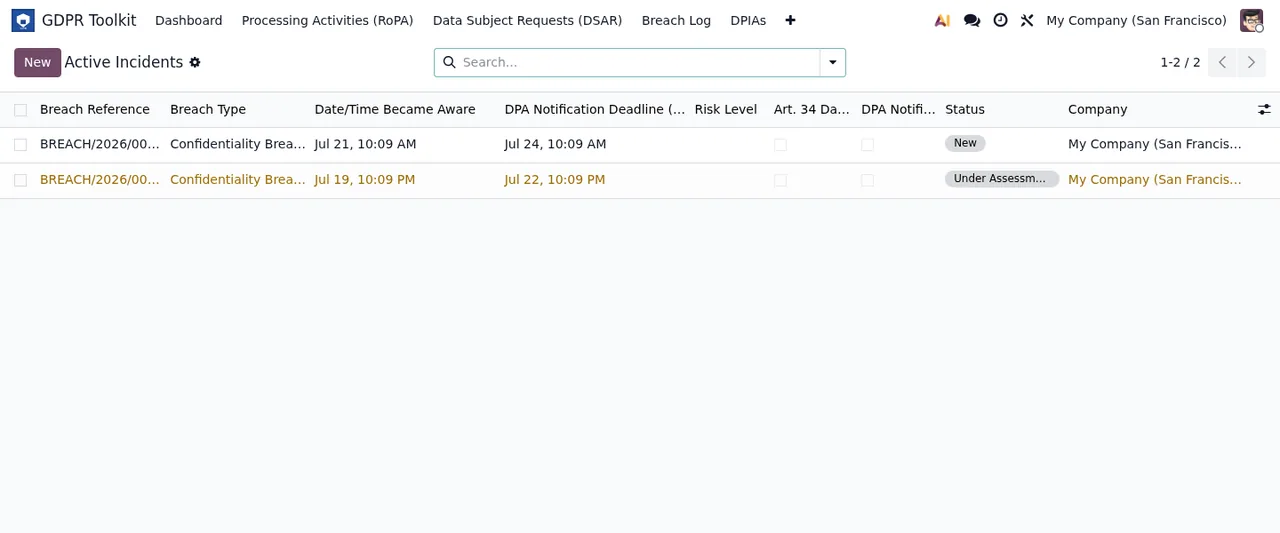
New and one Under Assessment, with demo data.Audit log, history and activities
To clear out her tests, Marta tries to delete audit log entries: You do not have access rights to delete GDPR Audit Log records. They are permanent compliance records per Art. 5(2) GDPR accountability principle. Editing them is not allowed either: You do not have access rights to modify GDPR Audit Log records. Audit log entries are immutable compliance records. Here the message asks for no role: it says these are permanent, immutable records, so do not expect to delete or edit them by switching user. History behaves the same way, with History records are immutable and cannot be deleted. They are part of the GDPR audit trail. and History records are immutable. And a test processing activity cannot be deleted: Processing activity records cannot be deleted to preserve the audit trail. Please archive the record instead. You archive it.
When an action is reserved with no further detail, the text is Only GDPR Managers can perform this action.
Exporting to Excel
Finally, Marta wants to export the register to Excel and gets openpyxl is not installed. Please install it via pip to use Excel export. As the message says, openpyxl has to be installed with pip before the Excel export can be used. Another message in the module is No processing activities found for this company., which says it finds no processing activities for that company.
Other messages that ask for a reason
Outside the case there are three validations worth knowing before they appear. When extending a deadline, Extension reason is required when extending the deadline. When extending retention, the module asks for two things: Extension justification is required when extending retention. and New retention end date is required when extending retention. In all three, fill in what the message names and repeat the action.
What to take from the case
- Before you start, decide who will hold the
GDPR Managersrole and who is an Odoo administrator: several messages reserve actions for one or the other. - Audit log and history entries cannot be deleted or modified, by any user according to their messages; breaches, requests and activities are archived instead of deleted.
- Keep written reasons to hand: rejecting a DPIA, closing as refused, extending deadlines or retention and archiving all ask for one.
- Follow the order the messages set: approved DPIA before activating, verified identity before exporting, linked contact before carrying on.
- Excel export needs
openpyxl, installed with pip.
Settings and statuses for the first week are covered in getting GDPR Compliance Suite up and running.
How FlexigoTech can help
FlexigoTech implements Odoo 17, 18, 19 and 20 and builds bespoke connectors and integrations, so we can help you assign the roles and prepare the installation before your team starts working with the module. The module costs €9 excluding VAT per Odoo version, a one-off payment, for 17, 18, 19 and 20, and the local service is contracted separately (€29/month or €290/year excluding VAT). Full details are on the GDPR Compliance Suite page.
Keep reading
Checked in the module's source code (version 20.0) and the linked sources
Sources
- Module source code: flexigo_gdpr_toolkit 20.0 (bd76c09c): models/gdpr_audit_log.py
- Module source code: flexigo_gdpr_toolkit 20.0 (bd76c09c): models/gdpr_breach.py
- Module source code: flexigo_gdpr_toolkit 20.0 (bd76c09c): models/gdpr_config.py
- Module source code: flexigo_gdpr_toolkit 20.0 (bd76c09c): models/gdpr_dpia.py
- Module source code: flexigo_gdpr_toolkit 20.0 (bd76c09c): models/gdpr_dsar.py
- Module source code: flexigo_gdpr_toolkit 20.0 (bd76c09c): models/gdpr_processing_activity.py
- Module source code: flexigo_gdpr_toolkit 20.0 (bd76c09c): models/gdpr_retention.py
- Module source code: flexigo_gdpr_toolkit 20.0 (bd76c09c): wizard/gdpr_breach_archive_wizard.py
- Module source code: flexigo_gdpr_toolkit 20.0 (bd76c09c): wizard/gdpr_portability_export_wizard.py
- Module source code: flexigo_gdpr_toolkit 20.0 (bd76c09c): wizard/gdpr_ropa_export_wizard.py
- apps.odoo.com/apps/modules/20.0/flexigo_gdpr_toolkit
- apps.odoo.com/apps/modules/17.0/flexigo_gdpr_toolkit
- apps.odoo.com/apps/modules/18.0/flexigo_gdpr_toolkit
- apps.odoo.com/apps/modules/19.0/flexigo_gdpr_toolkit
- flexigotech.com/en/services.html
- flexigotech.com/precios.html