

 Español
 Català
 Deutsch
 Français
 Português
 Italiano
 Nederlands
 Polski
What the module covers according to its documentation
The README splits GDPR Compliance Suite into six blocks. Before deciding, check whether you need all six or only some of them:
- Records of Processing Activities (RoPA): the README presents it as the Art. 30 register.
- Data Subject Rights Requests (DSAR): requests under Arts. 15 to 21, including access and erasure.
- Personal Data Breach Log: Arts. 33 and 34, with a real-time 72-hour countdown.
- Data Protection Impact Assessment (DPIA): Art. 35, following WP248 rev.01.
- Retention Management: Art. 5(1)(e), with automated expiry alerts.
- Compliance Dashboard: a real-time KPI summary of all open obligations.
As its frame of reference, the documentation cites GDPR (EU) 2016/679, LOPDGDD 3/2018 (Spain / AEPD), EDPB Guidelines 9/2022 (for breach risk scoring) and EDPB WP248 rev.01 (the DPIA nine-criteria rule). That is what the module builds on, not a legal opinion on your situation.
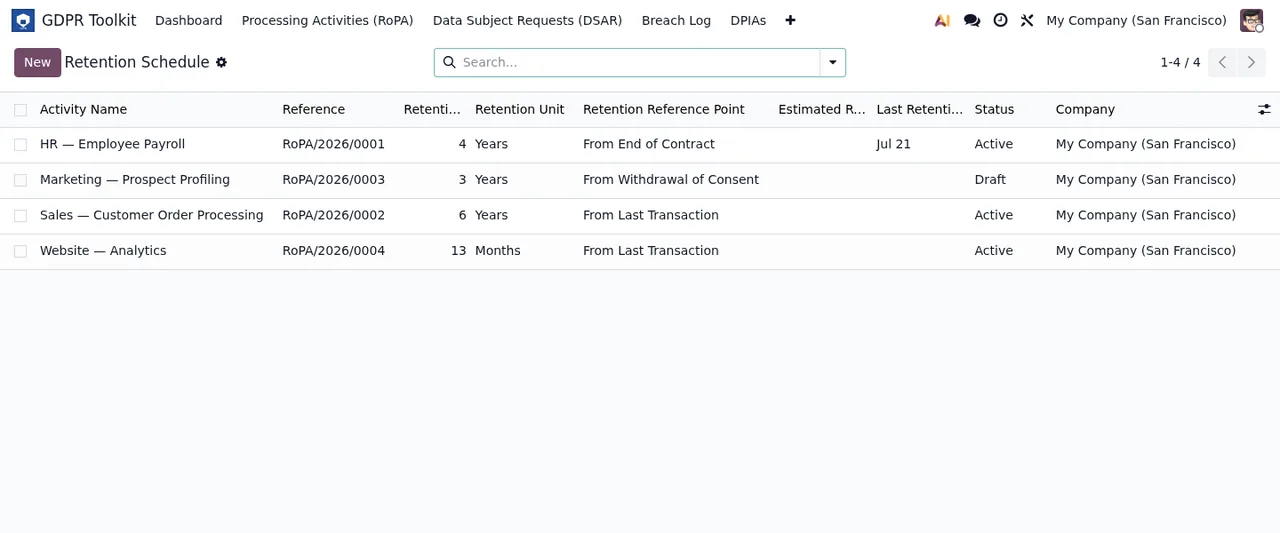
GDPR Toolkit › Retention Schedule list, showing each activity's RoPA reference, retention period, reference point and status.Misconceptions before you install it
«Installing it means I comply with GDPR»
The module gives you somewhere to record each obligation and a way to track it, but you supply the content. The README lists the Art. 30 mandatory fields: purposes, legal basis and data subject categories, among others. What purpose or legal basis each processing activity has is not something the module decides. What it does do is keep an immutable version history: every save creates a JSON snapshot. You can also export the register to PDF (Odoo QWeb) or Excel (openpyxl, multi-sheet).
«It only works if you are the controller»
The register has a dual mode: Controller (Art. 30(1)) and Processor (Art. 30(2)). If your company processes data on behalf of clients as well as its own, the module caters for both roles.
«Rights requests still have to be handled by email»
The module includes a public portal at /my/privacy-rights with a honeypot and rate-limiting, plus anonymous status tracking at /my/privacy-rights/status/<token>. It handles six request types, including access (Art. 15), rectification (Art. 16) and erasure (Art. 17). It works out the Art. 12(3) one calendar month deadline automatically and allows a one-month extension with tracking of the Art. 12(3) para. 2 notification. In the list view, each request carries a colour-coded urgency tier: overdue, urgent or normal. States move in one direction only, starting with received, in_review and identity_verified. For portability, it exports to JSON or CSV with soft detection of the hr and sale modules.
«A badly logged breach can be fixed by deleting it»
Nothing gets deleted in the breach log: records are immutable, and archiving requires an Admin user and a mandatory reason. The 72-hour countdown (Art. 33(1)) is a live OWL component that updates without reloading the page. Risk is scored with the EDPB Guidelines 9/2022 matrix, impact times likelihood on a 1 to 5 scale, and high or critical risk breaches are automatically flagged for Art. 34. It also records the date of notification to the supervisory authority, with a field for the reference number.
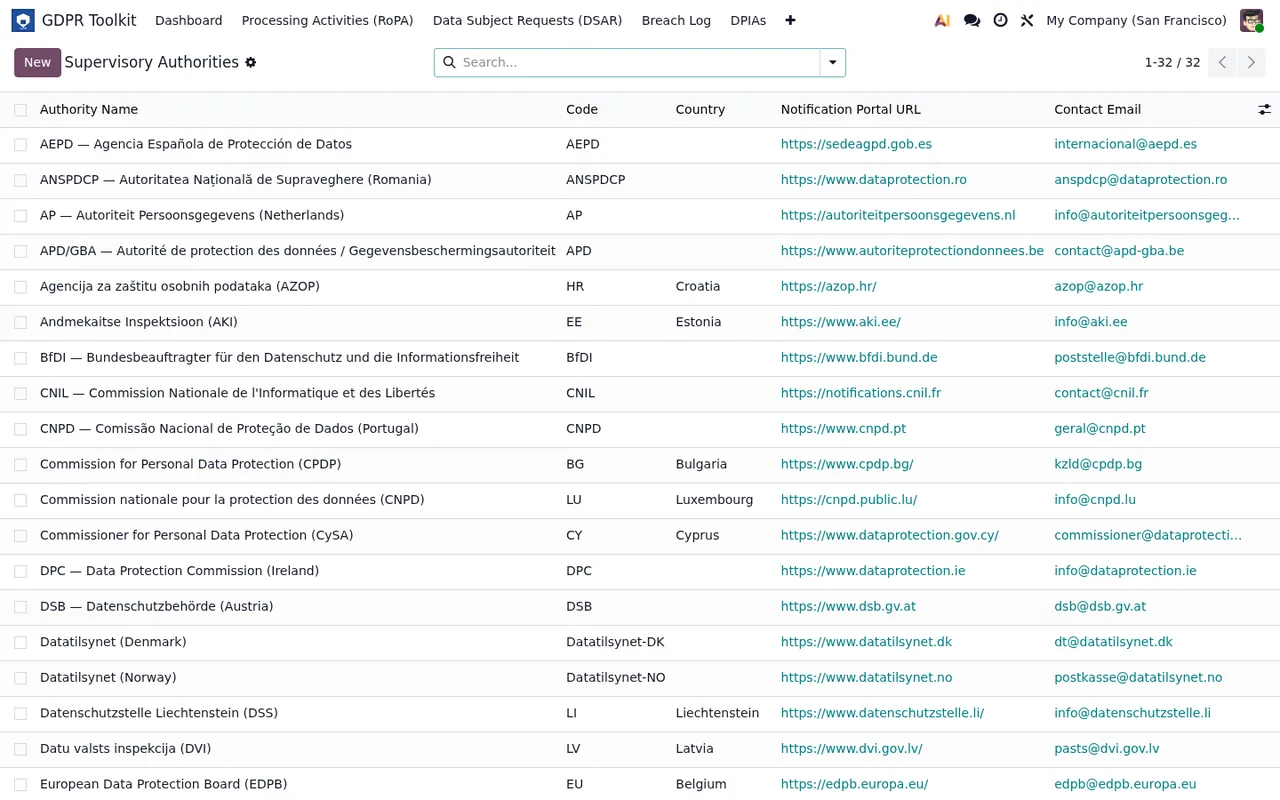
GDPR Toolkit › Supervisory Authorities: each authority with its country, notification portal and contact email.«The DPIA lives on its own and doesn't hold anything up»
The DPIA is tied to the register. Each activity carries nine WP248 criteria flags that determine whether it needs a DPIA, and there is an activation gate: an activity cannot go Active without an approved DPIA if one is required. The DPIA itself follows a five-step WP248 form that starts with the description and necessity/proportionality. Each risk is logged as an item with pre- and post-mitigation scores, and residual risk is the highest post-mitigation level across all of them. If that residual risk is high or critical, the module raises the Art. 36 prior consultation flag. Approval runs from draft to in_review and then to approved or rejected, and the DPIA exports to PDF through the QWeb report engine.
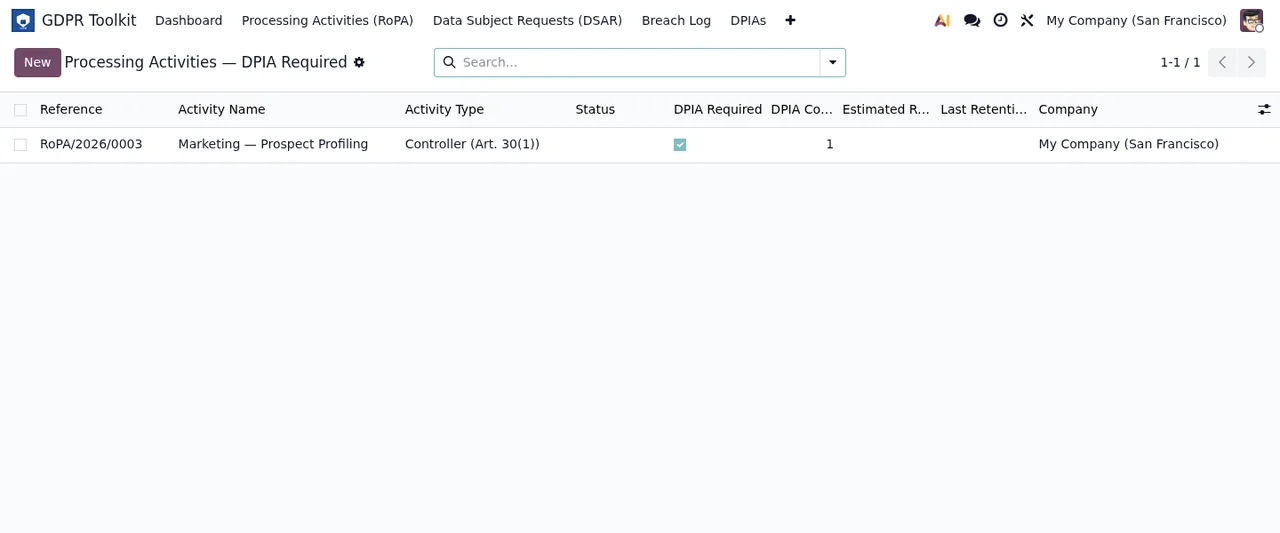
GDPR Toolkit › Processing Activities filtered by DPIA required: a marketing activity as controller, with the DPIA box ticked, under the company My Company (San Francisco).«If I stop paying for the service, I lose my data»
GDPR Compliance Suite is a module with a local FlexigoTech Cloud service. Without a subscription, or with the service suspended, whatever the subscription provides stops, but your data stays in your Odoo.
What to have ready before installing it
- An Odoo 17, 18, 19 or 20 database, which are the versions it is published for.
- Clarity on whether your company acts as controller, processor or both, so you use the right mode.
- Your list of processing activities with their purposes, legal basis and data subject categories.
- Who will hold the Admin profile, since archiving a breach requires it along with a reason.
- Which of the hr and sale modules you have installed, as the portability export detects them.
If you have already decided and want to know what to fill in on day one, see getting GDPR Compliance Suite up and running.
Which Odoo version and how to buy it
On Odoo Apps it costs €9 excluding VAT, a one-off payment per Odoo version, for 17, 18, 19 and 20; the local service costs €29/month or €290/year excluding VAT (Pro: €58/month or €580/year). If you buy on the Odoo App Store, each Odoo version is bought there; if you buy on flexigotech.com, the module for new Odoo versions is included with the subscription. If you plan to upgrade soon, bear that in mind when choosing where to buy. Full details are on the module page and the Odoo Apps listing.
How FlexigoTech can help
At FlexigoTech we implement Odoo 17, 18, 19 and 20 and build bespoke connectors and integrations. If you want to see which menus it adds and what each record goes through before buying, start with how GDPR Compliance Suite works under the bonnet; if you need it to fit with the rest of your Odoo, we can look at it with you.
Keep reading
Checked in the module's source code (version 20.0) and the linked sources
Sources
- Module source code: flexigo_gdpr_toolkit 20.0 (bd76c09c): README.rst
- apps.odoo.com/apps/modules/20.0/flexigo_gdpr_toolkit
- apps.odoo.com/apps/modules/17.0/flexigo_gdpr_toolkit
- apps.odoo.com/apps/modules/18.0/flexigo_gdpr_toolkit
- apps.odoo.com/apps/modules/19.0/flexigo_gdpr_toolkit
- flexigotech.com/en/services.html
- flexigotech.com/precios.html