

 Español
 Català
 Deutsch
 Français
 Português
 Italiano
 Nederlands
 Polski
Example Illustrative case: the company and its figures are made up to explain the flow.
The company
Nórdica Instalaciones installs climate systems for businesses in Sweden and Norway. Its customers sign with BankID, so the company has used Scrive for a while. The rest runs separately: quotations in a word processor, invoicing in another program and signed contracts in a shared folder.

How they work today
Ingrid prepares the quotation, exports it to PDF and uploads it to Scrive. She types the customer's name and email by hand, although they were already in the quotation. When the customer signs, she downloads the signed PDF, renames it and saves it in the customer's folder. Then she tells invoicing they can issue the invoice.
Each step works. The problem is the sum: data is typed twice, nobody can see at a glance which quotations are waiting for a signature, and when someone needs a contract from a year ago, the folder search begins.
What changes with Odoo
With Odoo and the Scrive connector, published for Odoo 17, 18, 19 and 20:
- The quotation is made in Odoo and sent for signature from the quotation itself, one by one, in bulk or automatically on confirmation.
- The customer receives the document by email, SMS, in person or through a link, and signs with their identification method.
- The quotation shows its state: awaiting signature, signed, rejected or timed out. Odoo checks pending ones every hour.
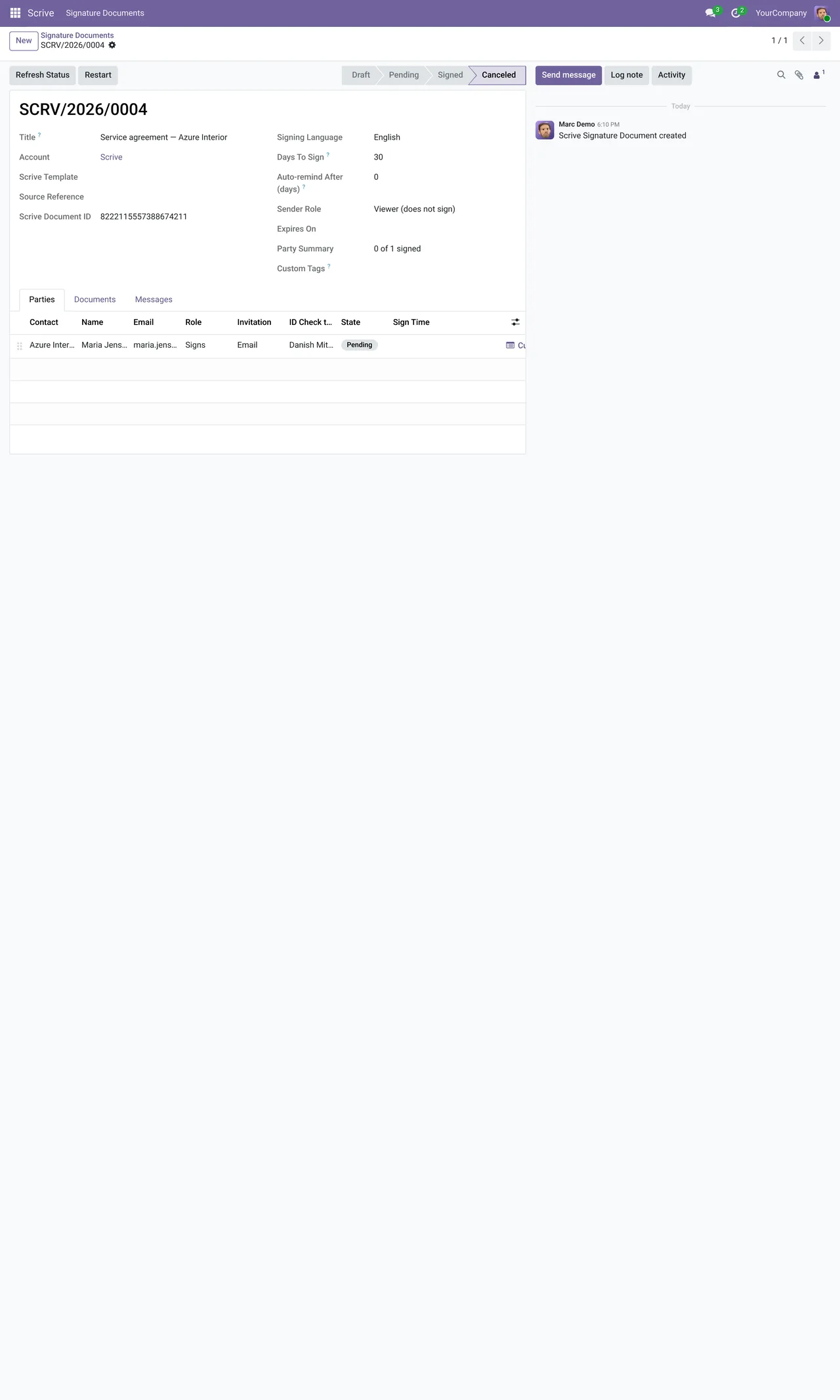
- The sealed PDF and the evidence ZIP are stored on the quotation. There is no folder to maintain.
- The customer sees on the portal the documents waiting for their signature.
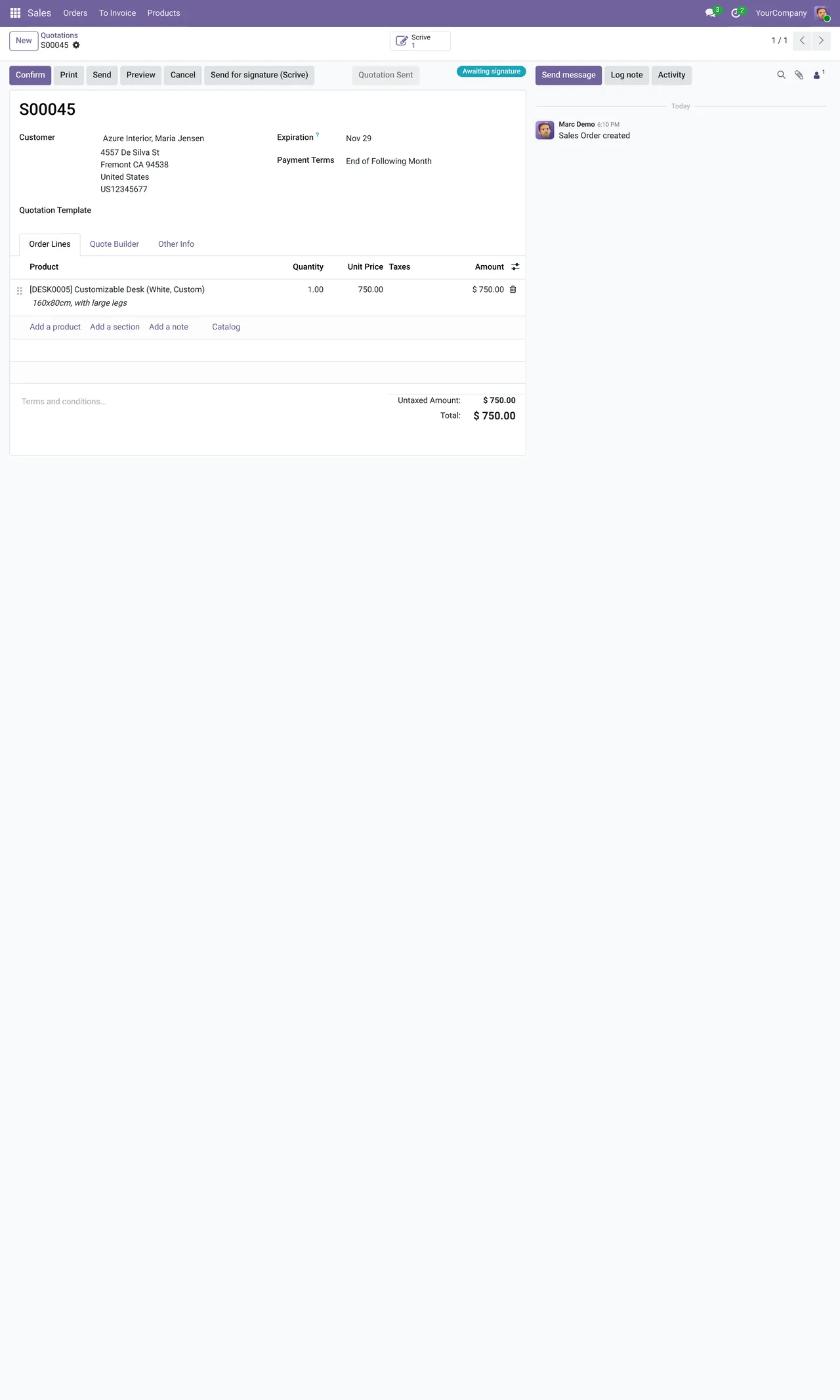
Before and after
| Step | Before | With Odoo |
|---|---|---|
| Preparing the document | Word processor and export | Odoo quotation |
| Signer details | Typed into Scrive | Taken from the contact |
| Knowing what is still unsigned | Asking or checking Scrive | Filtering quotations by state |
| Storing the signed copy | Download and file | Stored on the record automatically |
| Invoicing | Telling another department | Invoice from the signed order |
What needs preparing
Before starting, Nórdica Instalaciones registers its Scrive account in Odoo, under Scrive › Configuration › Accounts. If it already used templates in Scrive, it keeps using them from Odoo, under Configuration › Templates. And it checks with Scrive that the identification methods its customers ask for, such as BankID, are enabled on its plan, because Scrive enables them, not Odoo.
After a few weeks, the Nórdica Instalaciones team stops asking by email whether a contract is signed: they filter the quotation list by state.
If this sounds familiar
At FlexigoTech we implement Odoo and connect your Scrive account. The module costs €9 per Odoo version and the Connector plan starts at €49 a month, VAT excluded. Scrive credentials are stored encrypted in our cloud, which alerts you if the sync fails. And if your contracting process has steps of its own, we build them to measure inside Odoo.
Keep reading
Checked in the connector's source code (version 20.0) and the linked sources
Sources
- Module source code: flexigobe_scrive_connector 20.0 (21b3b940): static/description/index.html
- Module source code: flexigobe_scrive_connector 20.0 (21b3b940): models/scrive_mixin.py
- Module source code: flexigobe_scrive_connector 20.0 (21b3b940): data/ir_cron.xml
- apps.odoo.com/apps/modules/20.0/flexigobe_scrive_connector
- flexigotech.com/en/services.html
- flexigotech.com/precios.html
- Module source code: flexigobe_scrive_connector 20.0 (21b3b940): views/menus.xml