

 Español
 Català
 Deutsch
 Français
 Português
 Italiano
 Nederlands
 Polski
Before you start
You need a Scrive account registered in Odoo, under Scrive › Configuration › Accounts. If you want the customer to identify with BankID, MitID, itsme or another eID, that method has to be enabled by Scrive on your account: it depends on your plan and Scrive may charge for it separately.
The connector is published for Odoo 17, 18, 19 and 20.
Steps
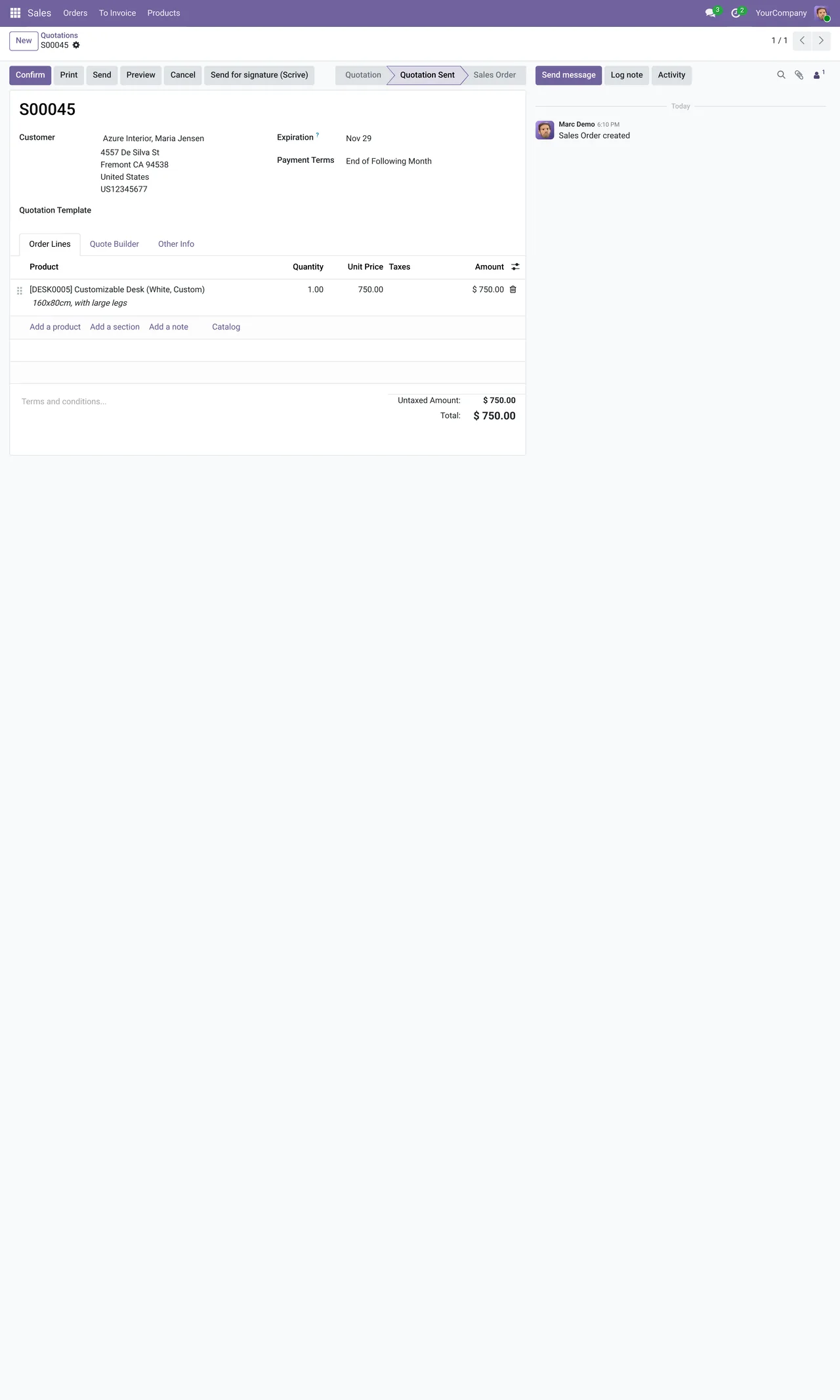
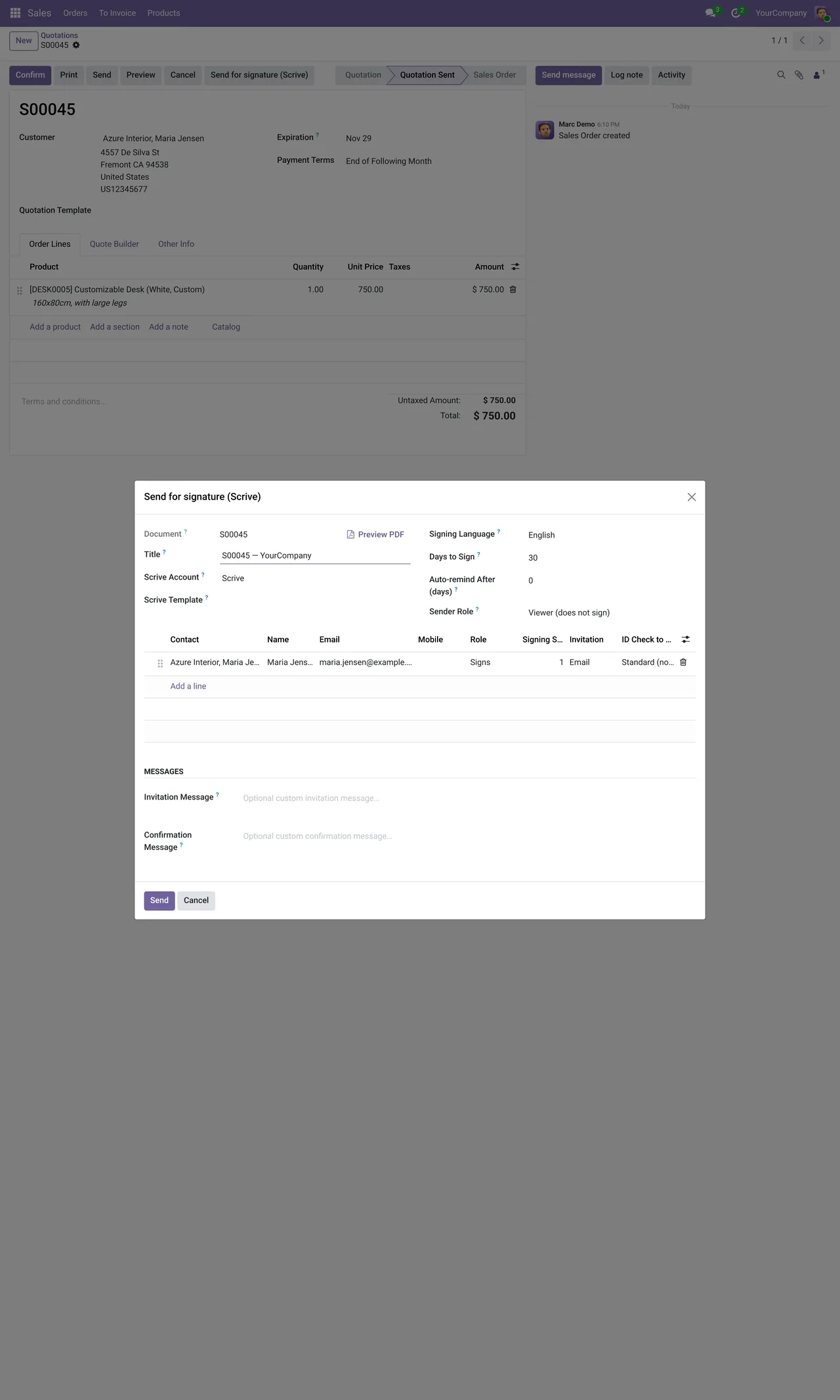
- Open the quotation in Sales and press the send-for-signature button. The Scrive wizard opens with the quotation PDF already attached.
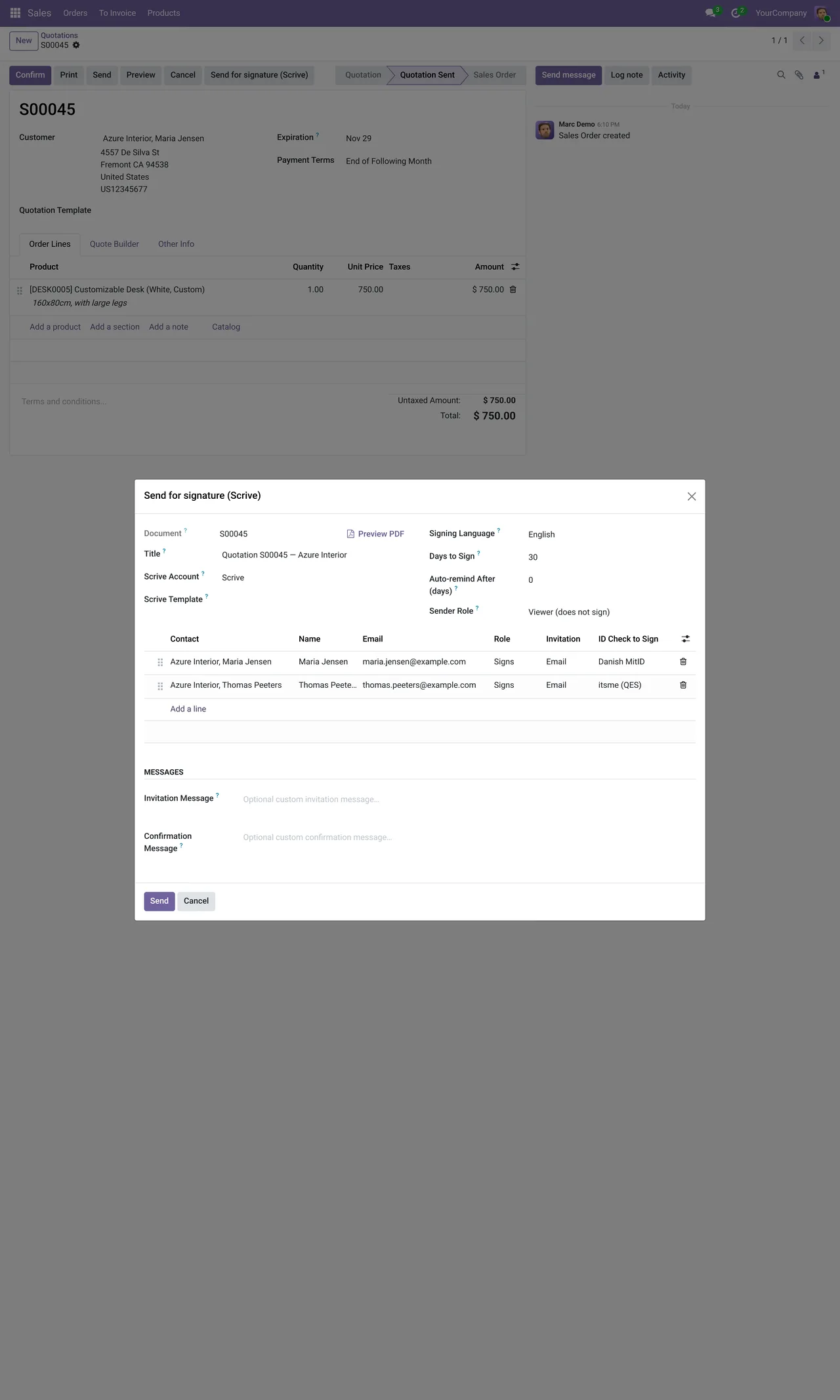
- Add the signers. For each one you choose how it reaches them: email, SMS, in-person signing or a shareable link.
- Choose the identification method if you need one: Swedish or Norwegian BankID, MitID, FTN, iDIN, Freja, Onfido, OneID, Verimi, itsme, Smart-ID, Scrive's qualified signature or an SMS PIN.
- If you use Scrive templates, pick the template instead of building the document from scratch.
- Set the signing deadline and the automatic reminders. The deadline runs from 1 to 365 days; the reminder from 0, which switches it off, to 364, and always before the document expires.
- Send. The quotation moves to "awaiting signature".
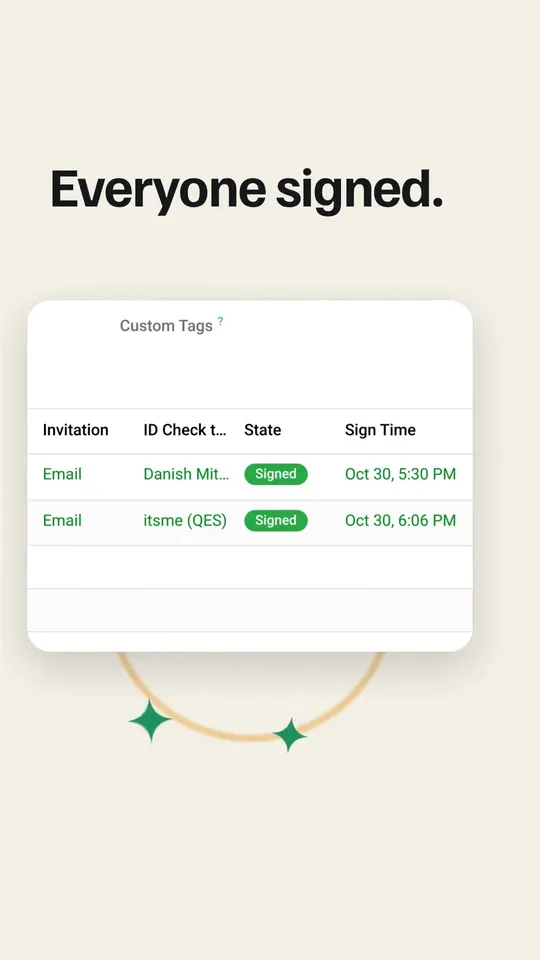
- When the customer signs, the quotation moves to signed and the sealed PDF with its evidence ZIP is stored on it.
States you will see
A sent document goes through these states in Odoo: not sent, draft, awaiting signature, signed, cancelled, timed out, rejected or error. On top of that, each signer has the delivery state of their email and their SMS: unknown, not delivered, delivered or deferred. If someone says they received nothing, that is where you check.
The connector checks pending documents every hour, besides the notices Scrive sends when something changes. If a state lags, the next check brings it up to date.
Errors you may come across
Scrive can only sign PDF attachments.Only PDFs are signed. If you attach a Word file, convert it first.Days to Sign must be between 1 and 365…The deadline is out of range.Auto-remind After must be between 0 (disabled) and 364…The reminder is out of range.
If the customer does not sign
An unsigned document does not sit in limbo. If the deadline passes, it is marked timed out; if the customer rejects it, rejected; and if you cancel it, cancelled. From that state you decide whether to send it again with a new deadline or write the quotation off.
And after signing
The sealed PDF and the evidence stay on the quotation, so there is no need to download them to any folder. Your customers also get a page on the portal where they see the documents waiting for their signature and sign the ones sent by link.
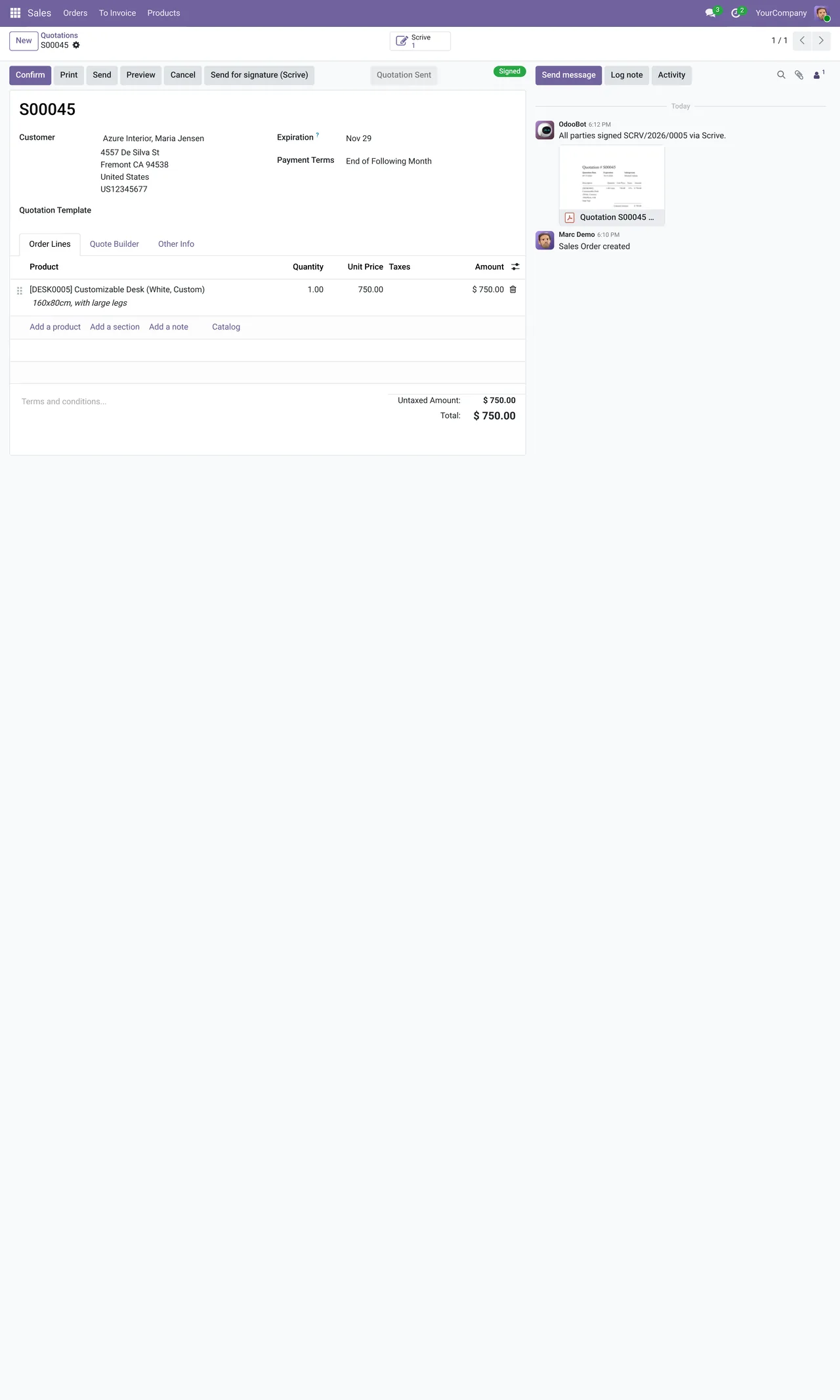
Sending can also be done in bulk from the list, or automatically when the order is confirmed.
Keep reading
Checked in the connector's source code (version 20.0) and the linked sources
Sources
- Module source code: flexigobe_scrive_connector 20.0 (21b3b940): static/description/index.html
- Module source code: flexigobe_scrive_connector 20.0 (21b3b940): models/scrive_account.py
- Module source code: flexigobe_scrive_connector 20.0 (21b3b940): models/ir_attachment.py
- Module source code: flexigobe_scrive_connector 20.0 (21b3b940): models/scrive_mixin.py
- Module source code: flexigobe_scrive_connector 20.0 (21b3b940): models/scrive_party.py
- Module source code: flexigobe_scrive_connector 20.0 (21b3b940): data/ir_cron.xml
- Module source code: flexigobe_scrive_connector 20.0 (21b3b940): views/menus.xml
- apps.odoo.com/apps/modules/20.0/flexigobe_scrive_connector
- youtube.com/shorts/GfbctRfwkV8