

 Español
 Català
 Deutsch
 Français
 Português
 Italiano
 Nederlands
 Polski
What it covers according to its documentation
According to the README, the module brings these pieces together in one place in Odoo:
AI System Inventory: a register of high-risk and general-purpose AI systems.Risk Assessment Wizard: a wizard that classifies each system into risk tiers; the first one the README lists isprohibited.Obligation Checklists: automatically derives compliance obligations.FRIA & Impact Assessments: management of Fundamental Rights Impact Assessments.Affected Person Notices: tracking of the information given to affected persons.AI Literacy Records: documentation of workforce training and competency assessments.Incident & Violation Logging: recording of serious incidents.Transparency Register: upkeep of the transparency register.Deadline Calendar: statutory dates are managed as configurable data, not hardcoded.Alert Rules & Approval Workflow: in-app alerts for overdue obligations.Multi-Company Support: company-scoped access control.
To get the information out, the README describes a Dashboard with a real-time overview of all systems and their tier distribution, a PDF Dossier with a per-system compliance report (identity, classification and other sections) and an XLSX Export with the full register and all its fields, which the README describes as suitable for audit evidence. If you work with several companies, managers with the oversight role see all of them.
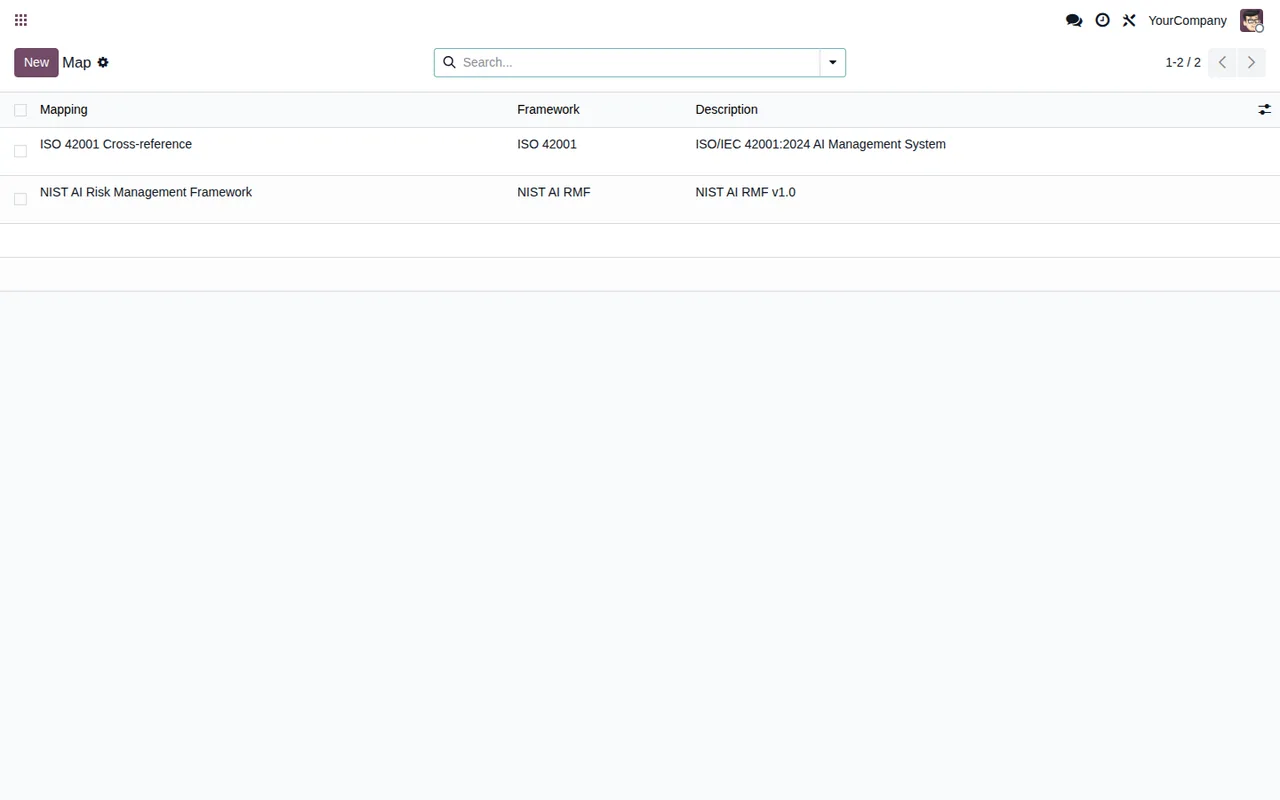
Map list, with two reference frameworks: an ISO cross-reference and the NIST AI Risk Management Framework.What the module does not do
The README sets out three limitations worth reading before you buy:
- No conformity assessment. The module does not perform the CE-marking assessment. If you need one, this module won't provide it.
- Statutory dates may change. According to the README, the dates reflect the Digital Omnibus. They sit in the
Deadline Calendaras configurable data: check the ones you have loaded before relying on a deadline. - Responsibility stays with your organisation. The README has an
Organization responsibilitysection that leaves responsibility with the organisation deploying the module.
A worked example from start to finish
Example Illustrative case: the company and its figures are made up to explain the flow.
Comercial Llobregat is a fictional distributor running Odoo 18 that has launched a customer service chatbot. Its compliance lead wants it registered, classified and with its obligations up to date inside Odoo.
Getting set up
- Go to
AI Act Compliance > Configurationand complete the initial configuration the README describes. - A manager user configures the
Deadline Calendar; the README restricts this to managers. - Create the users who will work with the module and assign them to their
Security Groups. - Optionally, import the
Onboarding Catalog.
AI Systems list with a single system in Draft status, the Assessment list with five assessments of the chatbot, the Catalog list with three AI features and the Deadline list with risk tiers and their statutory date.Registering and classifying the chatbot
- In the
AI Systemslist, clickCreate. - Fill in name, vendor, description and intended use.
- Click
Classifyto run the risk classification wizard, which the README links to Articles 6 to 8. - After classification, the system runs its calculations.
- Complete the obligations: assign the FRIA, the AI literacy training, the transparency declaration and the rest.
- Once all obligations are complete, mark the system as
In Service.
The compliance lead also records the information given to affected persons, which the module lets you track notice by notice.
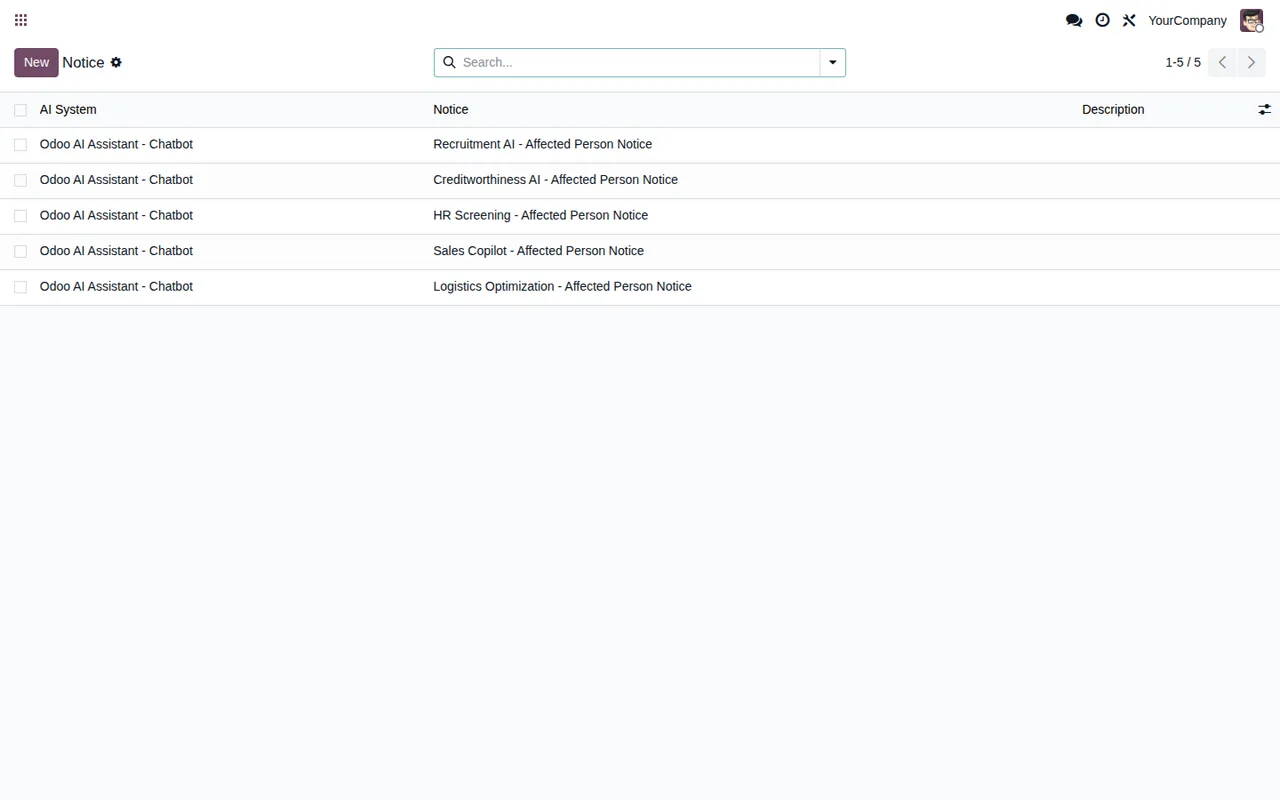
An incident with the chatbot
- Go to
AI Act Compliance > Incidents. - Click
Createand fill in the incident details. - The system calculates the notification deadline; the README refers it to Article 73.
- Once the notification has been submitted to the authority, confirm it in the module, which sets the
authority_notified_datefield.
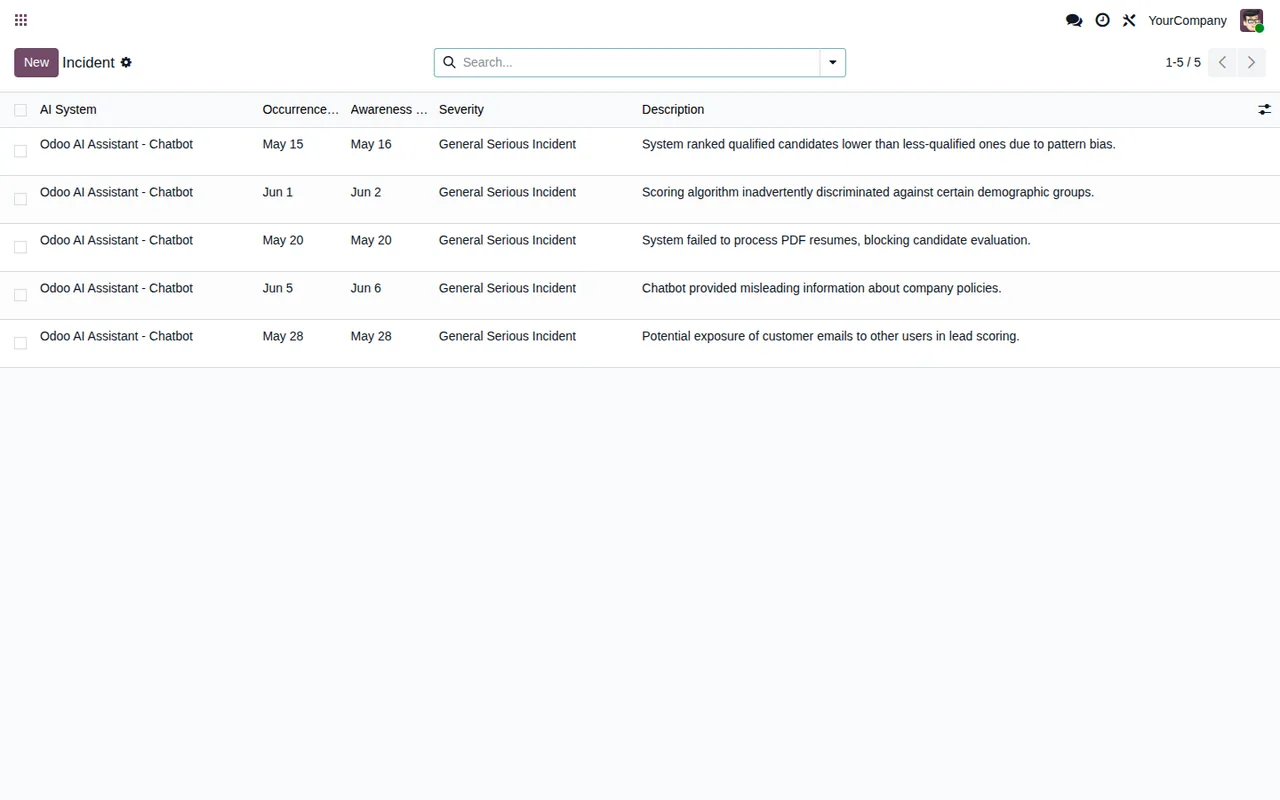
Incident list, with five incidents for the Odoo AI Assistant - Chatbot system and General Serious Incident severity.For the internal review, the compliance lead produces the chatbot's PDF Dossier and the XLSX Export with the full register.
What to take from the example
- Decide roles before installing. Only managers configure the
Deadline Calendar, and every user needs their group inSecurity Groups. - Have each system's details to hand. Registration asks for the name, vendor, description and intended use of each AI system.
- Follow the README's order. First you classify with
Classify, then you complete the obligations and then you markIn Service. - Incidents have their own path. They are created in
AI Act Compliance > Incidentsand the notification confirmation is stored inauthority_notified_date. - CE marking is separate. The register in Odoo does not replace that assessment.
If you want more detail on the menus it adds and the path each record follows, see how it works under the bonnet; and if a warning pops up while you use it, see the module's error messages and warnings.
Whether it suits you
- If you want an inventory of AI systems with their risk classification and obligations inside Odoo, that is what the module is built for.
- If you have several companies in the same Odoo database, access is controlled per company and managers with the oversight role see all of them.
- If you need to hand over the register as audit evidence, the
XLSX Exportis the output the README describes for that. - If you have to document staff training or notices to affected persons, the module has records for both.
- If what you need is the conformity assessment for CE marking, this module does not perform it.
- If your Odoo is not 17, 18 or 19, there is no published listing for your version.
Odoo versions and price
It is published on Odoo Apps for 17.0, 18.0 and 19.0. On all three listings it costs €49 excluding VAT, as a one-off payment per Odoo version. You'll find the details on the Odoo Apps listing and on the module page.
How FlexigoTech can help
FlexigoTech implements Odoo and builds bespoke connectors and integrations. If you want to install the module, set up the security groups and load your AI systems, or connect it with other parts of your Odoo, we can do it with you.
Keep reading
Checked in the module's source code (version 19.0) and the linked sources
Sources
- Module source code: flexigo_eu_ai_act_governance_register_for_odoo_ai_deplo 19.0 (76217c82): README.rst
- apps.odoo.com/apps/modules/19.0/flexigo_eu_ai_act_governance_register_for_odoo_ai_deplo
- apps.odoo.com/apps/modules/17.0/flexigo_eu_ai_act_governance_register_for_odoo_ai_deplo
- apps.odoo.com/apps/modules/18.0/flexigo_eu_ai_act_governance_register_for_odoo_ai_deplo
- flexigotech.com/en/services.html