

 Español
 Català
 Deutsch
 Français
 Português
 Italiano
 Nederlands
 Polski
What the validator covers according to its README
The module's README describes these features, and they are all you can take for granted when deciding:
- Document validation: validates electronic equivalent POS documents against DIAN regulations, in the README's own words.
- Several document types: invoices, credit notes and debit notes.
- Configurable rules: you define and manage your own validation rules per company.
- Batch processing: you validate several documents in a single operation.
- Reports: summary, detailed and compliance audit reports.
- Role-based security: access control with 4 security groups. The README describes
DIAN Admin, with full access to configuration and all documents. - Automatic validation: you schedule document validation through scheduled actions (cron jobs).
- Audit trail: a record of every validation and state change.
The rules mentioned in the README fall into four groups: mandatory fields (document type, date, numbers), format (NIT format, amounts), business logic (total = subtotal + tax, no negatives) and regulatory compliance (sequence, fiscal year, retention).
According to the README, documents are created in DIAN > Documents > New by filling in type, date, customer and amounts.
When the README talks about DIAN regulations, it is describing what the module does: checking documents against the rules it has configured. Which rules apply to your company is for you and your tax adviser to decide.
What you need before installing it
Configuration is per company, in Administration > Settings > DIAN Configuration. According to the README, that is where you set:
Company NIT: the company's tax ID (11-digit tax ID).Environment:TestorProduction.- Enabling or disabling validation rules.
- Enabling auto-validation when a document is created.
- Enabling strict validation mode.
After configuration, the README lists defining rules in DIAN > Validation > Validation Rules as a step of its own, followed by creating and validating documents in DIAN > Documents. It is worth having your rules thought through before testing: which fields are mandatory for you, what NIT format you expect and what you check on sequence or retention.
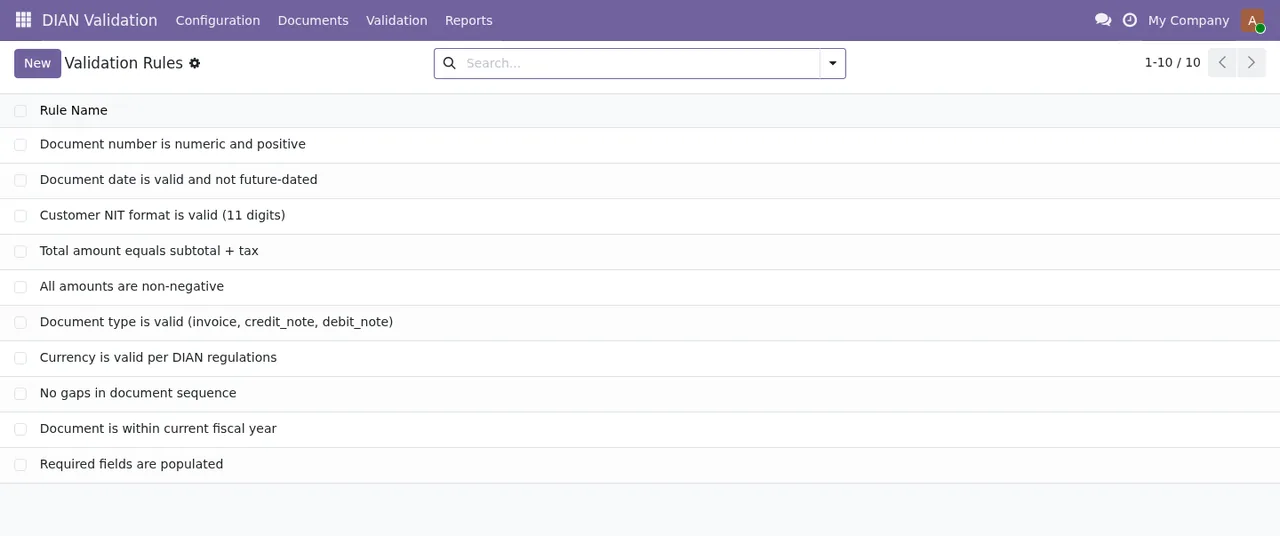
DIAN Validation › Validation Rules, with the New button to add more.Bear in mind too that this is a module with a local FlexigoTech Cloud service, which runs on a subscription. Without a subscription, or with the service suspended, whatever the subscription provides stops; your data stays in your Odoo.
Odoo 17, 18, 19 and 20: what each version has
| Odoo version | Published on Odoo Apps | Differences documented in the README |
|---|---|---|
| 17.0 | Yes | None described |
| 18.0 | Yes | None described |
| 19.0 | Yes | None described |
| 20.0 | Yes | None described |
On Odoo Apps it costs €9 per Odoo version, a one-off payment excluding VAT, for 17.0, 18.0, 19.0 and 20.0. The local service costs €29/month or €290/year excluding VAT (Pro: €58/month or €580/year).
What changes when you upgrade Odoo
How you get the module for the new version: with the subscription, it is included if you bought it on flexigotech.com; if you bought it on the Odoo App Store, each Odoo version is purchased there. You can buy directly on the module page or through its Odoo Apps listing.
How to test it before deciding
Following the README's own walkthrough, you can check whether it covers your case:
- Install the module from the Apps menu.
- In
Administration > Settings > DIAN Configuration, fill inCompany NITand leaveEnvironmentonTest. - Create a few rules in
DIAN > Validation > Validation Rules. - Go to
DIAN > Documents > New, fill in type, date, customer and amounts, and clickValidate Document. - Check the
Validation Resultstab. - To try batch processing, go to
DIAN > Validation > Validation Results, select documents and use the wizard to process them together. - In
DIAN > Reports, create a report, clickGenerate Report Data, look at the statistics and included documents, and export to PDF if you need to.
One test you can run: deliberately create a document whose total is not subtotal + tax, or with a negative amount, and see what shows up in Validation Results.
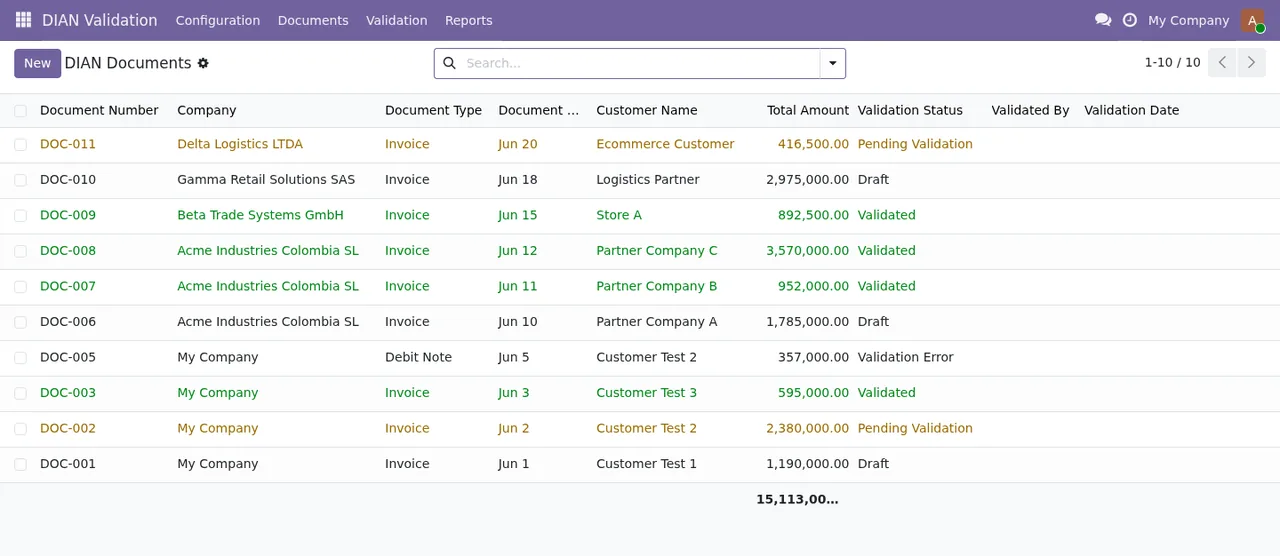
DIAN Validation › DIAN Documents, each with its validation status (draft, pending, validated, error).
Start Validation and Cancel, and the company form with the NIT still blank.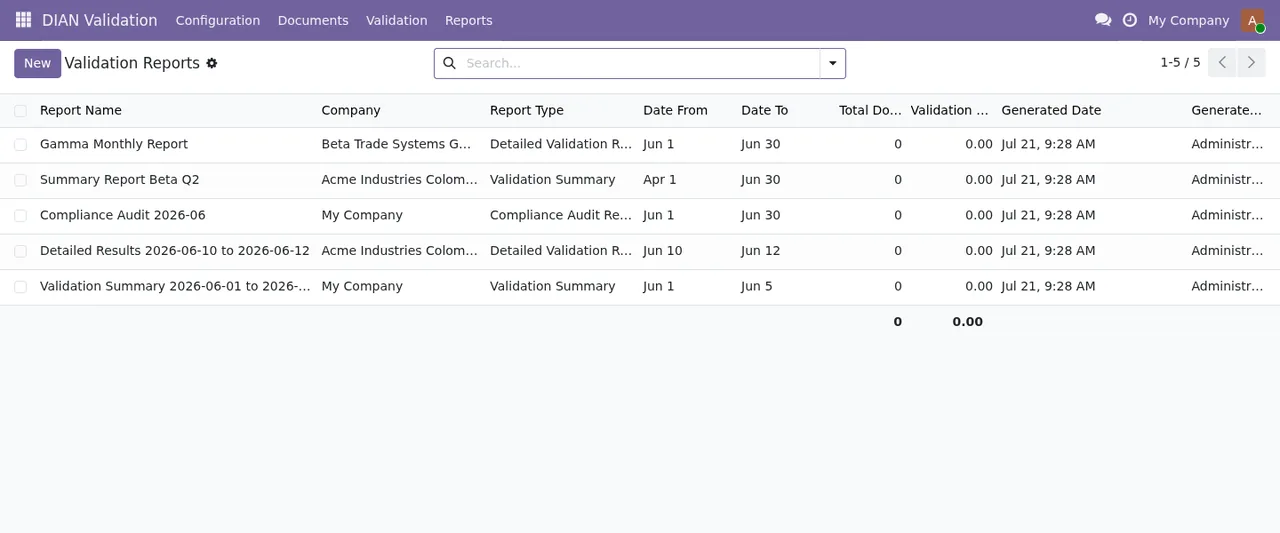
DIAN Validation › Validation Reports, still with no documents included: the totals are zero on every row.For the detail of each setting and the states, see the validator setup guide.
Criteria for deciding
- If you need to validate POS invoices, credit notes and debit notes against rules you define, the module covers it according to its README.
- If you run several companies in Odoo, configuration and rules are per company.
- If you validate a lot of documents, you have batch processing and automatic validation through scheduled actions.
- If you are asked for a record of what has been validated, you have the audit trail and the compliance audit reports.
To understand which menus it adds and what a document goes through internally, read how the validator works.
How FlexigoTech can help
FlexigoTech implements Odoo 17, 18, 19 and 20 and builds bespoke connectors and integrations. If the validator covers part of what you need and you still have to connect another piece of your Odoo, we can review it with you and scope the development.
Keep reading
Checked in the module's source code (version 20.0) and the linked sources
Sources
- Module source code: flexigo_colombia_dian_electronic_equivalent_pos_documen 20.0 (2e8fbc9f): README.rst
- apps.odoo.com/apps/modules/20.0/flexigo_colombia_dian_electronic_equivalent_pos_documen
- apps.odoo.com/apps/modules/17.0/flexigo_colombia_dian_electronic_equivalent_pos_documen
- apps.odoo.com/apps/modules/18.0/flexigo_colombia_dian_electronic_equivalent_pos_documen
- apps.odoo.com/apps/modules/19.0/flexigo_colombia_dian_electronic_equivalent_pos_documen
- flexigotech.com/en/services.html
- flexigotech.com/precios.html