

 Español
 Català
 Deutsch
 Français
 Português
 Italiano
 Nederlands
 Polski
What you do by hand when the CRM and everything else run separately
If your contacts live in HubSpot or Pipedrive today and the rest of the business runs on other tools, every change made in one place has to be repeated in the other: someone copies it, someone exports it, or it goes out of date. If two people edit the same detail in two systems, deciding which one is right is also down to you. And if you later need to know who changed what and when, you will have to piece it together. If this sounds familiar, before connecting it helps to be clear on three things: which system leads, which way the data should flow and how much control you want over what leaves your business.

What the connector keeps aligned once your contacts are in Odoo
The connector links Odoo contacts with HubSpot, with Pipedrive or with both. According to its README, this is what it does:
- Real-time webhook sync. Changes in HubSpot, Pipedrive or Odoo reach the other systems straight away, with no polling delays and no manual triggers.
- Periodic reconciliation. A configurable job, every 60 minutes by default, catches any events the webhooks missed.
- Last-Write-Wins conflict resolution. If the same field changes in two systems at once, the most recent timestamp wins and the conflict is not left open.
- Audit trail. Every sync action (direction, source, timestamp, result) is logged and searchable in Odoo, in the
Audit Trailview. - Syncing a single contact. In Contacts you open or create a contact and, on the
CRM Synctab, clickSync Now; once synced, links to its HubSpot and Pipedrive records appear.
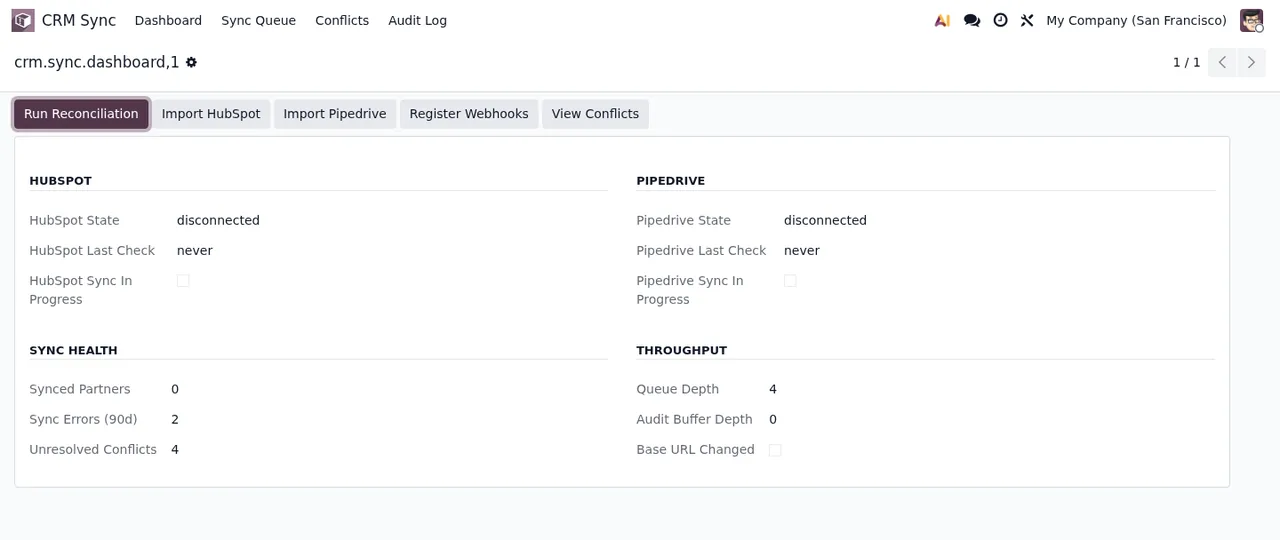
CRM Sync panel, with both CRMs still disconnected and warnings about unresolved conflicts and sync errors.Criteria for deciding whether it suits you and how to set it up
The table matches what is happening to you today with the module option that fits it.
| If this is you | You want | What it relies on |
|---|---|---|
| You want a change made in any system to reach the others | The Bidirectional direction, the default | Changes in any system are synced to all the others |
| Odoo will be where contacts are maintained and the CRM only receives them | The Odoo → External direction | Syncs only from Odoo to HubSpot or Pipedrive |
| Your sales team leads in HubSpot or Pipedrive and Odoo only receives | The External → Odoo direction | Syncs only from HubSpot or Pipedrive to Odoo |
| You worry about two people changing the same field | Relying on Last-Write-Wins | The change with the most recent timestamp wins |
| You need to be able to review every movement | Using the Audit Trail view | Logs direction, source, timestamp and result of each action |
| You do not want the CRM token stored inside Odoo | Connecting through FlexigoTech Cloud | The token is kept encrypted in FlexigoTech Cloud and never in Odoo |
| You have several CRM accounts | Choosing a plan by how many | Connector plan up to 3 platform accounts; Pro up to 10 |
If no row describes you because your contacts are only in the CRM and you have no plans to bring anything into Odoo, this connector does not solve anything for you yet: there needs to be an Odoo on the other side first.
Before you commit: the token, the data that leaves and what happens if it stops
These are the points about the connection worth knowing before you decide:
- The token goes to FlexigoTech Cloud. You enter your HubSpot private app token or your Pipedrive API token and save; it is sent once to FlexigoTech Cloud. The
Checkbutton shows whether the token is saved there andDisconnectdeletes it there at once. - You know what is sent. In
Settings > CRM Sync, theBefore you connectsection says what is sent, where, what for and how long it is kept. - A notice before data leaves Odoo. The module asks for an initial acknowledgement before sending data from Odoo to HubSpot or Pipedrive and logs the transfers, according to its README, for the Article 30 GDPR processing register.
- Without a subscription, your data stays. With no subscription, or with the service suspended, what the subscription provides stops; the data stays in your Odoo.
- A contact that stops syncing. In Contacts, open the contact, go to the
CRM Synctab and check whethersync_suspendedisTrue; if so, clickResume Sync.
CRM Sync panel to the Import CRM Data wizard, the Sync Queue with records in Pending and the Cross-Border Transfer Disclosure notice with the I acknowledge and continue box unticked.Where to start: implementation and connector
If you decide to go ahead, this is the order, from having no Odoo to your first synced contact:
- Implement Odoo on the version you plan to use. The connector is published on Odoo Apps for 17, 18, 19 and 20, and depends on
base,contacts,mailandflexigotech_cloud. - Install the module from Odoo Apps or place it in your addons folder; update the app list and install it.
- Connect FlexigoTech Cloud in Settings (it needs the subscription).
- Go to
Settings > CRM Syncand readBefore you connect. - Enter your HubSpot private app token or your Pipedrive API token and save.
- Click
Checkto see whether the token is saved in FlexigoTech Cloud. - Choose the sync direction using the criteria table.
- Open a contact, go to the
CRM Synctab and clickSync Nowto confirm the links to HubSpot or Pipedrive appear.
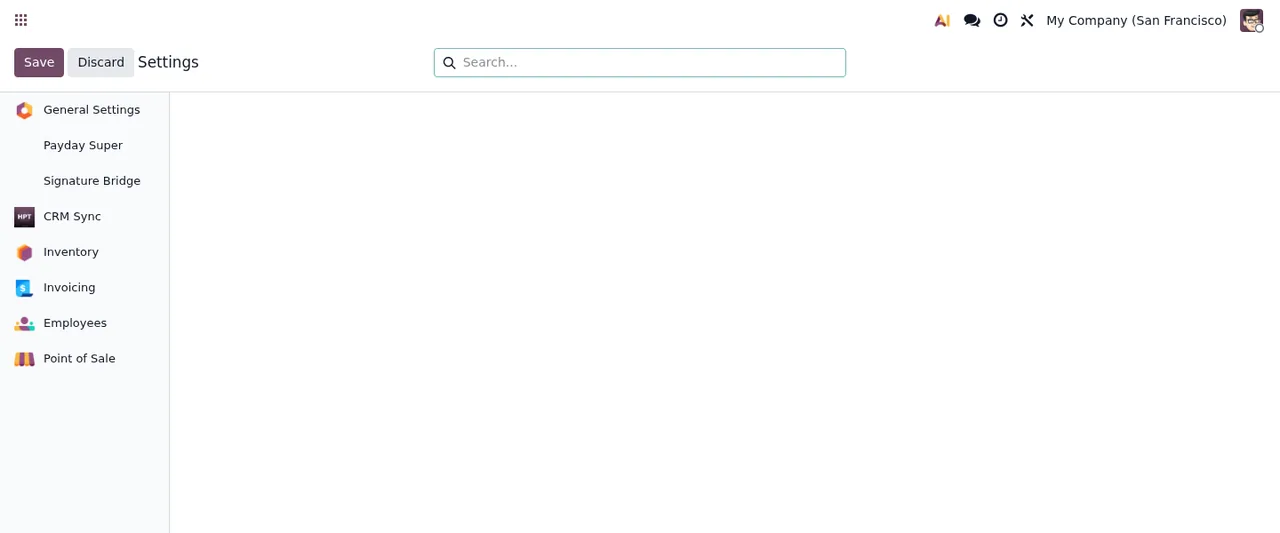
CRM Sync in the sidebar; the main panel is blank, with nothing configured yet.Among the module's screens there is also the Import CRM Data wizard, where you pick the service and it asks whether to import all contacts and companies.
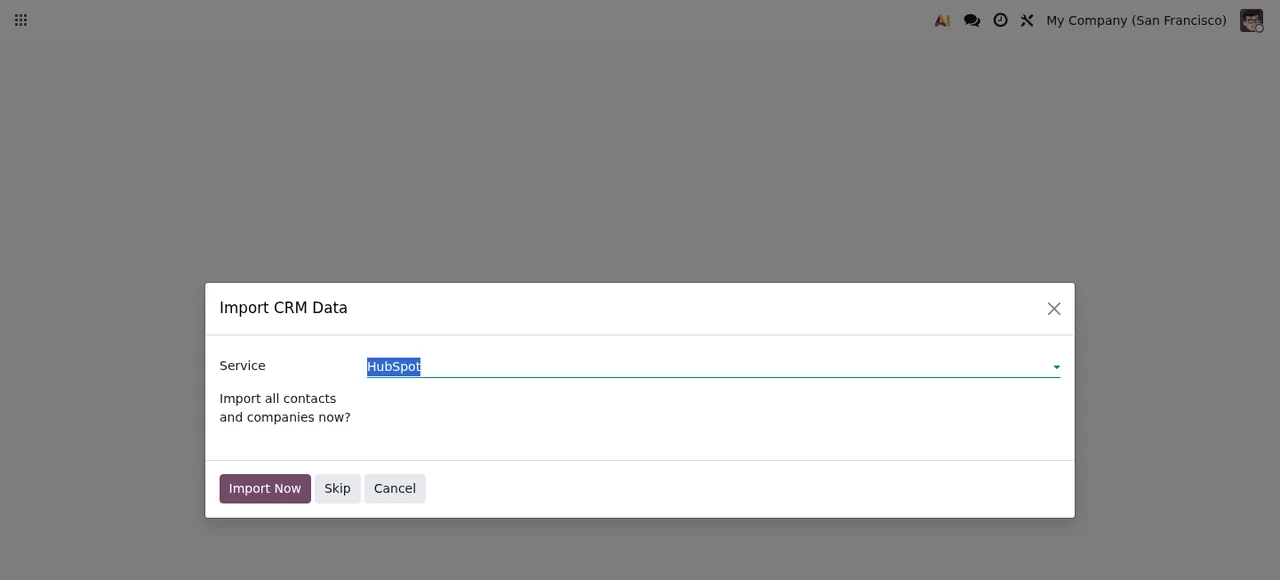
Import CRM Data wizard, with HubSpot selected in Service and the Import Now, Skip and Cancel options.The module costs €9 per Odoo version, a one-off payment excluding VAT, for 17, 18, 19 and 20. The FlexigoTech Cloud connection comes with the Connector plan: €49/month or €490/year excluding VAT (Pro: €98/month or €980/year). For the detail of each setting and what to check early on, see the step-by-step setup guide, and if something goes wrong, the list of error messages and warnings.
How FlexigoTech can help
FlexigoTech implements Odoo 17, 18, 19 and 20 and builds bespoke connectors and integrations, so you can start with the implementation and add the connector once your contacts are in Odoo. With the FlexigoTech Cloud connection, the service keeps credentials encrypted, monitors the sync and emails you if it fails; if HubSpot or Pipedrive change their API, the module and the service are adapted. With the subscription, the module for new Odoo versions is included if you bought it on flexigotech.com; on the Odoo App Store, each Odoo version is bought there.
Keep reading
Checked in the connector's source code (version 20.0) and the linked sources
Sources
- Module source code: flexigo_hubspot_pipedrive_two_way_crm_sync_lite 20.0 (c091502a): README.rst
- apps.odoo.com/apps/modules/20.0/flexigo_hubspot_pipedrive_two_way_crm_sync_lite
- apps.odoo.com/apps/modules/17.0/flexigo_hubspot_pipedrive_two_way_crm_sync_lite
- apps.odoo.com/apps/modules/18.0/flexigo_hubspot_pipedrive_two_way_crm_sync_lite
- apps.odoo.com/apps/modules/19.0/flexigo_hubspot_pipedrive_two_way_crm_sync_lite
- flexigotech.com/en/services.html
- flexigotech.com/precios.html