

 Español
 Català
 Deutsch
 Français
 Português
 Italiano
 Nederlands
 Polski
The messages, one by one
Where you see %s, the message replaces it with a specific value when it is shown.
| Message | When it appears | What to do |
|---|---|---|
Only an administrator may connect a CRM account. | A user who is not an administrator tries to connect a CRM account. | Have an administrator connect the account. |
Only an administrator may disconnect a CRM connection. | A user who is not an administrator tries to disconnect a CRM connection. | Have an administrator disconnect it. |
Only an administrator may purge the CRM sync audit log. | Someone without the administrator role tries to purge the sync audit log. | Ask an administrator to purge it. |
You are not allowed to run CRM sync. | Your user has no permission to run the CRM sync. | Speak to whoever administers Odoo so they run it or give you access. |
Only CRM Sync admins can force a sync. | You try to force a sync without being a CRM Sync admin. | A CRM Sync admin forces it. |
Only CRM Sync admins can bulk-unlink. | You try to unlink records in bulk without being a CRM Sync admin. | A CRM Sync admin does it. |
Only CRM Sync admins can resolve conflicts. | You try to resolve conflicts without being a CRM Sync admin. | A CRM Sync admin resolves them. |
Client ID must be alphanumeric. | The Client ID contains characters other than letters and numbers. | Copy it again without spaces or symbols. |
Redirect URI must be HTTPS. | The Redirect URI does not use HTTPS. | Enter an address starting with https. |
Redirect URI must not be a loopback address. | The Redirect URI points to a loopback address (the machine itself). | Use the public address of your Odoo. |
The Pipedrive webhook password needs at least 16 characters. | The Pipedrive webhook password is shorter than 16 characters. | Enter a longer password. |
Configure the %s Client ID first. | The Client ID for the CRM named in the message is missing. | Fill in that Client ID and try again. |
OAuth exchange failed: %s | The OAuth exchange has failed; the detail follows the colon. | Read the detail that comes with the message: it tells you what to check. |
Through FlexigoTech Cloud, connect with a HubSpot private app token or a Pipedrive API token in the FlexigoTech Cloud section below. | The connection goes through FlexigoTech Cloud and the module points you to the tokens. | Paste the HubSpot private app token or the Pipedrive API token in the FlexigoTech Cloud section further down. |
Accept first that the CRM sync works through FlexigoTech Cloud: nothing was sent and nothing was saved. | Nobody has accepted that the sync works through FlexigoTech Cloud. | Accept it and repeat the action: the message confirms nothing was sent or saved. |
A CRM connection does not cross between a direct connection and FlexigoTech Cloud: the one bought before stays direct and a new one goes through FlexigoTech Cloud. | You try to move a connection from direct to FlexigoTech Cloud or the other way round. | Leave the connection bought earlier as direct; a new one goes through FlexigoTech Cloud. |
This %s connection is direct (OAuth): it keeps working as before. | The connection for the CRM named is direct (OAuth). | Nothing to fix: it keeps working as before. |
You must acknowledge to continue, or cancel. | You try to carry on without acknowledging the notice. | Acknowledge it to continue, or cancel. |
Unknown connection state %s | The connection has a state the module does not recognise. | Copy the full message, with the state it shows, and pass it to whoever maintains your Odoo. |
Illegal state transition %s -> %s | A state change that is not allowed is attempted between the two states shown. | Note both states and pass them to whoever maintains your Odoo. |
Permissions and connection data
The permission messages work on two levels. Some mention administrator: connecting a CRM account, disconnecting a connection and purging the audit log. Those beginning with Only CRM Sync admins refer to CRM Sync admins: forcing a sync, unlinking in bulk and resolving conflicts. Separately, You are not allowed to run CRM sync. is for anyone who cannot run the sync. In every case the fix is not on your screen: someone with more permissions does it or grants them to you.
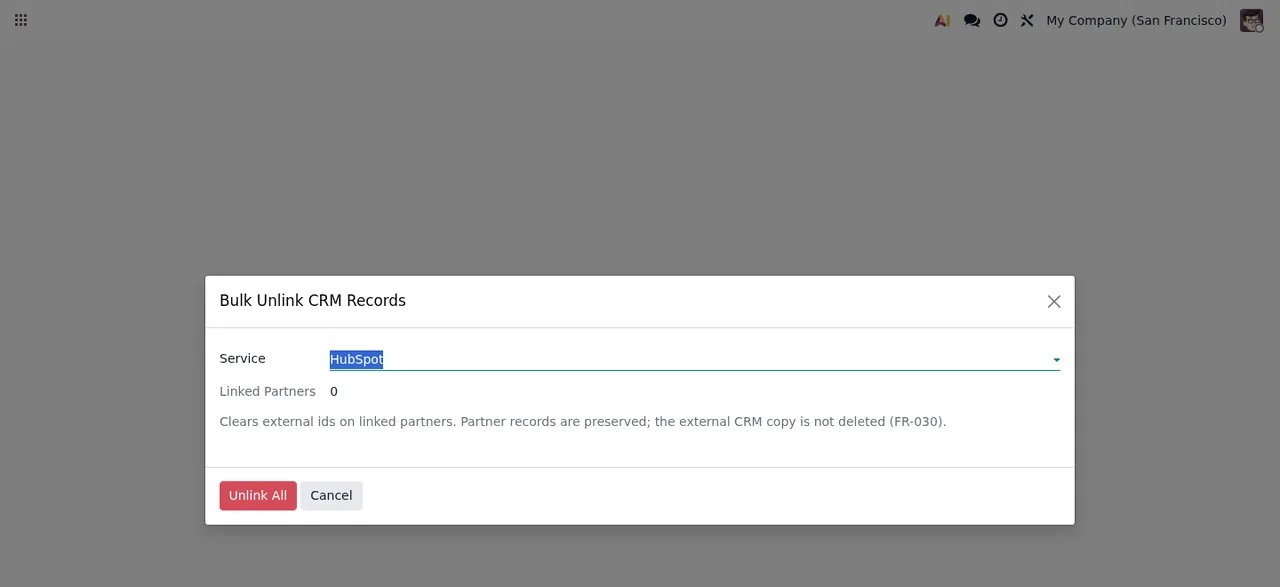
Bulk Unlink CRM Records wizard, here with no linked records (Linked Partners at zero).Bulk unlinking is one of the actions reserved for CRM Sync admins. The wizard shows the selected service, the number of Linked Partners, a notice about external ids and the Unlink All and Cancel buttons.
The data checks concern the connection values: the Client ID only accepts letters and numbers, the Redirect URI must be HTTPS and cannot be a loopback address, and the Pipedrive webhook password needs at least 16 characters. If you see Configure the %s Client ID first., the Client ID for the CRM you are connecting is missing. And if the error is OAuth exchange failed: %s, the part after the colon is what you need to read carefully.
FlexigoTech Cloud, direct connections and states
Several messages relate to how the CRM is connected. There are direct (OAuth) connections and connections through FlexigoTech Cloud, and the module does not let a connection cross from one route to the other: the one bought earlier stays direct and a new one goes through FlexigoTech Cloud. If yours is direct, This %s connection is direct (OAuth): it keeps working as before. confirms it carries on as it was. If it goes through FlexigoTech Cloud, you connect with a HubSpot private app token or a Pipedrive API token in the FlexigoTech Cloud section.
Before using that route, the module asks you to accept that the sync works through FlexigoTech Cloud. If you do not, the message is clear: nothing was sent and nothing was saved. FlexigoTech Cloud stores credentials encrypted, monitors the sync and emails you if it fails. Without a subscription, or with the service suspended, whatever the subscription provides stops and your data stays in your Odoo.
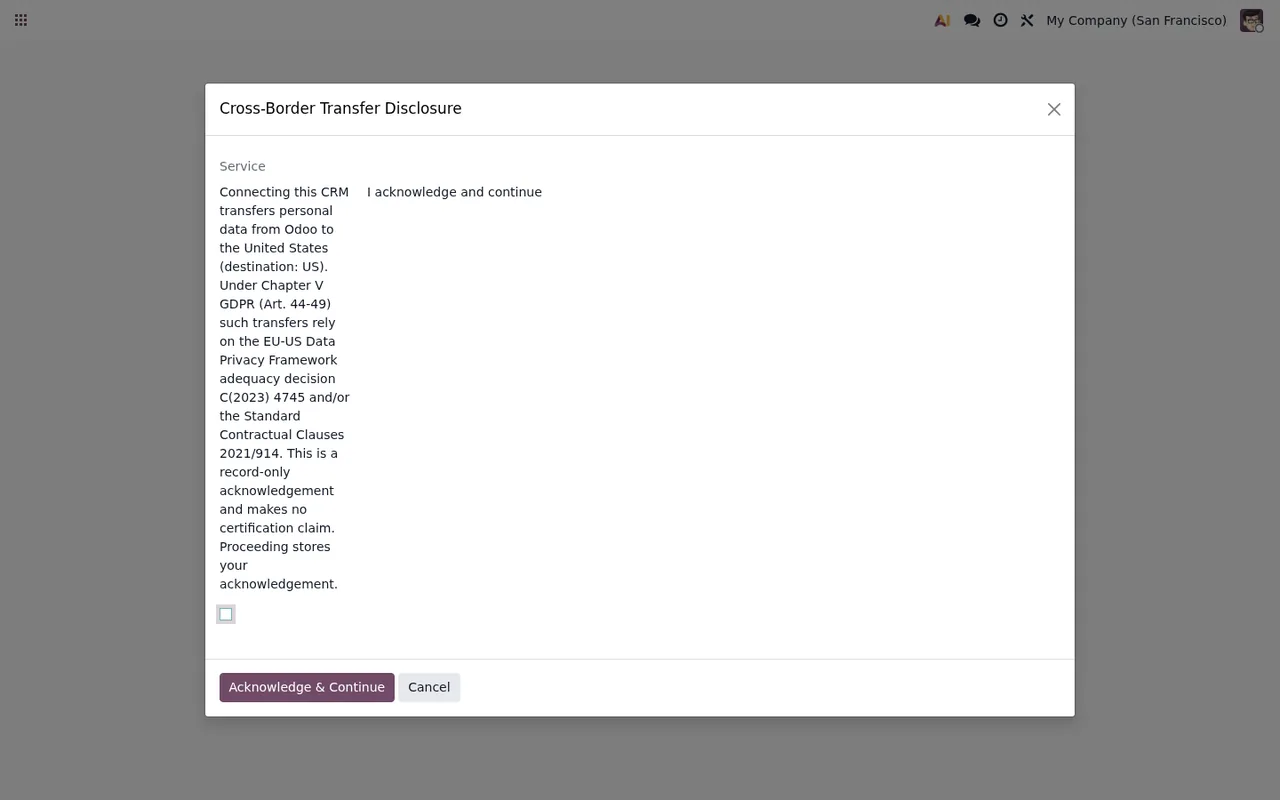
Cross-Border Transfer Disclosure dialog, with the I acknowledge and continue box still unticked.The message You must acknowledge to continue, or cancel. talks about acknowledging or cancelling, the same words used on this dialog's Acknowledge & Continue and Cancel buttons.
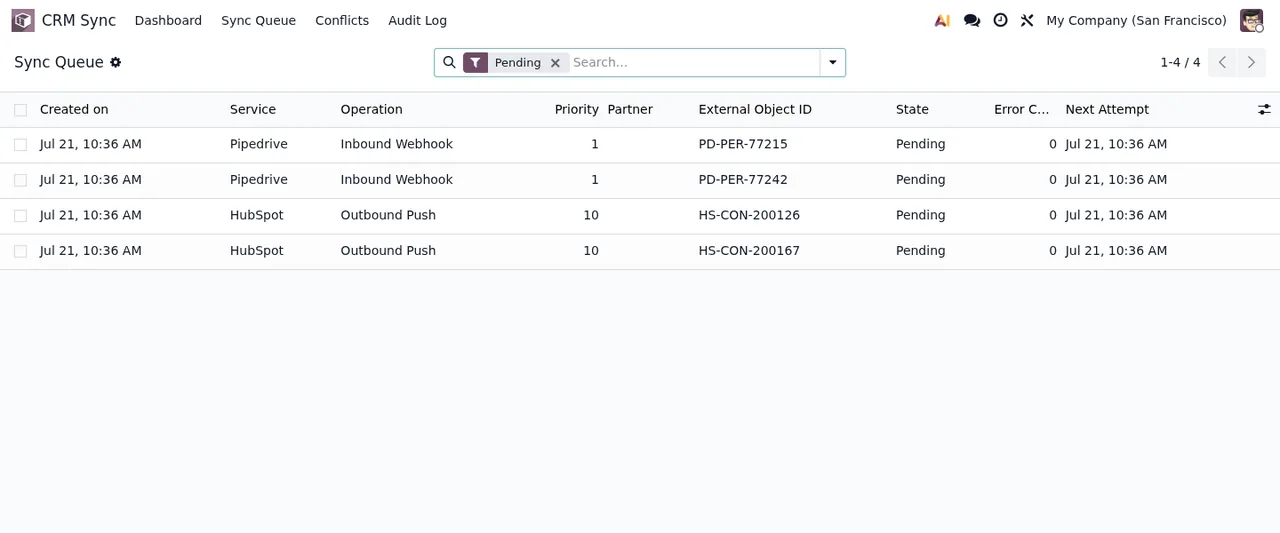
CRM Sync › Sync Queue list filtered by Pending.The two state messages are different: Unknown connection state %s refers to the state of the connection, and Illegal state transition %s -> %s to a state change that is not allowed between the two it shows. In both cases, keep the full text with the values that appear. To see how the menus and records fit together, read how the module works under the bonnet.
Pending queue and the transfer notice.If you need a hand
FlexigoTech implements Odoo 17, 18, 19 and 20 and builds bespoke connectors and integrations, so we can go through the connection or permissions behind these messages with you. The app costs €9 per Odoo version, a one-off payment excluding VAT, for 17, 18, 19 and 20, and the FlexigoTech Cloud Connector plan is €49/month or €490/year excluding VAT. You will find the details on the connector page and, if you are just starting out, in the step-by-step setup guide.
Keep reading
Checked in the connector's source code (version 20.0) and the linked sources
Sources
- Module source code: flexigo_hubspot_pipedrive_two_way_crm_sync_lite 20.0 (c091502a): models/crm_sync_audit_log.py
- Module source code: flexigo_hubspot_pipedrive_two_way_crm_sync_lite 20.0 (c091502a): models/crm_sync_connection.py
- Module source code: flexigo_hubspot_pipedrive_two_way_crm_sync_lite 20.0 (c091502a): models/ir_config_parameter.py
- Module source code: flexigo_hubspot_pipedrive_two_way_crm_sync_lite 20.0 (c091502a): models/res_config_settings.py
- Module source code: flexigo_hubspot_pipedrive_two_way_crm_sync_lite 20.0 (c091502a): models/res_partner.py
- Module source code: flexigo_hubspot_pipedrive_two_way_crm_sync_lite 20.0 (c091502a): wizards/crm_sync_bulk_unlink_wizard.py
- Module source code: flexigo_hubspot_pipedrive_two_way_crm_sync_lite 20.0 (c091502a): wizards/crm_sync_conflict_resolve_wizard.py
- Module source code: flexigo_hubspot_pipedrive_two_way_crm_sync_lite 20.0 (c091502a): wizards/crm_sync_transfer_disclosure_wizard.py
- apps.odoo.com/apps/modules/20.0/flexigo_hubspot_pipedrive_two_way_crm_sync_lite
- apps.odoo.com/apps/modules/17.0/flexigo_hubspot_pipedrive_two_way_crm_sync_lite
- apps.odoo.com/apps/modules/18.0/flexigo_hubspot_pipedrive_two_way_crm_sync_lite
- apps.odoo.com/apps/modules/19.0/flexigo_hubspot_pipedrive_two_way_crm_sync_lite
- flexigotech.com/en/services.html
- flexigotech.com/precios.html