

 Español
 Català
 Deutsch
 Français
 Português
 Italiano
 Nederlands
 Polski
What the message says and what triggers it
The full text is Sales channel … does not allow seller-initiated discussions. In place of the ellipsis you see the code of the sales channel. It is an error: the action stops.
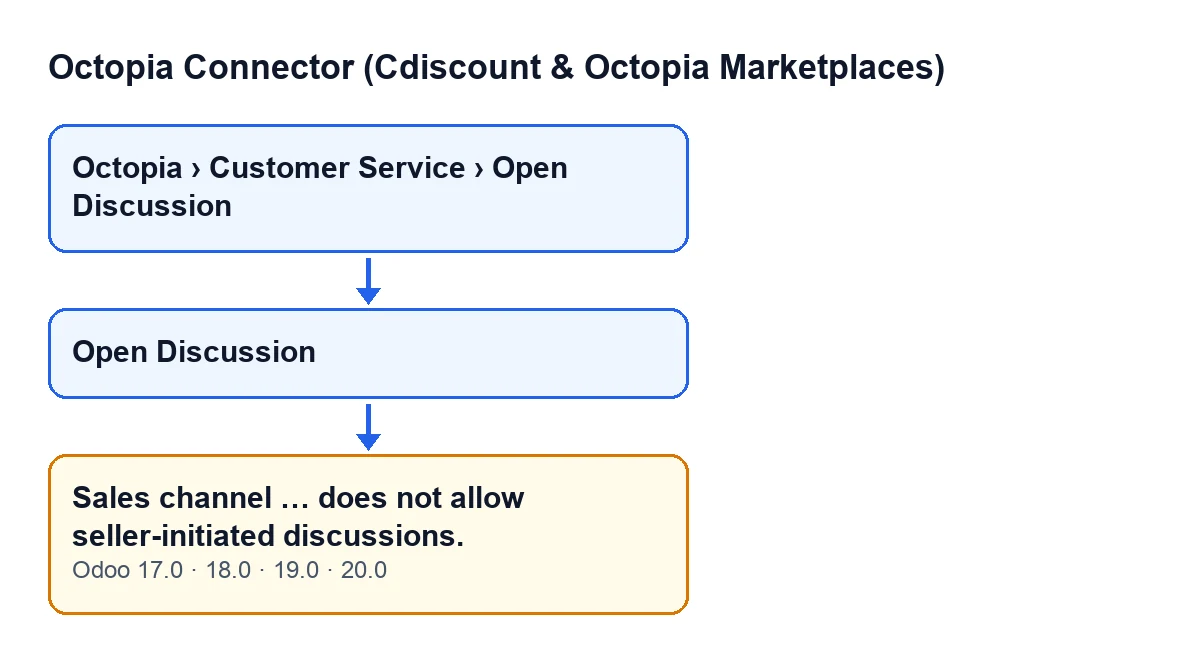
It appears when you press the button
The wizard opens from the menu Octopia › Customer Service › Open Discussion. The Octopia step requires the Octopia User permission and the Open Discussion step requires Octopia Manager: if you lack either one, you do not see that step of the menu.
The Open Discussion button is always visible, in Odoo 17, 18, 19 and 20. The message appears when you press that button, and only if the condition below is met. The message is in the published code of Odoo 17, 18, 19 and 20.
Several conditions must hold at once
The module looks at the sales channel of the order the discussion is for. The message appears when all of these are true together:
- the order has a sales channel;
- that channel already has its configuration synced;
- that configuration does not let the seller start discussions.
If any one of them is missing, this message does not appear. In particular, if the channel's configuration is not yet synced, this check does not block.
It is about the order's channel, not about what you typed
The message says the channel's synced configuration does not let the seller open discussions. The subject, the message body, the receiver and the attachments do not enter into this check, so changing them does not get around it. The only thing that decides it is the order's sales channel.
Nothing is sent to Octopia with this message
The check runs before the call to Octopia: when it fires, the action stops and the discussion is not sent. The success entry in the sync log, the one saying a discussion was opened on the order, is written by the module once the creation of the discussion completes, so with this message it is never written.
Other checks come before and after
Before reaching this one, the wizard verifies that a classification is chosen and that the subject and body are within the allowed length, each with its own message. After it comes another channel check, the one on the receiver, which also has its own. If what you see does not mention seller-initiated discussions, this is not the case.
How it looks in other languages
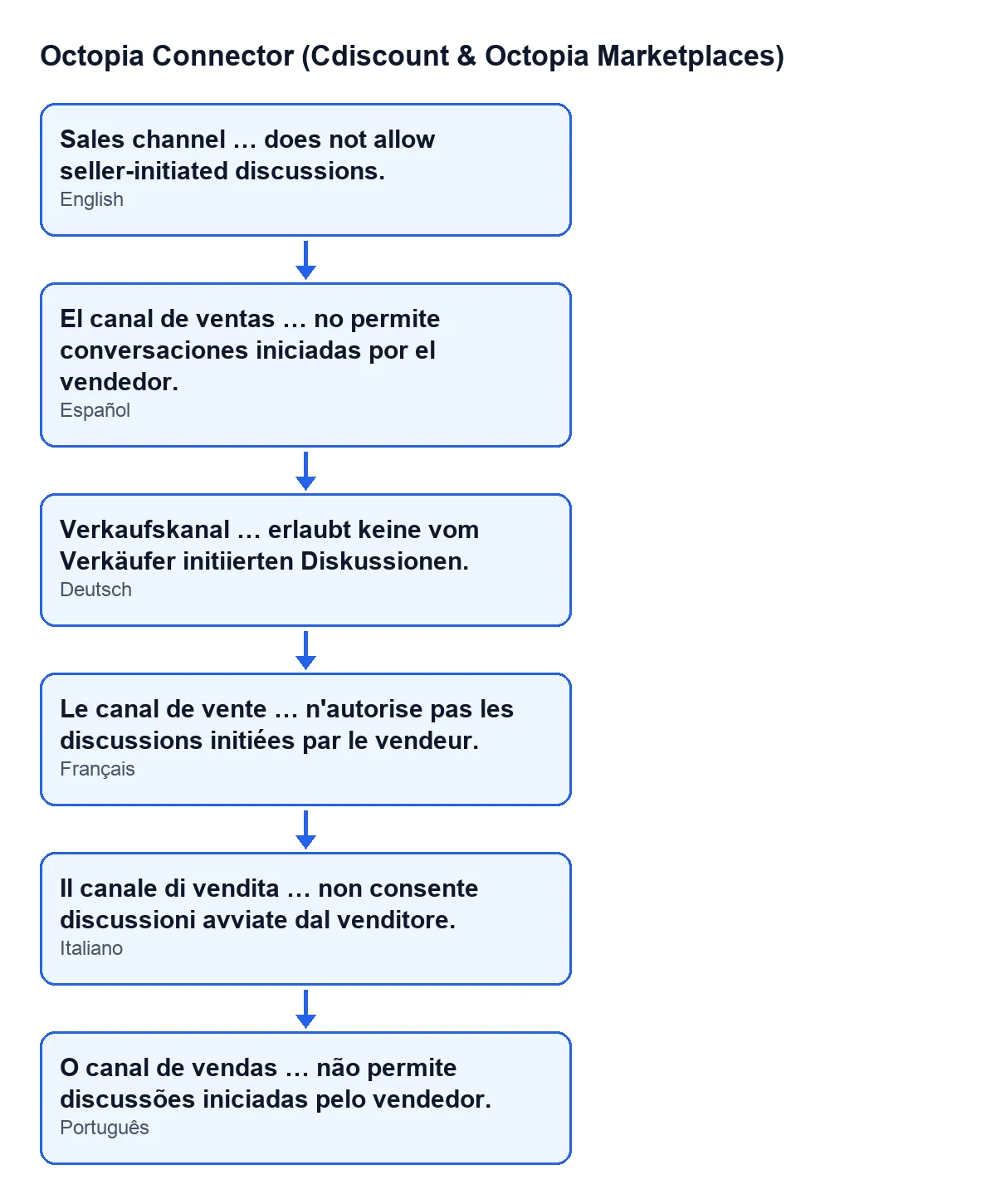
The diagram shows the same text in Spanish, German, French, Italian and Portuguese, taken from the module's published translations.

What to do when it appears
- Look at the channel code in the message and check it is the channel of the order you expected.
- If it is the right one, this wizard will not open a discussion for that order while the channel's synced configuration still does not let the seller start them. Trying another text, another receiver or other attachments does not change the outcome.
- If the channel was not the one you expected, check that the discussion is for the right order.
- Each time you press
Open Discussion, the code evaluates the condition again.
The message describes a property of the order's sales channel, not a mistake in what you filled in. Start by identifying the channel the message names, rather than by reviewing the subject or the body.
How FlexigoTech can help
If you are implementing Odoo with Octopia and want to review how your sales channels fit the workflow, or you need a bespoke integration, FlexigoTech implements Odoo 17, 18, 19 and 20 and builds connectors and custom integrations.
The module is a one-off purchase per Odoo version (each version's price is on its Odoo Apps listing, published for 17, 18, 19 and 20) and needs a FlexigoTech Cloud subscription, Connector plan: €49 a month or €490 a year, excluding VAT. The connection goes through FlexigoTech Cloud, which stores the credentials encrypted, watches the synchronisation and emails you if it fails.
Keep reading
Checked in the connector's source code (version 20.0) and the linked sources
Sources
- Module source code: flexigobe_octopia_connector 20.0 (4848da6a): wizard/octopia_discussion_wizards.py
- Module source code: flexigobe_octopia_connector 20.0 (4848da6a): views/octopia_discussion_views.xml
- apps.odoo.com/apps/modules/20.0/flexigobe_octopia_connector
- flexigotech.com/precios.html
- flexigotech.com/en/services.html