

 Español
 Català
 Deutsch
 Français
 Português
 Italiano
 Nederlands
 Polski
What it covers according to its README
Before deciding, it helps to see the full scope as the module's documentation describes it. These are its building blocks:
- Applicability: company profile, sector (Annex I/II), size band and a legal-review workflow.
- Country overlays: national NIS2 transposition references, authority contacts and source-tier tracking.
- Art. 21 controls library: all 10 Art. 21(2) categories, maturity tracking, effectiveness review scheduling and proportionality notes.
- Risk register: threat scenarios, impact and likelihood, residual risk and treatment decisions, with linked controls and suppliers.
- Evidence vault: evidence upload, retention labels, legal holds, a deletion audit trail and warnings when credentials are detected.
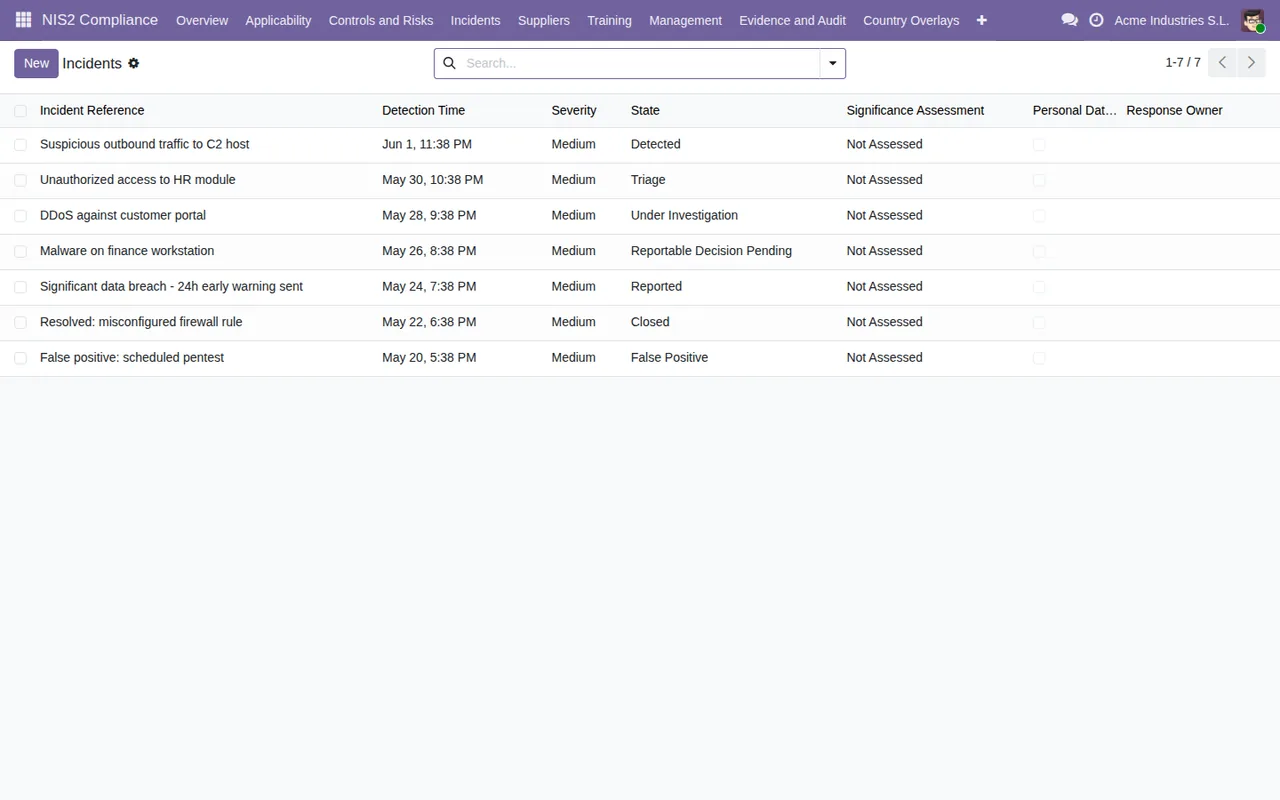
- Incident lifecycle: an Art. 23 milestone engine with 24h/72h/1-month calendar deadlines, significant-incident triage, a GDPR breach assessment flag and voluntary notification records.
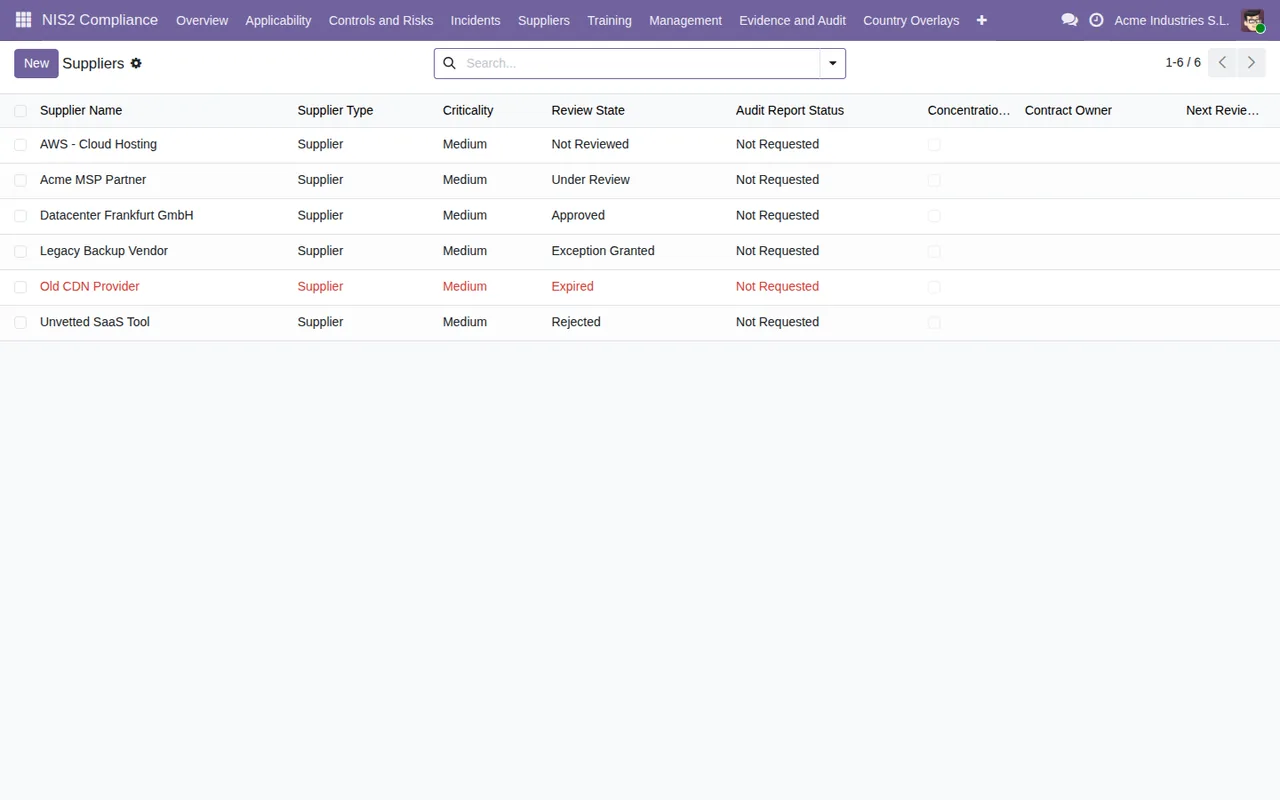
- Supply chain: supplier profiles, sub-contractor mapping, concentration risk flags and review scheduling.
- Training: assignments for management (Art. 20) and staff (Art. 21), with completion evidence.
- Corrective actions: remediation tracking linked to risks, controls, evidence gaps, incidents and suppliers.
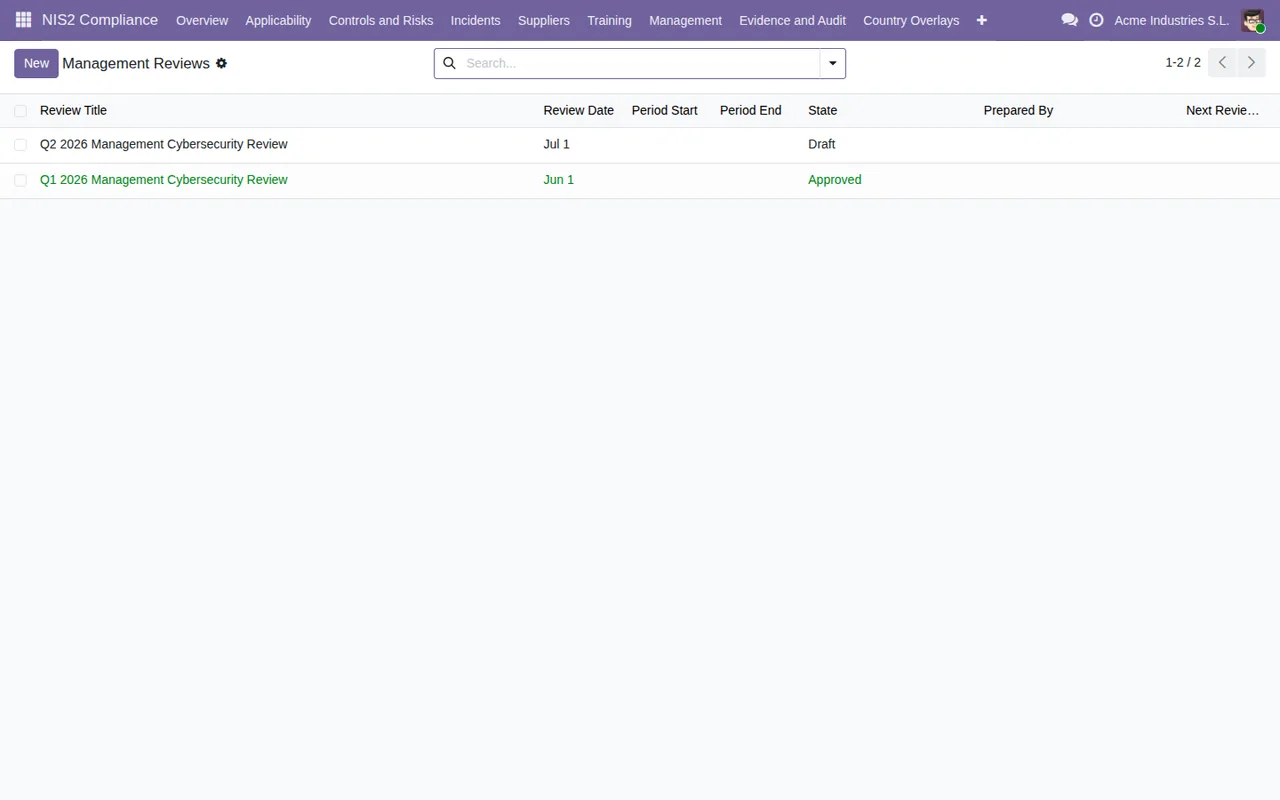
- Management review: a periodic management body review with a decision log that becomes append-only after approval.
- Reporting: a scoped audit evidence pack in PDF/CSV with redaction options, and a
Board pack report, a non-technical board-level summary with risk decisions, incident status, supplier exposure and training completion.
The README also mentions Data Subject Access Request (DSAR) handling, referencing GDPR Art. 17, cross-border coordination with multi-country authority contacts, strict per-company record isolation in multi-company set-ups, and six security groups: Administrator, Compliance/Legal, Management, Department Owner, Auditor (read-only) and Supplier Owner.
What the documentation does not promise
To decide well, look at the limits you can read in the README itself:
- Applicability is not a legal opinion. The README presents the assessment with a legal-review workflow. Use it to document the assessment; whoever carries out that review has to validate whether NIS2 applies to you.
- Authority communications are recorded. For incidents, the module lets you record authority submissions (
record authority submissions). - Country overlays need loading or adjusting. The installation step asks you to load or customise the
Country Overlaysfor your Member States. - Domain registry is hidden. The Art. 28 domain registration data tracking is optional and hidden by default.
hr,documentsandknowledgeare optional.
Who it is designed for
The Odoo Apps listing names four user profiles:
- Compliance officers, DPOs and legal counsel assessing NIS2 applicability and obligations.
- CISOs and IT security managers maintaining controls, risks, incidents, evidence and remediation.
- General managers and board members who approve and oversee cybersecurity measures.
- Procurement and vendor managers documenting supplier cybersecurity evidence.
If one person covers several of those roles in your business, what you need to decide is which NIS2 security groups you assign to each user.
What to have ready before installing
- Your Odoo version. The module is published for Odoo 17, 18 and 19. On Odoo Apps it costs €49 excluding VAT on each of those versions, a one-off payment per version.
- Who sits in each group. After installing, the README asks you to assign users to the NIS2 groups under
Settings → Users & Companies → Users. - Your Member States. You need them for the
Country OverlaysunderNIS2 Compliance → Reference Data → Country Overlays. - Your company structure. In multi-company set-ups, records are isolated per company and group-level consolidated access is opt-in.
For the detail of fields and statuses in the first week, see the module set-up guide.
Illustrative case: from installation to the board summary
Example Illustrative case: the company and its figures are made up to explain the flow.
Albera Engineering is a made-up company that already uses Odoo and wants to know whether the module suits it. Its IT lead installs it without adding other modules and assigns the groups: she takes Administrator, the external adviser gets Compliance/Legal, the managing director Management and the purchasing contact Supplier Owner.
She then runs the wizard at NIS2 Compliance → Setup → Run Applicability Wizard, which creates their first company profile. The adviser reviews that profile within the legal-review workflow. Next they load the country overlay under Country Overlays and go through the Art. 21 control categories under NIS2 Compliance → Controls, recording their maturity.
With the controls reviewed, they fill in the risk register with impact, likelihood and treatment decision, linking each risk to its controls and suppliers. Purchasing adds the suppliers with their sub-contractor map. Reviewing the list, they spot a supplier shown in red with the Expired status and open a corrective action linked to it.
When an incident occurs, they log it in the module, which tracks the Art. 23 milestones and the GDPR assessment flag, and they record the submission to the authority. At quarter end the managing director prepares the management review and, once approved, the decisions sit in the append-only log. For the board they produce the non-technical summary; for the auditor, the PDF/CSV pack.
What the case tells you about deciding
- If compliance, IT, management and purchasing are separate roles, the module fits: each one has its own security group, and the module splits risks and controls, incidents, suppliers, training and management review into separate areas.
- If you need to show an auditor what you do, it suits you because of the read-only
Auditorgroup and the exportable evidence pack. - If what you want is someone to tell you whether NIS2 applies, the module does not settle that on its own: it gives you the profile and the review workflow, but a person does the review.
- If your Odoo is not 17, 18 or 19, check the listing before buying: those are the versions the module is published for.
To see how the menus are organised inside, read the article on how the module works.
How FlexigoTech can help
At FlexigoTech we implement Odoo 17, 18, 19 and 20 and build bespoke connectors and integrations. If you would like to trial the module with your own users and groups before deciding, or adapt it to the way you work, email comercial@flexigobe.com. You will find the module page on flexigotech.com and the Odoo Apps listing.
Keep reading
Checked in the module's source code (version 19.0) and the linked sources
Sources
- Module source code: flexigo_nis2_cybersecurity_compliance_toolkit 19.0 (af4f82c6): README.rst
- Module source code: flexigo_nis2_cybersecurity_compliance_toolkit 19.0 (af4f82c6): static/description/index.html
- apps.odoo.com/apps/modules/19.0/flexigo_nis2_cybersecurity_compliance_toolkit
- apps.odoo.com/apps/modules/17.0/flexigo_nis2_cybersecurity_compliance_toolkit
- apps.odoo.com/apps/modules/18.0/flexigo_nis2_cybersecurity_compliance_toolkit
- flexigotech.com/en/services.html