

 Español
 Català
 Deutsch
 Français
 Português
 Italiano
 Nederlands
 Polski
What the module adds to the Odoo menu
Once installed, a top-level entry called Pay Transparency appears and groups everything else. Underneath sit these sections, named exactly as they appear on screen:
Pay Transparency › Dashboard, the overview panel.Pay Transparency › Computation, with theReporting Cyclessubmenu.Pay Transparency › Reports, withEU Pay Transparency Reports,Registro RetributivoandPlan de Igualdad.Pay Transparency › Joint Pay Assessments, withOpen JPAsandAll JPAs.Pay Transparency › Employee Requests, withRight-to-InformationandDSAR Requests.Pay Transparency › Pre-Hire Transparency, withPay Secrecy Notices.Pay Transparency › Budget Simulations.Pay Transparency › Configuration, withWorker Categories,Pay Component ClassificationandReport Templates.Pay Transparency › Audit Log.
The module's listing sums up its purpose in one heading: EU pay gap reports and pay register. In the menu, that shows up as two reports with Spanish names (Registro Retributivo and Plan de Igualdad) alongside the EU report (EU Pay Transparency Reports).
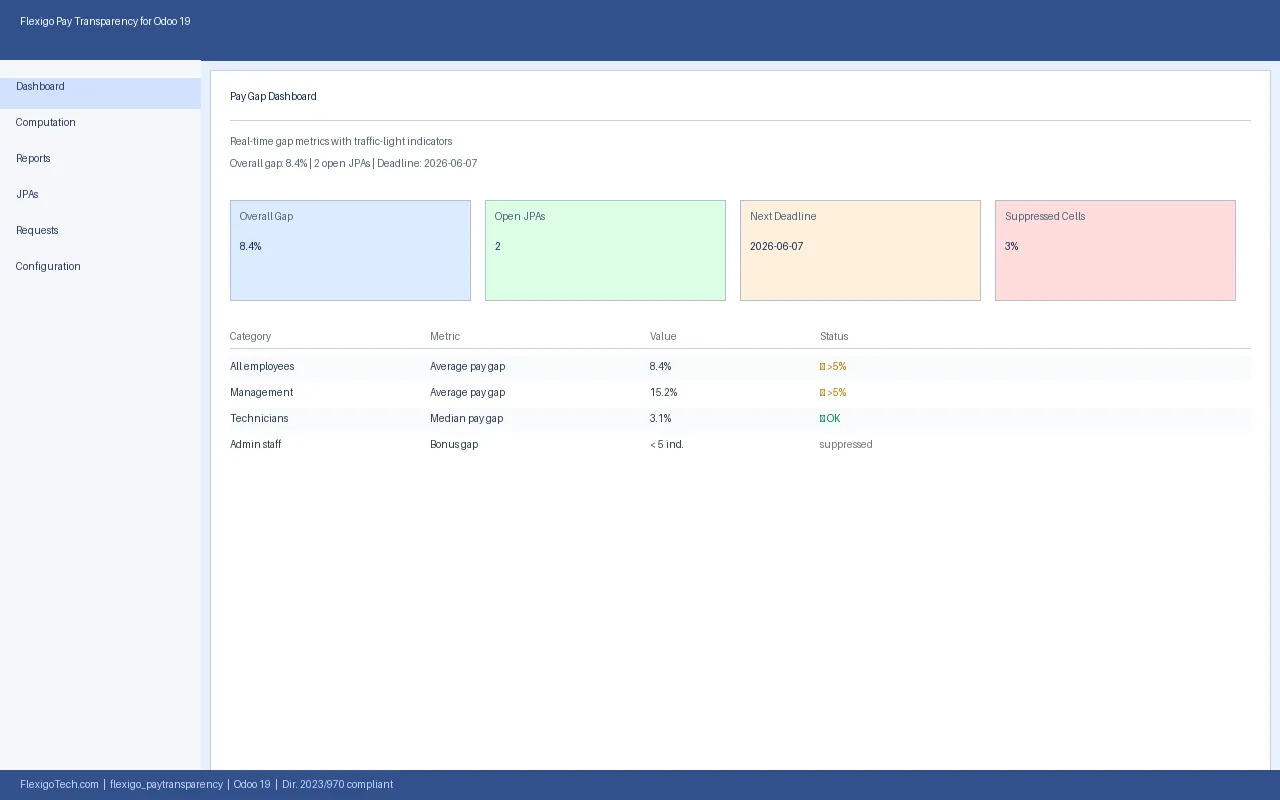
Dashboard panel: cards for overall pay gap, open JPAs, next date and suppressed cells, with the category table below.The records the module stores
If you are a consultant and want to know what sits beneath the menus, these are some of the models the module defines, with their technical name and description:
pt.computation.run, described asPay Transparency Computation Run.pt.budget.sim, described asPay Gap Budget Simulation.pt.budget.sim.line, described asBudget Simulation Line.pt.budget.sim.wizard, described asNew Pay Gap Budget Simulation Wizard.pt.audit.log, described asPay Transparency Audit Log.
The simulation model names match the Budget Simulations menu, and the audit log model matches Audit Log. If you plan to look these records up in developer mode or pull them into a report of your own, these are the technical names you need.
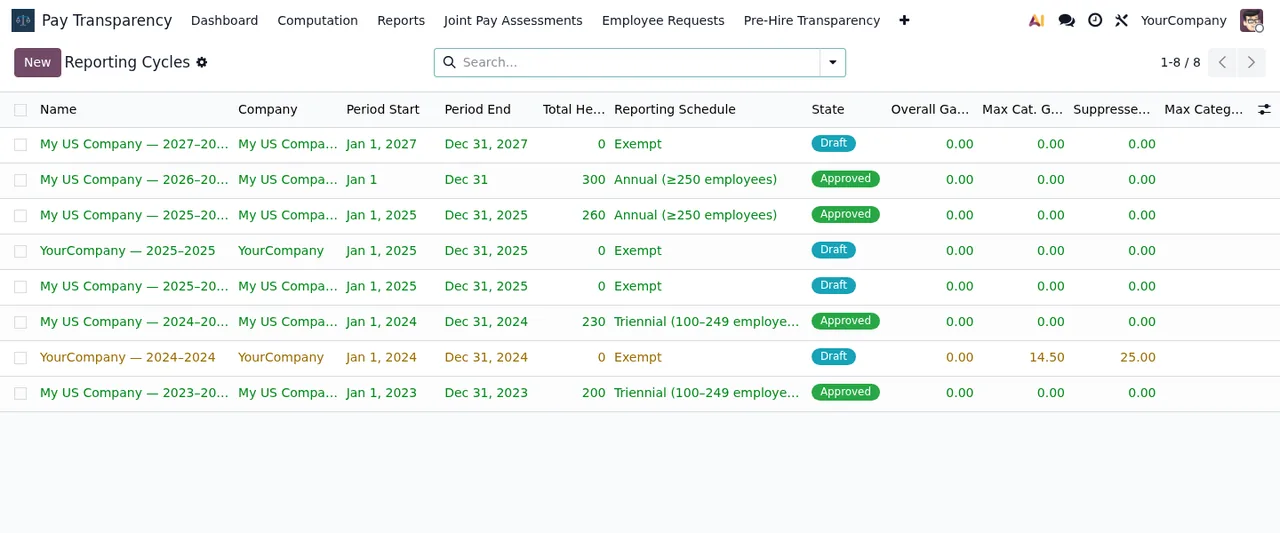
Reporting Cycles list under Computation, with cycles in Draft and Approved status.The scheduled actions timetable
The module ships six scheduled actions. All carry the PT prefix and all are listed as active. Sorted by frequency, this is their rhythm:
- Every day
Refresh Worker Category is_current flags.
- Every day
Refresh Overdue Flags (JPA, RTI, DSAR).
- Every day
JPA Measure Reminders.
- Every day
RTI Response Deadline Alerts.
- Every week
Plan Igualdad Reminders.
- Every 12 months
Annual Statistics Report Scaffold.
You can view these actions from Odoo's scheduled actions, like any other.
Where the action names fit in the menu
The action names share terms with sections of the menu, which helps you place which part of the module each one refers to:
JPAappears inRefresh Overdue Flags (JPA, RTI, DSAR)andJPA Measure Reminders, and the menu hasOpen JPAsandAll JPAsunderJoint Pay Assessments.DSARappears inRefresh Overdue Flags (JPA, RTI, DSAR), and the menu hasDSAR RequestsunderEmployee Requests.Plan Igualdadappears inPlan Igualdad Reminders, and the menu hasPlan de IgualdadunderReports.Worker Categoryappears inRefresh Worker Category is_current flags, and the menu hasWorker CategoriesunderConfiguration.
For which fields to fill in and what to check in each section, see the module set-up guide.
Reporting Cycles, and finally a joint assessment in Open status with the Overdue box ticked.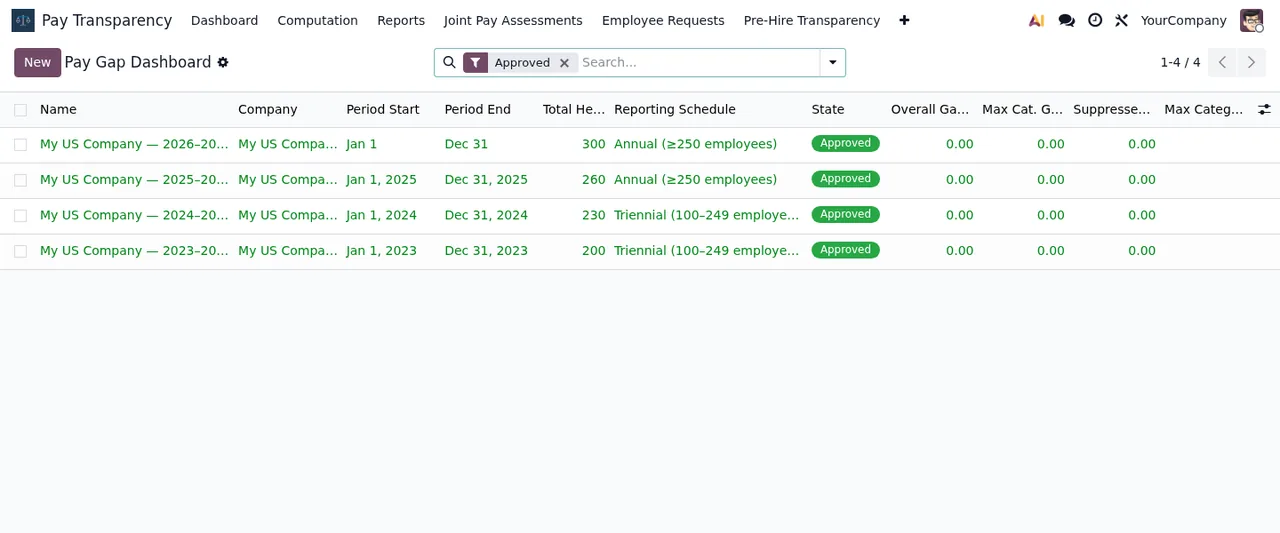
Approved: four My US Company records, with the pay gap columns at zero.Before you buy
The Odoo Apps listing includes a notice worth reading before you decide: Before you buy: some features of this app use a paid external service. The same listing has a Privacy policy section. Check both on the Odoo Apps listing before installing it in production.
The module is published on Odoo Apps for Odoo 17, 18, 19 and 20. According to each version's listing, it costs €9 per Odoo version, one-off payment, excluding VAT. If you need help with the notices it shows, see the guide to error messages and warnings.
How FlexigoTech can help
At FlexigoTech we implement Odoo 17, 18, 19 and 20 and build bespoke connectors and integrations. If you want the module to fit your payroll, job categories or internal reports, or you would like someone to go through the scheduled actions with you before going live, get in touch from the module page.
Keep reading
Checked in the module's source code (version 20.0) and the linked sources
Sources
- Module source code: flexigo_paytransparency 20.0 (a4edd772): views/menus.xml
- Module source code: flexigo_paytransparency 20.0 (a4edd772): data/pt_cron_jobs.xml
- Module source code: flexigo_paytransparency 20.0 (a4edd772): static/description/index.html
- Module source code: flexigo_paytransparency 20.0 (a4edd772): models/pt_audit_log.py
- Module source code: flexigo_paytransparency 20.0 (a4edd772): models/pt_budget_sim.py
- Module source code: flexigo_paytransparency 20.0 (a4edd772): models/pt_budget_sim_wizard.py
- Module source code: flexigo_paytransparency 20.0 (a4edd772): models/pt_computation_run.py
- apps.odoo.com/apps/modules/20.0/flexigo_paytransparency
- apps.odoo.com/apps/modules/17.0/flexigo_paytransparency
- apps.odoo.com/apps/modules/18.0/flexigo_paytransparency
- apps.odoo.com/apps/modules/19.0/flexigo_paytransparency
- flexigotech.com/en/services.html