

 Español
 Català
 Deutsch
 Français
 Português
 Italiano
 Nederlands
 Polski
How to read the module's messages
Where the tables show %s, the message on screen puts the specific value: a date, a measure, a municipality or a column from the file. Look for the fixed wording, not the value, and you will find it below, grouped by topic.
If you are not yet clear on which menus the module adds and what a record goes through, start with how Dutch Informatieplicht works under the bonnet.
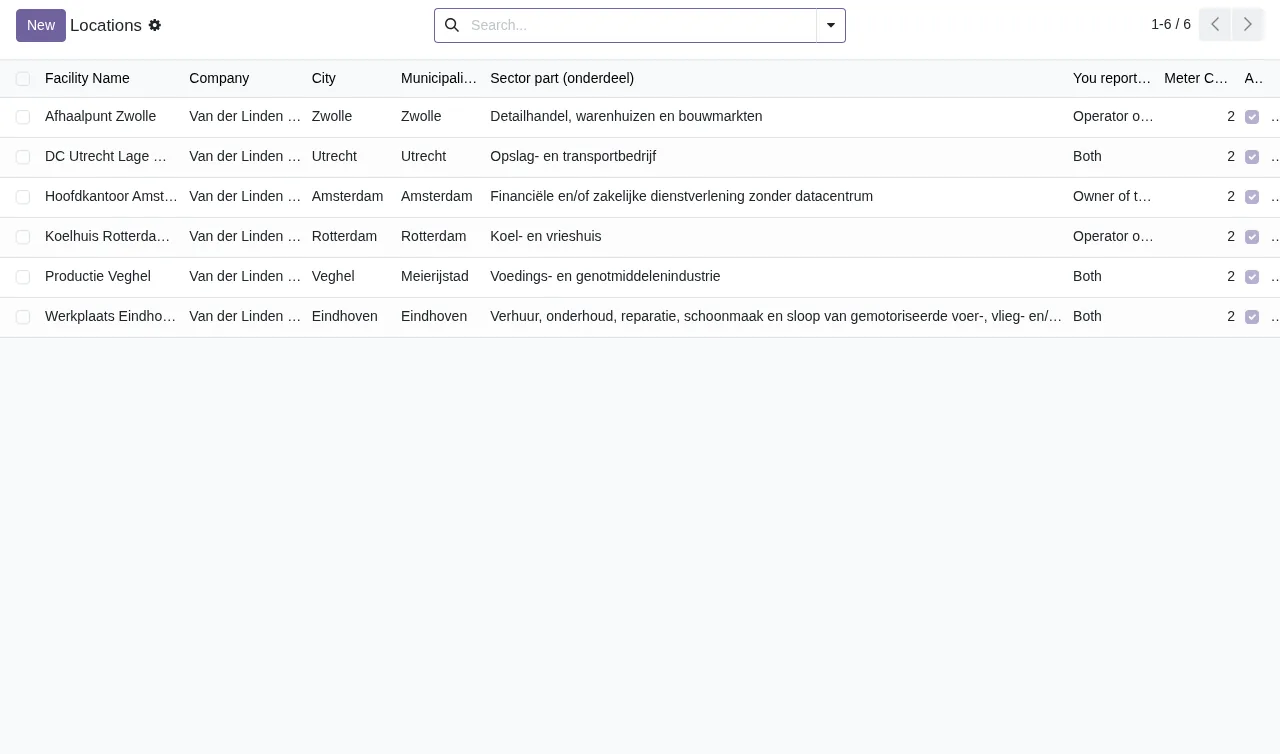
Consumption: duplicates, dates and the 72-hour lock
These messages relate to the consumption records for each meter.
| Message | When it appears | What to do |
|---|---|---|
Only one consumption record per meter per date and period type allowed | There is already a consumption with the same meter, date and period type | Correct the existing record, or change the date or period type if the new figure is a different one |
Consumption value must be greater than or equal to zero | The consumption value is negative | Enter a value of zero or more |
Consumption date %s is outside meter lifecycle [%s, %s] | The consumption date falls outside the meter range shown in square brackets | Check the consumption date or the meter's dates |
This consumption record is locked for editing (>72 hours old). Contact administrator if modification is necessary. | You try to edit a consumption older than 72 hours | Ask an administrator to make the change, as the message says |
Cannot delete consumption record older than 72 hours | You try to delete a consumption older than 72 hours | The module will not delete it; if the figure is wrong, speak to whoever administers your Odoo |
Cannot delete consumption record linked to submitted report %s | The consumption is linked to a report already submitted, named in the message | Do not delete it; to correct a submitted report, the module asks you to create a new one (see below) |
The lock depends on age: after 72 hours, the module will not let you edit or delete the consumption record. If you are unsure about a figure, check it before then.
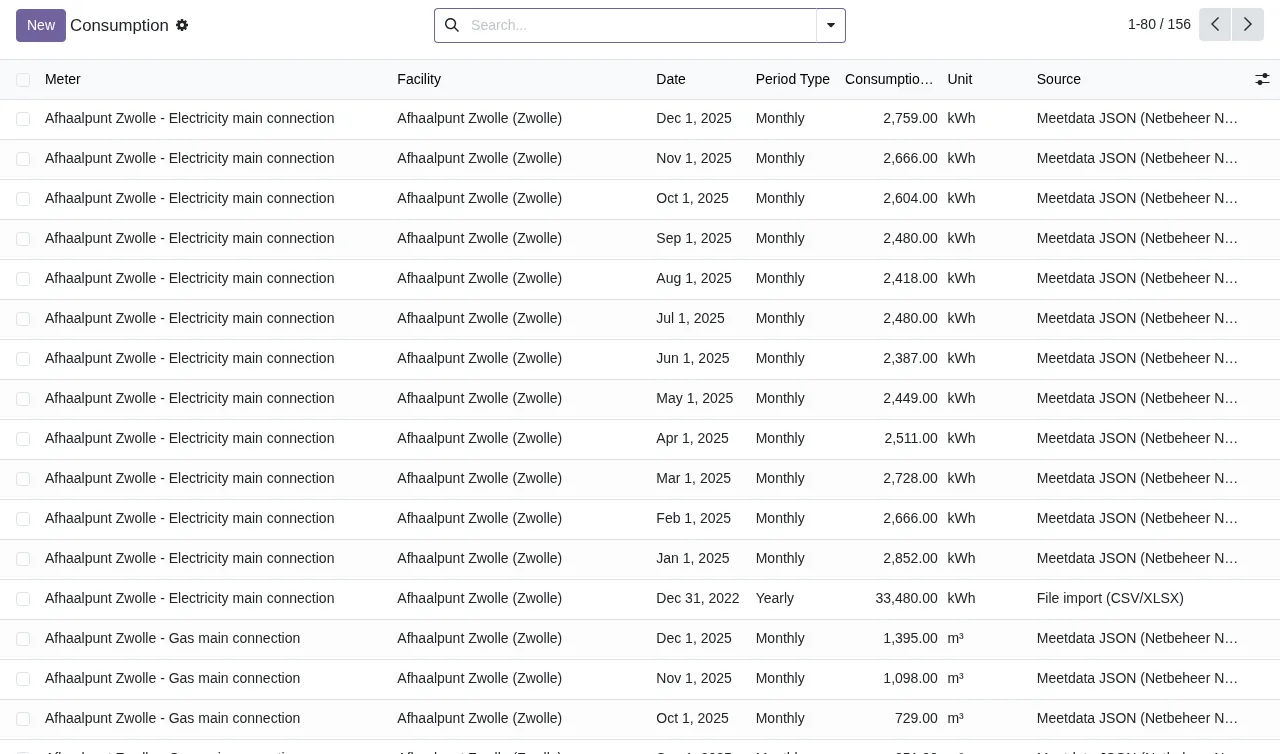
Locations and measures: the limits the module attributes to RVO
The module checks formats and limits on location, building and measure data. The texts mention RVO; here they are described as what the module validates.
| Message | When it appears | What to do |
|---|---|---|
RVO accepts building names of at most 75 characters. | The building name is longer than 75 characters | Shorten it to 75 characters or fewer |
RVO accepts at most 9 buildings per location. | The location has more than 9 buildings | Keep 9 buildings or fewer on that location |
Invalid Dutch postal code format. Expected: NNNN XX | The postcode does not follow the expected format | Type it in the NNNN XX format the message asks for |
The KvK branch number (vestigingsnummer) has 12 digits. | The vestigingsnummer does not have 12 digits | Check it digit by digit until it has 12 |
A KvK number has 8 digits. | The KvK number does not have 8 digits | Correct it so it has 8 |
"%s" is not a Dutch municipality in the RVO list. | The municipality entered is not on the list the module uses | Enter the municipality exactly as it appears on that list |
Cadastral municipality: max 5 characters, section: max 2, house number addition: max 12. | A cadastral detail exceeds its length | Cadastral municipality up to 5 characters, section up to 2 and house number addition up to 12 |
For this sector RVO only accepts as competent authority: %s. | The competent authority is not one of those accepted for the sector | Choose one of the authorities the message lists |
EAN code %s has a wrong check digit. | The EAN code check digit does not match | Check the EAN code shown in the message |
Measure %s: RVO does not offer the status "%s" for this measure. Allowed: %s. | The measure has a status that is not among those accepted | Use one of the statuses listed after Allowed |
Measure %s: RVO accepts at most 500 characters of explanation. | The measure explanation is longer than 500 characters | Cut it down to 500 characters |
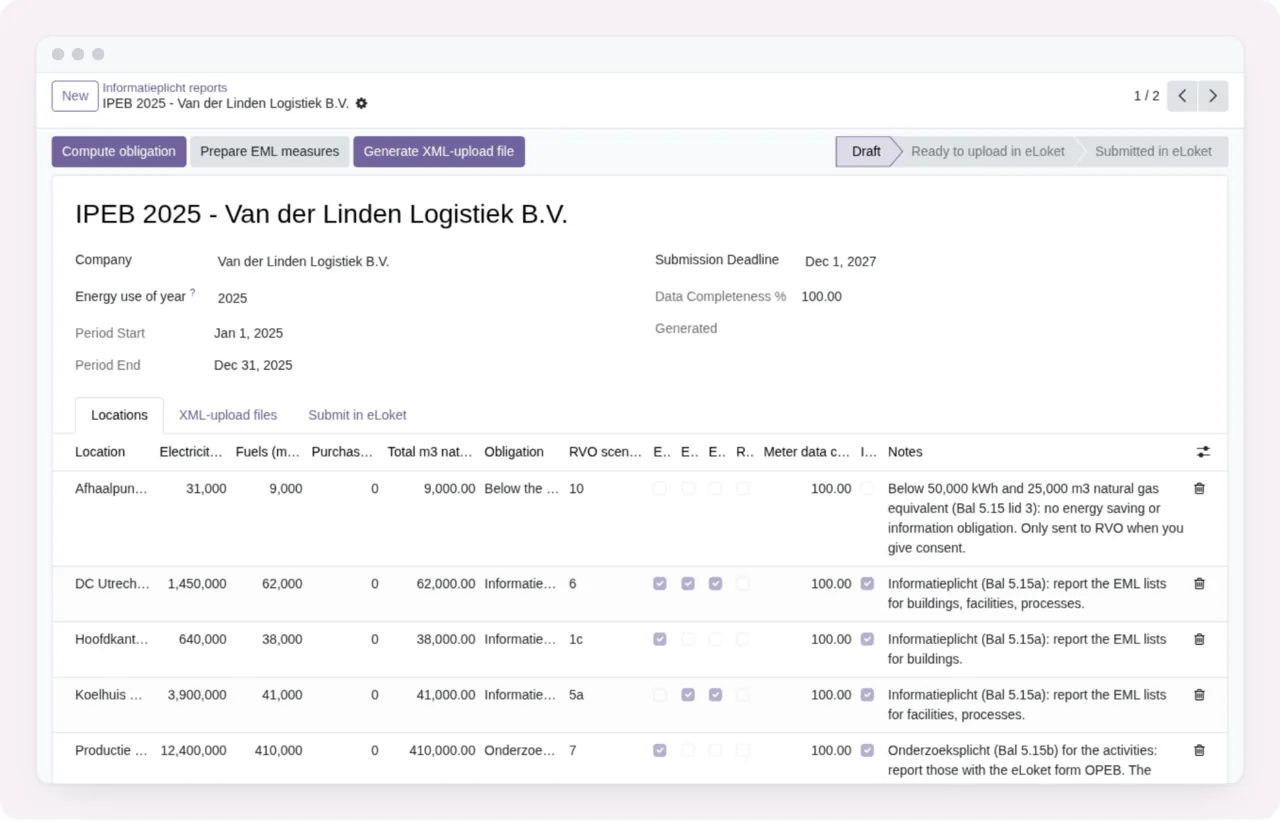
The report and recording the eLoket submission
Several of these messages ask for an earlier step with the word «first»: computing the report, or generating the XML upload file and uploading it in eLoket.
| Message | When it appears | What to do |
|---|---|---|
No location has to be reported. Compute the report first; locations below 50,000 kWh and 25,000 m3 natural gas equivalent are only sent with consent. | The report has no location to report | Compute the report first; the message itself says that locations below those thresholds are only sent with consent |
Generate the XML-upload file and upload it in eLoket first. | The XML upload file step is missing | Generate the file, upload it in eLoket and return to the report |
Fill in the eLoket reference number and the date you signed and sent the report. | The eLoket reference or the signing and sending date is missing | Fill in both |
A report registered as submitted in eLoket stays as it is; create a new one for a correction (eLoket asks for the earlier reference number). | You try to change a report registered as submitted | Create a new report for the correction and keep the earlier reference to hand, as eLoket asks for it |
Percentages go from 0 to 100. | A percentage is outside 0 to 100 | Enter a value between 0 and 100 |
RVO accepts at most 5000 characters of remarks. | The remarks are longer than 5000 characters | Trim them to 5000 characters |
Importing files
| Message | When it appears | What to do |
|---|---|---|
File size exceeds 10MB limit | The file is larger than 10MB | Make the file smaller or split it into several |
Import failed: %s | The import fails; the reason follows the colon | Fix whatever that reason points to and import again |
Column "%s" is not in the file. Columns: %s | The column named is not in the file | Use one of the names in the Columns list or rename the column in the file |
Could not find the date and value columns. Name them in the wizard. Columns: %s | The module cannot find the date and value columns | Tell the wizard which is which, as the message asks |
Audit, requests and other data
| Message | When it appears | What to do |
|---|---|---|
Audit logs cannot be modified | You try to modify an audit log | Nothing: the module does not allow changes to them |
Audit logs cannot be deleted | You try to delete an audit log | Nothing: the module does not allow them to be deleted |
Invalid email address | The email address is not valid | Check the address |
This is not an erasure request. | The request you are acting on is not an erasure request | Check the request type before trying again |
End date must be greater than or equal to start date | The end date is before the start date | Set an end date on or after the start date |
Energy use cannot be negative. | An energy use figure is negative | Check the sign of the figure |
How FlexigoTech can help
If a message keeps coming back and you cannot see why, FlexigoTech implements Odoo 17, 18, 19 and 20 and builds bespoke connectors and integrations, for example to prepare consumption data before importing it. The module is published on Odoo Apps for Odoo 17, 18, 19 and 20, at €9 excluding VAT per Odoo version, as a one-off payment. You will find the details on the module page and the Odoo Apps listing, and if you are still weighing it up, read whether Dutch Informatieplicht fits your company.
Keep reading
Checked in the module's source code (version 20.0) and the linked sources
Sources
- Module source code: flexigo_dutch_energie_informatieverplichting_module 20.0 (b13494b8): models/energie_audit_log.py
- Module source code: flexigo_dutch_energie_informatieverplichting_module 20.0 (b13494b8): models/energie_consumption.py
- Module source code: flexigo_dutch_energie_informatieverplichting_module 20.0 (b13494b8): models/energie_dsar_request.py
- Module source code: flexigo_dutch_energie_informatieverplichting_module 20.0 (b13494b8): models/energie_eml.py
- Module source code: flexigo_dutch_energie_informatieverplichting_module 20.0 (b13494b8): models/energie_facility.py
- Module source code: flexigo_dutch_energie_informatieverplichting_module 20.0 (b13494b8): models/energie_meter.py
- Module source code: flexigo_dutch_energie_informatieverplichting_module 20.0 (b13494b8): models/energie_report.py
- Module source code: flexigo_dutch_energie_informatieverplichting_module 20.0 (b13494b8): wizards/energie_dsar_wizard.py
- Module source code: flexigo_dutch_energie_informatieverplichting_module 20.0 (b13494b8): wizards/energie_import_wizard.py
- apps.odoo.com/apps/modules/20.0/flexigo_dutch_energie_informatieverplichting_module
- apps.odoo.com/apps/modules/17.0/flexigo_dutch_energie_informatieverplichting_module
- apps.odoo.com/apps/modules/18.0/flexigo_dutch_energie_informatieverplichting_module
- apps.odoo.com/apps/modules/19.0/flexigo_dutch_energie_informatieverplichting_module
- flexigotech.com/en/services.html