

 Español
 Català
 Deutsch
 Français
 Português
 Italiano
 Nederlands
 Polski
What it covers according to its documentation
The module's README sums up what it does in five lines. They are the reference for your decision, so read them as they are, without adding anything:
- Policy-driven dunning: the module creates dunning cases for posted, overdue customer invoices, driven by policies.
- Guarded retry logging: payment retries are logged against Odoo payment tokens; no raw card data is stored.
- Signed portal follow-up pages: so the customer can update their payment details or request a return.
- Returns (RMA): authorisation, receiving, inspection, split dispositions, draft refunds and recovery metrics.
- Data infrastructure: retention, DSAR, anti-abuse and annual statistics.
There are two blocks within the same app: collecting overdue invoices and managing returns. Before deciding, work out which of the two you actually need.
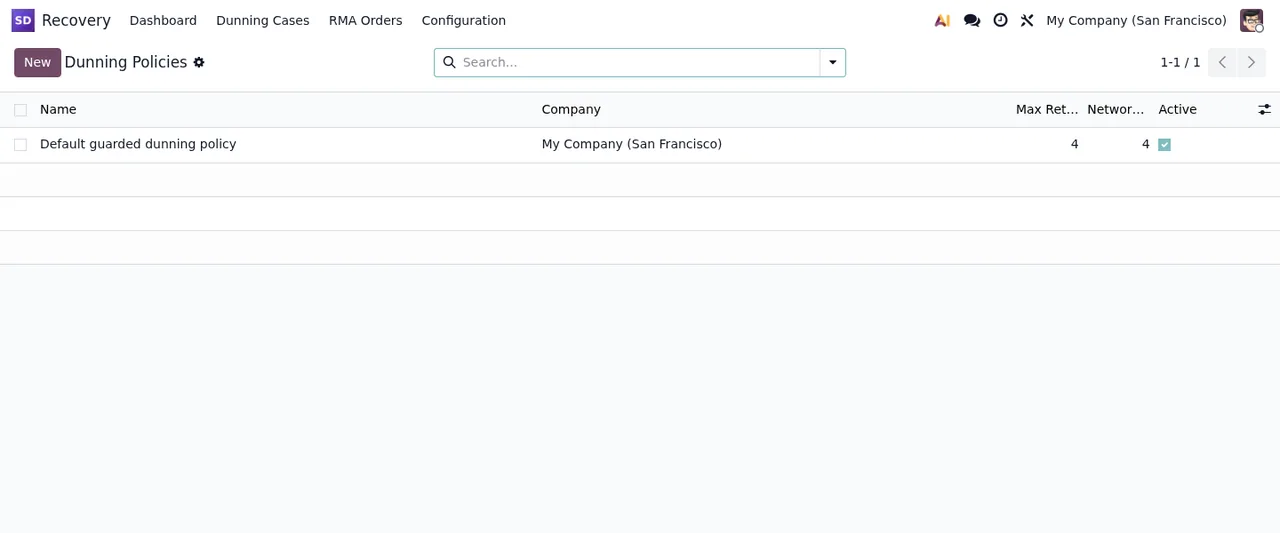
Default guarded dunning policy, with demo data (My Company).If you want to see how these pieces work inside before deciding, it is all in how Dunning and RMA Recovery works.
What the documentation does not promise
To decide properly, look at the limits too. If what you need is not in the list above, do not assume the module covers it: ask before you buy.
- Only posted, overdue customer invoices. That is what the README says. It does not mention draft invoices or vendor bills.
- Retries on Odoo tokens. Retry logging runs against Odoo payment tokens and the module does not store raw card data.
- Draft refunds. The returns side talks about draft refunds, not refunds already posted.
- Migrations not included. The listing is plain about it: we do not take care of migrating your database to a new Odoo version.
- Third-party costs are yours. You contract and pay for your account on each platform, Odoo and your hosting yourself.
- Regulatory alerts only with a subscription. On FlexigoTech Cloud there are alerts when EU consumer or payment rules change, but they require a FlexigoTech Cloud subscription.
Criteria for deciding whether it suits you
Match your situation against what the module's facts say:
| If your business… | What the documentation says | Fit? |
|---|---|---|
| Chases posted customer invoices that fall overdue by hand | Policy-driven dunning cases for posted, overdue invoices | Yes |
| Takes payments with Odoo payment tokens and wants a record of every retry | Retry logging against Odoo tokens, with no raw card data stored | Yes |
| Wants customers to update payment or request a return from a dedicated page | Signed portal follow-up pages for both | Yes |
| Handles returns with authorisation, receiving and inspection | RMA with authorisation, receiving, inspection, split dispositions and draft refunds | Yes |
| Needs to chase draft invoices or vendor bills | The README only mentions posted, overdue customer invoices | No, per the documentation |
| Runs an Odoo that is not 17, 18 or 19 | Published only for those three versions | Not today |
| Needs us to migrate your database to another version | The listing says we do not handle migrations | Not included |
| Wants alerts when EU consumer or payment rules change | Alerts on FlexigoTech Cloud, with a subscription | Only with FlexigoTech Cloud |
The reading is simple: if your rows land on yes, the module matches what you need. If they land on no, sort that out before installing anything.
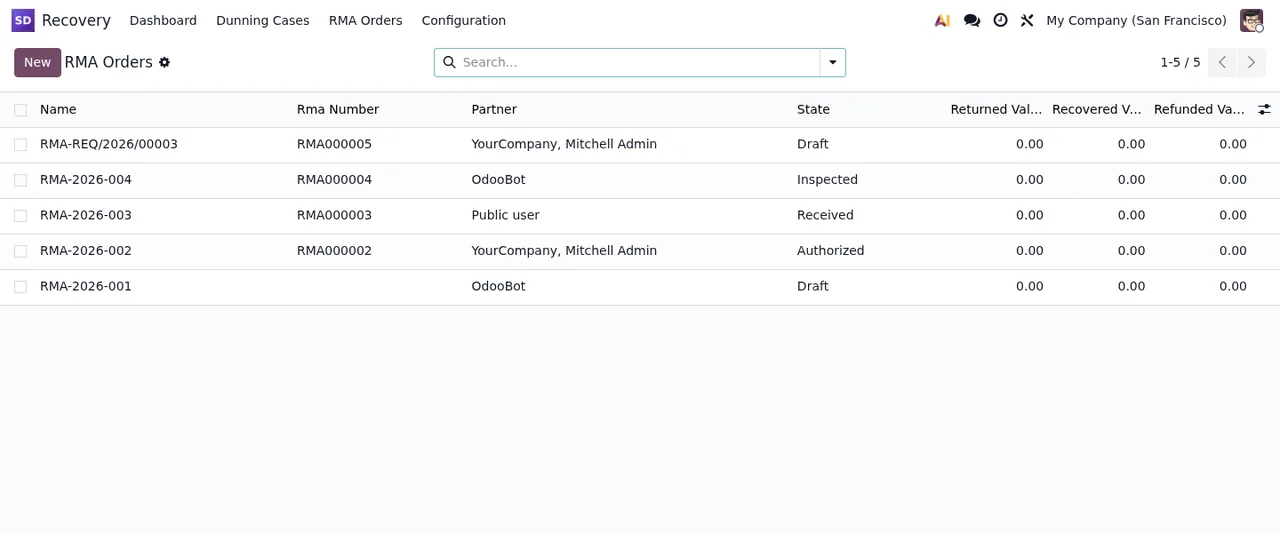
Draft, Inspected, Received and Authorized, with returned, recovered and refunded amounts all at zero.What to have ready before installing it
You do not need much, but you do need a clear starting point:
- A published version. Odoo 17, 18 or 19.
- Customer invoices in Odoo. Dunning cases start from posted, overdue customer invoices, so those invoices have to be in Odoo.
- Odoo payment tokens, if you want retry logging. That is what the module logs each attempt against.
- The portal in mind. The follow-up pages for updating payment or requesting a return are portal pages: think about whether your customers will use it.
- Your return reasons. In the screenshots, the RMA reasons list comes with sample reasons and columns for code, legal, default resolution, company and active. Check whether your own reasons fit that shape.
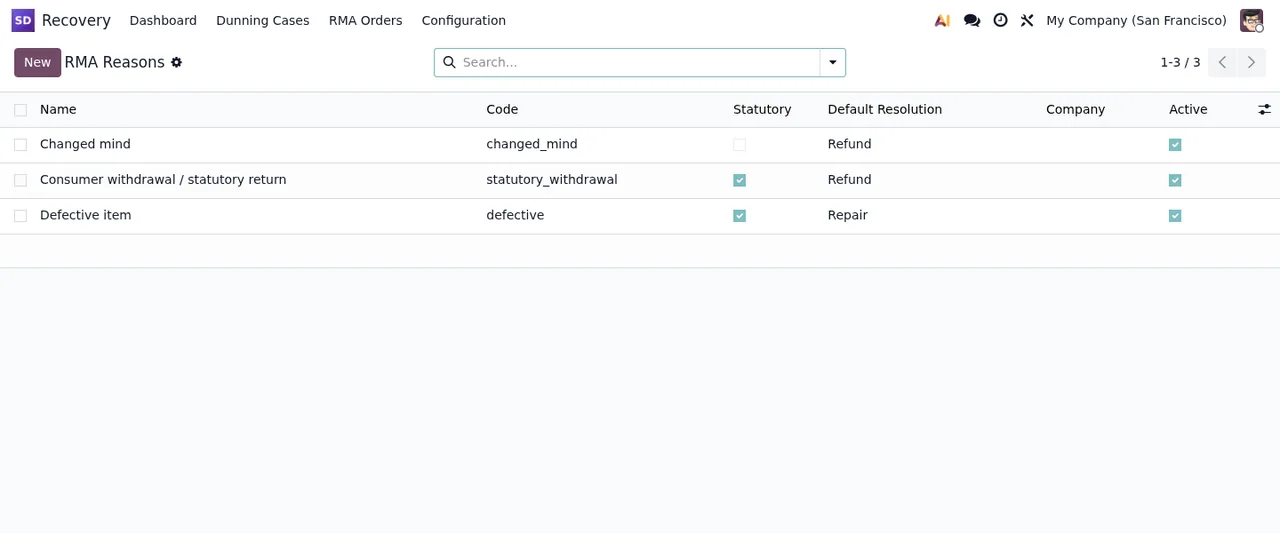
Changed mind, Consumer withdrawal / statutory return and Defective item, with columns for code, legal, default resolution, company and active.
Once it is running, keep the module's error messages and warnings to hand in case one of them holds you up early on.
Which Odoo version and what it costs
The module is published on Odoo Apps for 17.0, 18.0 and 19.0. It costs €9 excluding VAT, a one-off payment per Odoo version, for 17, 18 and 19. Since the purchase is per version and migrating your database is not included, if you plan to change version soon, factor that in when choosing which one to install it on. FlexigoTech's listing also describes update and support services; check the module page to see what each option includes.
How FlexigoTech can help
At FlexigoTech we implement Odoo and build custom connectors and integrations. If any row in the table is still unclear for your case, tell us how you collect payments and handle returns and we will tell you whether the module fits. All the details are on the module page at flexigotech.com, and each Odoo version is on its Odoo Apps listing.
Keep reading
Checked in the module's source code (version 19.0) and the linked sources
Sources
- Module source code: flexigo_subscription_dunning_and_rma_recovery_enhancer 19.0 (148cc2ff): README.rst
- Module source code: flexigo_subscription_dunning_and_rma_recovery_enhancer 19.0 (148cc2ff): static/description/index.html
- apps.odoo.com/apps/modules/19.0/flexigo_subscription_dunning_and_rma_recovery_enhancer
- apps.odoo.com/apps/modules/17.0/flexigo_subscription_dunning_and_rma_recovery_enhancer
- apps.odoo.com/apps/modules/18.0/flexigo_subscription_dunning_and_rma_recovery_enhancer
- flexigotech.com/en/services.html