

 Español
 Català
 Deutsch
 Français
 Português
 Italiano
 Nederlands
 Polski
Some Spain CAE Certificates messages include placeholders such as %(name)s, %(verifier)s or %(date)s to refer to the project, the verifier or a date. Below they are grouped by stage of the work.

Consumption, dates and savings: the project data
What does the module require for baseline and post-retrofit consumption?
Baseline consumption has to be greater than zero; otherwise you get Baseline consumption must be greater than zero. To advance to the baseline measurement stage, the module also asks for a valid value: Please enter a valid baseline consumption (> 0 kWh/year) before advancing to the Baseline Measurement stage. Post-retrofit consumption cannot be negative: Post-retrofit consumption cannot be negative. Verified values go through the same check: Verified baseline consumption cannot be negative. and Verified post-retrofit consumption cannot be negative. What to do: check the figure and the sign in the field the message names and try again.
Why does the module reject the dates I enter?
There are ordering rules and presence rules. Ordering: Baseline measurement date must be before the post-retrofit measurement date. and Implementation start date must be on or before the implementation end date. Presence: Please set the baseline measurement date before advancing. and Please set the implementation end date before advancing to the Verification stage. And one more: Baseline measurement date cannot be in the future. What to do: fill in the missing date or correct the one that is out of order, and do not enter a baseline measurement date later than today.
What do the savings percentage and CAEs awarded warnings mean?
Expected savings percentage must be between 0 and 100. Got %(pct)s for measure "%(code)s". appears when a measure's expected savings percentage falls outside that range; the message quotes the value received and the measure code. For verified savings the warning is Verified savings must be greater than zero. And for the number of CAEs awarded, CAEs awarded must be a positive integer. Got %(count)s. What to do: keep the percentage between 0 and 100, enter verified savings above zero and write the CAEs as a positive whole number, with no decimals.
Stages, verifier and audit
What do I do with a message like Project "%(name)s" is not in the Proposal stage.?
The module checks the project stage before certain actions. The same family includes Project "%(name)s" is not in the Baseline Measurement stage., Project "%(name)s" is not in the Implementation stage. and Project "%(name)s" must be in Verification stage to be certified. They mean the project is not in the stage that action requires. What to do: open the project, see which stage it is in and complete whatever is outstanding until you reach the one the message names.
What happens if the verifier's ENAC accreditation is not current?
To advance to verification the module asks for a verifier: Please assign an ENAC-accredited independent verifier before advancing to the Verification stage. If the assigned one has an expired accreditation, you will see The assigned verifier "%(verifier)s" is not currently ENAC-accredited (expired %(date)s). Please assign an accredited verifier. or Verifier "%(verifier)s" is not currently ENAC-accredited (accreditation expired %(date)s). Please assign an accredited verifier. What to do: assign a verifier with current accreditation. If the module detects a link with the sponsor, you get A conflict of interest was detected: the selected verifier "%(verifier)s" is linked to the project sponsor. Enable "Conflict of Interest Override" and provide a justification to proceed. You have two routes: choose another verifier, or enable Conflict of Interest Override and write the justification, as the message asks.
Why can I no longer change the measurements?
Because the module locks them after the verifier's approval: Measurements are locked after verifier approval and cannot be changed. Review consumption figures and dates before the verifier approves.
How much text do the audit notes need?
At least 50 characters. There are two versions of the warning: Audit notes must contain at least 50 characters. Please provide a detailed account of your findings. and Audit notes must contain at least 50 characters before approval. On top of that, Audit findings are required before marking as completed. and Only completed audits can be approved. What to do: write up the findings in detail, mark the audit as completed and then approve it.
Liquidation and other warnings
What conditions does the module set for liquidation?
On the project: Only certified projects can be marked as liquidated. and Please create at least one liquidation record before marking the project as liquidated. On the certificate: Only active certificates can be marked as liquidated. On the liquidation record: CAEs liquidated must be a positive integer. Got %(count)s., A buyer / counterparty is required for "%(method)s" liquidation. and Liquidation date %(liq_date)s is after the certificate liquidation deadline %(deadline)s. What to do: certify the project first, create at least one liquidation record with a positive whole number of CAEs, add a buyer or counterparty when the method calls for one and use a date that does not go past the certificate's liquidation deadline.
What other warnings can appear?
With singular measures: Singular measures require a MITECO pre-approval document. Please upload the document before proceeding. Upload the document and carry on. If an email address already exists: Email must be unique! If a file is too large: File size must be less than 500 MB! Use a different email address or bring the file below that size.
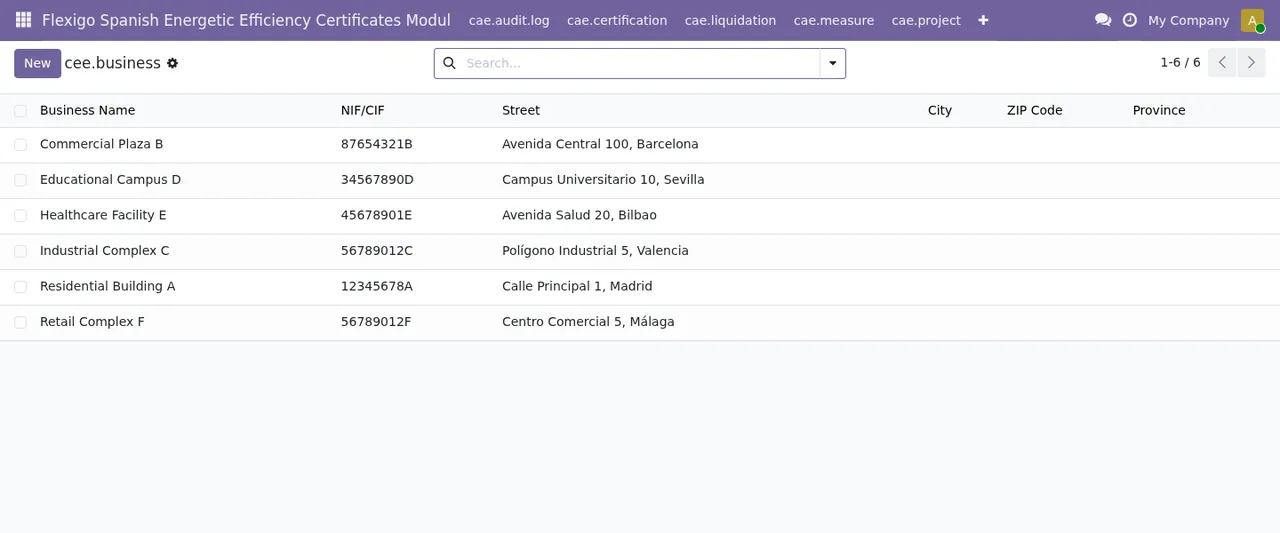
Submitted, Pending and Rejected (the rejected one points to invalid audit documentation) and the businesses list with demo data.How FlexigoTech can help
If a message keeps cropping up in your workflow or you need the module adapted to the way you work, FlexigoTech implements Odoo 17, 18, 19 and 20 and builds bespoke connectors and integrations. The app is published for those four versions and costs €9 excluding VAT per Odoo version, as a one-off payment; the FlexigoTech Cloud local service is separate, from €29/month or €290/year excluding VAT. You will find the details on the module page and the Odoo Apps listing, and if you are still unsure whether it fits, read whether Spain CAE Certificates suits your company.
Keep reading
Checked in the module's source code (version 20.0) and the linked sources
Sources
- Module source code: flexigo_spanish_energetic_efficiency_certificates_modul 20.0 (6b7c43b4): models/cae_audit_log.py
- Module source code: flexigo_spanish_energetic_efficiency_certificates_modul 20.0 (6b7c43b4): models/cae_certification.py
- Module source code: flexigo_spanish_energetic_efficiency_certificates_modul 20.0 (6b7c43b4): models/cae_liquidation.py
- Module source code: flexigo_spanish_energetic_efficiency_certificates_modul 20.0 (6b7c43b4): models/cae_measure.py
- Module source code: flexigo_spanish_energetic_efficiency_certificates_modul 20.0 (6b7c43b4): models/cae_project.py
- Module source code: flexigo_spanish_energetic_efficiency_certificates_modul 20.0 (6b7c43b4): models/cee_applicant.py
- Module source code: flexigo_spanish_energetic_efficiency_certificates_modul 20.0 (6b7c43b4): models/cee_attachment.py
- Module source code: flexigo_spanish_energetic_efficiency_certificates_modul 20.0 (6b7c43b4): models/cee_audit.py
- apps.odoo.com/apps/modules/20.0/flexigo_spanish_energetic_efficiency_certificates_modul
- apps.odoo.com/apps/modules/17.0/flexigo_spanish_energetic_efficiency_certificates_modul
- apps.odoo.com/apps/modules/18.0/flexigo_spanish_energetic_efficiency_certificates_modul
- apps.odoo.com/apps/modules/19.0/flexigo_spanish_energetic_efficiency_certificates_modul
- flexigotech.com/en/services.html
- flexigotech.com/precios.html