

 Español
 Català
 Deutsch
 Français
 Português
 Italiano
 Nederlands
 Polski
Where the button is and when it shows
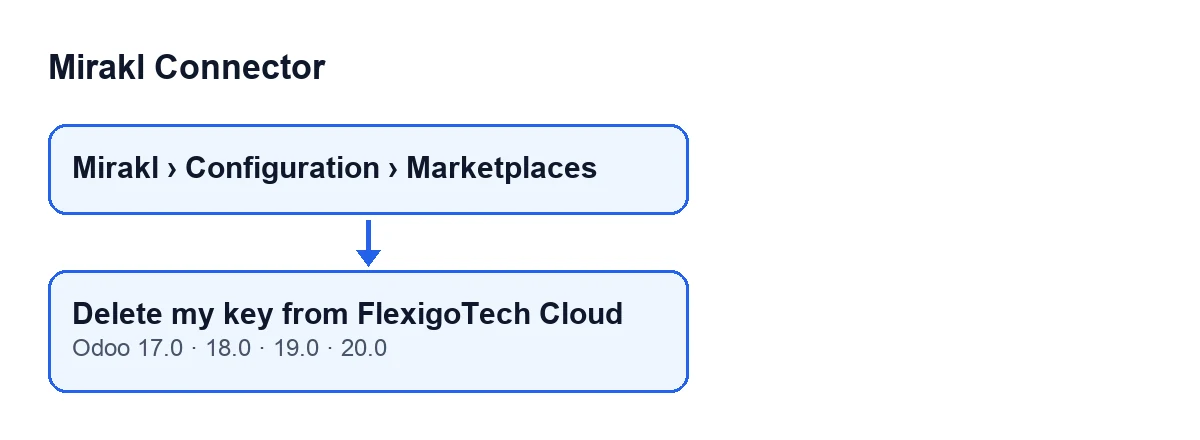
The Delete my key from FlexigoTech Cloud button is on the Mirakl Instances form, which you open from the menu Mirakl › Configuration › Marketplaces. It exists in the 17.0, 18.0, 19.0 and 20.0 branches of the module, with the same visibility condition in all four.
With the default values the button is not visible. It is hidden in two cases: when Mirakl connection has a value other than its default, and when Saved in FlexigoTech Cloud is empty. Since that field is empty by default, the button only shows once the module has filled in that date.

Before you press it: what to check
- Open the marketplace form from
Mirakl › Configuration › Marketplaces. If you cannot see theMiraklpart of the menu, ask your administrator for the permission that gives access to that menu. - Go to the
Connectiontab, theAccessgroup, then theFlexigoTech Cloudgroup, and look atSaved in FlexigoTech Cloud. It is a date and time field, read-only: the code writes it, not you. - If you cannot see that field, check with your administrator that you have the Mirakl manager permission, which is the one that shows that field, and that
Mirakl connectionstill has its default value: with any other value the field is hidden. - Make sure the form you have open is the right marketplace. The button acts on that marketplace's own account in FlexigoTech Cloud.
- Have the marketplace's Mirakl API key to hand, because you will need to type it in again for it to sync once more.
When you press it: the confirmation prompt
When you press the button, Odoo does not delete anything yet: it first shows this prompt, The Mirakl API key will be deleted from FlexigoTech Cloud and this marketplace will stop syncing until you type it again. Continue?.
- Read the whole prompt: it says the key is deleted from FlexigoTech Cloud and that the marketplace stops syncing.
- Confirm only if you want to stop that marketplace syncing until you type the key in again.
What the button does, in order
Once you confirm, the module works like this:
- It runs on a single form: the one you have open.
- It asks FlexigoTech Cloud to delete that marketplace's key. Each marketplace has its own account in the service, made up of the operator's entry and the form's identifier, so two marketplaces of the same operator in one database keep a key each.
- After that request, it empties
Saved in FlexigoTech Cloud.
The field is emptied right after the delete request, not before.
After deleting: what to check
- Look at
Saved in FlexigoTech Cloudagain: the button leaves it empty. - Check that the
Delete my key from FlexigoTech Cloudbutton no longer shows. That is what you should expect, because the condition hides it when that field is empty. - Remember that the marketplace stops syncing until you type the key in again, as the confirmation prompt warns.
- If you have more than one marketplace, check each form separately: the button only affects the account of the marketplace on the form where you press it.
If the button does not show
If the button does not show, go through these in order:
- Is
Saved in FlexigoTech Cloudempty? Then the button is hidden, and with the default values it is. - Does
Mirakl connectionstill have its default value? If not, the button is hidden even when the date field has a value. - Are you on one of the published branches, 17.0, 18.0, 19.0 or 20.0? The button is in all four with the same condition.
- Can you see the
Saved in FlexigoTech Cloudfield? If not, check with your administrator your Mirakl manager permission and the value ofMirakl connection.
Cost and subscription
Mirakl Connector is a one-off payment module per Odoo version (17, 18, 19 and 20) and needs the FlexigoTech Cloud subscription, Connector plan: €49 a month or €490 a year, excluding VAT. The connection goes through FlexigoTech Cloud, which stores the credentials encrypted, watches the sync and emails you if it fails. You can see the module on its Odoo Apps page or on its flexigotech.com page.
How FlexigoTech can help
If you are implementing Odoo and deciding how to connect your marketplaces, FlexigoTech implements Odoo 17, 18, 19 and 20 and builds connectors and custom integrations.
Keep reading
Checked in the connector's source code (version 20.0) and the linked sources
Sources
- Module source code: flexigobe_mirakl_connector 20.0 (aa05e537): views/mirakl_instance_views.xml
- Module source code: flexigobe_mirakl_connector 20.0 (aa05e537): models/mirakl_fgt_cloud.py
- Module source code: flexigobe_mirakl_connector 20.0 (aa05e537): models/mirakl_ai.py
- apps.odoo.com/apps/modules/20.0/flexigobe_mirakl_connector
- flexigotech.com/precios.html
- flexigotech.com/en/services.html