

 Español
 Català
 Deutsch
 Français
 Português
 Italiano
 Nederlands
 Polski
What the terms say
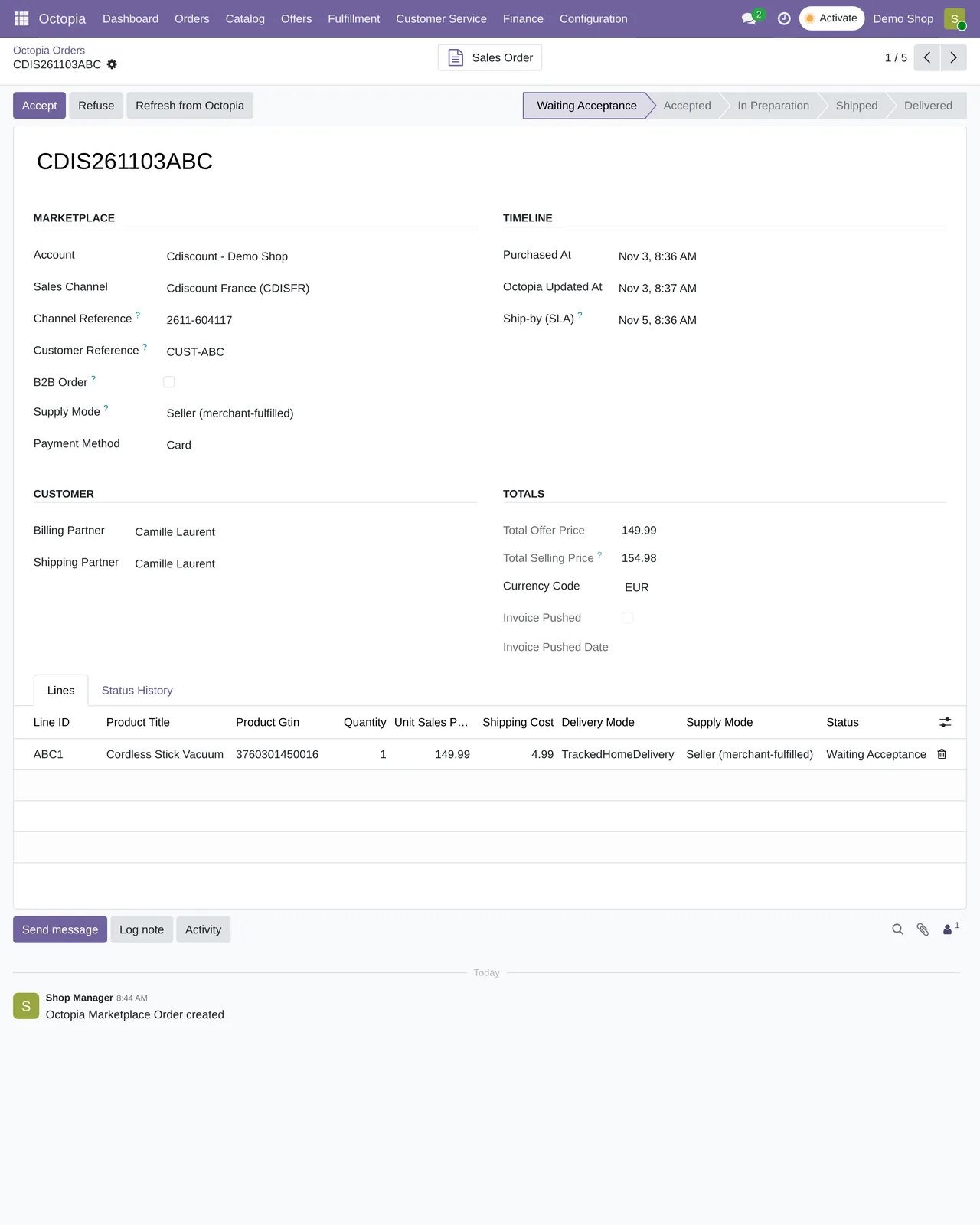
Page 47 of the Cdiscount Marketplace general terms (CGMAD, version of 25 August 2025) is clear: the seller has to accept orders within the following 48 working hours and keep an acceptance rate of 97.5% or more. With no answer within 2 days, the order is cancelled automatically. The same page asks you to confirm shipment with the tracking number.
Page 49 adds another deadline that weighs just as much: customer messages are answered within 48 working hours.
What nobody tells you
That the clock runs while you travel
Working hours do not stop because you are away. A Friday afternoon with nobody watching the panel is enough to find cancelled orders and a dented rate on Monday.
That the API does not notify
The Octopia API has no webhooks. If you want to know about a new order, someone or something has to ask. The connector does it every 10 minutes, with no weekend breaks.
That the address arrives late
Octopia does not show the buyer's address until the order is in preparation. A freshly accepted order can appear without an address, and that is not an error. In Odoo, the connector completes the address on a later check, once Octopia releases it. If you prepare shipments by hand from the panel, it is worth knowing so you do not treat an order as broken when it is only halfway.
That a refund is not a button
Octopia has no stand-alone refund. Money goes back to the customer through an accepted cancellation or a commercial gesture. If you do them outside Odoo, your accounting never finds out.
That the invoice is also yours
Uploading the invoice of each order is a channel obligation on Cdiscount. Many sellers find out when they already have a backlog of orders.
How Odoo handles it
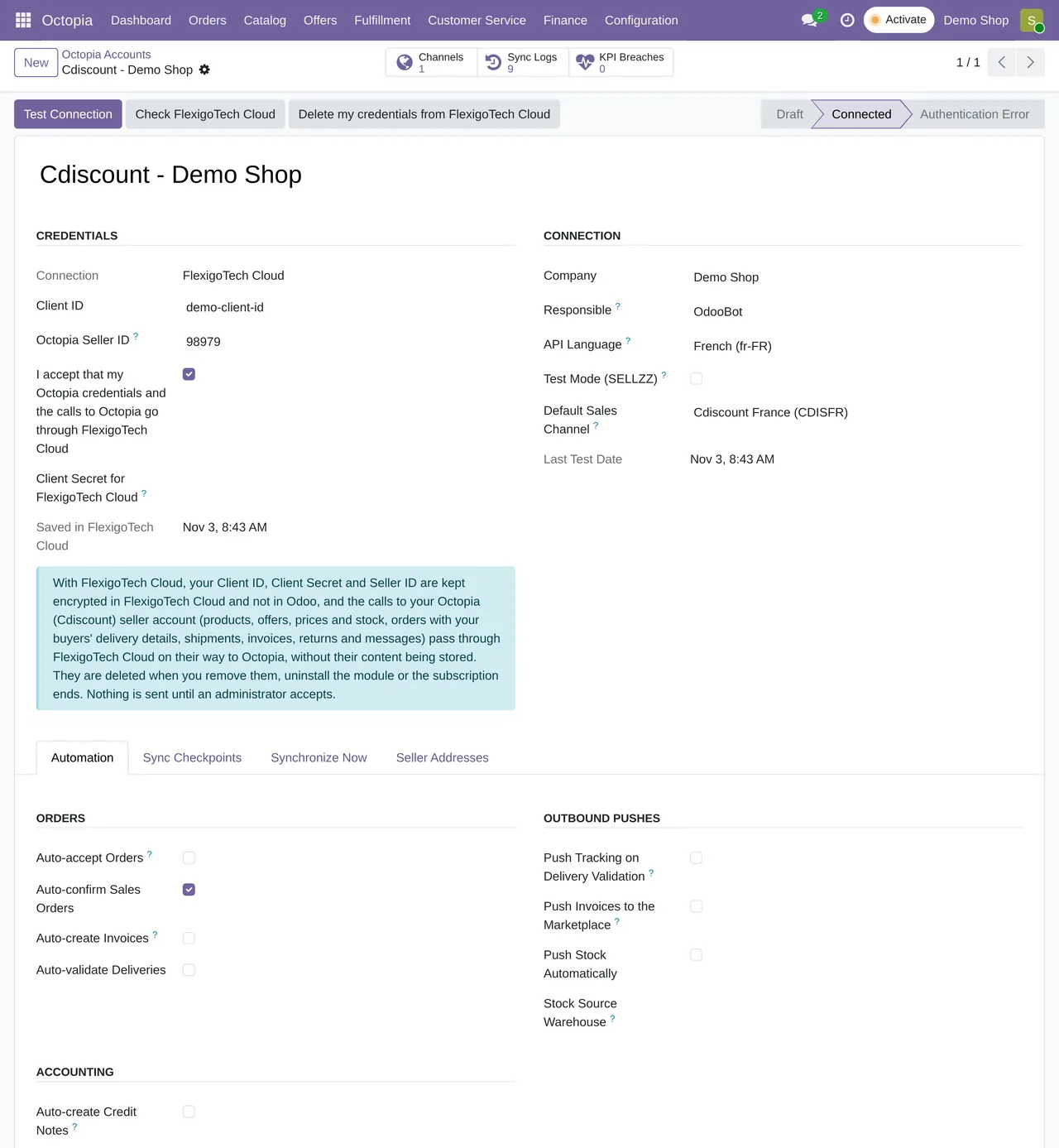
The Octopia account in Odoo has a switch for each step:
- Accept orders automatically. Orders that arrive waiting for acceptance are accepted on their own.
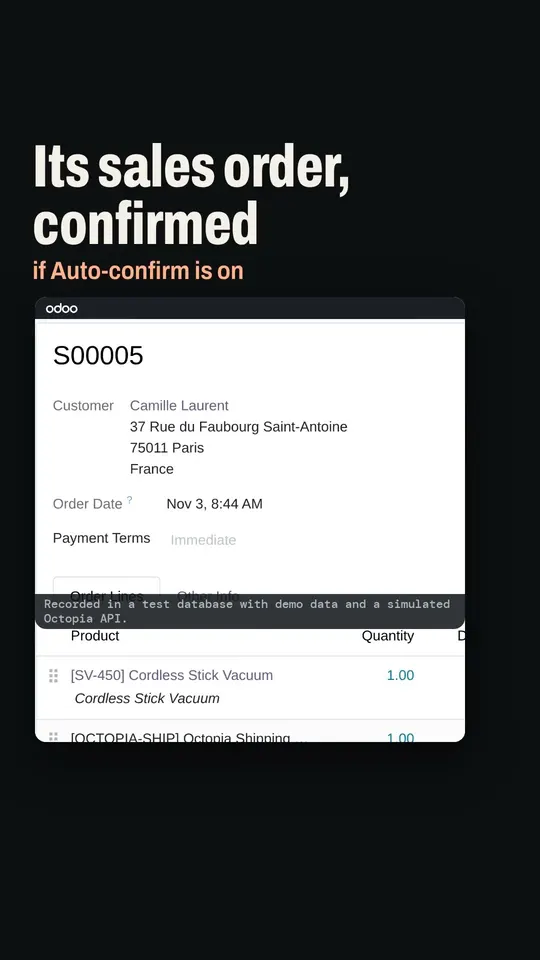
- Confirm the sales order. The accepted order becomes a confirmed Odoo sale.
- Declare the shipment when the delivery is validated. Parcels, carrier and tracking travel to Octopia without typing anything.
- Upload the invoice to the marketplace. The posted Odoo invoice goes up to Octopia as a PDF.
Customer messages come in too: the connector checks the queue of pending discussions every 15 minutes, and there is a quality indicators menu to watch your figures.
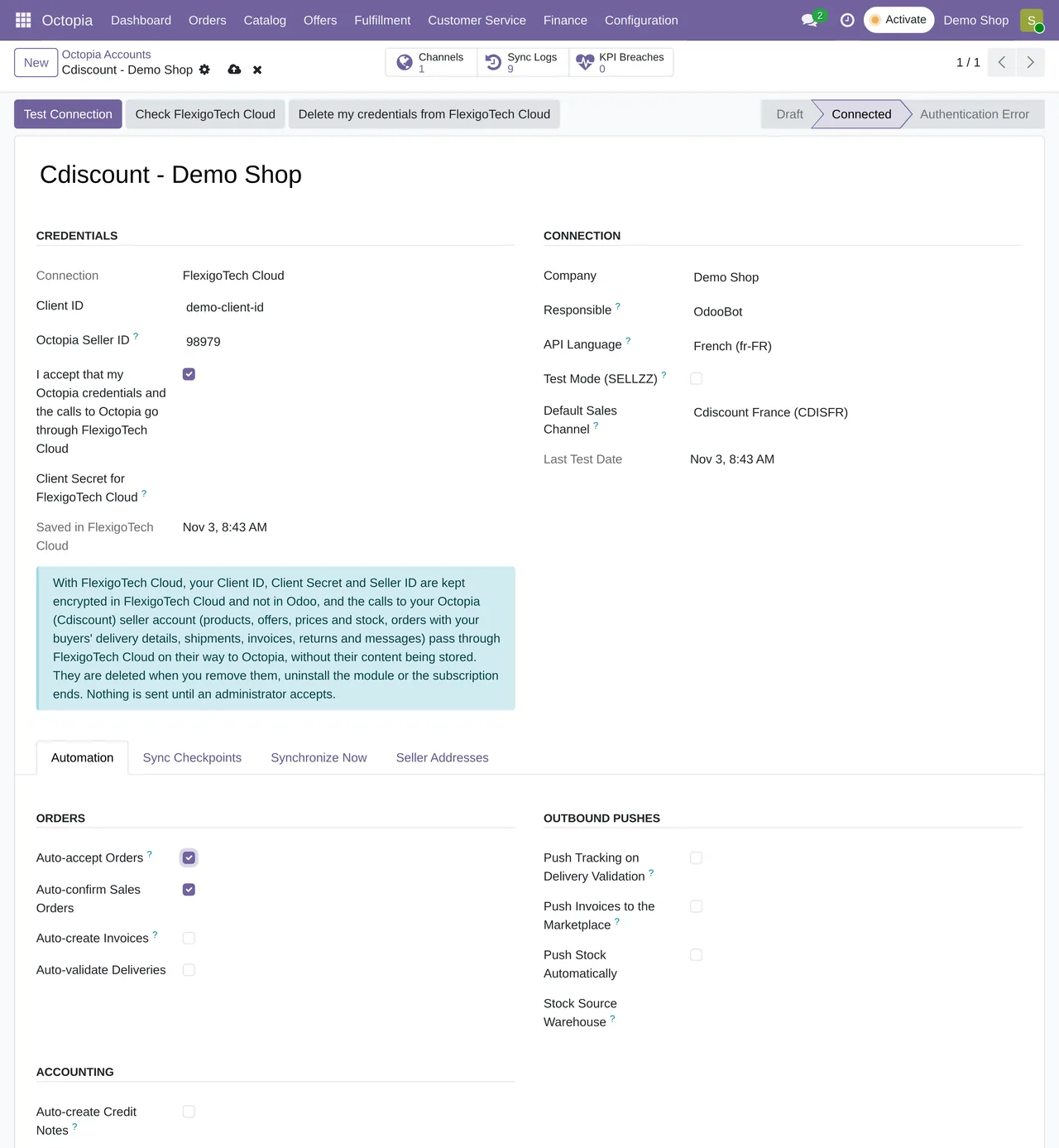
If you would rather review each order before accepting it, leave the switch off and use the order's accept button: the order still reaches Odoo every 10 minutes and the deadline is met without opening the back office.
Accepting automatically makes sense if your stock in Odoo is reliable. If you also sell outside Cdiscount, the shared stock is what stops you accepting orders you then cannot fulfil.
Keep reading
Checked in the connector's source code (version 20.0) and the linked sources
Sources
- marketplace.cdiscount.com/wp-content/uploads/2025/08/2025.08.25-CGMAD-FR.pdf
- Module source code: flexigobe_octopia_connector 20.0 (dfba2acc): data/octopia_cron_data.xml
- Module source code: flexigobe_octopia_connector 20.0 (dfba2acc): models/octopia_account.py
- Module source code: flexigobe_octopia_connector 20.0 (dfba2acc): docs/api-ground-truth.md
- Module source code: flexigobe_octopia_connector 20.0 (dfba2acc): views/octopia_completeness_views.xml
- Module source code: flexigobe_octopia_connector 20.0 (dfba2acc): views/octopia_discussion_views.xml
- apps.odoo.com/apps/modules/20.0/flexigobe_octopia_connector