

 Español
 Català
 Deutsch
 Français
 Português
 Italiano
 Nederlands
 Polski
Myth: "Accepting orders by hand carries no risk"
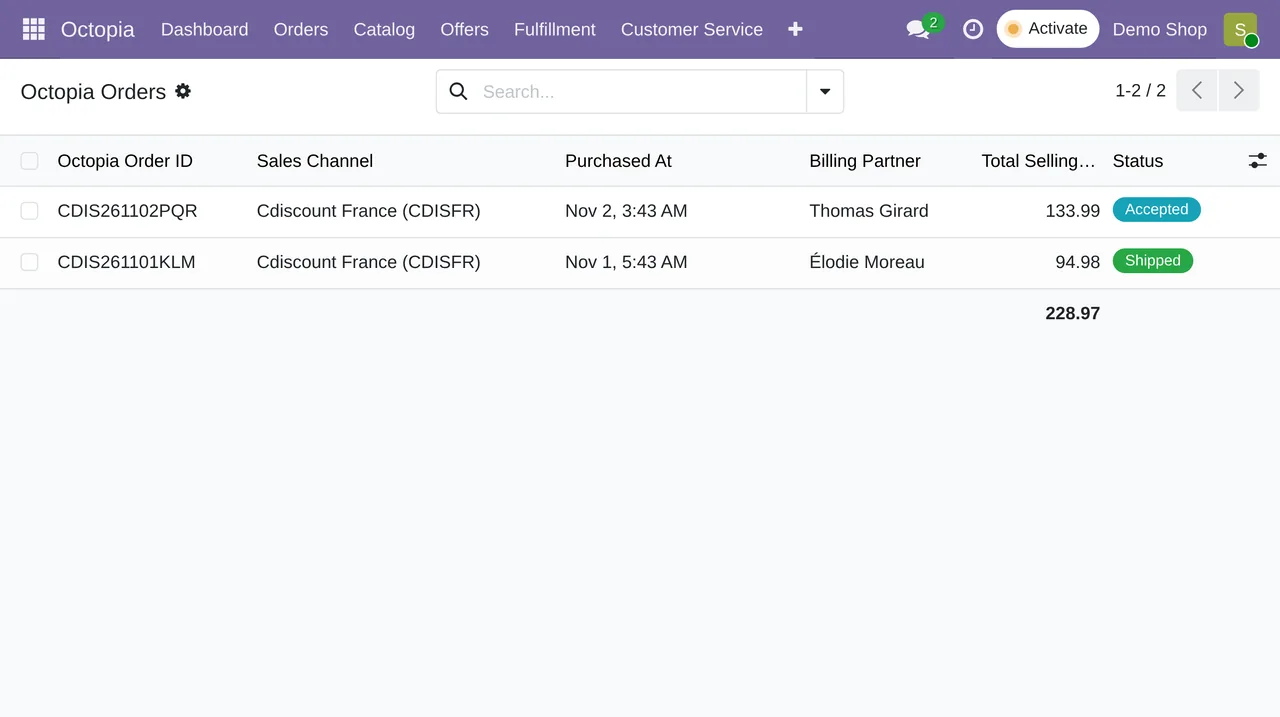
Fact: Cdiscount's terms require acceptance within 48 working hours and an acceptance rate of 97.5% or more. An order with no answer within 2 days is cancelled on its own. With the connector, orders are checked every 10 minutes and the account has a switch to accept them automatically.

Myth: "Each channel has its own stock"
Fact: in Octopia, stock for the same product and condition is shared across sales channels: change it on one and it changes on all. What is not shared is your warehouse with your other shops. If you also sell on your website or on Amazon, someone has to deduct it everywhere. In Odoo there is one inventory, and the connector sends stock changes to Octopia every 15 minutes.
Myth: "If I write the listing in my language, that is fine"
Fact: in Octopia, products are per language and only those in French sell on Cdiscount. A product created in one language cannot be modified from another. It is better to decide this before building the catalogue, not after.
Myth: "Refunding money is pressing a button"
Fact: Octopia has no stand-alone refund. Money goes back through an accepted cancellation or a commercial gesture. If you do it in the back office and keep the accounts elsewhere, the credit note appears nowhere until someone copies it. In Odoo, the account can create the credit note automatically when Octopia accepts the cancellation or the commercial gesture.
Myth: "The invoice is Cdiscount's business"
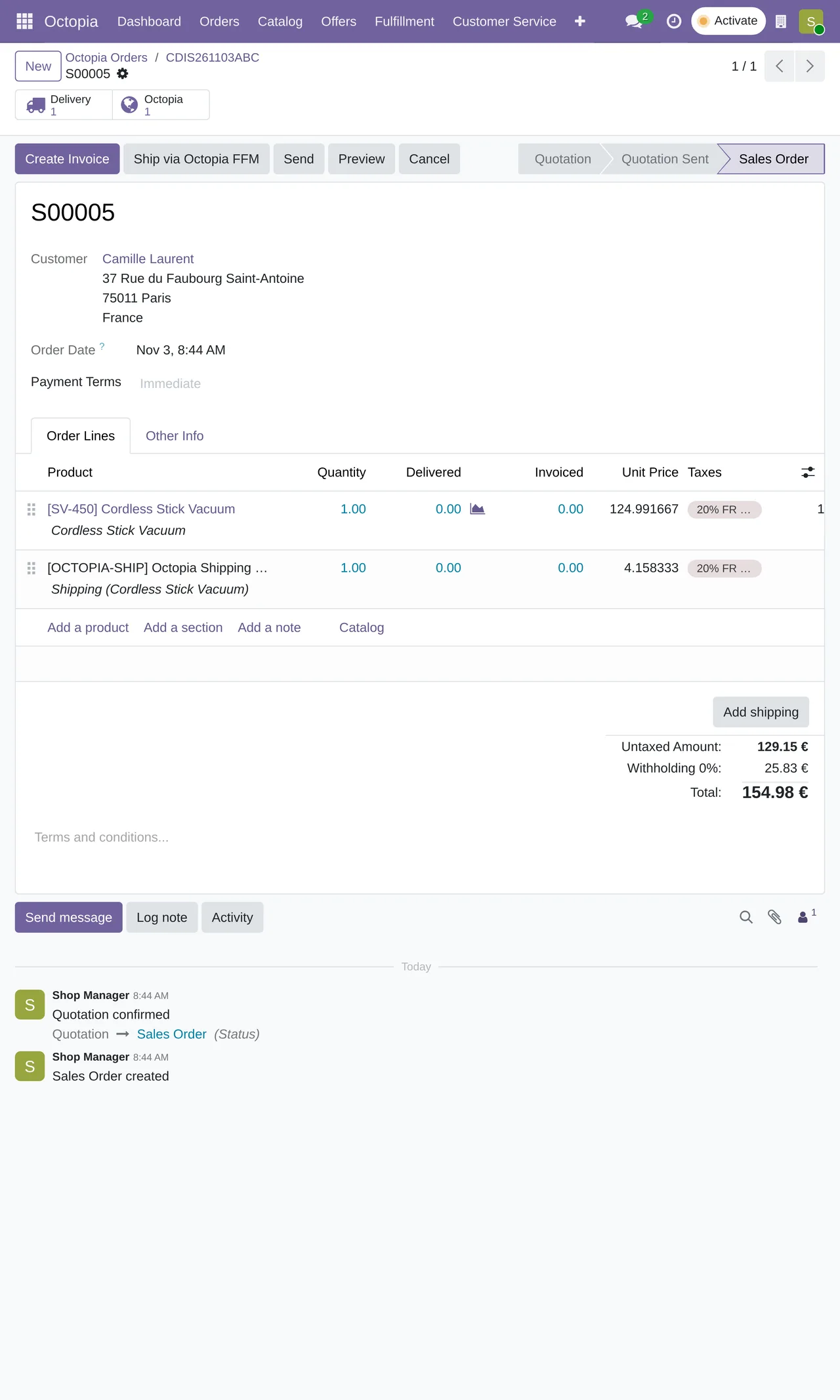
Fact: uploading the invoice of each order is the seller's obligation on the channel. Without an ERP it is one more download and upload per order. With Odoo, the invoice is created when the delivery is confirmed and its PDF goes up to Octopia without anyone touching it.
Myth: "Settlements are checked at month end, and that is it"
Fact: month end is too late to discover a fee you did not expect. The connector brings in operations, payouts, commission invoices and DAC7 reports every day, each in its own Finance menu.
Myth: "Customer messages are a separate matter"
Fact: Cdiscount's terms also require answering customers within 48 working hours. With the connector, the queue of pending discussions is checked every 15 minutes and messages appear in Odoo next to the order they refer to.
Myth: "An ERP is too much for me"
Fact: it depends on volume. If you sell little and only on Cdiscount, the back office is enough. When you add another channel or your own warehouse, the cost is in not having one: stock that does not add up, cancelled orders and hours of copying data.
If you want to take the step
At FlexigoTech we implement Odoo 17, 18, 19 or 20 and leave Cdiscount connected with the Octopia connector. The module costs €9 per Odoo version and the Connector plan starts at €49 a month, VAT excluded. Whatever your operation has of its own, we build to measure.
Keep reading
Checked in the connector's source code (version 20.0) and the linked sources
Sources
- marketplace.cdiscount.com/wp-content/uploads/2025/08/2025.08.25-CGMAD-FR.pdf
- Module source code: flexigobe_octopia_connector 20.0 (dfba2acc): docs/api-ground-truth.md
- Module source code: flexigobe_octopia_connector 20.0 (dfba2acc): data/octopia_cron_data.xml
- Module source code: flexigobe_octopia_connector 20.0 (dfba2acc): models/octopia_account.py
- Module source code: flexigobe_octopia_connector 20.0 (dfba2acc): views/octopia_finance_views.xml
- apps.odoo.com/apps/modules/20.0/flexigobe_octopia_connector
- flexigotech.com/en/services.html
- flexigotech.com/precios.html