

 Español
 Català
 Deutsch
 Français
 Português
 Italiano
 Nederlands
 Polski
How to read the module's messages
Whatever appears in the table as %s, %(cuit)s, %(error)s or %d is the slot where the message carries the data for that case, such as the supplier's CUIT or the error ARCA returns. Some texts are repeated in several parts of the module; in the table they appear once. For the long messages you get the literal opening and the rest explained in the columns.
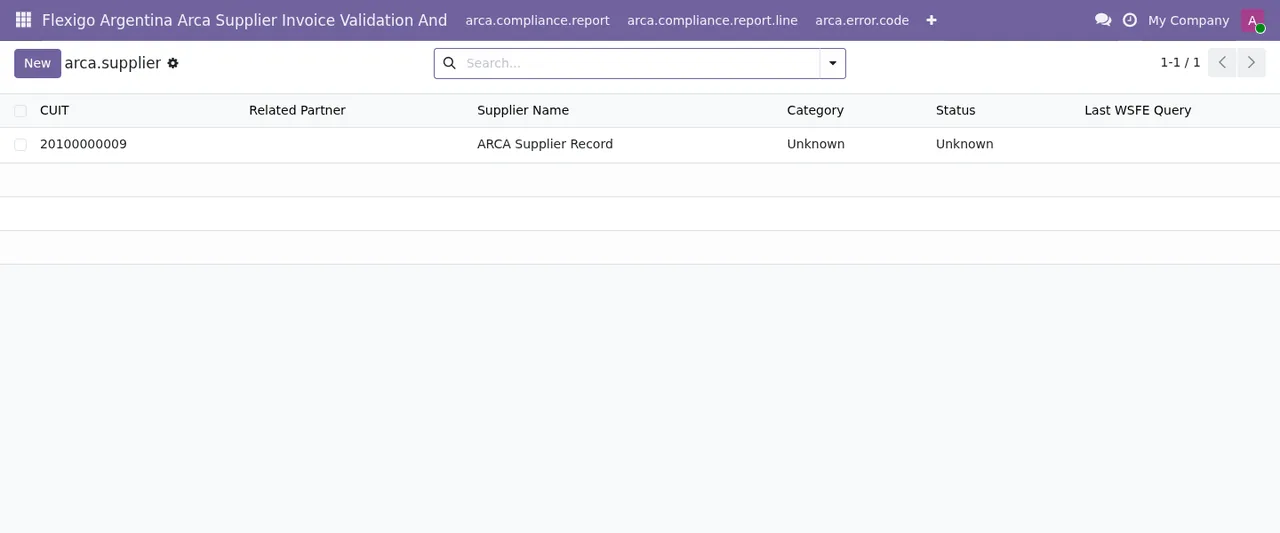
arca.supplier list with one record: CUIT, name, category and state Unknown.Error messages: when each appears and what to do
| Message | When it appears | What to do |
|---|---|---|
Invalid CUIT format: %s | The CUIT entered is not in a valid format. | Check the CUIT shown in the message and correct it. |
There is already an ARCA supplier with CUIT %s. | An ARCA supplier with that CUIT already exists. | Look up the ARCA supplier that already has that CUIT. |
Partner %s has no CUIT (ARCA CUIT field or Argentine VAT number) | The contact has no CUIT. | Fill in the ARCA CUIT field or the contact's Argentine VAT number. |
ARCA could not be queried: %s | ARCA could not be queried. | Read the detail that comes with the message. |
ARCA validation failed: %s | Validation with ARCA fails. | Read the reason the message gives. |
ARCA could not validate supplier %(cuit)s: %(error)s | ARCA could not validate the supplier with that CUIT. | Check the CUIT and the error shown. |
ARCA did not answer for supplier %(cuit)s: %(error)s. The bill was queued | ARCA does not answer for the supplier of a bill. | The bill is queued and Odoo validates it again automatically, or an ARCA manager applies an override. |
Supplier %s is Monotributista at ARCA: it issues class C invoices, not class A. Correct the letter of the bill. | ARCA lists the supplier as Monotributista and the bill is class A. | Correct the bill's letter: that supplier issues class C invoices. |
The ARCA validation result is set by the supplier check and by the ARCA override button only. | You try to set the ARCA validation result by hand. | Let the supplier check set it, or use the ARCA override button. |
Only ARCA managers can override the supplier validation. | A user who is not an ARCA manager attempts an override. | Ask an ARCA manager to apply it. |
Override reason is required | You apply an override with no reason. | Enter the reason. |
Only a draft vendor bill can be overridden. | The vendor bill is not in draft. | Overrides only apply to draft vendor bills. |
Override records are immutable and cannot be modified after creation. | You try to edit an override record. | It cannot be changed once created. |
Override records cannot be deleted: they are the history of the overrides. | You try to delete an override. | It stays: it is the history of the overrides. |
Audit trail records are immutable and cannot be edited. | You try to edit an audit trail record. | Audit trail records are not edited. |
Audit trail records cannot be deleted. Contact system administrator. | You try to delete an audit trail record. | Contact the system administrator. |
Please select a file to upload | You upload without choosing a file. | Select the file. |
XML file is malformed: %s | The XML is malformed. | Check the file using the detail in the message. |
The XML file has no <cuit> element and no cuit attribute. | The XML has neither a <cuit> element nor a cuit attribute. | Add the CUIT to the XML. |
CSV must contain a "cuit" column | The CSV lacks the cuit column. | Add the cuit column. |
Cannot import batch with %d invalid CUITs. Please fix errors and re-upload. | The batch contains invalid CUITs. | Fix the errors and upload the file again. |
Only the link e-mailed to the subject verifies a data request. | You try to verify a data request without the link. | Only the link e-mailed to the subject verifies it. |
Identity is verified only through the link e-mailed to the subject | You try to verify identity some other way. | Send the link and let the subject confirm with the button on the page. |
Verify the identity of the data subject before generating the archive. | You generate the archive before verifying identity. | Verify the data subject's identity first. |
Select the contact this request is about (Subject Contact) | The request has no contact. | Fill in Subject Contact: only that contact's data goes into the archive. |
The e-mail of %(contact)s changed on %(date)s | The contact's e-mail changed less than 30 days ago. | Wait until the date shown, so that a taken-over address cannot receive the data. |
The archive goes only to the verified e-mail of the contact | The verified e-mail is not the contact's e-mail. | Correct the request and verify it again. |
The identity of this data subject is already verified. | The identity was already verified. | There is no need to verify it again. |
The date the e-mail changed is set by the module. | You try to change the e-mail change date by hand. | The module sets that date. |
When ARCA does not answer: the bill goes to the queue
The full message is ARCA did not answer for supplier %(cuit)s: %(error)s. The bill was queued: Odoo validates it again automatically (ARCA Suppliers > Invoice Queue), or an ARCA manager can apply an override.
It tells you two things. First, the bill is queued and Odoo validates it again automatically; you will find the queue under ARCA Suppliers > Invoice Queue. Second, the alternative is for an ARCA manager to apply an override. The messages ARCA could not validate supplier and ARCA could not be queried do not mention any queue, so in those cases read the error that comes with the text.
Overrides: who applies them and what they leave behind
The ARCA validation result is set only by the supplier check and by the ARCA override button, which is why you get an error if you try to change it by hand. The messages set three conditions for an override: an ARCA manager applies it, it needs a reason and it only works on a draft vendor bill.
Once created, an override cannot be modified or deleted: the module keeps it as the history of the overrides. The audit trail works the same way: it cannot be edited or deleted, and the message points you to the system administrator.
If you are setting up permissions and fields, the setup guide walks through the settings you need to fill in.
Other module lists you will see
These are other screens of the module as they appear in the screenshots. To learn what role each one plays, see how the module works under the bonnet.
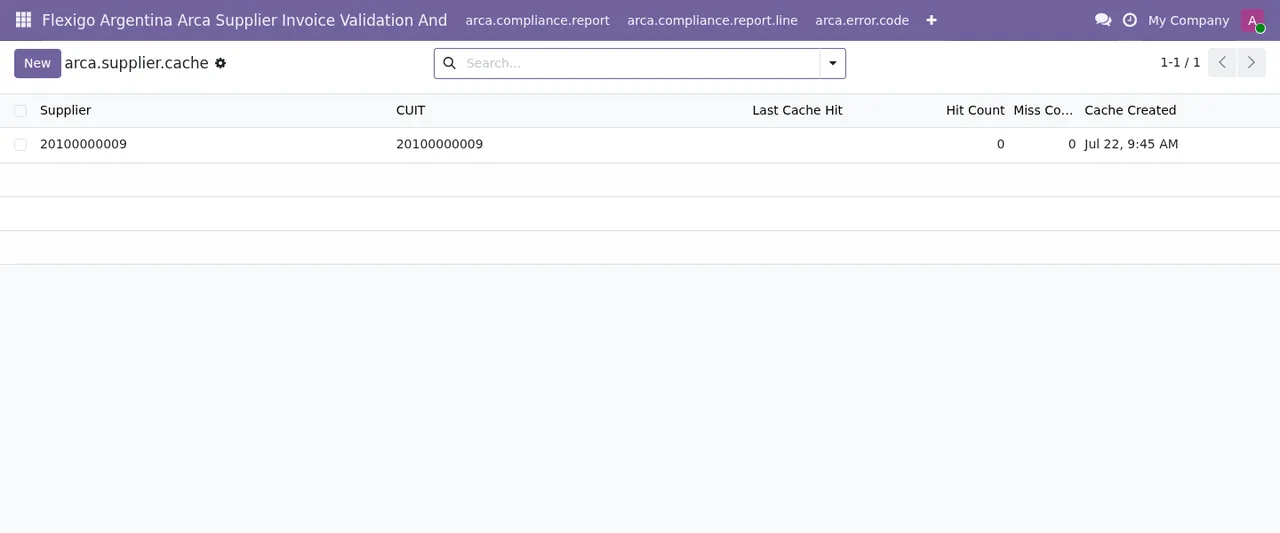
arca.supplier.cache list with one record: supplier, CUIT, hit and failure counters at zero and the cache creation date.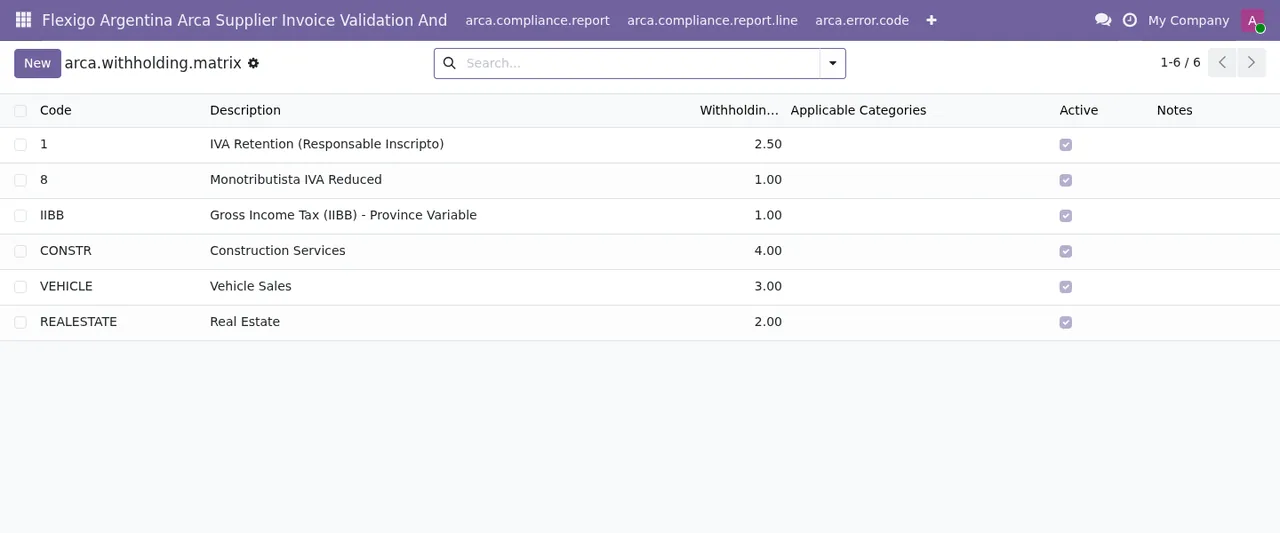
arca.withholding.matrix list with six rows: code, description, withholding percentage, applicable categories, active tick box and notes.
How FlexigoTech can help
FlexigoTech implements Odoo 17, 18, 19 and 20 and builds bespoke connectors and integrations. If a message in this table clashes with your vendor bill process, we can go through it with you. The module is on the Odoo Apps listing and on its page at flexigotech.com.
On Odoo Apps it costs €9 per Odoo version (17, 18, 19 and 20), one-off payment, excluding VAT, and each version is bought there. FlexigoTech's local service costs €29/month or €290/year excluding VAT (Pro: €58/month or €580/year); with the subscription, if you bought the module at flexigotech.com, new Odoo versions are included.
Keep reading
Checked in the module's source code (version 20.0) and the linked sources
Sources
- Module source code: flexigo_argentina_arca_supplier_invoice_validation_and 20.0 (8e403746): models/account_move.py
- Module source code: flexigo_argentina_arca_supplier_invoice_validation_and 20.0 (8e403746): models/arca_supplier.py
- Module source code: flexigo_argentina_arca_supplier_invoice_validation_and 20.0 (8e403746): models/arca_supplier_audit_log.py
- Module source code: flexigo_argentina_arca_supplier_invoice_validation_and 20.0 (8e403746): models/arca_supplier_override.py
- Module source code: flexigo_argentina_arca_supplier_invoice_validation_and 20.0 (8e403746): models/dsar_request.py
- Module source code: flexigo_argentina_arca_supplier_invoice_validation_and 20.0 (8e403746): models/res_partner.py
- Module source code: flexigo_argentina_arca_supplier_invoice_validation_and 20.0 (8e403746): wizards/arca_batch_import_wizard.py
- apps.odoo.com/apps/modules/20.0/flexigo_argentina_arca_supplier_invoice_validation_and
- apps.odoo.com/apps/modules/17.0/flexigo_argentina_arca_supplier_invoice_validation_and
- apps.odoo.com/apps/modules/18.0/flexigo_argentina_arca_supplier_invoice_validation_and
- apps.odoo.com/apps/modules/19.0/flexigo_argentina_arca_supplier_invoice_validation_and
- flexigotech.com/en/services.html
- flexigotech.com/precios.html