

 Español
 Català
 Deutsch
 Français
 Português
 Italiano
 Nederlands
 Polski
Module for Odoo 17 · 18 · 19 · 20
2FA and SSO for Odoo Community: SAML, OpenID Connect, MFA with passkeys, SCIM and login audit
Enterprise-grade authentication without an Enterprise licence: single sign-on with Azure AD, Okta, Google Workspace, ADFS or Keycloak, a TOTP or FIDO2 second factor with policies per company and group, SCIM 2.0 provisioning and an event log that serves as evidence for NIS2, PCI-DSS and ISO 27001.
€9 + €29/month + VAT
Support within 4 working hours and video calls? Pro: €58/month + VAT. Your subscription keeps the module working. Pro support is optional: if you drop it, the module carries on the same with standard support.
What's included
- On FlexigoTech Cloud: official sources checked every day
- Module updates
- Support with a first response within 1 working day
- Your data stays yours: view and export it anytime.
- 14-day trial, no card needed

What it does
- SAML 2.0 and OpenID ConnectSAML 2.0 service provider and OIDC relying party with authorisation-code flow, PKCE, discovery, nonce and state; several IdP connections with attribute and group mapping.
- MFA with TOTP and FIDO2 (passkeys)Enrolment, recovery codes, passkeys and admin revocation.
- MFA policies per company, IdP and groupGrace periods, temporary exemptions and one-time emergency bypass tokens with a high-severity audit trail.
- SCIM 2.0 provisioningUser create, update, suspend and deactivate events from the identity provider, each one logged.
- Audit and active sessionsLogin log with method, user, IP and failure reason, retention and anonymisation, and active-session oversight.
- MFA coverage reportEvidence ready for NIS2, PCI-DSS and ISO 27001 compliance packs.
How the module works
Real screenshots of every screen, with what each one does.
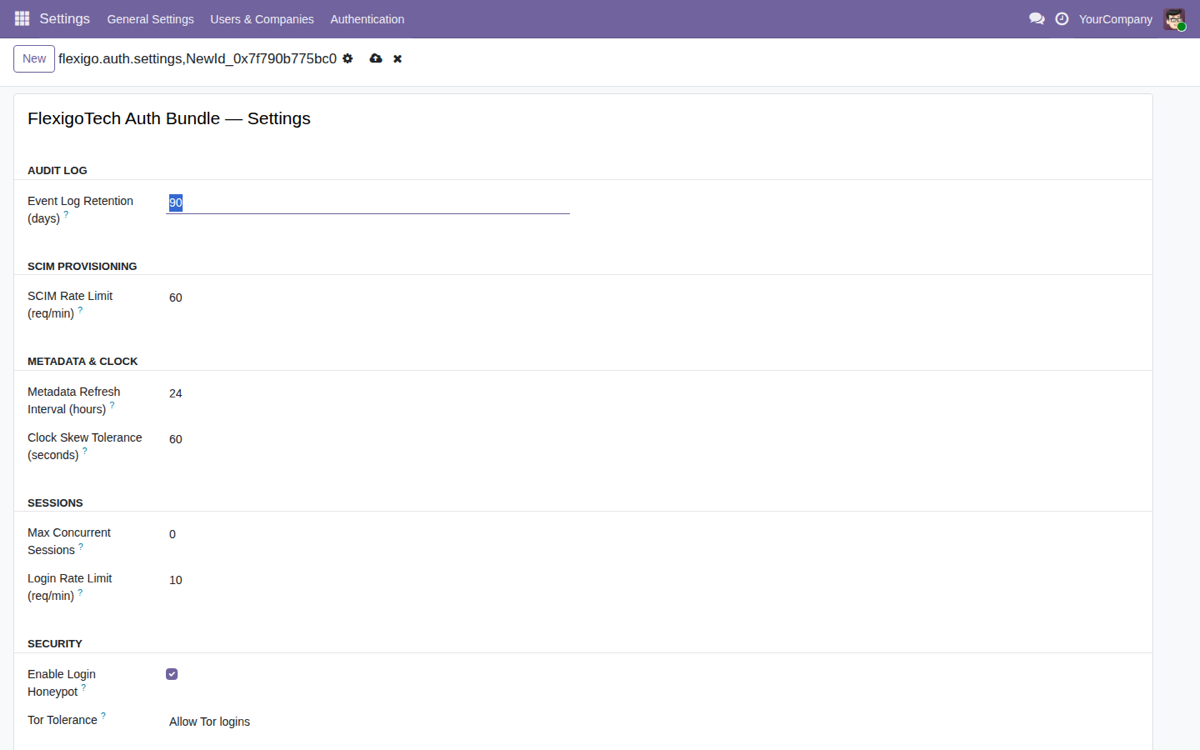
Authentication settings
Single panel to configure audit retention, SCIM, sessions and security for the whole bundle.
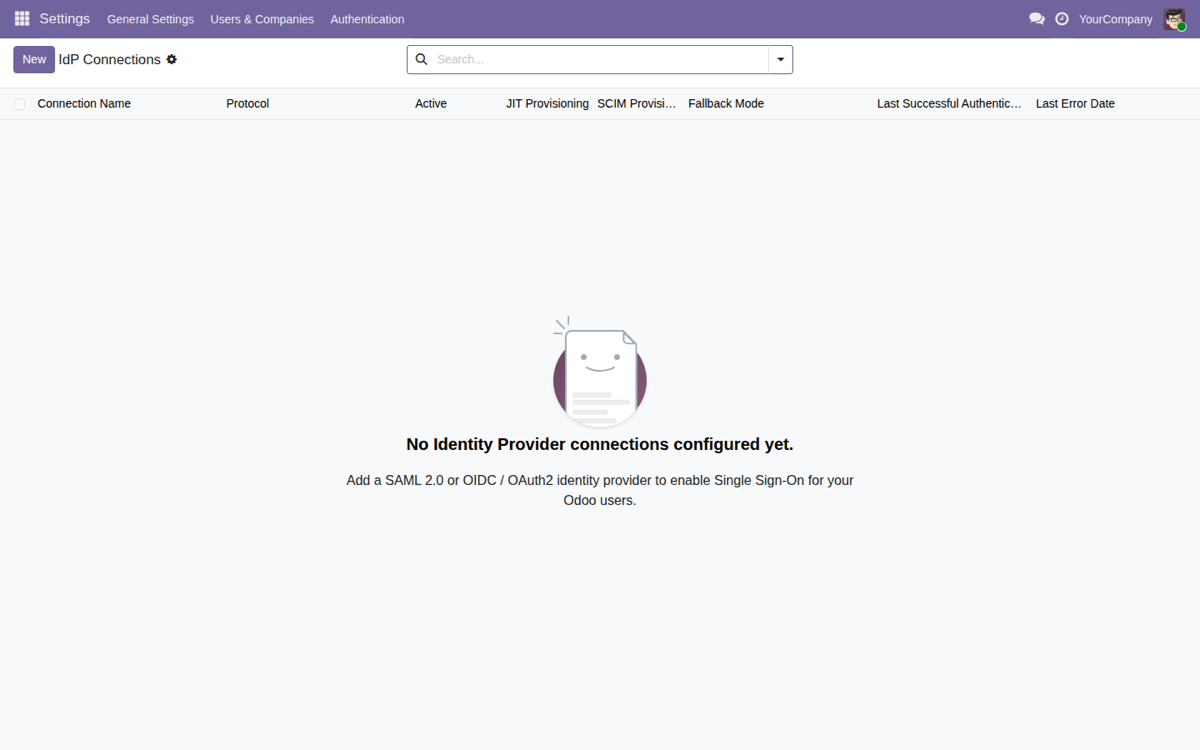
IdP connections
Identity provider list with protocol, JIT, SCIM and per-connection fallback mode.
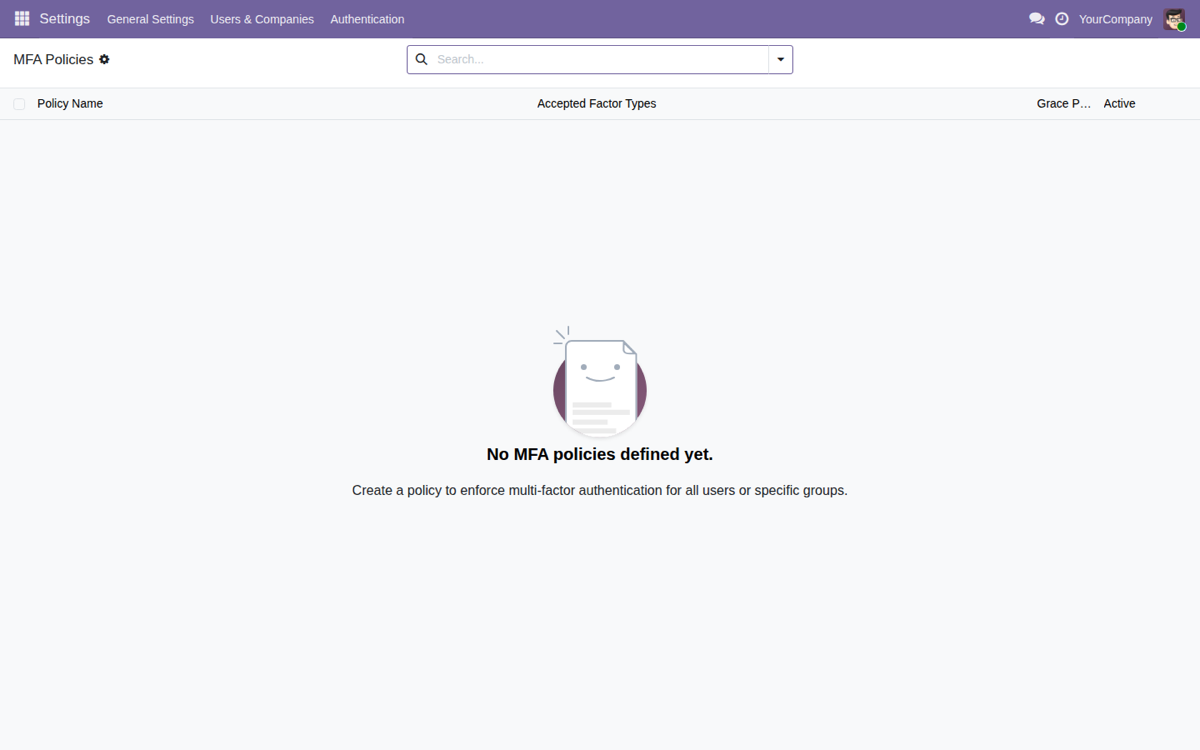
MFA policies
Define the second factor (TOTP, FIDO2) with grace period for NIS2 and PCI-DSS evidence.
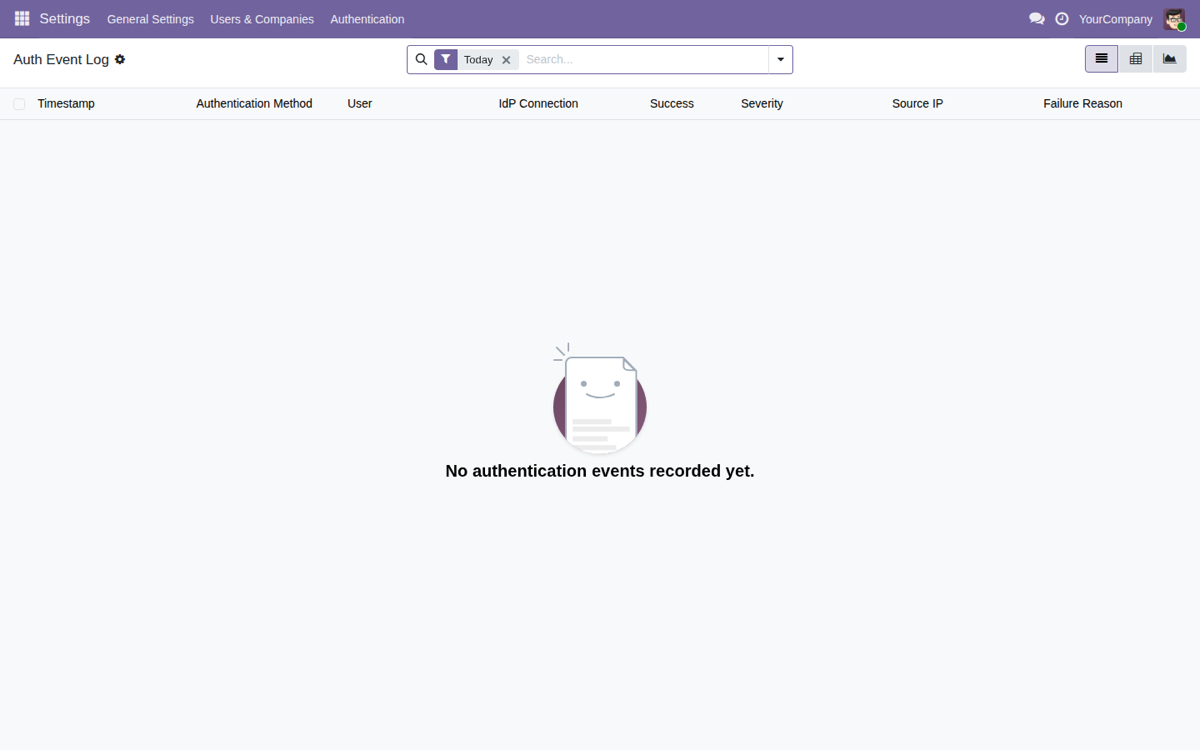
Auth event log
Login audit trail with method, user, IP, severity and failure reason for security reviews.
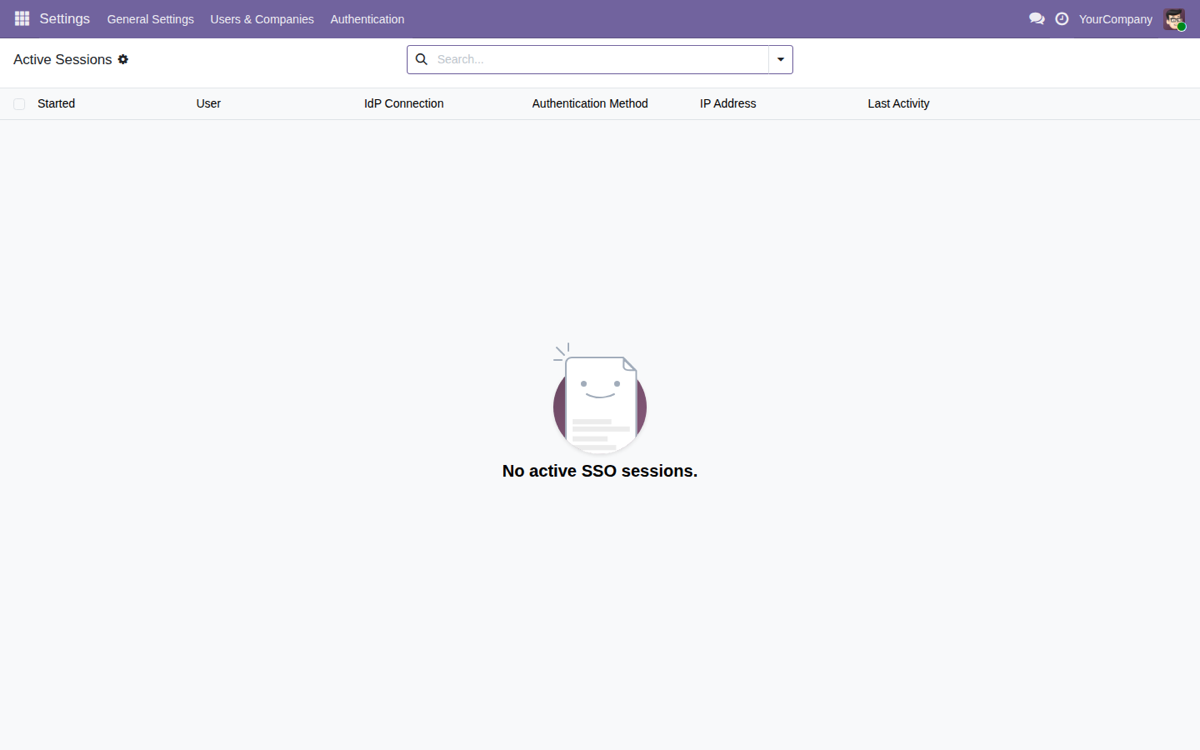
Active sessions
SSO session inventory with user, IdP, method, IP and activity to review and revoke access.
What the cloud does for you
Terms, data sent and fine print
FlexigoTech Cloud
Monitoring of this module with FlexigoTech Cloud
FlexigoTech Cloud, an external service of FlexigoTech (Flexibles y Accesorios Gobe, S.L., Spain) that runs on our servers, outside your Odoo, adds monitoring for this module. Every day it checks the official sources we follow for this module and alerts you when they change. It also gives you a calendar of their official deadlines and watches the health of the module in your database.
This app also exchanges the sign-ins of your users, with their name, email and groups, and, if you turn on SCIM, the user accounts to create or change directly between your Odoo and your identity provider (SAML or OpenID Connect), with your own access to it and under its terms. That data does not go through FlexigoTech.
Price
- Module: 9 €.
- The module license is bought separately, at the same price on the Odoo App Store and on flexigotech.com. With the subscription, the module for new Odoo versions is included if you bought it on flexigotech.com; on the Odoo App Store, each Odoo version is bought there. If you have a partner discount, it applies only to subscriptions of single modules, never to packs or to the module price.
- The subscription is separate and is billed by FlexigoTech, not by Odoo: 29 € a month or 290 € a year.
- Pro, with the first response within 4 working hours and a video call if needed: 58 € a month or 580 € a year.
- Per production database, VAT excluded. The staging and test copies of that database are included.
- You see the final amount, with taxes, on the payment screen before confirming.
- You can try each module for 14 days from your Odoo, at no cost and without giving a card: the 14 days count from the first synchronisation, up to 30 days from when you start the trial, and there is one trial per account and module. If you have not subscribed when it ends, the service stops and nothing is charged.
- You pay in advance, every month or every year. The subscription renews automatically at the end of each period until you cancel it, in two clicks and without talking to anyone, from your account at app.flexigotech.com or from your Odoo. Cancellation takes effect at the end of the period you have already paid; there is no pro rata, the part of the period you do not use is not refunded, unless the law requires it, and there is no penalty.
How to activate it
Your database connects from your Odoo, in Settings → FlexigoTech Cloud, with the free FlexigoTech Cloud base module; then you subscribe there or in your account.
An administrator first reads and accepts the list of data below: nothing is sent before that. Then you can start the trial or subscribe; you accept the subscription terms there, and payment is made outside Odoo.
You need Odoo.sh or your own server: Odoo Online does not accept third-party modules.
You accept the Subscription Terms when you start the trial in your Odoo or when you subscribe.
What the subscription includes
- If you bought the module on flexigotech.com: the new versions we publish, including for new Odoo versions, at no extra cost, and their download from your account (not during the trial).
- The monitoring of the official sources of the module, with its alerts and the calendar of their deadlines, and of the health of the module in your database.
- Support: whoever buys a module always gets help to configure it and fixes for its bugs, with or without a subscription. The subscription adds times for the first response, in Barcelona working days and hours (Standard, 1 working day; Pro, 4 working hours, and a video call if needed). Resolving each case takes the time it needs.
- The service on the staging and test copies of your database.
What it does not include
- The customisation of the module or custom development.
- Migrations: we give you the module for each new Odoo version, but we do not take care of migrating your database to that version.
- Configuring the module for you (the setup).
- Importing historical data.
- Support for modules that are not ours.
- Third-party costs: you contract and pay for your account on each platform, Odoo and your hosting yourself.
What your Odoo sends to FlexigoTech Cloud
- The identifier (uuid) of the database, its address (URL) and the Odoo version.
- The FlexigoTech modules installed, with their version, and whether the database is a neutralized copy (staging or test).
- The company name, and the email of the person who accepts, with the date and version of the text accepted.
- A request for its service permit every 6 hours, and the health of the module: counters and errors (type and code), without the content of your records.
- Its requests for the alerts and the calendar of this module, with the date of the last alert received: the database identifies itself and sends nothing else.
What happens if you do not pay
If a payment fails, you have a 7-day grace period with the service. On day 7 the service is suspended; if you pay before day 21, it comes back at once. On day 21, if it is still unpaid, the subscription ends and a later payment does not reactivate it: to come back, you take out a new one.
Without a subscription, or with the service suspended, what the subscription gives stops: the cloud, the module for other Odoo versions and its download, and the subscription's support, with its response times. What the purchase of the module includes does not change: you always have help to configure it and fixes for its bugs and, if you bought it on flexigotech.com, the download of that Odoo version with its updates. The installed module stays in your Odoo with the version you have, and all your data stay there: we never delete anything in your Odoo and we do not block Odoo.
Without the service, the alerts, the calendar and the monitoring of the module stop. Your data is still yours, and you can always view and export it.
Configuration help and bug fixes are always provided to buyers, with or without the subscription.
The problem: authentication gaps in Odoo Community
Plenty of teams run business-critical data in Odoo Community on local passwords, manual onboarding and offboarding, patchy second-factor coverage and almost no authentication evidence when a security review comes around.
Identities drift out of sync
A user you disabled in your identity provider can stay active in Odoo when provisioning is manual or lags behind — a classic offboarding hole.
No proof that MFA is on
Auditors and security teams want hard evidence that MFA is actually enforced — for internal reviews and frameworks like SOC 2, ISO 27001, NIS2 and PCI DSS.
A patchwork login stack
Bolting SSO, MFA, sessions and provisioning together from separate add-ons makes setup fragile and leaves the audit trail full of gaps.
What the module does
One bundle that puts the whole authentication layer inside Odoo, with every piece configured and governed straight from the backend.
SAML 2.0 service provider
Connect Odoo to Azure Entra ID, Okta, Google Workspace, ADFS, Keycloak and any other SAML 2.0 enterprise IdP so your team logs in with their existing corporate account.
OpenID Connect relying party
Modern token-based login using the authorization-code flow with PKCE, OIDC discovery, and nonce and state validation for secure identity federation.
MFA policy engine
Enforce TOTP or FIDO2 passkeys per company, group or identity provider, with a configurable grace period and the set of accepted factor types you allow.
SCIM 2.0 provisioning
Records every lifecycle operation your IdP pushes — create, update, replace, deactivate, reactivate — with the origin, target user and status, so onboarding and offboarding stay in sync.
Audit log and active sessions
An append-only trail of authentication events (method, user, IdP, result, severity, IP and failure reason) plus a live session inventory you can review and revoke on demand.
MFA coverage reports
Generates MFA coverage records that give you ready evidence for security reviews and frameworks like SOC 2, ISO 27001, NIS2, PCI DSS and GDPR Article 32.
How it works
Install the module, register your provider once, and hand Odoo logins over to your IdP. Everything is driven from native Odoo menus.
Install the bundle
Drop the module into any Odoo 17, 18, 19 or 20 instance. It installs cleanly on Community or Enterprise using only the standard base, web and mail modules.
Register your IdP
Add your SAML 2.0 or OpenID Connect provider, set the per-IdP fallback mode (Allow All, SSO Only or Local Login Only) and map attributes to Odoo users and groups.
Enforce MFA and provisioning
Turn on MFA policies with TOTP or passkeys, wire up SCIM so accounts are created and disabled automatically, and watch logins land in the audit log with full MFA coverage reporting.
Supported identity providers
SAML 2.0 and OIDC with MFA support and SCIM provisioning against Entra ID (formerly Azure AD).
Standard SAML 2.0 / OpenID Connect connection with SCIM user provisioning.
SSO via SAML 2.0 / OIDC so your team signs in to Odoo with their Google account.
Any IdP that speaks SAML 2.0 or OpenID Connect plugs into the bundle's service provider and relying party.
Requirements and honest install notes
It is built to install cleanly on any Odoo host. Two things worth knowing before you deploy it.
Odoo versions
Compatible with Odoo 17.0, 18.0, 19.0 and 20.0 (Community and Enterprise), using only the standard base, web and mail modules.
Optional Python libraries
The SAML, OIDC, TOTP and FIDO2 features rely on guarded optional dependencies, so the module installs cleanly even if some are missing. Install only the ones the protocols you actually enable require.
€9, per Odoo version, source code included; works with a FlexigoTech Cloud subscription
A single €9 payment for the module under the OPL-1 license, with the source code included and no per-user fees. Buy it here or on the Odoo App Store and deploy it on your own Odoo Community.
Frequently asked questions
Does it work with Odoo Community?
Yes. This bundle exists specifically to add enterprise SSO to Odoo Community 17, 18, 19 and 20, which do not ship SAML, OIDC, MFA enforcement or SCIM out of the box. It also runs on Enterprise if you want a single source-available authentication layer.
Does it replace my identity provider?
No. It is not an IdP. Your users, groups and policies stay in Azure Entra ID, Okta, Google Workspace, ADFS or Keycloak. The module connects Odoo to that provider and enforces SSO, MFA and provisioning inside Odoo.
Can it run SAML and OpenID Connect at the same time?
Yes. It ships both a SAML 2.0 service provider and an OpenID Connect relying party, and you can keep several federations active at once with a per-IdP fallback mode (Allow All, SSO Only or Local Login Only).
How does MFA enforcement work?
You set MFA policies per company, IdP or group, with a grace period and the accepted factor types (TOTP and FIDO2 passkeys). The coverage reports then give you the evidence that the second factor is actually enforced across your users.
Will it make us compliant with SOC 2 or ISO 27001?
No single tool makes you compliant on its own. What the module gives you is authentication controls and evidence — audit logs, active sessions and MFA coverage — that support SOC 2, ISO 27001, NIS2, PCI DSS and GDPR Article 32 programmes.
What do I actually pay, and do I get the source?
You get the full source code under OPL-1 and you deploy it on your own Odoo instance.
Two-Factor Authentication & SSO guides
4 practical guides on this module: error guides, FAQs, comparisons and glossaries.
- Read the Two-Factor Authentication & SSO guides
- Two-Factor Authentication & SSO for Odoo: when it fits and what to have ready
- Two-Factor Authentication & SSO for Odoo errors: when each message appears and what to do
- How Two-Factor Authentication & SSO for Odoo works inside: a glossary of menus, jobs and models
- Setting up Two-Factor Authentication & SSO for Odoo, question by question