

 Español
 Català
 Deutsch
 Français
 Português
 Italiano
 Nederlands
 Polski
Where the button is and who can reach it
The wizard opens from the menu Verifactu / SIF › Reports & Exports › Export Wizard. Each menu level asks for permissions, and if you hold none of them you do not see that level:
Reports & Exportsasks forAuditor (read-only)orSIF Manager.Verifactu / SIFasks forAccountant,Asesoría Operator,Auditor (read-only),Privacy OfficerorSIF Manager.
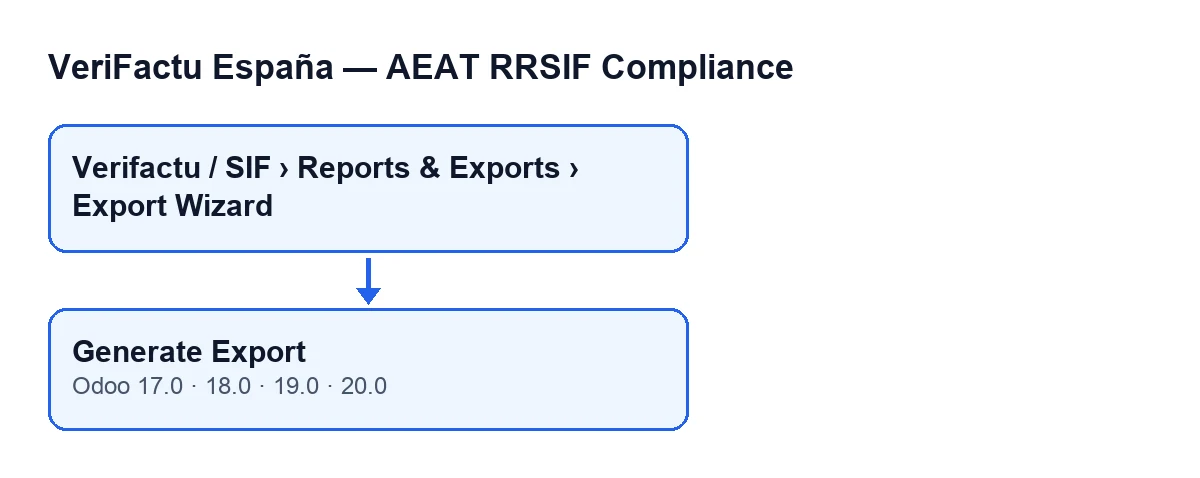
The Generate Export button is in the 17.0, 18.0, 19.0 and 20.0 branches, and in all of them it is always visible, with no state condition. The behaviour described below corresponds to Odoo 20.0. The module is published on Odoo Apps for those four versions (listing).
Step by step
- Open the wizard from the menu. You will see the
Export Compliance Recordsform, with its fields in theParametersgroup. - Check
Company. By default it is the active company, and the export runs on whichever company is shown there. - Set
Date FromandDate To. By default, the first is the first day of the current year and the second is today's date. - Choose
Export Type. The default isLibro de Registros de Facturación; the other options areLibro de Eventos,Chain Integrity ReportandFull Evidence Pack (Libro + Eventos + Declaración). - Press
Generate Export. The module runs the export for the chosen type and keeps the result as a JSON file on the wizard itself. - Next, the module logs an event in the company's event book (explained below).
- The form reopens in a pop-up window on the same wizard, with the result already stored.
What each type produces
| Export Type | What it contains | File name |
|---|---|---|
Libro de Registros de Facturación | The company's records whose issue date falls between Date From and Date To (both included), ordered by record number. For each one: serial number, issue date, invoice type, total, hash and status. | Starts with libro_registros_ and carries both dates |
Libro de Eventos | The company's events from Date From onwards, ordered by sequence. For each one: sequence, event type, date and time, description and event hash. | Starts with libro_eventos_ and carries both dates |
Chain Integrity Report | The result of verifying the integrity of the company's chain. If the company has no chain yet, the report comes out as passed, with zero records checked and no first break. | Starts with chain_integrity_ and carries the company name |
Full Evidence Pack (Libro + Eventos + Declaración) | The same as the records book. | The records book file name |
Three details that come from the code:
- In the event book,
Date Todoes not filter: the filter uses onlyDate From, and the second date appears only in the file name. - The integrity report does not use the dates in its content: it works on the company's chain.
- In the Odoo 20.0 code, the full pack option runs only the records book export. If you also need the events, generate the
Libro de Eventosas well.
The event each export leaves behind
When the export finishes, whichever type it was, the module creates a registry export event for the company. Its description says which type was exported and for which dates, and its context stores the export type and the output format. The event also carries:
- a sequence number specific to the company;
- a UTC timestamp;
- as actor, the user who pressed the button;
- a SHA-256 hash calculated from the type, the timestamp, the company, the description and the context.
Because the event is created after the file is built, the export from that same click does not include it. You will see it in the next Libro de Eventos whose Date From covers it.
Other events you will see in the book
The button is not the only route that logs events. The module can also create them when nobody presses Generate Export:
- When a company form is saved: when the AEAT environment changes, when the SIF responsible person changes and when the Verifactu scope changes.
- When an invoice is cancelled, because the module extends Odoo's standard cancel button.
- Through the scheduled task
Verifactu: Clock Drift Check, which runs every hour and is active from installation.
So a Libro de Eventos can mix export events with others coming from these routes. What the module adds to invoices is covered in this other article.
If something does not come out as expected
- You cannot find the menu. You are missing one of the permissions for a menu level: check the list at the start.
- The file comes out as an empty list. In the records book, no record of the chosen company has an issue date inside the range. Check
Company,Date FromandDate To. - The integrity report comes out as passed with zero records checked. That is what the code returns when the company does not yet have a chain.
- You export the wrong company. The wizard works on the one shown in
Company: check that field before pressing the button.
How FlexigoTech can help
FlexigoTech implements Odoo 17, 18, 19 and 20 and builds custom connectors and integrations. If you need to adapt how these files are obtained, or to review who has access to the menu, tell us about your case.
Keep reading
Checked in the module's source code (version 20.0) and the linked sources
Sources
- Module source code: flexigo_spain_verifactu 20.0 (1fdc980f): wizards/verifactu_export_wizard_views.xml
- Module source code: flexigo_spain_verifactu 20.0 (1fdc980f): wizards/verifactu_export_wizard.py
- Module source code: flexigo_spain_verifactu 20.0 (1fdc980f): models/res_company.py
- apps.odoo.com/apps/modules/20.0/flexigo_spain_verifactu
- flexigotech.com/en/services.html