
 Español
 Català
 Deutsch
 Français
 Português
 Italiano
 Nederlands
 Polski



VeriFactu for Odoo
Every invoice you post in Odoo is chained, carries its QR code and goes to the AEAT on its own, with your certificate.
€29/month14 days free, no card
Yearly and Pro
- Standard€29/month · €290/year
- Pro€58/month · €580/year
Reply within 1 working day; with Pro, 4 hours. FlexigoTech Cloud pricing
After you buy
- You pay for the license (€9 + VAT) and get an email with the link to download the module.
- You install it in your Odoo, on Odoo.sh or your own server.
- In Settings → FlexigoTech Cloud you accept the data list and press «Try free for 14 days». The trial doesn't ask for a card.
- To continue, you press «Subscribe», create your account on app.flexigotech.com and pay for the plan by card.
Every purchase includes 2 months of support: we help you install it, set it up and get it working, by email and video call.
- Tested on Odoo 17, 18, 19 and 20
- Odoo Learning Partner
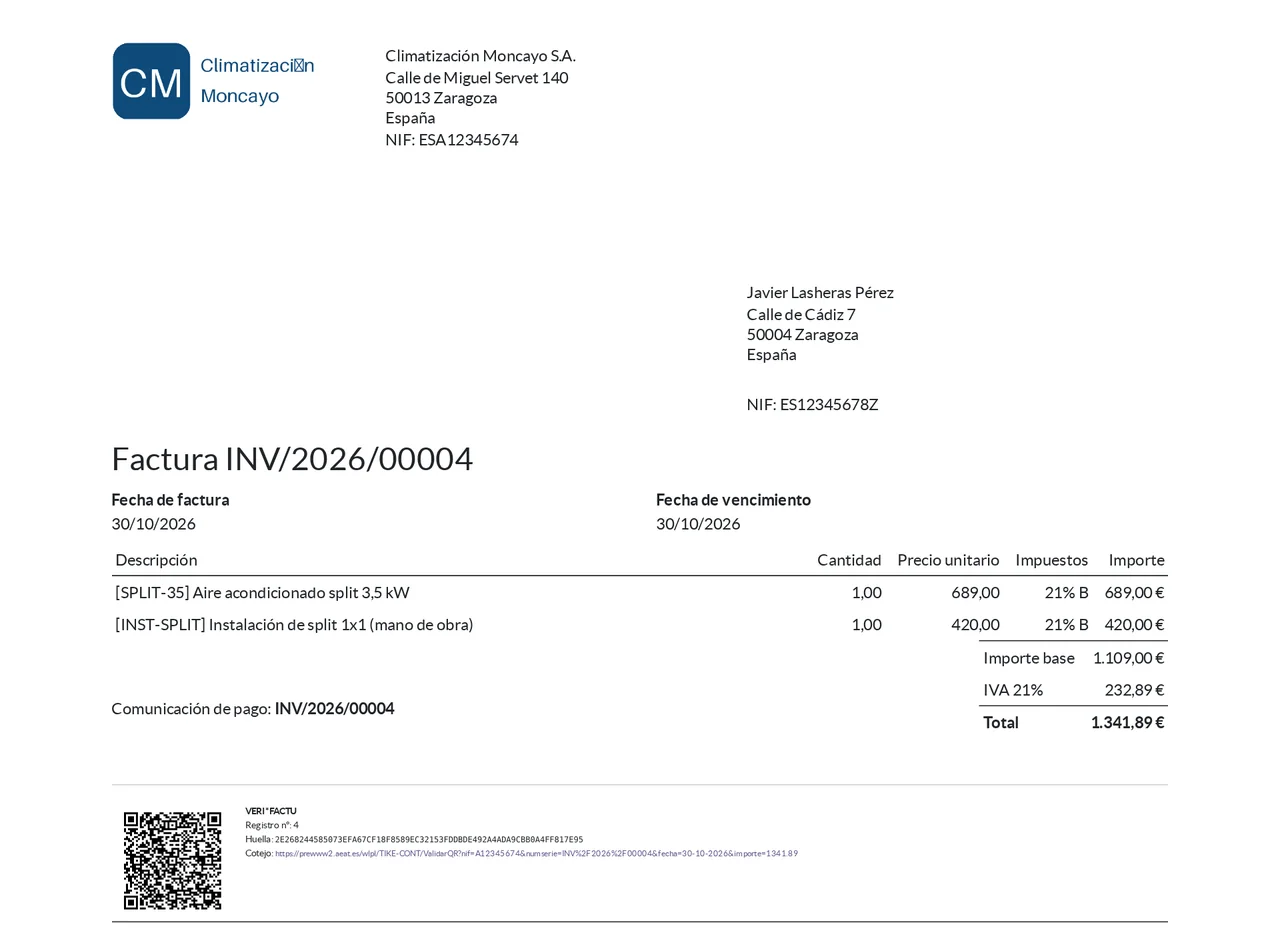
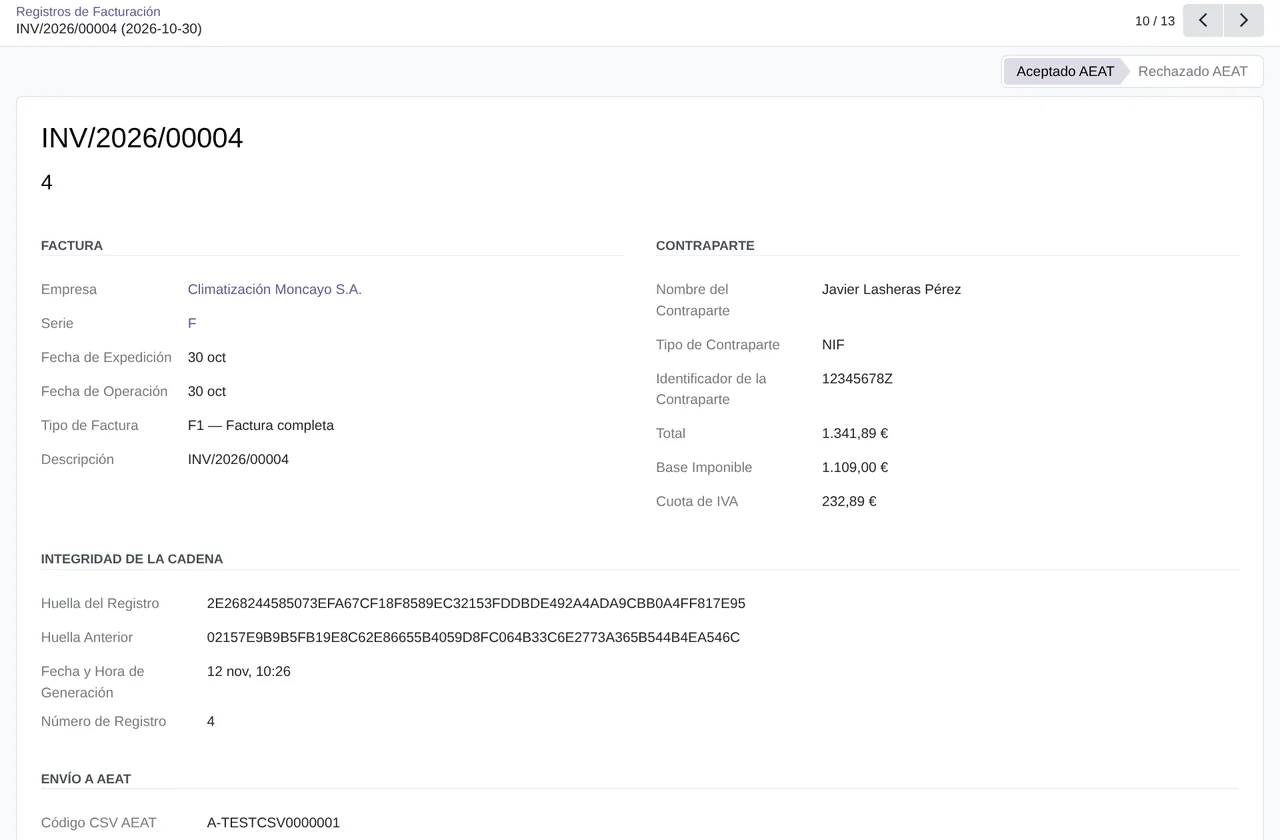
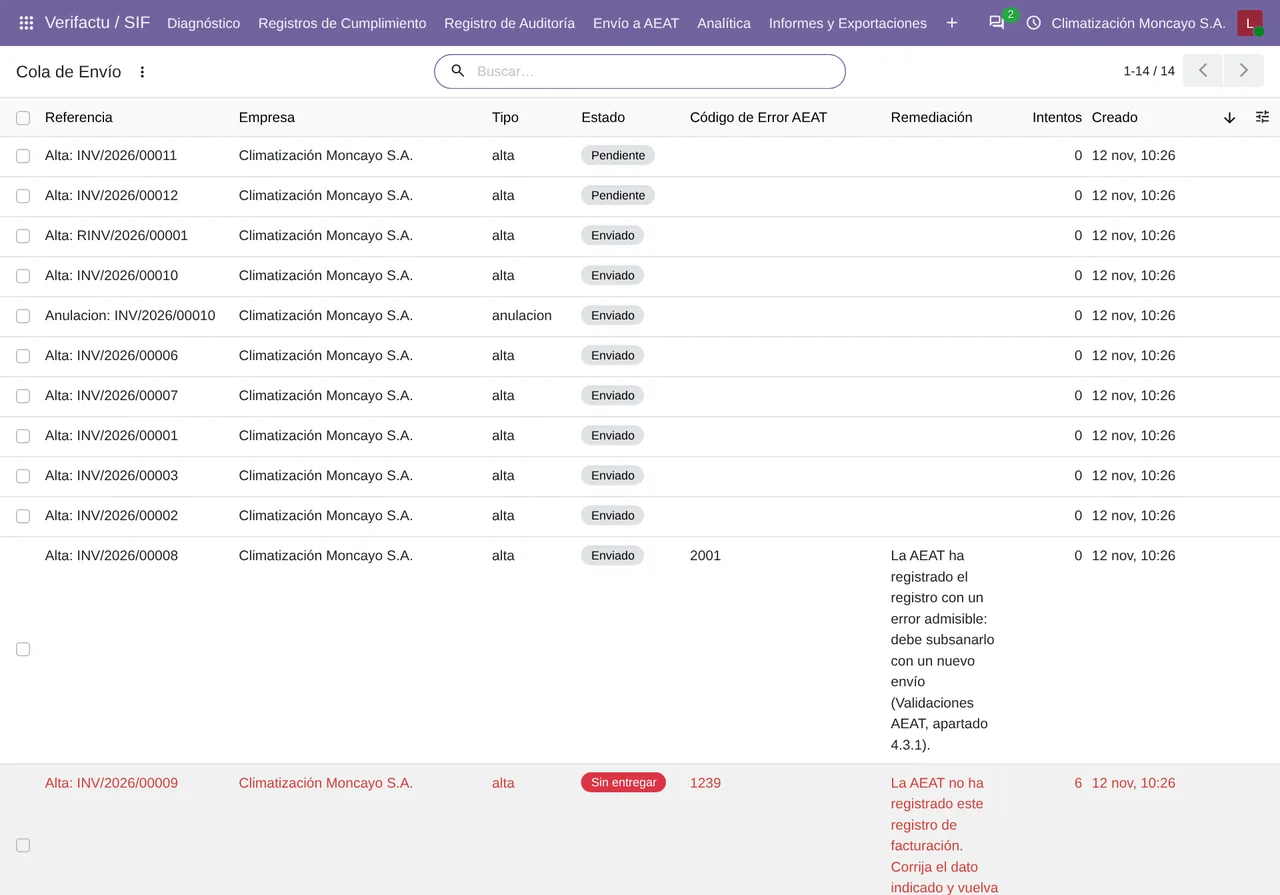
 Every invoice, with its VERI*FACTU recordReal Odoo screenshot
Get started in 3 steps
- Install the moduleFrom Odoo Apps, on Odoo.sh or your own server.
- Start the trialIn Settings › FlexigoTech Cloud, an administrator accepts the data list and starts the 14-day trial, no card needed.
- Set it up with the wizardIn Verifactu / SIF › Configuration, the wizard asks for the tax ID, the test environment, the person responsible and the series. Your certificate goes in Certificates.
Post your invoices You post them as usual, and each one is chained, gets its QR code and goes to the AEAT on its own. You follow it in the Submission Queue.
What you need Your company's electronic certificate, as a .p12 or .pfx file. Odoo 17, 18, 19 or 20 with the Spanish accounting, on Odoo.sh or your own server, not on Odoo Online.
What it does
- Every invoice, chainedWith its SHA-256 hash and the one before it.
- To the AEAT, with your certificateFrom your Odoo, with retries and its answer.
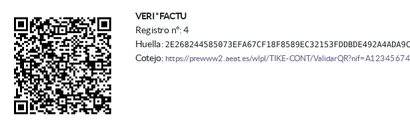
- The QR code on the invoiceWith the VERI*FACTU legend on the PDF.
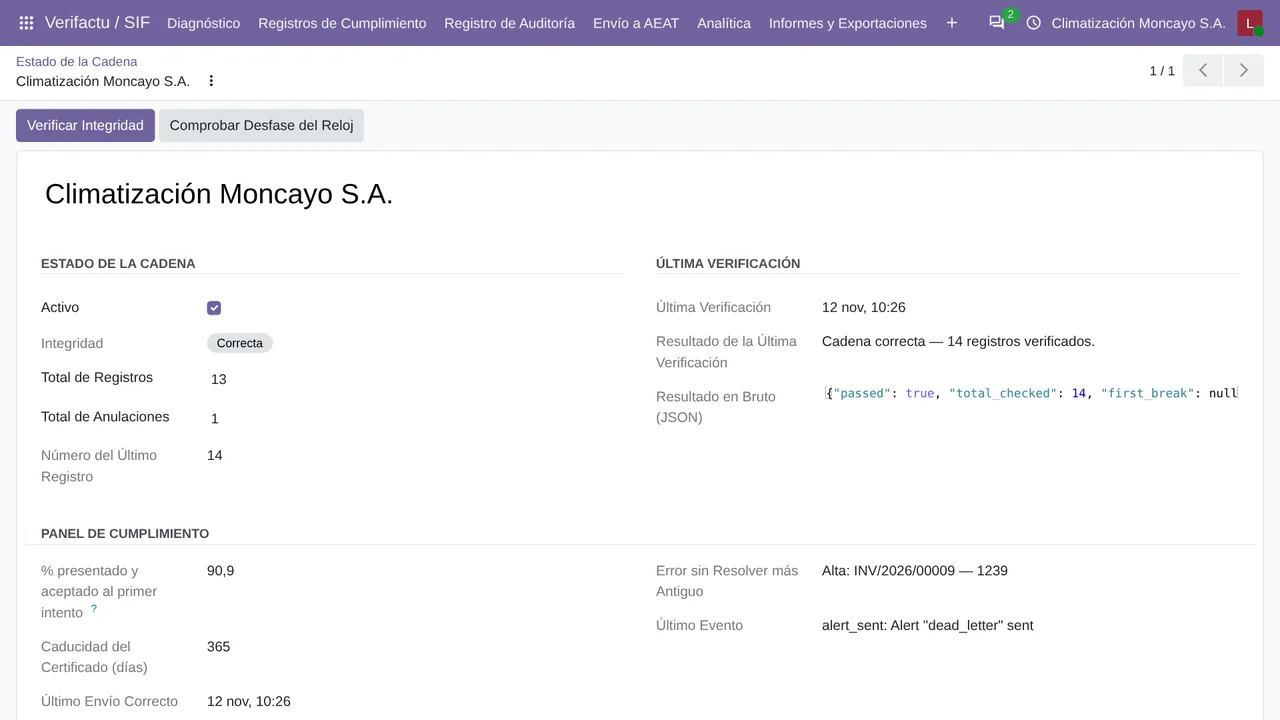
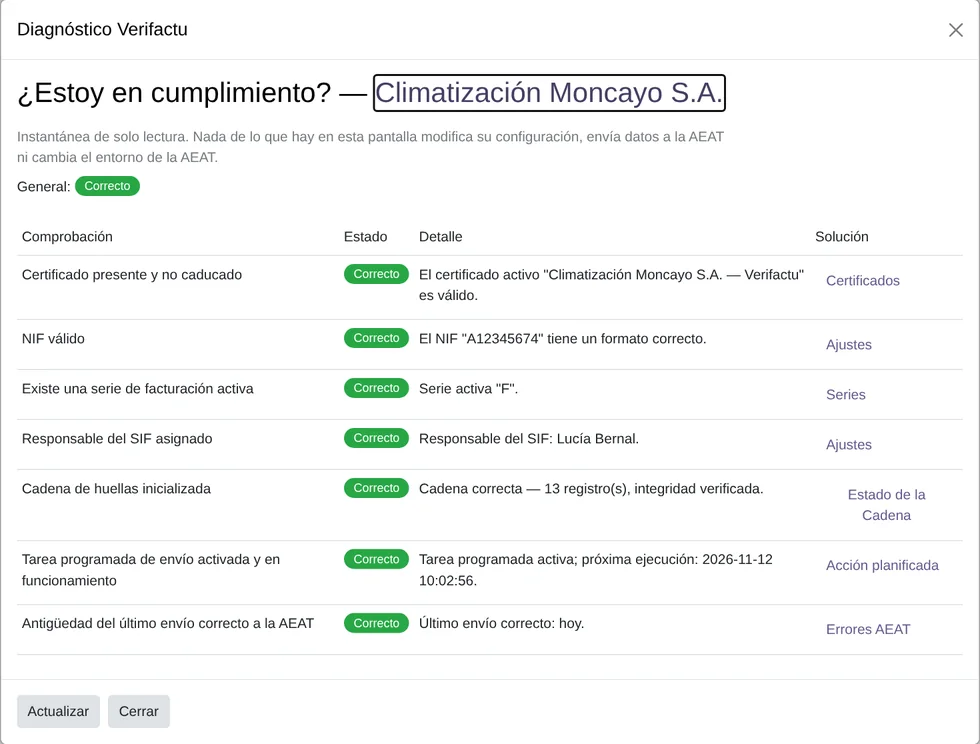
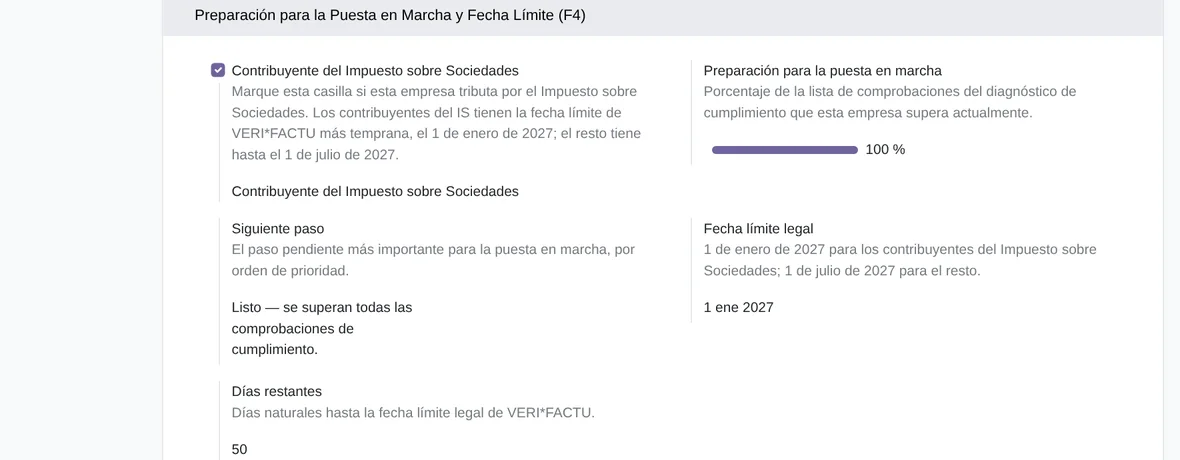
- Am I compliant? One clickThe diagnostics, your deadline and each error with its fix.
How it works

Leaves Odoo
- Invoice and credit note records
- Cancellations
- Exchanges of simplified invoices (F3)
Comes back from the AEAT
- The status of each record
- Its secure verification code (CSV)
- Errors, with their code

FlexigoTech Cloud
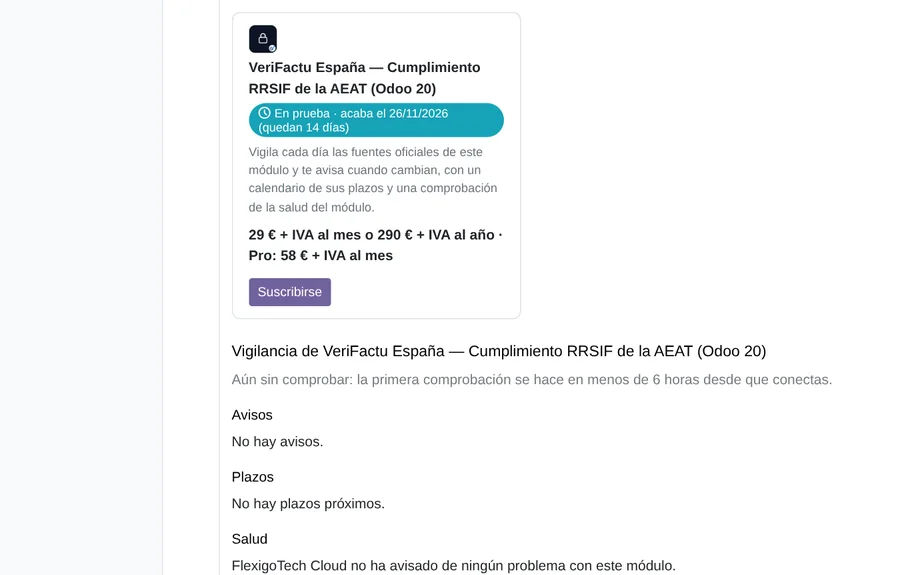
Your Odoo talks to the AEAT directly, with your certificate. FlexigoTech Cloud watches the official sources every day and tells you when they change, with a calendar of deadlines.
Where you see it in Odoo
- Verifactu / SIF menurecords, submission queue, errors and diagnostics
 Invoicingthe SIF record and QR code of each invoice
- Settingssetup, your deadline and the alerts
Inside Odoo
Real Odoo screenshots.

Price
Standard
€29a month + VAT
€290 a year + VAT 2 months free
- We watch its official sources every day
- Official deadlines, inside your Odoo
- We alert you if the module fails
- First response 1 working day
- Video call included for the first 2 months
Pro
€58a month + VAT
€580 a year + VAT 2 months free
- Everything in Standard
- First response 4 working hours
- Video call if needed
- + €9 for the module license, per Odoo version
- 14 days free, no card
- Cancel in two clicks
- Every purchase includes 2 months of support: we help you install it, set it up and get it working, by email and video call. While you're subscribed, support for the service stays included. Still integrating or testing? Extend your free trial.
If you cancel What the subscription gives stops. Your data stays in your Odoo.
- Support with response timesMonday to Friday, 9:00 to 18:00 (Barcelona), except public holidays.
- Maintenance and improvementsOdoo 17-20, on Odoo.sh or your own server
- We keep up with the AEATIf the rules or the schemas change, we tell you and update the module.
- Your invoices don't go through usFrom your Odoo to the AEAT, with your certificate
- Tested On Odoo 17, 18, 19 and 20. With real answers from the AEAT test environment and its official schemas (XSD). A submission with a real certificate is still to be done.
- 11,668 lines of code · 12-11-2026
- 361 automated tests on Odoo 20 · 12-11-2026
- No reviews yet · leave yours
Frequently asked questions
When is VERI*FACTU mandatory?
Today the BOE sets 1 January 2027 for companies that pay Corporate Income Tax and 1 July 2027 for everyone else. On 5 October 2026 the Spanish Ministry of Finance announced it plans to postpone it to October 2028; until that is in the BOE, the 2027 dates apply. The module shows your date and the days left.
Do I need an electronic certificate?
Yes, your company's, as a .p12 or .pfx file. The module keeps it encrypted in your Odoo, uses it to connect to the AEAT and warns you 60, 30 and 7 days before it expires.
What if I file with the SII, or I am in the Basque Country or Navarre?
Then VERI*FACTU does not apply to you: SII filers are left out and the foral territories have their own system. The wizard does not let you turn it on in those cases.
Is it certified by the AEAT?
The AEAT does not certify software. Its makers sign a declaration of compliance (declaración responsable, article 13 of the regulation).
What if I already use Odoo's own VERI*FACTU?
Use one of the two in each company: with both active, the same invoice could reach the AEAT twice.
What about receipts and simplified invoices?
Mark the invoice as simplified (F2) and it goes without a customer, up to €3,000. If the customer later asks for a full invoice, the exchange (F3) states which simplified invoices it replaces.
What happens after you press «Buy now»?
1. You pay for the license (€9 + VAT) and get an email with the link to download the module. 2. You install it in your Odoo, on Odoo.sh or your own server. 3. In Settings → FlexigoTech Cloud you accept the data list and press «Try free for 14 days». The trial doesn't ask for a card. 4. To continue, you press «Subscribe», create your account on app.flexigotech.com and pay for the plan by card.
Does it work on Odoo Online?
No: Odoo Online does not allow third-party modules. It is for Odoo 17, 18, 19 and 20, on Odoo.sh or on your own server.
Who installs it?
You do: you buy it on flexigotech.com or on Odoo Apps and install it in your Odoo. We help you install it and set it up, by email and video call, during the 2 months of included support. Custom development and data migration are quoted separately.
What support is included?
Every purchase includes 2 months of support: we help you install it, set it up and get it working, by email and video call. While you're subscribed, support for the service stays included.
What if something fails?
If the AEAT does not answer or rejects a record, the module retries it on its own. If it still does not go through, it alerts you by email and in Odoo, and you see it in AEAT Errors with its code and how to fix it. And support has response times: first response within 1 working day; with Pro, within 4 working hours.
What about my data? And if I cancel?
Your invoices and their records go from your Odoo straight to the AEAT, with your certificate: they do not go through our servers. FlexigoTech Cloud, in Germany, only receives counts about the module's health, with no invoice numbers or tax IDs. You cancel in two clicks: if you don't subscribe when the trial ends, the service stops and nothing is charged. Your data stays in your Odoo, and you can always view and export it.
Need VERI*FACTU but not on Odoo yet?
We set up Odoo with VERI*FACTU ready and stay on.
From €2,450 + VAT
Start with OdooMore about VERI*FACTU
What it does
A FlexigoTech module for Odoo 17, 18, 19 and 20, Community and Enterprise. It keeps the VERI*FACTU record of each invoice, its QR code and its submission to the AEAT.
- Chained records with a SHA-256 hashEach posted invoice creates its invoicing record, with its SHA-256 hash and the hash of the company's previous record. Every night the whole chain is checked.
- Automatic submission to the AEATRecords go to the AEAT on their own, in VERI*FACTU mode, from a queue processed every minute. If a submission fails, it is retried on its own; if it runs out of retries, the person in charge gets an email.
- The QR code and the legend on the invoiceThe PDF of each invoice carries the QR code your customer can check with the AEAT, and the VERI*FACTU legend.
- Catalogue of 247 AEAT errorsThe catalogue holds the AEAT's 247 error codes, with their description and how to fix each one.
- A dashboard for accounting firmsIf you run several companies in the same Odoo, a dashboard sorts them from worst to best: pending and failed submissions, certificate expiry, chain integrity and days to their deadline.
- Event log and encrypted certificateConfiguration, environment and certificate changes go into an event log that cannot be changed or deleted. The certificate and its password are stored encrypted (AES-256-GCM) in your Odoo.
- History from your previous softwareA wizard imports records from 9 source systems, including Holded, Sage 50 and 200 and A3. What you import goes to the AEAT: if your previous software already registered those invoices, write to us before importing them.
What it looks like inside Odoo
Real screens of the module installed on Odoo 20, with the data of a sample company. The module's screens are in Spanish, Catalan, English, Basque and Galician; Odoo's menus, in your language.
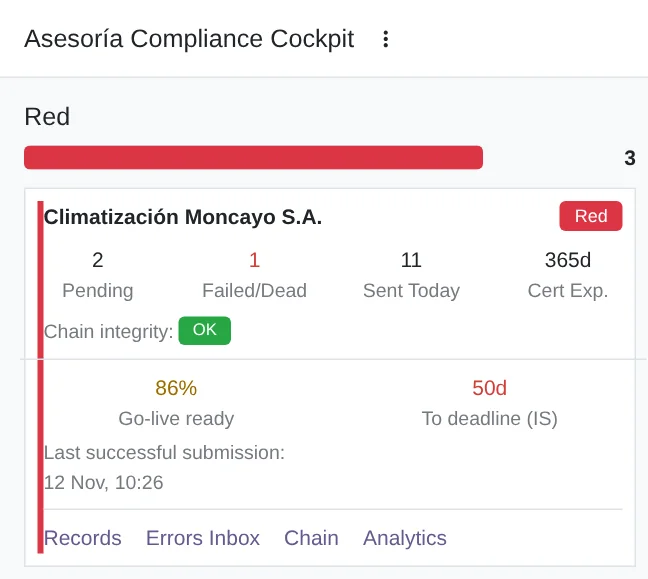
Compliance dashboard for accounting firms
Each company with its pending and failed submissions, the ones sent today, certificate expiry, chain integrity and the days left to its deadline.
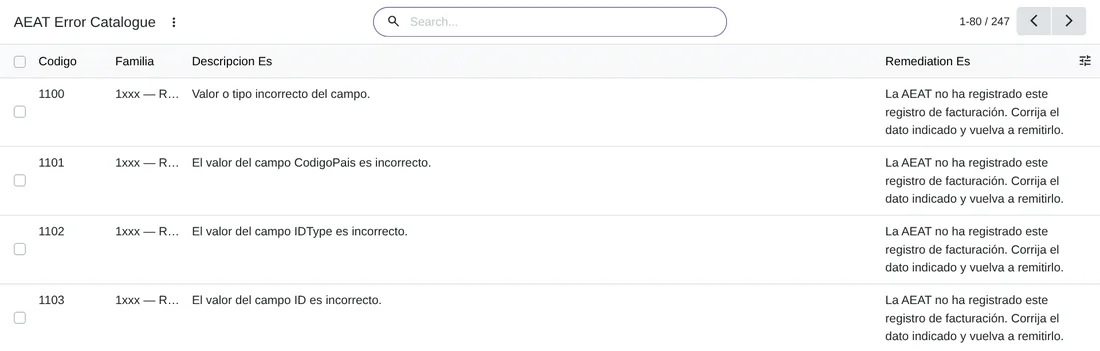
Catalogue of AEAT errors
Each code, with its family, its description and how to fix it.
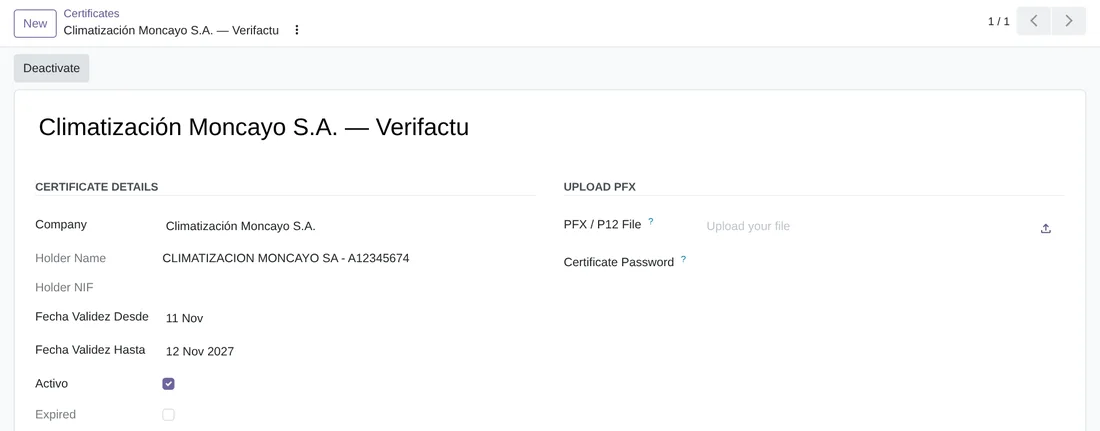
The electronic certificate
With its holder and validity dates. The .p12 or .pfx file and its password are stored encrypted in your Odoo.
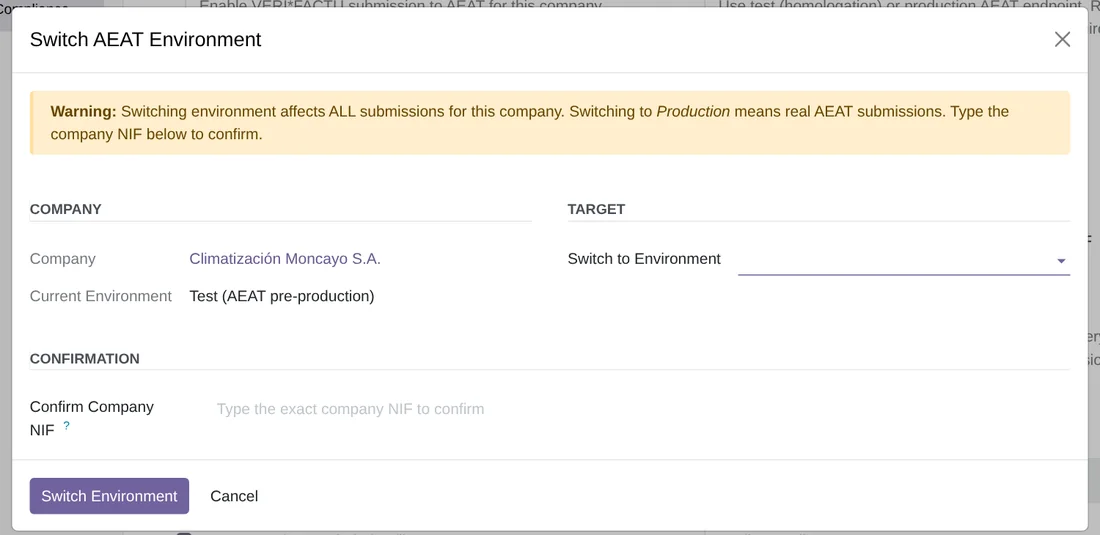
Switching the AEAT environment
To move from the AEAT's test environment to the real one you have to type the company's tax ID, because the change affects all its submissions.
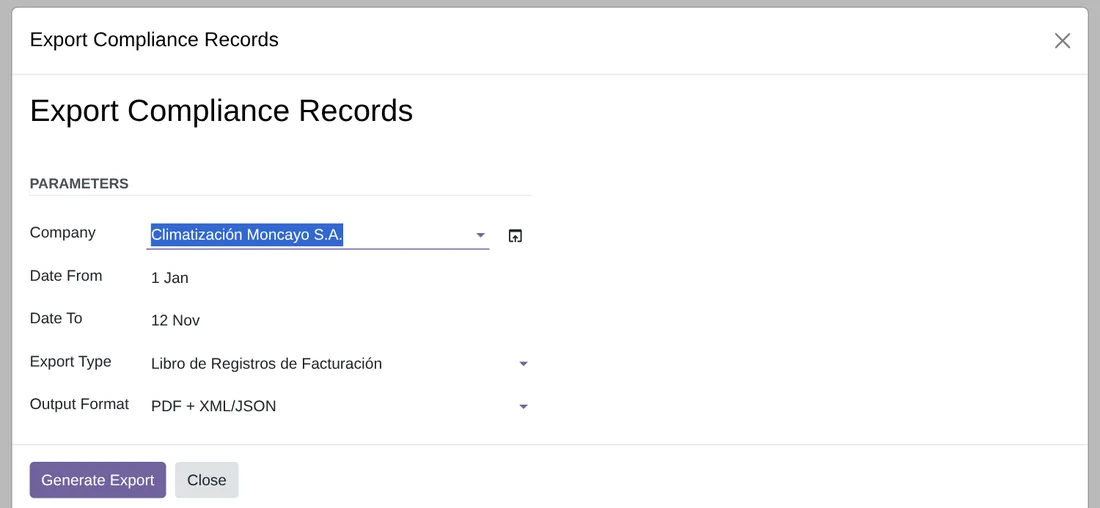
Exporting records
The invoicing record book, the event log or the chain integrity report, for the dates you choose, as PDF, as XML or JSON, or both.
Technical sheet
Questions before buying? Talk to the engineer.
We tell you whether VeriFactu fits your invoicing in Odoo, and we help you get it running.
Related
- Check for free if your Odoo is ready
- VERI*FACTU calculator
- B2Brouter connector
- How FlexigoTech Cloud works
- Full module catalogue
VERI*FACTU is the name of the Spanish Tax Agency's system. FlexigoTech publishes this module on its own: it is not an AEAT product and the AEAT does not endorse it.
VeriFactu guides
55 practical guides on this module: step-by-step guides, error guides, FAQs, use cases, comparisons, versions and guides for sellers without an ERP.
- Read the VeriFactu guides
- What the Generate Erasure Refusal (art.17) button in VeriFactu España does
- Python cryptography library not available in VeriFactu for Odoo: checklist
- What the Verify Integrity button in VeriFactu España does, with a step-by-step case
- Verifactu: what the task that escalates alerts to an in-app banner does