

 Español
 Català
 Deutsch
 Français
 Português
 Italiano
 Nederlands
 Polski
The case: a shop with two accounts that wants every PDF at once
Example Illustrative case: the company and its figures are made up to explain the flow.
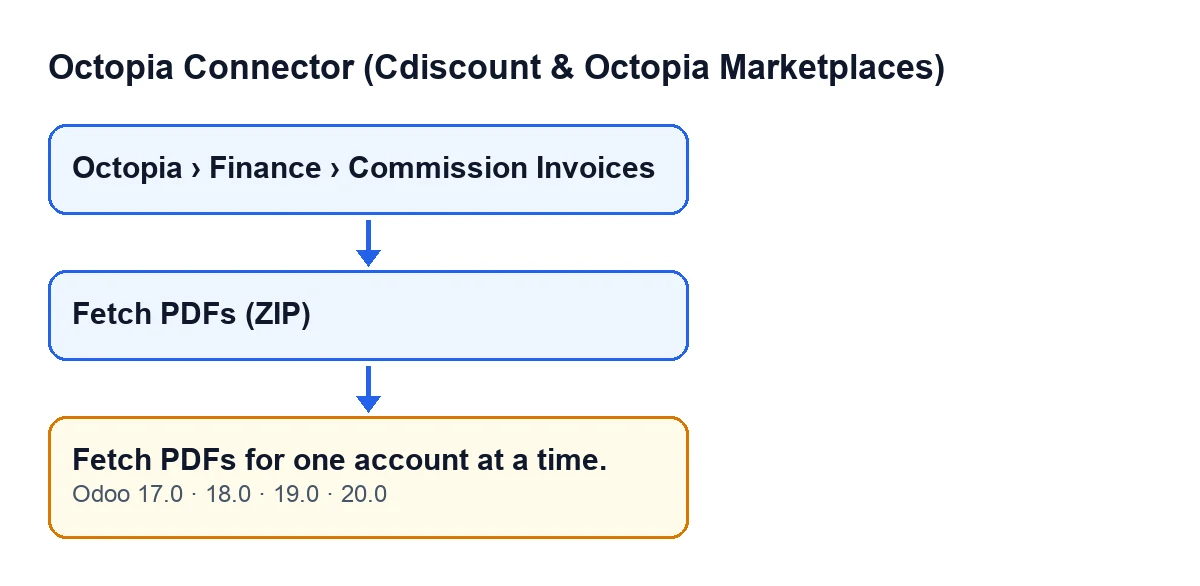
Menaje Norte is an invented shop that sells through two Octopia accounts connected to the same Odoo database. At month end, the person in administration opens Octopia › Finance › Commission Invoices, selects commission invoices from both accounts and presses Fetch PDFs (ZIP). Odoo downloads nothing and shows: Fetch PDFs for one account at a time.
The message does not point to a connection problem or to faulty invoices. It is a restriction of the action: each click works with a single account.

Where the button is and who sees it
The commission invoice records open from Octopia › Finance › Commission Invoices. The Octopia part of the menu requires the Octopia User permission: without it, you do not see that part of the menu.
The Fetch PDFs (ZIP) button is always visible, in Odoo 17, 18, 19 and 20. Pressing it calls the action that can raise the message. The message is in the published code of all four versions.
The exact condition in the code
What follows comes from the Odoo 20.0 code. At the start, the action gathers the Octopia accounts of all the invoices it is acting on. If there is more than one account, it raises the message and stops. Because the warning interrupts the action, nothing that it was going to change is saved.
Order matters here: that check comes before the connection is prepared and before anything is requested from Octopia. With two accounts in the selection, the code never gets as far as asking for a document.
The condition does not count invoices, it counts distinct accounts. A hundred invoices from one account will not trigger it; one invoice from one account and another from a second account will.
What happens when the selection belongs to one account
If every invoice belongs to the same account, the action runs as follows:
- It prepares that account's connection and asks Octopia for a single ZIP file with the documents of all the invoices, using their external identifiers.
- If what comes back is non-empty content, it creates a ZIP attachment whose name carries today's date, stores it on the first invoice of the selection and sets it as that invoice's PDF attachment, even if that invoice already had one.
- If nothing usable comes back, it moves on to requesting the PDFs one by one, only for invoices that do not yet have a PDF attachment. Each PDF is stored on its own invoice. If Octopia returns no content for an invoice, that one is skipped and the next is processed.
The ZIP is requested for the whole selection and can replace the attachment on the first invoice, while the fallback only touches invoices without an attachment. Keep that in mind when you check the result.
How to fix it, step by step
- Open
Octopia › Finance › Commission Invoices. - Select only the invoices of one account (in Menaje Norte's case, those of the first account).
- Press
Fetch PDFs (ZIP). - Check the attachment: the first invoice of the selection should now hold the ZIP with today's date in its name. If no ZIP came back, each invoice that had no earlier attachment should now have its PDF.
- Repeat from the second step with the next account.
Fetch PDFs for one account at a time.; the diagram also shows the Spanish, German, French, Italian and Portuguese versions.What the case teaches
- The message describes the selection, not the state of the invoices: separating them by account is enough.
- One click, one account. With several accounts connected, repeat the operation once per account.
- If the ZIP arrives, it becomes the PDF attachment of the first invoice in the selection even if that invoice already had one; the single-PDF fallback only touches invoices without an attachment.
- If you need another operation on another module document, the
Create Vendor Billbutton has its own article.
Cost and how we can help
The module needs a FlexigoTech Cloud subscription (Connector plan): €49 per month or €490 per year excluding VAT, with up to 3 accounts on the platform. The connection goes through FlexigoTech Cloud, which stores the credentials encrypted and emails you if synchronisation fails. It is published on Odoo Apps for Odoo 17, 18, 19 and 20.
If you work with several accounts and want to organise how invoices are filed in your Odoo, FlexigoTech implements Odoo 17, 18, 19 and 20 and builds custom connectors and integrations.
Keep reading
Checked in the connector's source code (version 20.0) and the linked sources
Sources
- Module source code: flexigobe_octopia_connector 20.0 (4848da6a): models/octopia_finance.py
- Module source code: flexigobe_octopia_connector 20.0 (4848da6a): views/octopia_completeness2_views.xml
- apps.odoo.com/apps/modules/20.0/flexigobe_octopia_connector
- flexigotech.com/precios.html
- flexigotech.com/en/services.html