

 Español
 Català
 Deutsch
 Français
 Português
 Italiano
 Nederlands
 Polski
What the module covers and what you bring
The table compares, step by step along the process, what the module's documentation says it does and what you need to provide from your side for it to work.
| Part of the process | What the module does | What you bring |
|---|---|---|
| Document types | DTE 33 (factura electrónica), 34 (factura exenta), 56 (nota de débito) and 61 (nota de crédito) | Issuing documents of these types from Odoo |
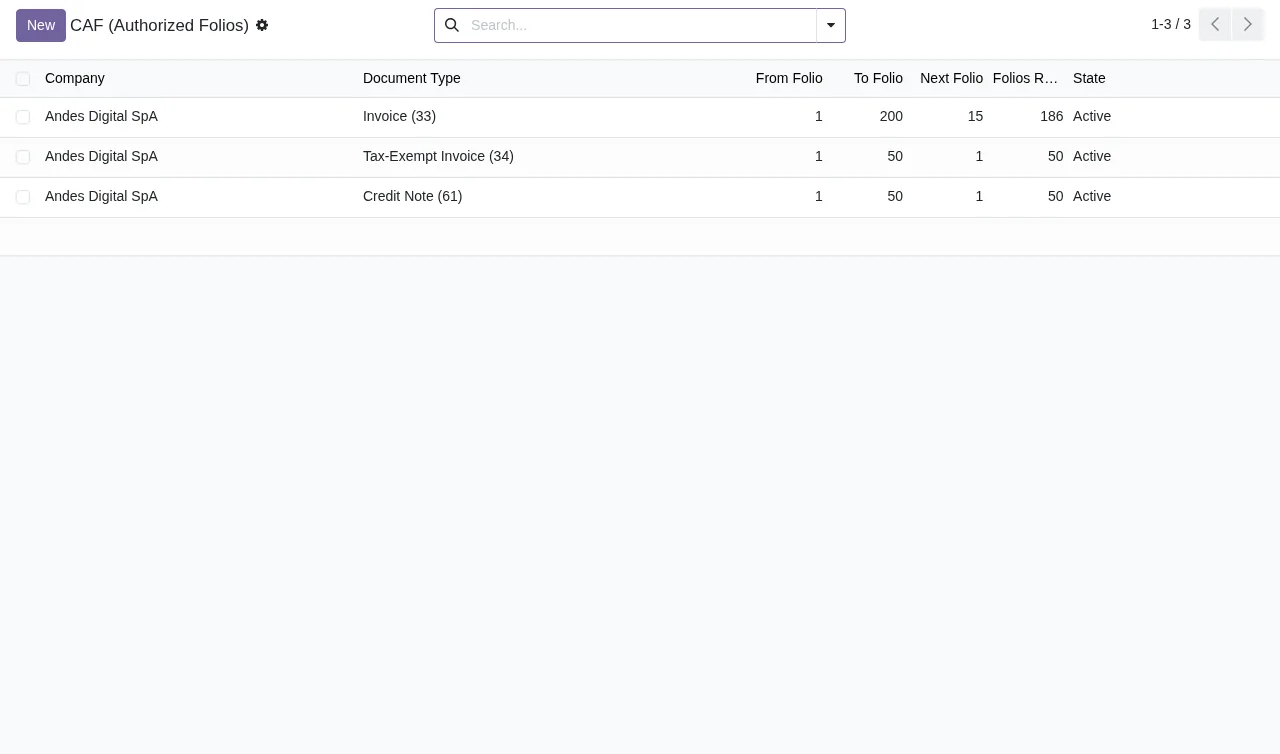
| Folios | Takes the folio from the CAF loaded for the company, with a row lock, and never reuses a folio once the SII has received it | The CAF XML for each document type |
| Stamp and signature | Builds the DTE in the SII format, stamps it with the CAF private key (TED, SHA1withRSA) and signs it | The .p12/.pfx certificate and its password |
| Sending | One signed EnvioDTE per company and per send action, uploaded to /cgi_dte/UPL/DTEUpload | Running the send action |
| Envelope status | Checks it with QueryEstUp.jws, scheduled every 30 minutes and also on demand | Reviewing the result |
| Notifications | Queued e-mail and a chatter note on acceptance or rejection; alerts for certificate expiry and low folios | Acting on the alerts |
| Records and printing | Keeps the signed DTE XML and the envelope XML as attachments; prints the DTE with a PDF417 stamp | Having pdf417gen, which the stamped printout needs |
| Audit and personal data | Immutable audit log, data access requests (Ley 19.628) and an annual summary report | Consulting them when you need them |
Read row by row, the module handles the technical side of working with the SII: folio, stamp, signature, sending, envelope status and keeping the XML files. What stays with you are the starting documents (certificate and CAF) and the data the module asks for about your company and your customers. The module's README points to the SII documents on the DTE format, issuing instructions, authentication, sending, envelope status and DTE status; you will find them under Sources at the foot of the page.
On the last row: the reference to Ley 19.628 is how the module labels its data access requests. What that law requires of your business is something to confirm with your adviser.
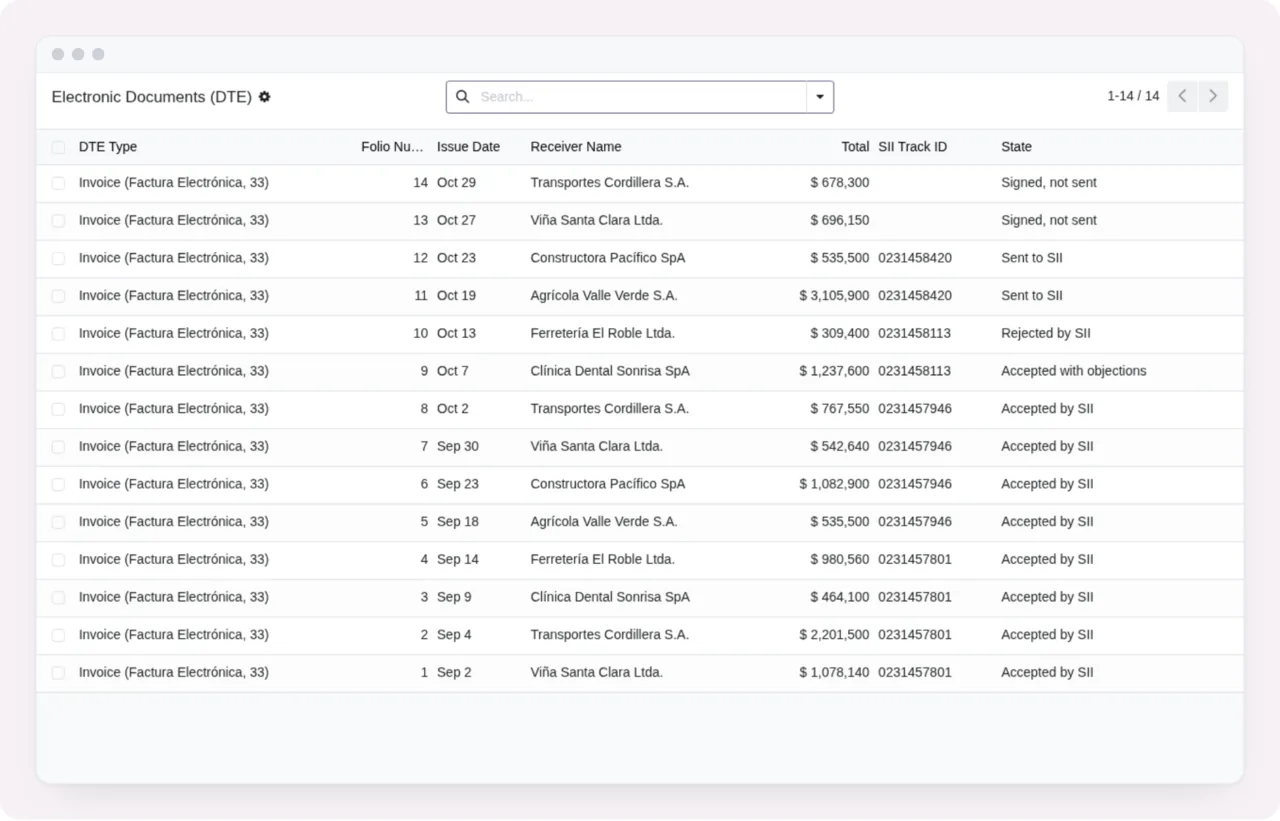
What is left out or depends on something else
Before deciding, also check what the documentation and the listing exclude or make conditional:
- The documentation lists four DTE types: 33, 34, 56 and 61. If you need to issue another type, check with us before buying.
- The listing states that we do not take care of migrating your database to a new Odoo version.
- Third-party costs are yours: you contract and pay for your Odoo, your hosting and your account on each platform.
- Alerts when the SII DTE rules change come with FlexigoTech Cloud and require the subscription.
- Without a subscription, or with the service suspended, whatever the subscription provides stops; your data stays in your Odoo.
What to have ready before you install it
The README sets out the configuration menu by menu. This is what you need to gather for each point:
- In
Chile SII > Certificates, the .p12/.pfx certificate file and its password. - In
Chile SII > Configuration, the company RUT, giro, Acteco codes, address and comuna, environment and resolution. - In
Chile SII > CAF, the CAF XML for each document type you plan to issue. - On customers, the RUT (field
SII RUTor theTax ID), giro, street and comuna (in the city field). - In the accounting settings,
Rounding Method=Round Globally; the README gives the reason that the SII recomputes VAT on the total. pdf417gen, to print the DTE with its PDF417 stamp.
If any of this data is missing on customers you already have in Odoo, it makes sense to complete it before issuing. The detail of each setting and what to check in the first week is in getting the module up and running.
Which Odoo version it runs on and what you buy
The module is published on Odoo Apps for 17.0, 18.0, 19.0 and 20.0. It costs €9 per Odoo version, a one-off payment excluding VAT, the same on 17, 18, 19 and 20; the FlexigoTech Cloud local service is separate, at €29/month or €290/year excluding VAT (Pro: €58/month or €580/year).
With the subscription, the module for new Odoo versions is included if you bought it on flexigotech.com; on the Odoo App Store, each Odoo version is bought there.
How to decide for your case
- If you issue invoices, tax-exempt invoices, debit notes or credit notes from Odoo 17, 18, 19 or 20 and already have a certificate and CAF, the module fits: start with
Chile SII > Certificates. - If you do not yet have the CAF for a document type, get it first: the module takes the folio from the CAF loaded for the company.
- If your accounting does not use
Round GloballyinRounding Method, change it before issuing, as the README asks. - If you are about to move to another Odoo version, bear in mind that we do not migrate the database, and choose where to buy based on how you want to receive new versions of the module.
- If you want to know when the SII DTE rules change, the FlexigoTech Cloud subscription is for you.
- If you need a document type that is not on the list or a flow of your own, it is worth talking about custom development.
How FlexigoTech can help
FlexigoTech implements Odoo 17, 18, 19 and 20 and builds connectors and custom integrations. With the service, the listing includes module updates, support with a first response within 1 working day, monitoring of the module's sources with their alerts and the calendar of their deadlines, monitoring of the module's health in your database with alerts, and the service on the staging and test copies of your database.
If you want to see the menus and what each document goes through behind the scenes, read how the module works. To buy or ask questions, see the module page on flexigotech.com and the Odoo Apps listing.
Keep reading
Checked in the module's source code (version 20.0) and the linked sources
Sources
- Module source code: flexigo_chile_sii_integration 20.0 (2c228713): README.md
- Module source code: flexigo_chile_sii_integration 20.0 (2c228713): static/description/index.html
- apps.odoo.com/apps/modules/20.0/flexigo_chile_sii_integration
- apps.odoo.com/apps/modules/17.0/flexigo_chile_sii_integration
- apps.odoo.com/apps/modules/18.0/flexigo_chile_sii_integration
- apps.odoo.com/apps/modules/19.0/flexigo_chile_sii_integration
- flexigotech.com/en/services.html
- flexigotech.com/precios.html