

 Español
 Català
 Deutsch
 Français
 Português
 Italiano
 Nederlands
 Polski
When the message appears
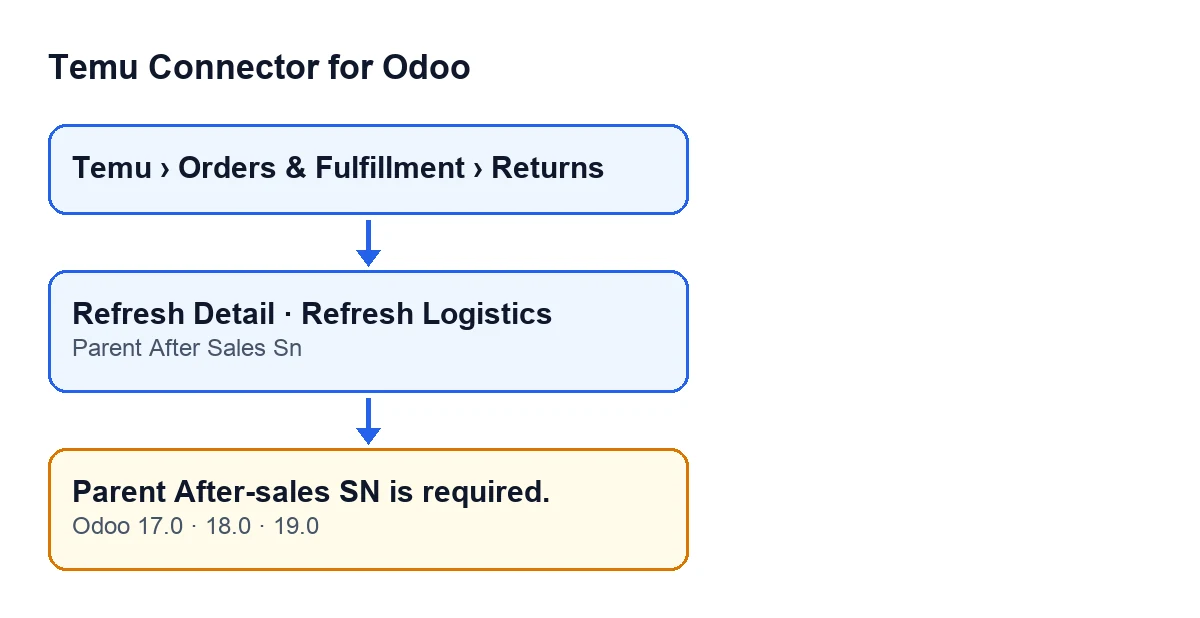
In Temu Connector for Odoo, Temu returns open from the menu Temu › Orders & Fulfillment › Returns, as Temu Returns records. During its action, the module checks the return: if the Parent After Sales Sn field is empty, it raises Parent After-sales SN is required. and the action stops.
You reach the message from two buttons in the return view: Refresh Detail and Refresh Logistics. Each button has its own action, and both reach the same check, which raises the message when its condition is met.
The condition, in plain words
The code of the check says, in plain terms: if Parent After Sales Sn is empty, the message is raised. It is a check made by the module itself on the data in the return record.
The method that performs it looks at that field first. Depending on how it is called, the same method can also check the parent order number of the return, with a different message. So read this message for what it is: a notice that the Parent After Sales Sn value is missing, not a guarantee about the rest of the action.
Two buttons, one check
In Odoo 17.0, 18.0 and 19.0, both Refresh Detail and Refresh Logistics are always visible in the return view. In other words, the button is on screen even when the field is empty, and you can press it anyway. If the field is empty, the message appears.

Where to look for the field
The Parent After Sales Sn field is visible on the Temu Returns form and also in the Temu Returns list, which you reach from the same menu, Temu › Orders & Fulfillment › Returns.
If you are about to press a button and want to avoid this message, look at that field first, on the form or in the list: it is the data this message depends on. In the list you can compare the value across several returns; on the form, you see the value for the return you have open.
Step by step to fix it
Follow this order when the message appears:
- Note which button you pressed (
Refresh DetailorRefresh Logistics) and which return you were on. The action stops when the message appears. - Open the menu
Temu › Orders & Fulfillment › Returnsand find that return, in the list or by opening its form. - Look for the
Parent After Sales Snfield. - If it is empty, you have the cause: it is exactly the condition that raises
Parent After-sales SN is required. - Once the return has a value in that field, press the button you used again. With the field filled in, this message will no longer appear. That does not guarantee that the button's action finishes successfully: only that it does not stop on this condition.
- If you need the other button, press it too: with the field filled in, it will not give this message either.
Questions you will probably ask
Does it appear with both buttons?
Yes, it can appear when you press Refresh Detail and when you press Refresh Logistics: both reach the check that raises the message, and both are always visible in the return view.
What exactly does this message look at?
Whether the Parent After Sales Sn field of the return is empty. While it has a value, this particular message is not raised.
Once the field is filled in, can nothing else fail?
The filled-in field only avoids this message. The method that raises it can also check the parent order number depending on how it is called.
Where do I see the field if I have many returns?
In the Temu Returns list, from the menu Temu › Orders & Fulfillment › Returns. The field is visible there too.
What to check afterwards
After repeating the button with the field filled in, check that Parent After-sales SN is required. no longer appears. If a different message shows up, it is another condition and needs to be read on its own.
Which versions have it
The message is in the published code of branches 17.0, 18.0 and 19.0. The module is published on Odoo Apps for versions 17, 18, 19 and 20.
How FlexigoTech can help
FlexigoTech implements Odoo 17, 18, 19 and 20 and builds connectors and custom integrations. If you are setting up Temu in your Odoo and want to review the returns flow with someone who knows the module, get in touch through the module page.
The connection goes through FlexigoTech Cloud, which stores the credentials encrypted, watches the synchronisation and emails you if it fails. On top of the module's one-off payment per version, the subscription is needed: the Connector plan costs €49 a month or €490 a year, excluding VAT.
Keep reading
Checked in the connector's source code (version 19.0) and the linked sources
Sources
- Module source code: flexigobe_temu_connector 19.0 (455b3f0f): models/temu_return.py
- Module source code: flexigobe_temu_connector 19.0 (455b3f0f): views/temu_return_views.xml
- apps.odoo.com/apps/modules/19.0/flexigobe_temu_connector
- flexigotech.com/en/services.html
- flexigotech.com/precios.html