

 Español
 Català
 Deutsch
 Français
 Português
 Italiano
 Nederlands
 Polski
Where the button is and when you see it
Fulfillment records open from the menu Temu › Orders & Fulfillment › Fulfillment. That screen has the Execute button, which is always visible on the form, with no view condition, and is present in Odoo 17, 18 and 19. What follows about how it works matches the code published for Odoo 19.
The button runs the operation the form carries through the Temu instance assigned to it. It first checks there is an instance and that the request can be built; then it writes states and stores what Temu answers.
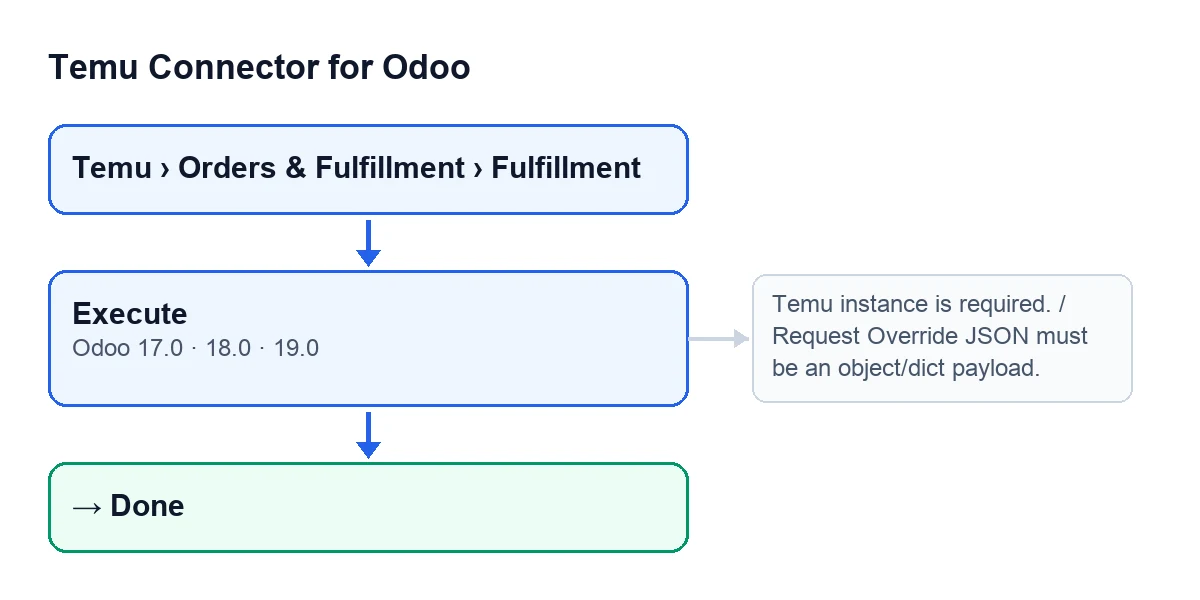
Execute.
What happens without a click
Part of this button's work also happens without pressing it. The module extends saving a delivery order and the standard validate button of the delivery order, and from there it can reconcile a shipment that Temu already considers shipped. It does so only if all of the following holds:
- There is a fulfillment record, a Temu order and a tracking reference.
- The last error on the fulfillment says the order was already shipped: it contains the code
120012004, or a Temu text saying the order has been shipped and the change is not effective for a shipped order. - The order has a Temu parent order number (or the Temu order id) and an order number.
It then asks Temu for the self-shipment status. If the response contains the tracking number, the fulfillment becomes Done, its last error is cleared, the same result summary the button uses is applied, the delivery order is marked as synced and a note is left on it. If the query fails or the tracking number is not there, nothing changes.
To run the operation by hand from the form, the Execute button is there.
The case: Hogar Norte runs an operation
Example Illustrative case: the company and its figures are made up to explain the flow.
Hogar Norte is an invented shop that sells on Temu and manages shipping from Odoo. Someone on the team opens Temu › Orders & Fulfillment › Fulfillment and goes into a new record. Here is what happens at each attempt.
First attempt: no instance
They press Execute with the Instance field empty (it shows on the form and in the Fulfillment list). The method checks that first and stops with Temu instance is required.. No state has been written and no request saved: the record stays as it was.
Second attempt: a value is missing
The record carries a logistics companies query. With the instance set, the module tries to build the request and stops with regionId is required for logistics companies query.. Still nothing has been written. The message names the missing value: they fill it in and press again.
Third attempt: it works
Now the method follows this order:
- It builds the request from the record's data. If the
Request Override Jsonfield (Payload Overridetab) is filled in and holds an object, it uses that content as the request, as it is. - It writes the
Runningstate, saves the built request and the request time, and clears the last error. - It calls the Temu instance with the operation that matches the record.
- If Temu answers properly, it prepares a summary of the result: if the response contains package numbers, they are saved sorted and without repeats, and if the record had no package number it takes the first one; if there are warnings, they are saved one per line; if there is a pickup reservation, its number is saved.
- In a single write it stores
Done, the response, the result, that summary and the completion time, and leaves the last error empty.
The summary is worked out before Done is written. If the summary fails, Done is never written: the method treats it like any other error.
When something fails after Running
If the operation or the summary fails once Running has been written, the code writes Failed with the completion time and the error text, and raises the error again, which is the message the person sees when pressing. Check the state on the record rather than assuming which one it ended up in.
Messages that can stop the button
When you press Execute, these messages appear while the module builds the request, before Running is written. They are some of the ones it can give:
Temu instance is required.: the record has no instance.Request Override JSON must be an object/dict payload.: the content of theRequest Override Jsonfield on the record is not an object.Provide orderSnList or payload lines for shipping services query.: in the shipping services query, there is neither an order list nor lines.regionId is required for ship logistics type query.: that value is missing in the ship logistics type query.regionId is required for logistics companies query.: that value is missing in the logistics companies query.packageSnList is required for buy shipping result query.: the package list is missing in the buy shipping result query.packageSnList is required for shipping document query.: the package list is missing in the shipping document query.parentOrderSn and orderSn are required for self shipment status query.: those values are missing in the self-shipment status query.mainPackageSn (package_sn) is required for shipment sub confirm.: the main package is missing when confirming sub packages.At least one sub package request is required.: at least one sub package request is missing.pickupStartTime and pickupEndTime are required for pickup reservation creation.: the pickup times are missing.packageSnList is required for pickup reservation creation.: the package list is missing when creating a pickup reservation.packageSnList is required for pickup reservation result query.: the package list is missing when querying the reservation result.reservationSn is required for pickup reservation cancellation.: the reservation number is missing when cancelling it.packageSn is required for tracking info query.: the package is missing in the tracking query.Set Request Override JSON for cooperative warehouse operation '…'.: for cooperative warehouse operations, the message asks you to fill in theRequest Override Jsonfield.
What the case teaches
- The order is fixed: instance first, then the request, then the states.
- The messages above stop the action before anything is written: you fix them by completing what they ask for.
Doneis written in one go together with the response, the result and the summary; if the summary fails, the record ends up inFailed.- The result summary is the same one used by the automatic reconciliation on the delivery order.
- An error after
Runningis raised again and leaves the record inFailed; after pressing, check the state.
How FlexigoTech helps
Temu Connector for Odoo is a one-off payment per version and needs the FlexigoTech Cloud subscription (Connector plan: €49 a month or €490 a year, excluding VAT). It is published for Odoo 17, 18, 19 and 20. The connection goes through FlexigoTech Cloud, which stores the credentials encrypted and emails you if synchronisation fails. You can see the module on its page or in the Odoo Apps listing.
If you are implementing Odoo and need to set up Temu logistics or a custom integration, FlexigoTech implements Odoo 17, 18, 19 and 20 and builds connectors and integrations.
Keep reading
Checked in the connector's source code (version 19.0) and the linked sources
Sources
- Module source code: flexigobe_temu_connector 19.0 (455b3f0f): views/temu_fulfillment_views.xml
- Module source code: flexigobe_temu_connector 19.0 (455b3f0f): models/temu_fulfillment.py
- Module source code: flexigobe_temu_connector 19.0 (455b3f0f): models/stock_picking.py
- apps.odoo.com/apps/modules/19.0/flexigobe_temu_connector
- flexigotech.com/precios.html
- flexigotech.com/en/services.html