

 Español
 Català
 Deutsch
 Français
 Português
 Italiano
 Nederlands
 Polski
Where the button is and when you see it
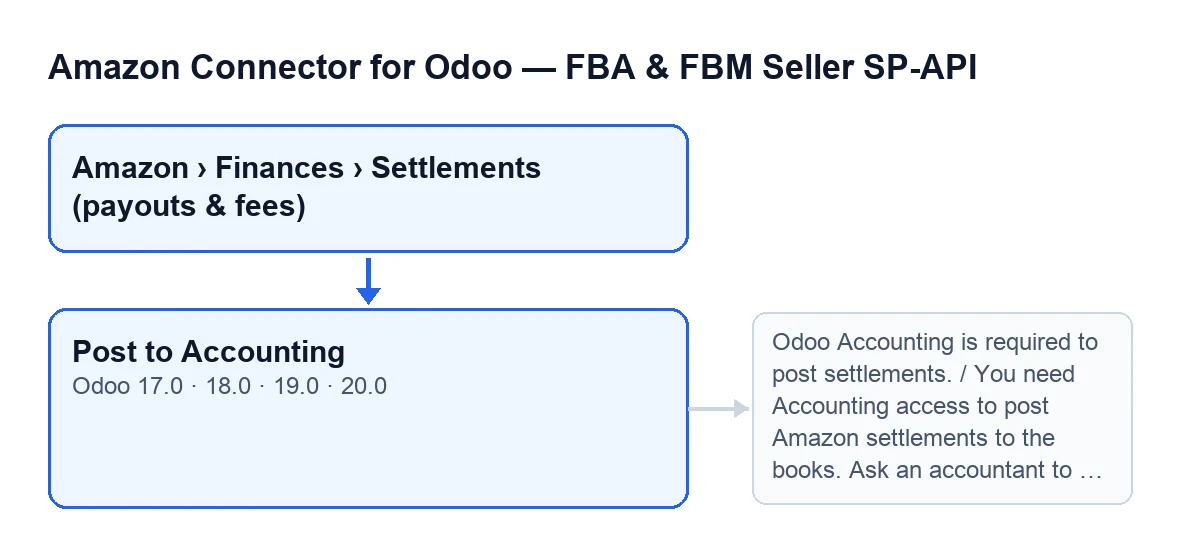
The button is called Post to Accounting and sits on the Settlements screen.
- Go to
Amazon › Finances › Settlements (payouts & fees). Each part of the menu asks for theViewerpermission; if you lack it for one part, you do not see that part. - Open a settlement and look at its
State. The button is hidden when the settlement'sStateis the posted one; with the default values it is visible. - Check your version: the button exists in Odoo 17, 18, 19 and 20, with the same visibility condition. The checks and messages below come from the Odoo 20 code.

Before you click: what the module requires
When you click, the module runs these checks one after another, in this order; it stops at the first one that fails and nothing of what the action was going to change is saved. Two more messages that can also stop it are listed further down.
- Odoo Accounting installed. Without the Accounting app the module goes no further.
- Accounting access on your user. The module requires it, except in a superuser context. If your user lacks it, the module stops with a message asking an accountant to do it.
- Posting enabled on the Amazon account. According to the module's own message, it is off by default, for safety. Enable it in the Amazon account configuration before you click.
- No entry yet on the settlement. If there is one, the module stops and tells you which.
- Journal and accounts set on the Amazon account. They are
Settlement journal,Amazon clearing account,Amazon fees accountandSettlement deposit/bank account. If any is missing, the message lists the ones that are. - Clearing account with reconciliation allowed. The module checks it so that invoices and settlements can net against each other.
What the module prepares from the lines
- Read the confirmation prompt:
Post this settlement as one journal entry (clearing + fees + net deposit)?. It speaks of a single entry for the whole settlement. - The module groups the settlement lines by accounting account, according to each line's category, and adds up the amounts for each account.
- If the settlement is in a currency other than the company's, it converts the amounts to the company currency using the settlement's deposit date (or today's date if it has none). The offsetting lines it prepares also carry the amount in the original currency.
- For each account with a non-zero amount, it prepares a line with the opposite amount, as the offset of the deposit, labelled
Amazon settlement …followed by the settlement's external identifier. - Posting can also stop with the message saying the settlement does not balance or the one saying there is nothing to post (both are in the errors section).
When the button disappears
- The
Post to Accountingbutton is hidden when the settlement'sStateis the posted one. - If you click on a settlement that already has an entry, the module does not create a second one: it stops with the message that names the existing entry.
When it fails: each message and its fix
They appear when you click Post to Accounting.
Odoo Accounting is required to post settlements.: the Accounting app is not installed. Install it and click again.You need Accounting access to post Amazon settlements to the books. Ask an accountant to post this settlement.: your user has no Accounting access. Do what the message says.Posting Amazon settlements to accounting is disabled. Enable it on the Amazon account configuration first (it is OFF by default for safety).: enable posting in the Amazon account configuration and try again.This settlement is already posted (entry …).: the settlement already has an entry, and the message gives its name. There is no need to click again.Configure these on the Amazon account before posting: …: after the colon come the missing items, among the four in the earlier section. Set them on the Amazon account.The Amazon clearing account "…" must allow reconciliation. Tick "Allow Reconciliation" on that account so invoices and settlements net against each other.: open the account the message names, tickAllow Reconciliationand try again.Settlement … does not balance: … … is left over after mapping every line (sales, fees, tax, refunds) against the deposit. A line probably did not import or is miscategorized. Review it, or use "Post anyway (force)" to absorb the difference into the clearing account.: review the settlement lines first, since the message itself points to a line that did not import or is miscategorised. The force option, according to the message, absorbs the difference into the clearing account.Nothing to post for settlement ….: the message names the settlement concerned; open it and review it.
How it reads in other languages
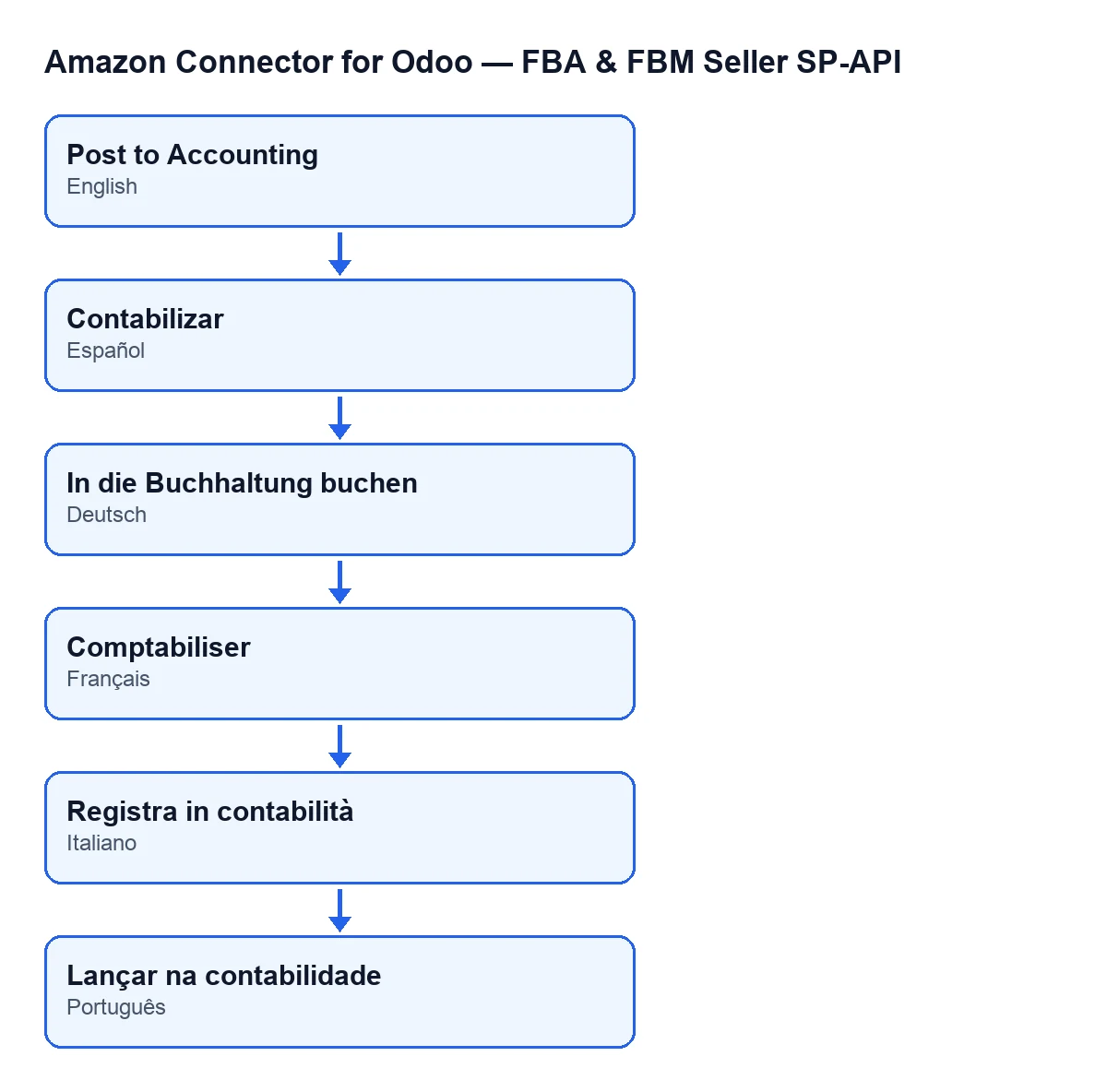
The label changes with the language of your Odoo: with Odoo in English it is Post to Accounting, and the diagram below shows how it reads in other languages.
What you need to use it and how FlexigoTech helps
The module is published for Odoo 17, 18, 19 and 20. Besides the one-off payment per version, it needs the FlexigoTech Cloud subscription, Connector plan: €49 a month or €490 a year, excluding VAT, for up to 3 accounts on the platform. The connection goes through FlexigoTech Cloud, which stores the credentials encrypted and emails you if synchronisation fails. There is more on the module page.
If you are implementing Odoo and want the journal, the accounts and the Accounting access ready before the first settlement, FlexigoTech implements Odoo 17, 18, 19 and 20 and builds custom connectors and integrations.
Keep reading
Checked in the connector's source code (version 20.0) and the linked sources
Sources
- Module source code: flexigobe_amazon_seller_connector 20.0 (8576afa5): views/amazon_spapi_settlement_views.xml
- Module source code: flexigobe_amazon_seller_connector 20.0 (8576afa5): models/amazon_spapi_settlement.py
- apps.odoo.com/apps/modules/20.0/flexigobe_amazon_seller_connector
- flexigotech.com/precios.html
- flexigotech.com/en/services.html