

 Español
 Català
 Deutsch
 Français
 Português
 Italiano
 Nederlands
 Polski
What the module covers according to its README
The README groups the features into numbered requirements (FR) and lettered sections. The core is these requirements:
- SAF-T v1.03 XML generation (FR-001): creates the files from Odoo's accounting data.
- XSD schema validation (FR-002): the module checks the file against the Portuguese tax authority's schema.
- Direct submission to the ATCUD portal (FR-003): with automatic retry logic.
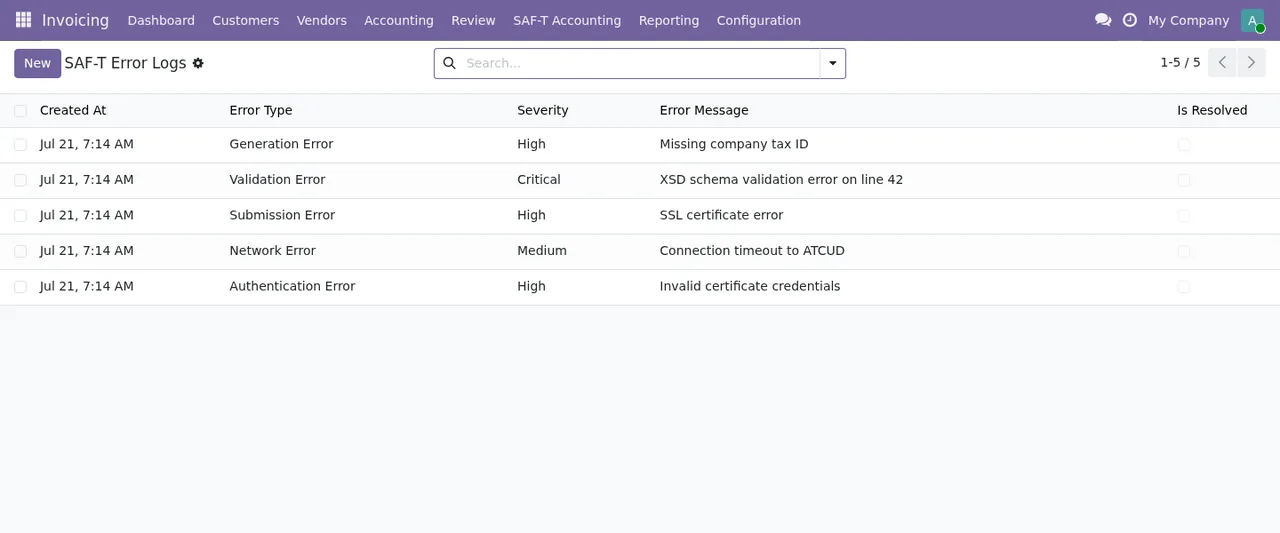
- Errors and exceptions (FR-004): detailed error logging and user-friendly feedback.
- Configuration interface (FR-005): manages credentials, email and submission settings.
Around that core, the README describes these other pieces:
- Multi-company: submissions tracked per company, with separate audit trails.
- GDPR (Section C): mentions
10-year mandatory retention overrideand a DSAR workflow with legal response templates. - Email notifications (Section D): DKIM/SPF/DMARC guidance and submission confirmations.
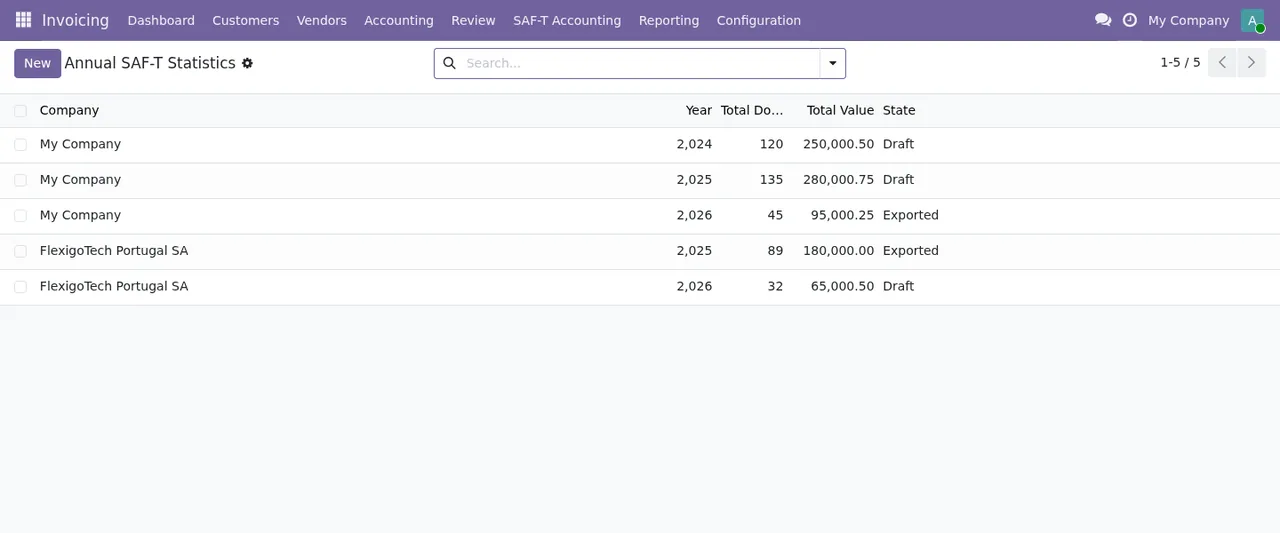
- Annual statistics (Section E): export and submission of annual reporting.
- Observability (Section F): JSON logging, Prometheus metrics and Sentry integration.
- Anti-abuse protection (Section G): rate limiting, honeypot fields and CAPTCHA on public forms.
- Large files (Section H): chunked uploads with virus scanning.
- Chatter (Section I): discussion on submissions, with confidentiality.
- Performance (Section J): p99 SLO tracking.
- DSAR (Section K): legal basis tracking and response automation.
- Languages (Section L): multi-language interfaces.
What the module does and what you provide
To decide, separate what the README attributes to the module from what you have to bring yourself. This table puts both side by side, based on the documentation.
| Need | Done by the module (README) | Prepared by you (README) |
|---|---|---|
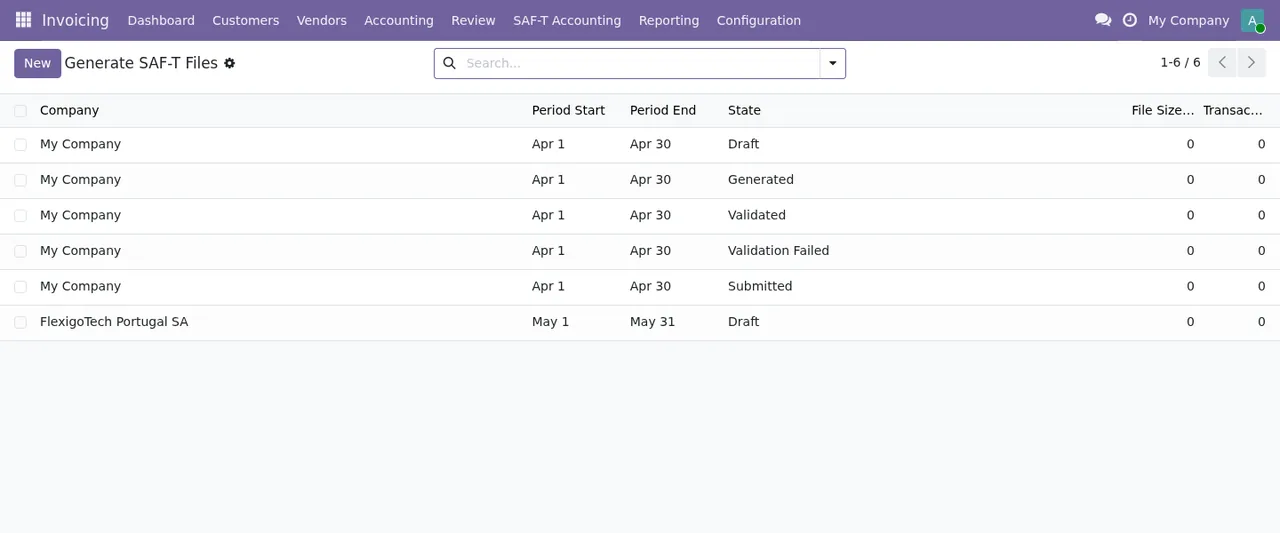
| Generate the SAF-T file | Generates SAF-T v1.03 XML from Odoo's accounting data | Choose company and period in Generate SAF-T Files |
| Validate the file | Validates against the Portuguese tax authority's XSD schema | Click Generate SAF-T; the system then validates |
| Submit to ATCUD | Direct portal submission with automatic retry | ATCUD endpoint URL, credentials and a digital certificate if ATCUD requires it |
| Know what went wrong | Detailed error logging and user-friendly feedback | Review the logged errors |
| Email confirmations | Submission confirmations and DKIM/SPF/DMARC guidance | Outgoing Mail Server with SMTP credentials, sender and confirmation address |
| Several companies | Per-company tracking with separate audit trails | ATCUD submission credentials in the company settings |
| Annual report | Export and submission of annual statistics | Not detailed in the README |
| Public forms | Rate limiting, honeypot fields and CAPTCHA | Configure rate limiting and abuse prevention |
The right-hand column tells you whether you can start now. The ATCUD endpoint URL and credentials and the outgoing mail server are part of the configuration steps the README describes. If anything is missing, get it sorted before installing.
If this sounds like you, here is what fits
- You keep a Portuguese company's accounts in Odoo and want to produce SAF-T from there: the module covers generating, validating and submitting the file (FR-001 to FR-003).
- You run several companies in the same database: the README mentions multi-company support with separate audit trails per company.
- You do not have ATCUD access yet: get the endpoint URL and credentials first, as the module's settings ask for them, along with the digital certificate if ATCUD requires it.
- Your technical team wants to monitor the service: the README mentions JSON logging, Prometheus metrics, Sentry and p99 SLO tracking.
- You work in several languages: the README includes multi-language interfaces (Section L).
- You need something that is not on the feature list: do not assume it is there. Ask before buying or consider bespoke development.
If you want to see which menus it adds and how a record moves through its states, we cover that in how Portugal SAF-T (PT) File Checks works inside Odoo.
What to have ready before installing
On the server
- Odoo installed: the README's installation steps begin with
Ensure you have Odoo 19 installed, while on Odoo Apps the module is published for 17.0, 18.0, 19.0 and 20.0. Check the listing for the version you use. - Python packages: the README has an
Install required Python packagesstep. Check the list in the module's README before installing. - Addons directory: copy the module into your Odoo addons directory.
- Installation: in Odoo, open
Apps, search forPortugal SAF-Tand clickInstall.
In Odoo
- Email: in
Settings → General Settings,Emailssection, set theOutgoing Mail Serverwith your SMTP credentials and the sender address. - SAF-T settings: in
Accounting → Configuration → SAF-T Accounting → Settings, the NIF (Número de Identificação Fiscal), the ATCUD endpoint URL with its credentials and the digital certificate if ATCUD requires it. - Company settings: ATCUD submission credentials, the email address for submission confirmations, and rate limiting and abuse prevention.
In the screenshots, the module's lists appear under Invoicing, whereas the README writes the paths with Accounting. If you cannot find a menu, look in both.
The full walk-through of settings and fields is in setting up Portugal SAF-T (PT) File Checks.
Odoo versions and price
On Odoo Apps it costs €9 per Odoo version, one-off payment, excluding VAT, for 17.0, 18.0, 19.0 and 20.0. It is a module with a FlexigoTech Cloud local service, which costs €29/month or €290/year excluding VAT (Pro: €58/month or €580/year).
With the subscription, the module for new Odoo versions is included if you bought it on flexigotech.com; on the Odoo App Store, each Odoo version is bought there. Without a subscription, or with the service suspended, whatever the subscription provides stops and your data stays in your Odoo.
How to try it with one period before deciding
The README describes file generation like this; you can follow it with one period to see it working with your own data:
- Go to
Accounting → SAF-T Accounting → Generate SAF-T Files. - Click
Createto start a new generation. - Select the company and the date period.
- Click the
Generate SAF-Tbutton. - The system validates the file against the XSD schema.
If validation or submission fails, the error messages of Portugal SAF-T (PT) File Checks explain when each one appears and what to do.
Where FlexigoTech can help
We implement Odoo 17, 18, 19 and 20 and build bespoke connectors and integrations. If the module covers almost everything you need but one piece is missing, or you want help getting email, the NIF and ATCUD access ready, get in touch through the module page. You can also check the Odoo Apps listing for your version.
Keep reading
Checked in the module's source code (version 20.0) and the linked sources
Sources
- Module source code: flexigo_portugal_saf_t_accounting_atcud_submission_tool 20.0 (6935c20f): README.rst
- apps.odoo.com/apps/modules/20.0/flexigo_portugal_saf_t_accounting_atcud_submission_tool
- apps.odoo.com/apps/modules/17.0/flexigo_portugal_saf_t_accounting_atcud_submission_tool
- apps.odoo.com/apps/modules/18.0/flexigo_portugal_saf_t_accounting_atcud_submission_tool
- apps.odoo.com/apps/modules/19.0/flexigo_portugal_saf_t_accounting_atcud_submission_tool
- flexigotech.com/en/services.html
- flexigotech.com/precios.html