

 Español
 Català
 Deutsch
 Français
 Português
 Italiano
 Nederlands
 Polski
What the module adds to Invoicing
Which menus appear when you install Portugal SAF-T (PT) File Checks?
Everything sits under a single menu in Invoicing: Invoicing › SAF-T Accounting. Inside it you will find six entries, with these full paths: Invoicing › SAF-T Accounting › Generate SAF-T, Invoicing › SAF-T Accounting › SAF-T Submissions, Invoicing › SAF-T Accounting › Settings, Invoicing › SAF-T Accounting › Error Logs, Invoicing › SAF-T Accounting › Annual Statistics and Invoicing › SAF-T Accounting › GDPR Requests. We quote them exactly as the module defines them so you can spot them on screen.
What do Annual Statistics and Error Logs show?
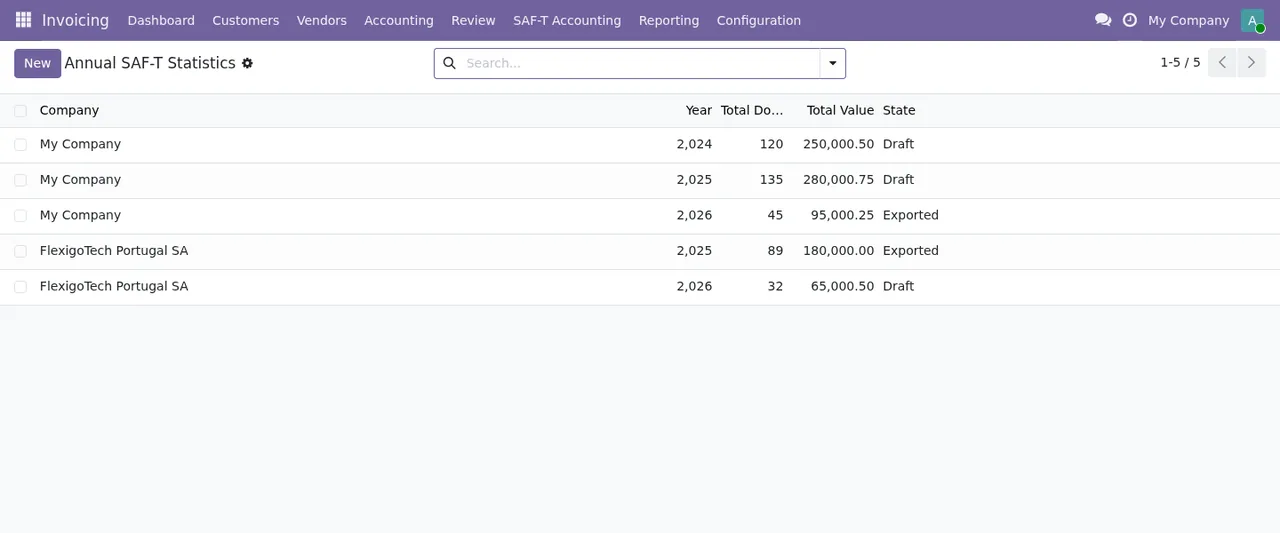
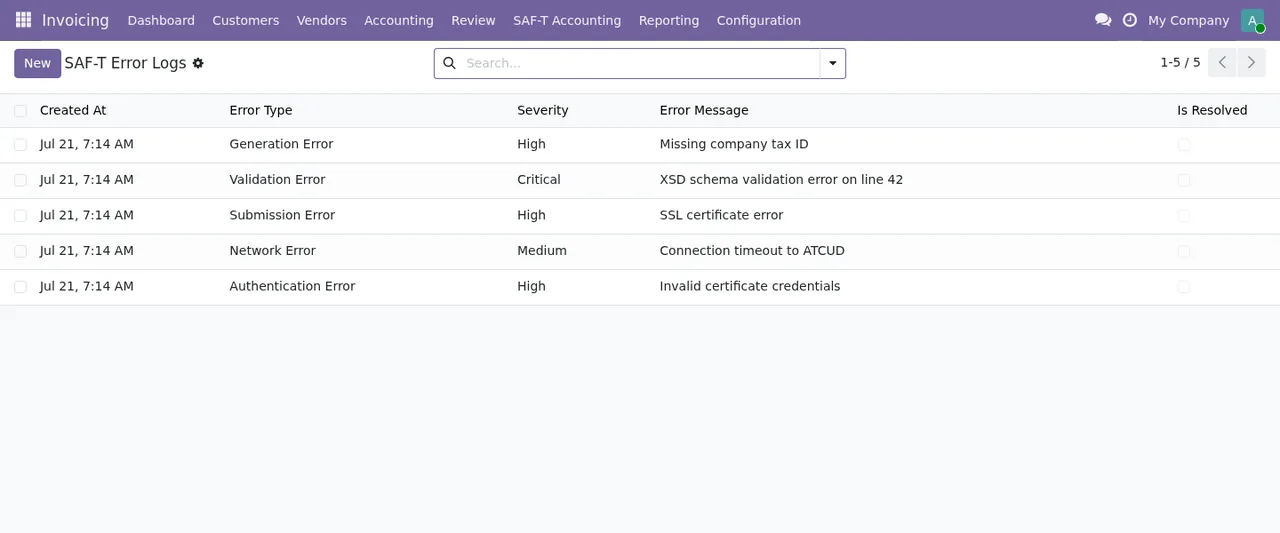
They are two lists you can open from day one. The annual statistics list shows, for each record, the company, the year, the total number of documents, the total value and the state. The error list shows the date, the error type, the severity, the message and a resolved flag. If you want to know what each message means and what to do about it, see the module's error messages and warnings.
Which data models sit behind those menus?
The module defines these models, each with its technical description: saft.config (SAF-T Configuration per Company), saft.exporter (SAF-T File Generator and Validator), saft.submission (SAF-T File Submission to ATCUD), saft.error_log (SAF-T Error Log), saft.annual_statistics (SAF-T Annual Statistics Summary), saft.dsar_request (SAF-T Data Subject Access Request (DSAR)), saft.holiday_calendar (Portuguese Holiday Calendar for SAF-T Business Day Calculations) and saft.abuse_log (SAF-T Public Form Anti-Abuse Tracking). Knowing these names helps if you work with a consultant or need to touch access rights, exports or reports: they are the objects you will see in technical mode.
What a SAF-T file goes through inside the module
Which states does a file move through?
The work on the file is split between two models: saft.exporter, described as the SAF-T file generator and validator, and saft.submission, described as the SAF-T file submission to ATCUD. In the list of generated files shown in the animated walkthrough there are records in the Draft, Generated, Validated, Validation Failed and Submitted states, each with its company and its period start and end. Those are the states you will meet when reviewing your files; which settings to fill in before generating the first one and what to check in the first week are covered in getting the module up and running.
What check does it run on the file?
The module's Odoo Apps page sums it up in its heading: SAF-T (PT) files are checked against the XSD. In other words, the module checks the file against the schema before you treat it as good, and the model that does it is the same one that generates it, saft.exporter. In the file list you can see which records are Validated and which are Validation Failed. What the module checks is what its documentation describes; do not read it as a ruling on your tax obligations.
External service, versions and help
Which part relies on a paid external service?
The app page warns before purchase that some features of this app use a paid external service; for this module it is a local service from FlexigoTech Cloud. That service costs €29/month or €290/year excluding VAT (Pro: €58/month or €580/year). Without a subscription, or with the service suspended, whatever the subscription provides stops, and your data stays in your Odoo. The page also has a Privacy policy section worth reading before you switch it on.
Which Odoo versions is it available for, and what does the module cost?
It is published on Odoo Apps for Odoo 17, 18, 19 and 20, at €9 per Odoo version, a one-off payment excluding VAT, according to each version's listing. With the subscription, the module for new Odoo versions is included if you bought it on flexigotech.com; if you buy it on Odoo Apps, each Odoo version is bought there.
Can FlexigoTech implement or adapt it for my company?
Yes. At FlexigoTech we implement Odoo 17, 18, 19 and 20 and build bespoke connectors and integrations, so we can help you install the module, configure it per company or fit it in with the rest of your Odoo. If you are still unsure whether it suits you, start with what the module covers and what you need before installing it.
Keep reading
Checked in the module's source code (version 20.0) and the linked sources
Sources
- Module source code: flexigo_portugal_saf_t_accounting_atcud_submission_tool 20.0 (6935c20f): views/menu.xml
- Module source code: flexigo_portugal_saf_t_accounting_atcud_submission_tool 20.0 (6935c20f): static/description/index.html
- Module source code: flexigo_portugal_saf_t_accounting_atcud_submission_tool 20.0 (6935c20f): models/saft_abuse_log.py
- Module source code: flexigo_portugal_saf_t_accounting_atcud_submission_tool 20.0 (6935c20f): models/saft_annual_statistics.py
- Module source code: flexigo_portugal_saf_t_accounting_atcud_submission_tool 20.0 (6935c20f): models/saft_config.py
- Module source code: flexigo_portugal_saf_t_accounting_atcud_submission_tool 20.0 (6935c20f): models/saft_dsar_request.py
- Module source code: flexigo_portugal_saf_t_accounting_atcud_submission_tool 20.0 (6935c20f): models/saft_error_log.py
- Module source code: flexigo_portugal_saf_t_accounting_atcud_submission_tool 20.0 (6935c20f): models/saft_exporter.py
- Module source code: flexigo_portugal_saf_t_accounting_atcud_submission_tool 20.0 (6935c20f): models/saft_holiday_calendar.py
- Module source code: flexigo_portugal_saf_t_accounting_atcud_submission_tool 20.0 (6935c20f): models/saft_submission.py
- apps.odoo.com/apps/modules/20.0/flexigo_portugal_saf_t_accounting_atcud_submission_tool
- apps.odoo.com/apps/modules/17.0/flexigo_portugal_saf_t_accounting_atcud_submission_tool
- apps.odoo.com/apps/modules/18.0/flexigo_portugal_saf_t_accounting_atcud_submission_tool
- apps.odoo.com/apps/modules/19.0/flexigo_portugal_saf_t_accounting_atcud_submission_tool
- flexigotech.com/en/services.html
- flexigotech.com/precios.html