

 Español
 Català
 Deutsch
 Français
 Português
 Italiano
 Nederlands
 Polski
How to read a Portugal SAF-T (PT) File Checks message
Every message carries a text, and many end in %s or carry %d in the middle. That gap is where the module inserts the specific data: the failure detail, the value you have saved, an address or the number of attempts. When you see a colon followed by some text, that part tells you what happened in your case.
In the table below the messages appear exactly as the module writes them, with %s and %d in place. On your screen you will see the real data instead of those placeholders.
Error table: message, when it appears and what to do
| Message | When it appears | What to do |
|---|---|---|
SAF-T generation failed: %s | Generating the SAF-T file fails. | Read the detail after the colon and fix what it points to before generating again. |
No SAF-T file generated. Run generation first. | There is no SAF-T file generated yet. | Generate the file first, as the message asks. |
SAF-T validation failed. Check validation log for details. | The SAF-T file does not pass validation. | Open the validation log and check the detail there. |
SAF-T validation failed: %s | Validation fails and the message includes the reason. | Read the reason after the colon. |
Failed to fetch SAF-T schema from %s: %s | The SAF-T schema cannot be fetched from an address. | The message shows the address and the detail: check both. |
SAF-T file must be an XML file | The SAF-T file is not an XML file. | Use an XML file. |
Period start must be before period end | The period start is not before the period end. | Fix the dates so the start comes before the end. |
XML export failed: %s | Exporting to XML fails. | Read the detail after the colon. |
CSV export failed: %s | Exporting to CSV fails. | Read the detail after the colon. |
Annual statistics generation failed: %s | Generating annual statistics fails. | Read the detail after the colon. |
NIF must be exactly 9 digits. Current value: %s | The NIF does not have exactly 9 digits. | The message shows the current value: leave it with exactly 9 digits. |
Invalid ATCUD endpoint URL format | The ATCUD endpoint URL format is not valid. | Check how the endpoint URL is written. |
ATCUD certificate and key must be configured in SAF-T settings | The ATCUD certificate and key are not configured. | Configure them in the SAF-T settings. |
ATCUD rejected the submission. Check error log for details. | ATCUD rejects the submission. | Check the error log. |
Failed to contact ATCUD after %d attempts. Try again later. | ATCUD cannot be reached after several attempts; the message says how many. | Try again later. |
ATCUD submission failed. Please try again later. | The submission to ATCUD fails. | Try again later. |
Submission can only be retried from error state | You try to retry a submission that is not in error state. | Only retry submissions in error state. |
No submissions found for this company | There are no submissions for that company. | Check it is the company you meant to look at. |
No email configured for company | The company has no email configured. | Configure the company email. |
Email test failed: %s | The email test fails. | Read the detail after the colon. |
Several contacts match "%s": enter the email or the tax ID of the data subject. | Several contacts match what you entered. | Enter the email or the tax ID of the data subject. |
DSAR processing failed: %s | DSAR processing fails. | Read the detail after the colon. |
NIF, URL, email and certificate: the data messages
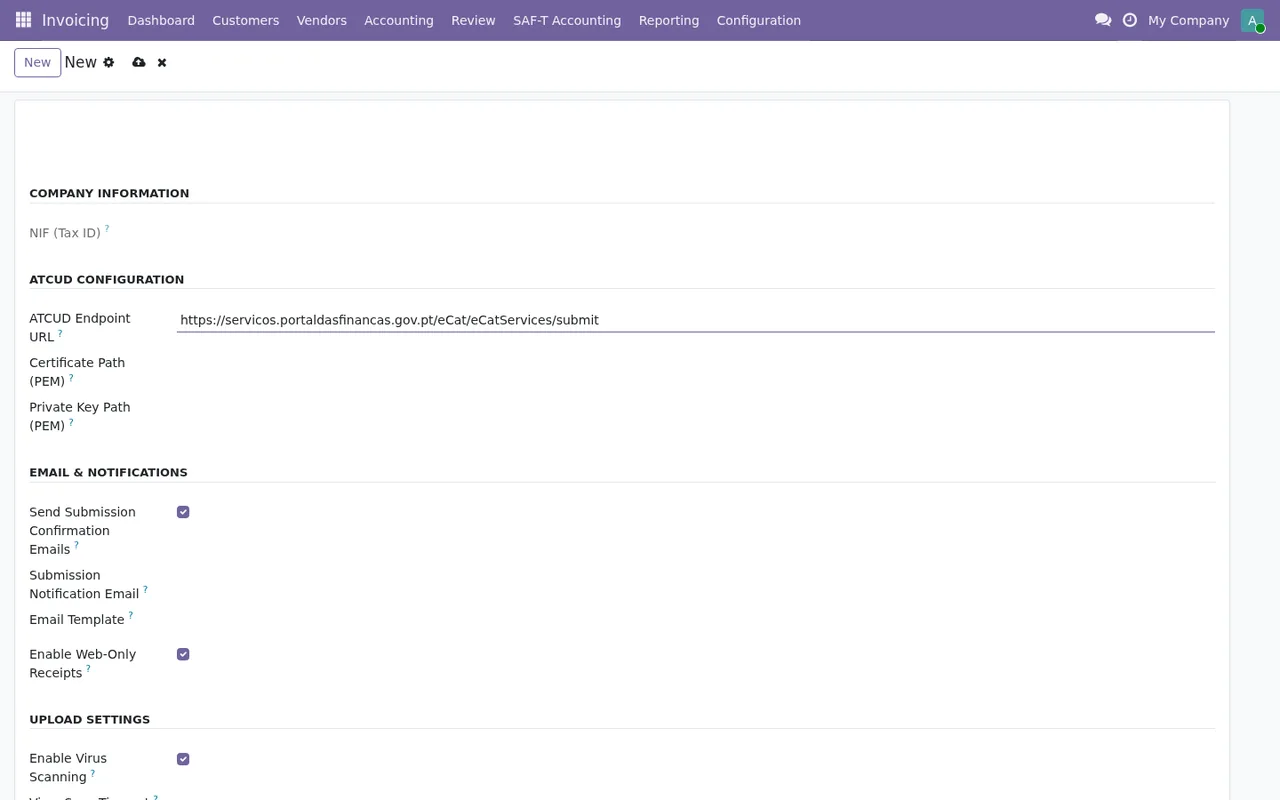
One group of messages concerns data you fill in yourself. The NIF one is the most direct: it asks for exactly 9 digits and shows what is saved (Current value: %s), so you can see at a glance what is extra or missing. The URL one (Invalid ATCUD endpoint URL format) only says the format is not valid, so the step is to check how that address is written.
To submit to ATCUD, the module asks for a certificate and key in the SAF-T settings: if they are missing, you get ATCUD certificate and key must be configured in SAF-T settings. Email works in a similar way: No email configured for company means the company has no email, and Email test failed: %s appears when the email test does not go through, with the detail at the end.
The ones that send you to a log or ask you to wait
Two messages do not carry the detail inside and point you elsewhere: SAF-T validation failed. Check validation log for details. sends you to the validation log, and ATCUD rejected the submission. Check error log for details. to the error log. In those cases the cause is not in the message window but in the log the message names.
Two others just ask for patience: Failed to contact ATCUD after %d attempts. Try again later. and ATCUD submission failed. Please try again later. The first tells you how many attempts the module made. In both, what the text says is to try again later.
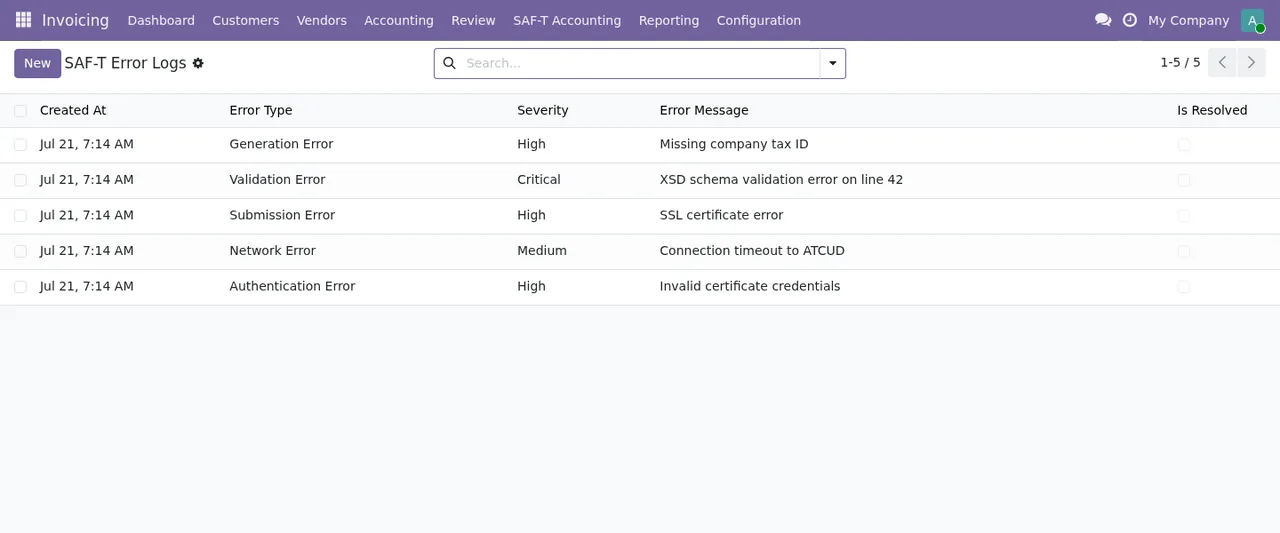
Invoicing › SAF-T Error Logs: five records with date, type, severity and message, and the resolved flag unticked.Generate, validate and retry: the order the messages set
Some messages tell you which order to work in. No SAF-T file generated. Run generation first. makes it clear that the SAF-T file has to be generated first. Submission can only be retried from error state says a submission can only be retried from error state. And Period start must be before period end requires the period start to come before its end.
If the problem is the file itself, look at SAF-T file must be an XML file and at the export messages (XML export failed: %s, CSV export failed: %s), which carry the detail at the end. For the settings and states each record goes through, see setting up the module, and for menus and scheduled tasks, how it works under the bonnet.
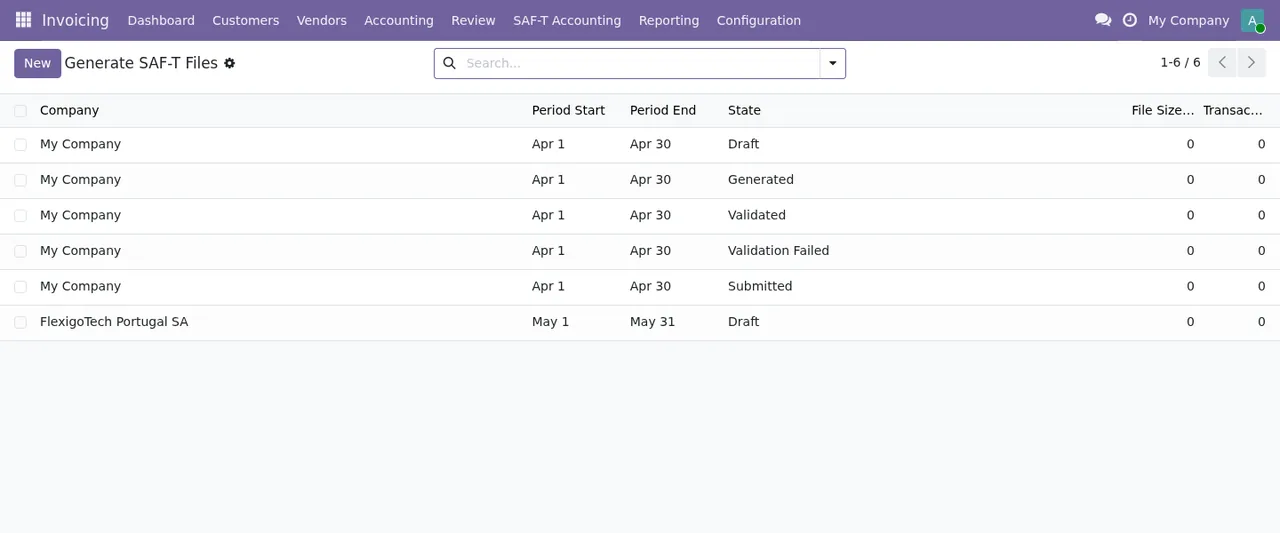
Invoicing › SAF-T Accounting › Generate SAF-T Files: six records in Draft, Generated, Validated, Validation Failed and Submitted, with file size and transactions at zero.
Draft or Exported) to the error log list and the list of generated SAF-T files.How FlexigoTech can help
If a message leaves you stuck or you want your configuration reviewed before submitting, FlexigoTech implements Odoo 17, 18, 19 and 20 and builds bespoke connectors and integrations. The module costs €9 per Odoo version on Odoo Apps, a one-off payment excluding VAT, for 17, 18, 19 and 20 (Odoo Apps listing); the FlexigoTech Cloud local service is €29/month or €290/year excluding VAT. You will find all the details on the module page.
Keep reading
Checked in the module's source code (version 20.0) and the linked sources
Sources
- Module source code: flexigo_portugal_saf_t_accounting_atcud_submission_tool 20.0 (6935c20f): models/saft_annual_statistics.py
- Module source code: flexigo_portugal_saf_t_accounting_atcud_submission_tool 20.0 (6935c20f): models/saft_config.py
- Module source code: flexigo_portugal_saf_t_accounting_atcud_submission_tool 20.0 (6935c20f): models/saft_dsar_request.py
- Module source code: flexigo_portugal_saf_t_accounting_atcud_submission_tool 20.0 (6935c20f): models/saft_exporter.py
- Module source code: flexigo_portugal_saf_t_accounting_atcud_submission_tool 20.0 (6935c20f): models/saft_submission.py
- apps.odoo.com/apps/modules/20.0/flexigo_portugal_saf_t_accounting_atcud_submission_tool
- apps.odoo.com/apps/modules/17.0/flexigo_portugal_saf_t_accounting_atcud_submission_tool
- apps.odoo.com/apps/modules/18.0/flexigo_portugal_saf_t_accounting_atcud_submission_tool
- apps.odoo.com/apps/modules/19.0/flexigo_portugal_saf_t_accounting_atcud_submission_tool
- flexigotech.com/en/services.html
- flexigotech.com/precios.html