

 Español
 Català
 Deutsch
 Français
 Português
 Italiano
 Nederlands
 Polski
Who this whistleblowing channel is for
Whistleblower Channel: Canal de Denuncias is an Odoo module that works with a local FlexigoTech Cloud service. Cases are managed in your Odoo, while the intake page for reports is hosted on FlexigoTech Cloud, at an address such as denuncias.flexigotech.com/d/<address>.
It suits you if you already use Odoo, or are rolling it out, and want reports, their deadlines and their register in the same system as the rest of the business. The decision comes down to three things: whether you are happy with the part hosted on FlexigoTech Cloud, whether its features cover what you need, and whether your server and email are ready.
Misconceptions to clear up
«I install it and start receiving reports»
Not quite. According to the listing, receiving reports on your channel's hosted page requires a FlexigoTech Cloud subscription, which the listing describes as the hosted Whistleblowing Channel, with its maintenance and monitoring. The module's manifest says the same on Odoo 17, 18, 19 and 20: «This app uses a paid external service: FlexigoTech Cloud subscription (from 29 EUR/month, VAT excl.)».
The module costs €9 per Odoo version on Odoo Apps (one-off payment, excluding VAT), for 17, 18, 19 and 20, and the local service costs €29/month or €290/year excluding VAT (Pro: €58/month or €580/year). Without a subscription, or with the service suspended, whatever the subscription provides stops; your data stays in your Odoo.
«Once installed, the channel is ready»
The module's documentation links specific features to articles of Spain's Ley 2/2023: the libro-registro to art. 26, face-to-face meeting bookings to art. 7.2 and shared channels for corporate groups to art. 12. That describes what the module does, not what your organisation has to decide.
You create the responsables, the policy and the privacy notice yourself inside the module, in the order shown further down. Until they exist and the channel has been created, there is no page to publish.
«Anyone who opens the module can see every report»
The module works with per-case access grants (wb.report.access) for investigators. Report bodies and identifying metadata are encrypted at rest with AES-GCM. The libro-registro is append-only and carries a SHA-256 hash chain.
«I will have to track deadlines by hand»
The module runs a 7-day acknowledgement countdown, with a visible overdue banner and reminders through scheduled actions. It also handles a 3-month investigation cycle, with a motivated 3-month extension.
For retention, it applies a 3-month purge to reports that are not pursued and a 10-year cap. It also includes a retaliation sub-case workflow with priority handling and face-to-face meeting bookings.
«It only works for one company and in Spanish»
The module is multi-company aware and supports shared channels for corporate groups. It comes with ES, EN, CA, PT and FR out of the box, and can be extended through Odoo .po files.
«I can only use it on Odoo 20»
It is published on Odoo Apps for 17.0, 18.0, 19.0 and 20.0, each with its own listing. With the subscription, the module for new Odoo versions is included if you bought it on flexigotech.com; on the Odoo App Store, each Odoo version is bought there. Bear in mind that the listing says FlexigoTech does not take care of migrating your database to a new Odoo version.
What to have ready before installing it
Inside Odoo
The documentation sets out this configuration order:
- Go to
Whistleblowing → Configuration → Responsablesand create a responsable. - Create the policy in
Policy documentsand the privacy notice inPrivacy notices. - Create a
Channeland set its slug, language pack and accepted categories. - Click
Hosted channel (FlexigoTech Cloud)on the channel, for the page for informants.
For the detail of each field and what to check afterwards, see setting up the whistleblowing channel.
On your server and email
- Serve only via HTTPS. The documentation warns that there are conditions under which the module refuses to publish a channel.
- Configure your reverse proxy NOT to log source IPs for
/whistleblowing/URIs. - Configure SPF, DKIM and DMARC for outbound transactional email.
If a warning appears when publishing, check the module's error messages and warnings.
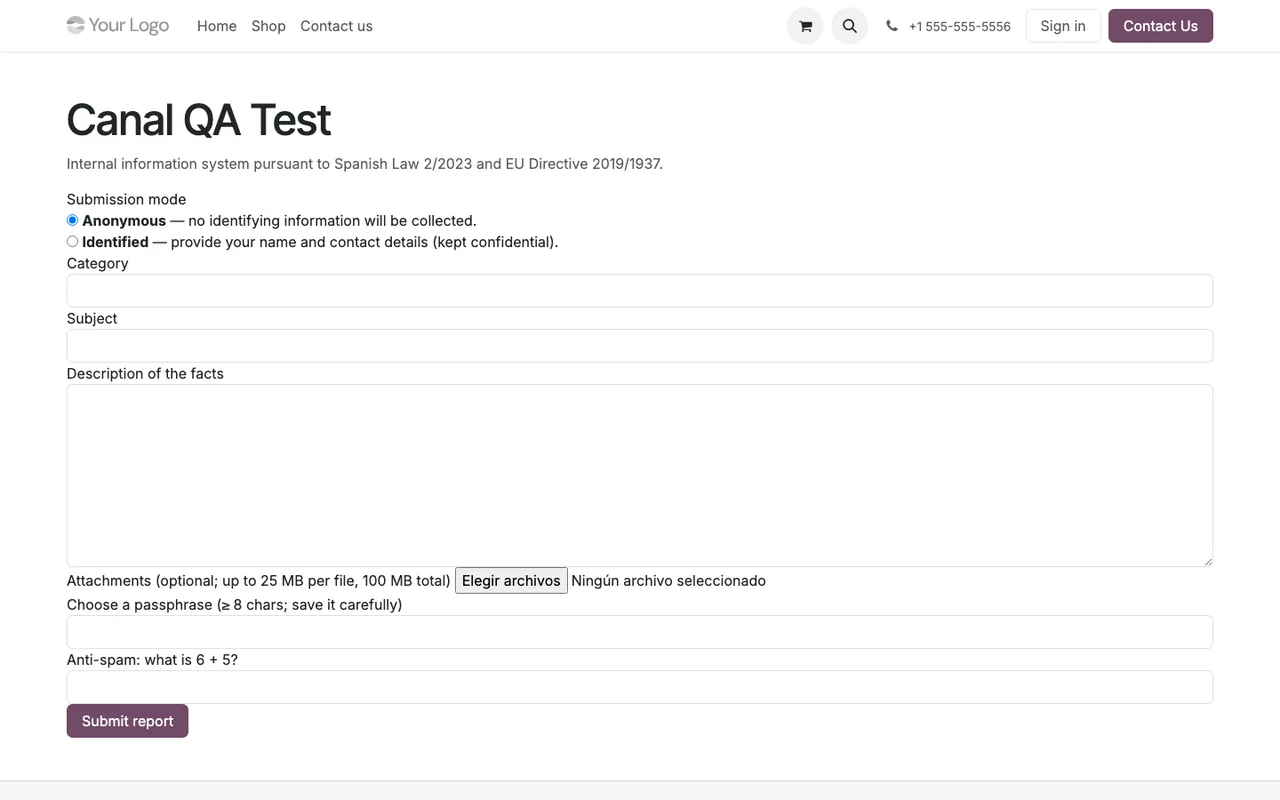
The test form shown above sits inside the Odoo website. This is what a page on that site looks like, with its header and footer:
What stays on your side
The listing makes clear that third-party costs are yours: you contract and pay for your account on each platform, Odoo and your hosting yourself.
How to try it before deciding
The listing offers a 14-day trial, no card needed. It also mentions module updates and support with a first response within 1 working day. Your data stays yours: you can view and export it at any time.
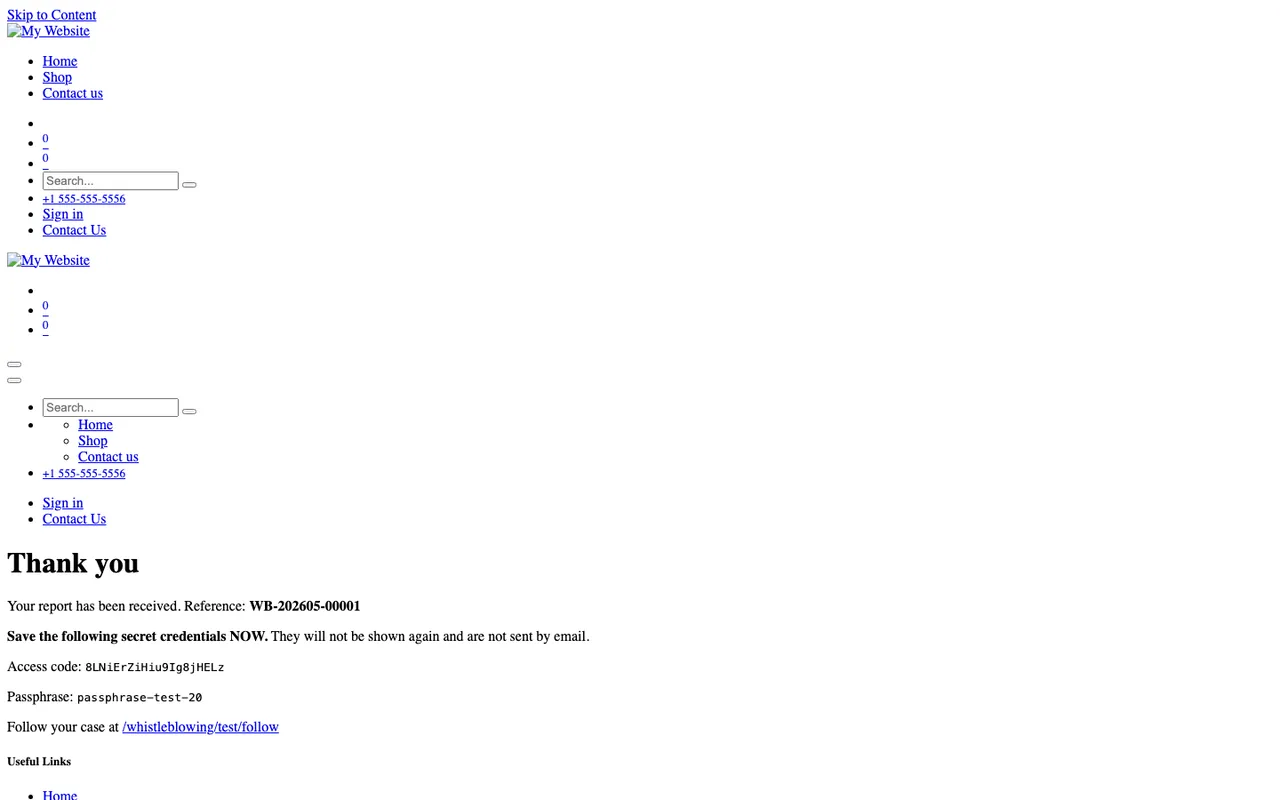
During the trial, send a test report through the form and check the confirmation the informant receives:
Then go through the reports view, the register, the channel list and a case form in Odoo:
To see more before committing, check the Odoo Apps listing.
How FlexigoTech can help
FlexigoTech implements Odoo 17, 18, 19 and 20 and builds bespoke connectors and integrations. If you would like help preparing the environment or fitting the channel into the rest of your Odoo, you will find the details on the module page on flexigotech.com.
Keep reading
Checked in the module's source code (version 20.0) and the linked sources
Sources
- Module source code: flexigo_whistleblowing 20.0 (8dfc517f): README.rst
- Module source code: flexigo_whistleblowing 20.0 (8dfc517f): static/description/index.html
- apps.odoo.com/apps/modules/20.0/flexigo_whistleblowing
- apps.odoo.com/apps/modules/17.0/flexigo_whistleblowing
- apps.odoo.com/apps/modules/18.0/flexigo_whistleblowing
- apps.odoo.com/apps/modules/19.0/flexigo_whistleblowing
- flexigotech.com/en/services.html
- flexigotech.com/precios.html