

 Español
 Català
 Deutsch
 Français
 Português
 Italiano
 Nederlands
 Polski
What the module sets up in your Odoo
The Odoo Apps listing describes the module as «Anonymous whistleblowing channel with legal deadlines». Once installed, a root menu called Whistleblowing appears and everything else hangs from it. This is not a setup guide (for that, see the step-by-step setup); it is the vocabulary: what each menu, scheduled action and internal component is, under its literal name, so you know where you are when you open the module.
The menus where each report is handled
Under Whistleblowing there are three everyday entries and one for configuration. These are the first three.
Reports- Path
Whistleblowing › Reports. In the kanban view, with theOpenfilter, the report cards are split into columns such asAcknowledgedandReceived.
Libro Registro- Path
Whistleblowing › Libro Registro. A list of entries showing a reference, a type (for exampleReceived), a summary such as «Report received.» and theOutcomeandCategory Codecolumns.
Audit Packs- Path
Whistleblowing › Audit Packs, with theGenerate Audit Packsubmenu. The code also contains thewb.audit.packmodel, described as «Whistleblowing Audit Pack».
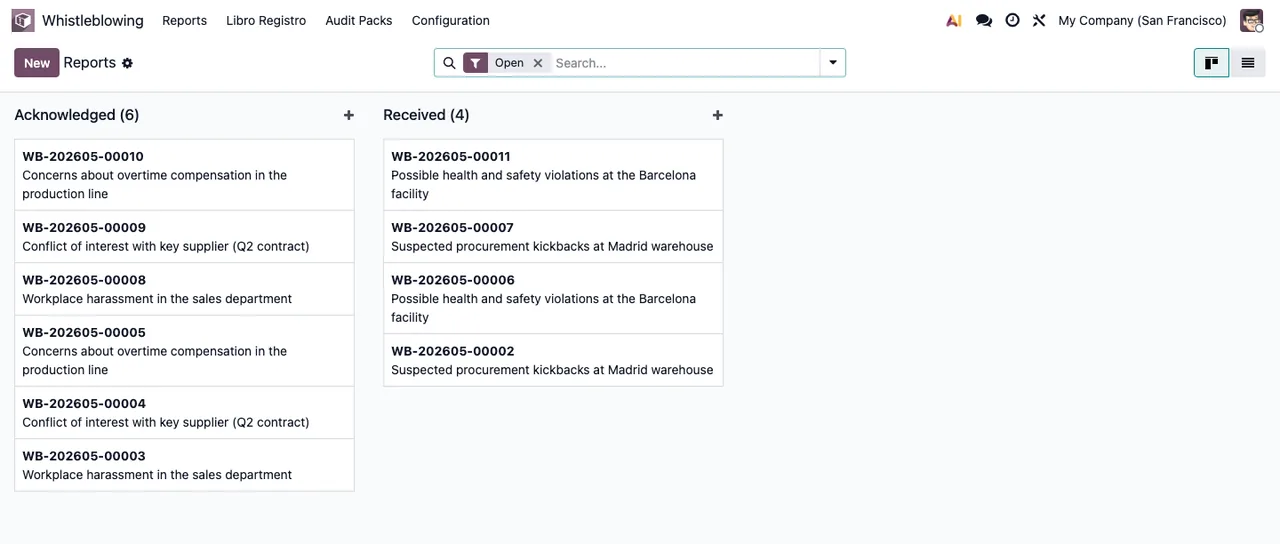
Whistleblowing › Reports with demo data, showing the Acknowledged and Received columns.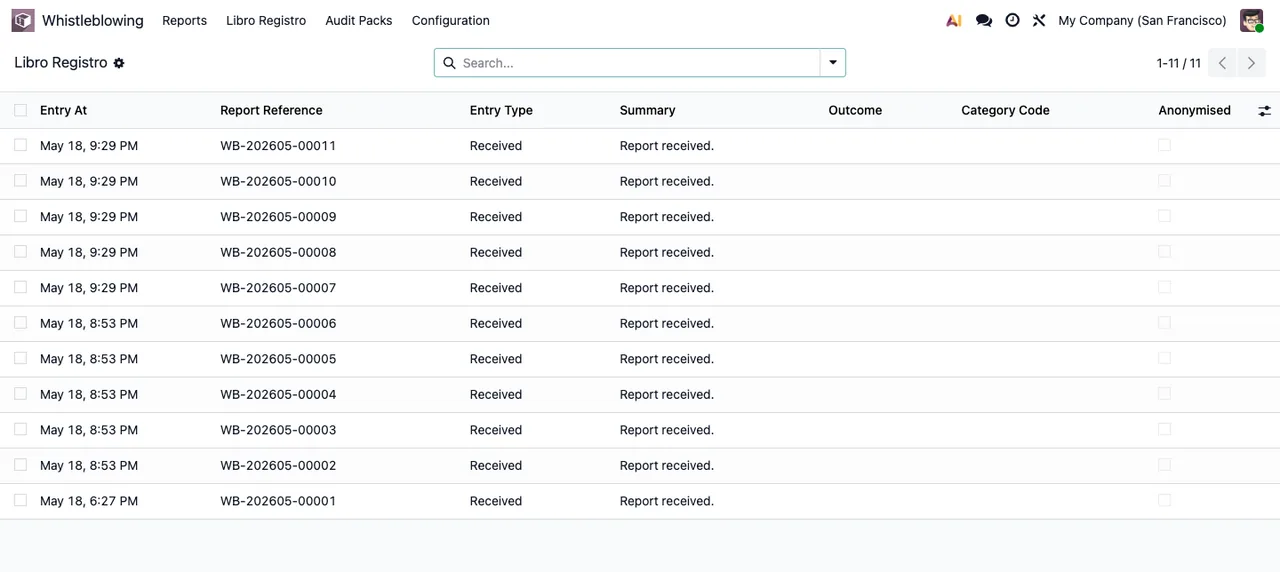
Libro Registro with demo data: the Outcome and Category Code columns are still empty.What sits under Configuration
The Whistleblowing › Configuration entry groups these screens. These are the terms that matter most:
Channels- Path
Whistleblowing › Configuration › Channels. The code has awb.channelmodel, «Whistleblowing Internal Channel». The list shows the channel name, its slug, the company and the state; in the screenshot, the sample channel isPublished.
Categories- Path
Whistleblowing › Configuration › Categories. The code has awb.categorymodel, «Whistleblowing Category of Breach».
Responsables- Path
Whistleblowing › Configuration › Responsables.
DPIA artefacts- Path
Whistleblowing › Configuration › DPIA artefacts. The code has awb.dpiamodel, «Whistleblowing DPIA artefact».
Retention policies- Path
Whistleblowing › Configuration › Retention policies.
The same menu also holds these entries:
Whistleblowing › Configuration › Policy documentsWhistleblowing › Configuration › Privacy noticesWhistleblowing › Configuration › External authoritiesWhistleblowing › Configuration › Import batchesWhistleblowing › Configuration › Import legacy reportsWhistleblowing › Configuration › GDPR DSAR Assembly
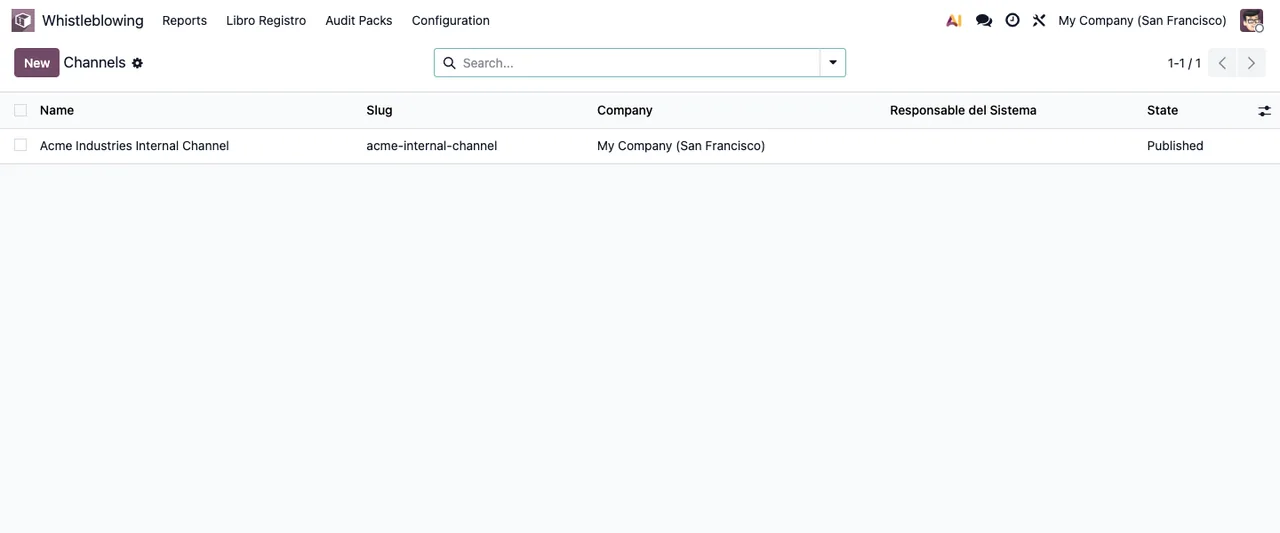
Channels with a single demo channel in the Published state.The seven scheduled actions and how often they run
The module ships seven scheduled actions, all of them active. Their names start with Whistleblowing: and the frequency is the one the module sets:
Whistleblowing: recompute overdue flags: every 15 minutes.Whistleblowing: deadline reminders: every hour.Whistleblowing: enforce retention: once a day.- The action for expired access codes (its name mentions
expired access codes): every 10 minutes. Whistleblowing: purge stale rate-limit buckets: once a day.Whistleblowing: recompute per-case access validity: once a day.Whistleblowing: hosted channel (FlexigoTech Cloud): every 10 minutes.
They all come active out of the box: if you change one, note which one and when you did it.
Internal components worth recognising
Not all of them have their own menu, but their names turn up in the code and help you see what the module is made of.
wb.access.code- Model «Whistleblowing Informant Access Code». Two scheduled actions mention access in their names: the one for
expired access codesandWhistleblowing: recompute per-case access validity.
wb.attachment.scanner- Model «Whistleblowing attachment AV scanner».
wb.deadline.calendar- Model «Whistleblowing deadline calendar helper (Europe/Madrid)».
wb.crypto.helper- Model «Whistleblowing crypto helper».
The states you will see on screen
These states appear across the module's screens: in Reports, the Acknowledged and Received columns; in a report's form, a status bar (on Received in the sample report) next to the channel, priority and deadlines, plus a Report content tab with the description of the facts and the outcome; and in Channels, the channel's Published state. If a warning pops up while you work, see the module's error messages and warnings explained.
Libro Registro, the channel list and a report form with its status bar on Received and an empty Report content tab; all with demo data.The channel hosted on FlexigoTech Cloud
The listing flags this in a section of its own, «Before you buy: this app uses a paid external service», and it also has a «Privacy policy» section.
- Hosted channel
- The code includes the
wb.fgt.canal.wizardwizard, «Activate the hosted whistleblowing channel», and theWhistleblowing: hosted channel (FlexigoTech Cloud)action runs every 10 minutes.
The local service costs €29/month or €290/year excluding VAT (Pro: €58/month or €580/year). Without a subscription, or with the service suspended, whatever the subscription provides stops; your data stays in your Odoo.
Versions and how we can help
The module is published on Odoo Apps for 17, 18, 19 and 20, at €9 per Odoo version, a one-off payment excluding VAT. With the subscription, the module for new Odoo versions is included if you bought it on the module page at flexigotech.com; on the Odoo App Store, each version is bought there, on its Odoo Apps listing.
At FlexigoTech we implement Odoo 17, 18, 19 and 20 and build bespoke connectors and integrations. If you want the whistleblowing channel to fit in with the rest of your Odoo, or you need something the module does not include, tell us what you have and we will look at it with you.
Keep reading
Checked in the module's source code (version 20.0) and the linked sources
Sources
- Module source code: flexigo_whistleblowing 20.0 (8dfc517f): views/wb_menu.xml
- Module source code: flexigo_whistleblowing 20.0 (8dfc517f): data/wb_cron.xml
- Module source code: flexigo_whistleblowing 20.0 (8dfc517f): data/wb_fgt_canal_data.xml
- Module source code: flexigo_whistleblowing 20.0 (8dfc517f): static/description/index.html
- Module source code: flexigo_whistleblowing 20.0 (8dfc517f): models/crypto_helper.py
- Module source code: flexigo_whistleblowing 20.0 (8dfc517f): models/fgt_canal.py
- Module source code: flexigo_whistleblowing 20.0 (8dfc517f): models/wb_access_code.py
- Module source code: flexigo_whistleblowing 20.0 (8dfc517f): models/wb_attachment_scanner.py
- Module source code: flexigo_whistleblowing 20.0 (8dfc517f): models/wb_audit_pack.py
- Module source code: flexigo_whistleblowing 20.0 (8dfc517f): models/wb_category.py
- Module source code: flexigo_whistleblowing 20.0 (8dfc517f): models/wb_channel.py
- Module source code: flexigo_whistleblowing 20.0 (8dfc517f): models/wb_deadline_calendar.py
- Module source code: flexigo_whistleblowing 20.0 (8dfc517f): models/wb_dpia.py
- apps.odoo.com/apps/modules/20.0/flexigo_whistleblowing
- apps.odoo.com/apps/modules/17.0/flexigo_whistleblowing
- apps.odoo.com/apps/modules/18.0/flexigo_whistleblowing
- apps.odoo.com/apps/modules/19.0/flexigo_whistleblowing
- flexigotech.com/en/services.html
- flexigotech.com/precios.html