

 Español
 Català
 Deutsch
 Français
 Português
 Italiano
 Nederlands
 Polski
How to read the connector's messages
Where the text contains %s, the module fills that gap with a variable detail (for example, the missing data or the detail of MRW's response). Read that detail first.
Connection and credential errors
| Message | When it appears | What to do |
|---|---|---|
Una conexion MRW nueva funciona a traves de FlexigoTech Cloud. | When creating a new MRW connection that does not go through FlexigoTech Cloud. | Set it up through FlexigoTech Cloud. |
Un transportista MRW conserva la conexion con la que se configuro: no cambia entre la directa y FlexigoTech Cloud. | When trying to switch an existing carrier between the direct connection and FlexigoTech Cloud. | Keep the connection it was set up with. |
Este transportista MRW usa la conexion directa que se compro: no cambia a otro proveedor. Para otro proveedor, crea un transportista nuevo. | When changing the provider of a carrier on the purchased direct connection. | Create a new carrier for the other provider, as the message says. |
Antes de guardar la contrasena, un administrador tiene que aceptar que las credenciales y los envios MRW pasen por FlexigoTech Cloud. No se ha enviado nada. | When saving the MRW password before that acceptance. | Ask an administrator to accept it, then save the password again. |
Guarda primero en FlexigoTech Cloud la contrasena MRW de este transportista. No se ha enviado nada. | When that carrier's MRW password is not saved in FlexigoTech Cloud. | Save the password on the carrier and retry. |
Las credenciales MRW no estan guardadas en FlexigoTech Cloud: introducelas de nuevo en el transportista. | When FlexigoTech Cloud does not hold that carrier's credentials. | Enter them again on the carrier. |
No se puede importar la libreria 'requests': %s | When that library cannot be imported. | Pass the full text to whoever runs your Odoo installation. |
Errors when preparing a shipment
| Message | When it appears | What to do |
|---|---|---|
Faltan datos MRW en el transportista: %s | The carrier is missing MRW data. | Fill in the data listed after the colon. |
Configure la URL de MRW en el transportista. | The carrier has no MRW URL. | Enter the URL on the carrier. |
El transportista no es de tipo MRW. | An MRW action is run on a carrier of another type. | Use an MRW-type carrier. |
No se ha encontrado un transportista MRW valido para este albaran. | The delivery order has no valid MRW carrier. | Check the delivery method on the order. |
No se encontro la empresa asociada al transportista. | The company associated with the carrier cannot be found. | Check the carrier's company. |
Faltan datos de direccion del remitente en la empresa. | Your company address is incomplete. | Complete the company address. |
El albaran no tiene destinatario configurado. | The delivery order has no recipient. | Set the recipient on the order. |
Faltan datos de direccion del destinatario en el cliente. | The customer address is incomplete. | Complete the address on the customer record and retry. |
El servicio MRW seleccionado es de ambito nacional y el destino no es ES. | Domestic service with a destination outside ES. | Choose an international service. |
El servicio MRW seleccionado es internacional y el destino es ES. | International service with an ES destination. | Choose a domestic service. |
Este albaran ya tiene un envio MRW creado: %s (or without the detail) | When shipping a delivery order that already has an MRW shipment. | Do not send it again: check the existing shipment, using the detail shown after the colon. |
El envio manual de MRW esta desactivado en el metodo de envio. | Pressing the manual button while the option is off. | Enable Mostrar boton manual "Enviar MRW" on the delivery method, as the message says. |
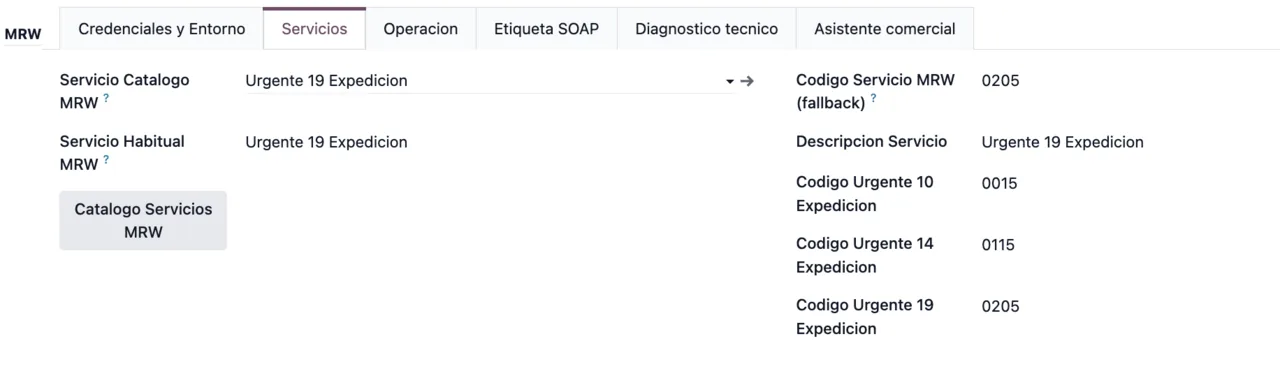
Catálogo Servicios MRW button.MRW responses, labels and cancellations
| Message | When it appears | What to do |
|---|---|---|
Respuesta vacia de MRW. | MRW replies with no content. | Try again later. |
Respuesta SOAP invalida de MRW: %s | MRW's SOAP response is not valid. | Keep the detail shown after the colon and retry. |
Error SOAP de MRW: %s | MRW returns a SOAP error. | Read the text shown after the colon and correct what it indicates. |
No se encontro nodo Result en la respuesta MRW. | The Result node is missing from MRW's response. | Retry and keep the text of the message. |
No se encontro nodo Result en la respuesta de etiqueta MRW. | The same, in the label response. | Request the label again. |
No hay etiquetas MRW disponibles para descargar. | There are no MRW labels to download. | Request the label again. |
MRW no devolvio URL tecnica para este envio. Use "Etiqueta MRW" para abrir el PDF o "Solicitar Etiqueta MRW" para reintentar. | MRW does not return the shipment's technical URL. | Use Etiqueta MRW or Solicitar Etiqueta MRW, as the message says. |
No hay envio MRW para cancelar en este albaran. | Cancelling on a delivery order with no MRW shipment. | Check you are on the right delivery order. |
MRW rechazo la cancelacion [Estado %s]: %s | MRW rejects the cancellation. | Read the status and the reason shown in the message. |
Error al cancelar envio MRW %s: %s | Cancelling the shipment fails. | Check the detail and retry. |
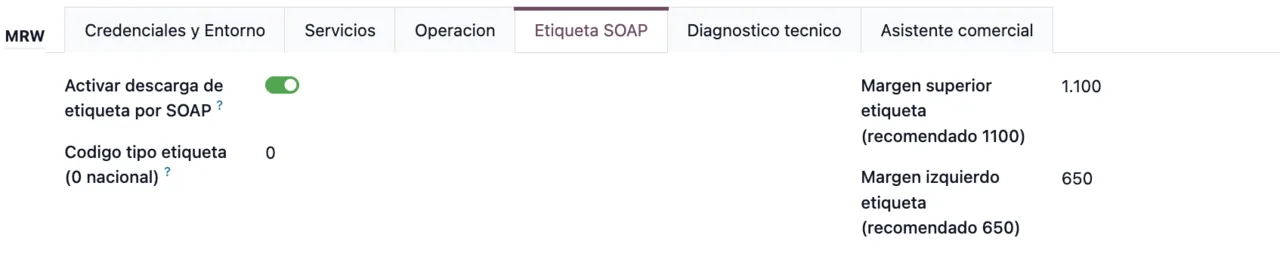
SOAP auditing, retries and XML purging
The MRW configuration has SOAP auditing with audit XML, a retention setting and a purge, plus a maximum number of retries. These are their messages:
| Message | When it appears | What to do |
|---|---|---|
Solo los administradores pueden modificar la auditoria SOAP MRW. | A user who is not an administrator changes auditing. | Ask an administrator. |
La retencion de XML de auditoria no puede ser negativa. | Retention set to a negative value. | Use zero or a positive number. |
El maximo de reintentos MRW no puede ser negativo. | Maximum retries set to a negative value. | Use zero or a positive number. |
Solo administradores pueden purgar XML de auditoria MRW. | A user who is not an administrator runs the purge. | An administrator does it. |
Configura una retencion mayor que 0 para ejecutar la purga. | Purging with retention at zero. | Raise the retention and purge again. |
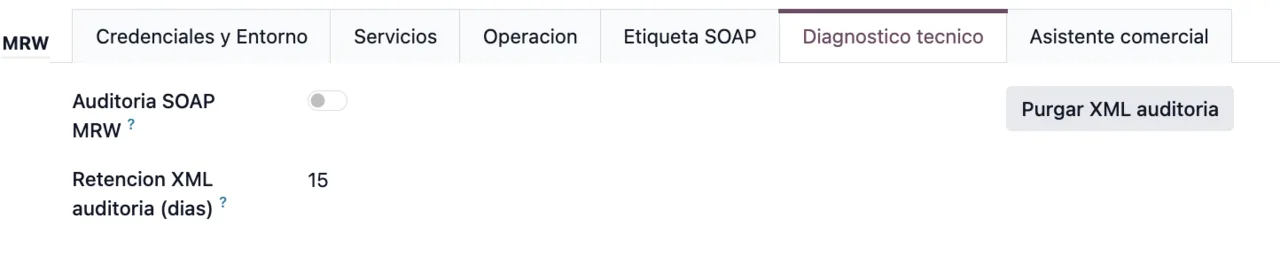
Diagnostico tecnico tab, with SOAP auditing switched off, retention in days and the Purgar XML auditoria button.Where FlexigoTech Cloud fits and how we help
The connection runs through FlexigoTech Cloud, which stores credentials encrypted, monitors synchronisation and emails you if it fails; if MRW changes its API, the module and the service are adapted. To understand what a shipment goes through before reaching these messages, see how MRW Shipping Connector works under the bonnet.
The module is published on Odoo Apps for Odoo 17, 18, 19 and 20, at €9 per Odoo version (one-off payment, excluding VAT). The MRW connection through FlexigoTech Cloud also requires the Connector plan: €49/month or €490/year excluding VAT (Pro: €98/month or €980/year), with up to 3 accounts (Pro: 10). Without a subscription, or with the service suspended, whatever the subscription provides stops, and your data stays in your Odoo.
At FlexigoTech we implement Odoo 17, 18, 19 and 20 and build bespoke connectors and integrations; you will find the module details on its page at flexigotech.com.
Keep reading
Checked in the connector's source code (version 20.0) and the linked sources
Sources
- Module source code: flexigobe_mrw 20.0 (a4cc198a): models/delivery_carrier.py
- Module source code: flexigobe_mrw 20.0 (a4cc198a): models/stock_picking.py
- apps.odoo.com/apps/modules/20.0/flexigobe_mrw
- apps.odoo.com/apps/modules/17.0/flexigobe_mrw
- apps.odoo.com/apps/modules/18.0/flexigobe_mrw
- apps.odoo.com/apps/modules/19.0/flexigobe_mrw
- flexigotech.com/en/services.html
- flexigotech.com/precios.html