
 Español
 Català
 Deutsch
 Français
 Português
 Italiano
 Nederlands
 Polski
The warehouse picks, then someone else re-keys the shipments
When dispatch and the ERP live apart, manual re-keying multiplies errors.


Ship with MRW from Odoo: when you validate the delivery, the shipment is created at MRW with its PDF label and tracking number.
€49/month14 days free, no card
Reply within 1 working day; with Pro, 4 hours. FlexigoTech Cloud pricing
After you buy
Every purchase includes 2 months of support: we help you install it, set it up and get it working, by email and video call.
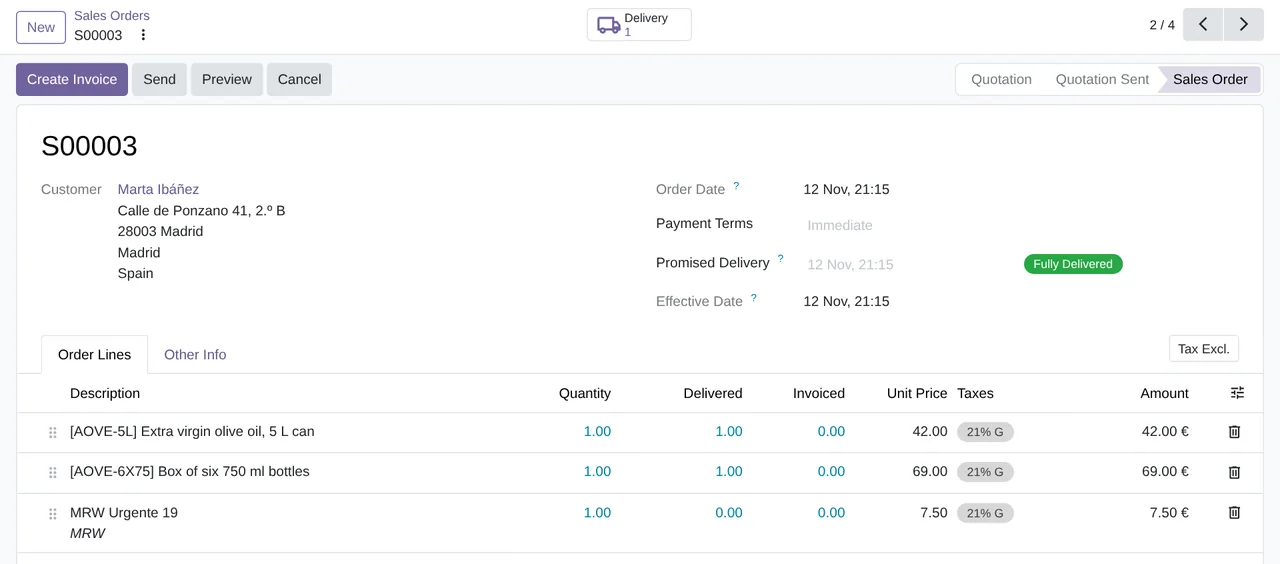
 A delivery shipped with MRWReal Odoo screenshot
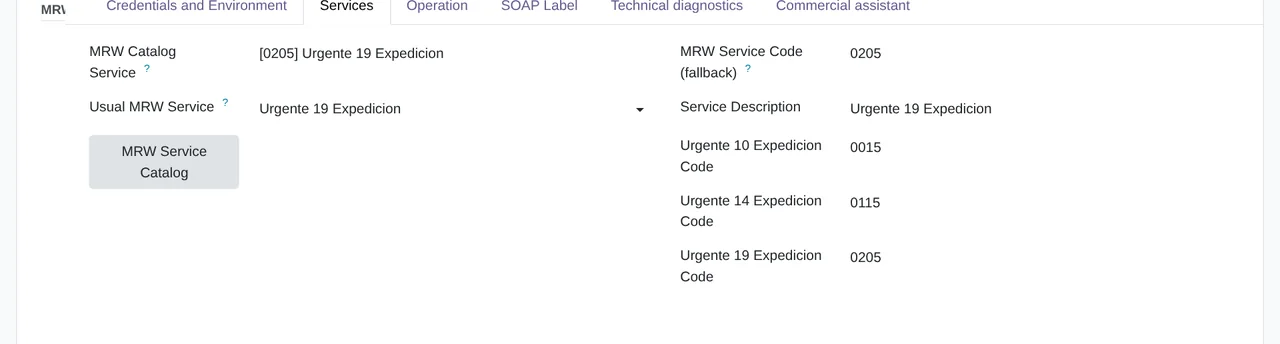
Pick the service Urgente 19 comes preset. In the «Services» tab you pick another one from MRW's catalogue or enter your franchise's code.
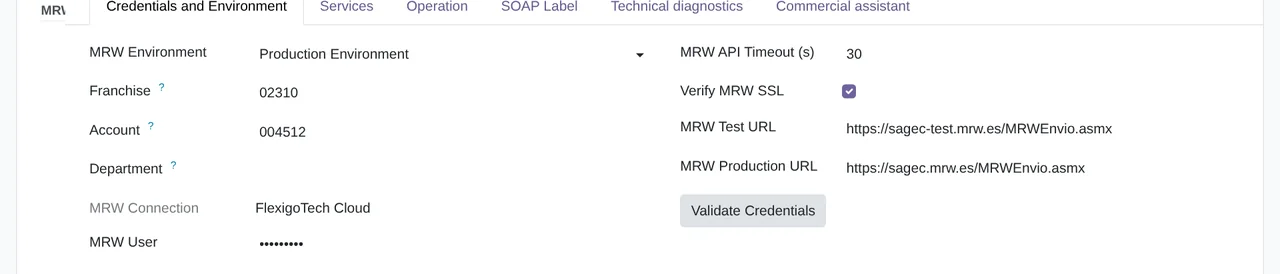
What you need A contract with MRW and the details of its web service (Sagec): franchise, account, user and password. Odoo 17, 18, 19 or 20 on Odoo.sh or your own server, not Odoo Online.

From Odoo
FlexigoTech Cloud
From MRW

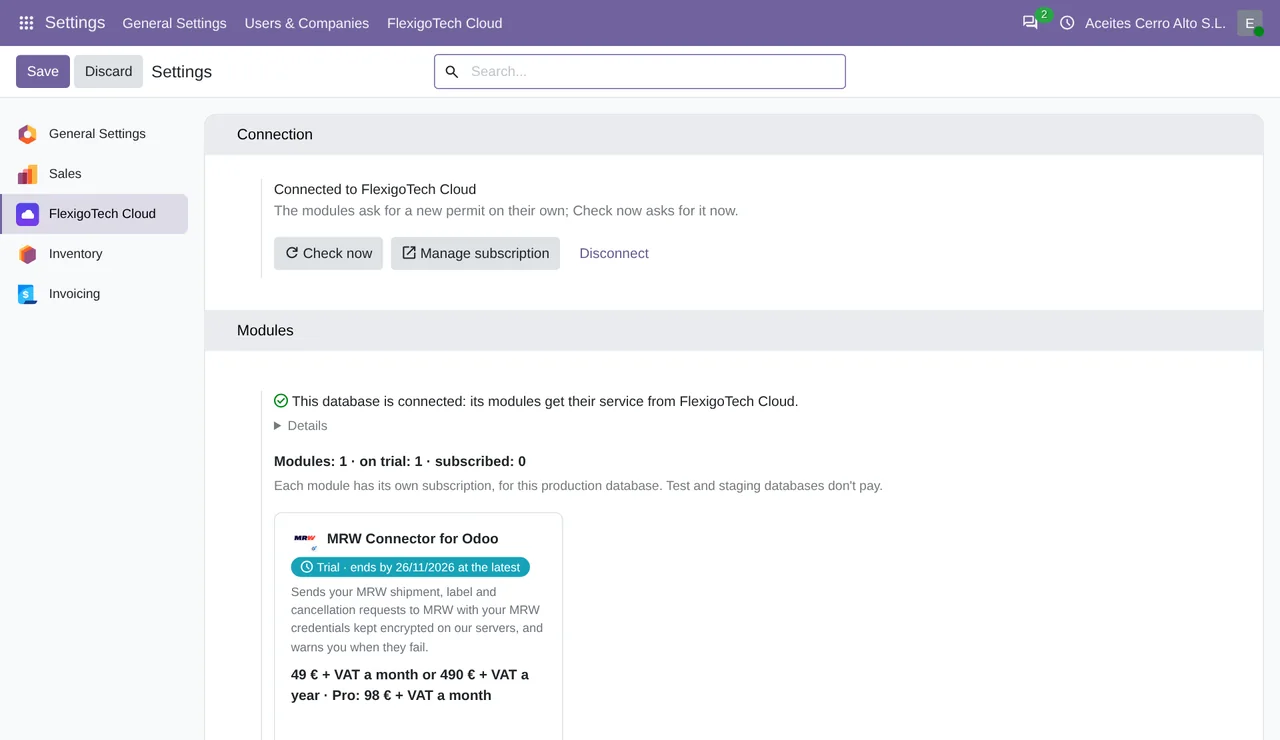
Your MRW password goes once, encrypted, to FlexigoTech Cloud with your franchise, account and user, and is never stored in your Odoo. Every shipment, label and cancellation goes through the cloud, which adds your credentials.
 Salesthe shipping line and the «MRW History» button
Real Odoo screenshots.
Standard
€49a month + VAT
€490 a year + VAT 2 months free
Pro
€98a month + VAT
€980 a year + VAT 2 months free
If you cancel What the subscription gives stops. Your data stays in your Odoo.
When you validate the delivery, if the delivery method is set to «Get Rate and Create Shipment». If you would rather send it yourself, turn on the «Send MRW» button in the carrier's «Operation» tab.
By default the delivery is not validated and Odoo tells you what failed. With «Allow validation and mark the shipment as pending», the delivery is validated and, if the failure is temporary, the connector retries on its own up to 6 times.
Urgente 19 comes preset. On the carrier you pick another from its catalogue, such as Urgente 10, Urgente 14 or Ecommerce, or enter the code your franchise gives you.
No. The connector does not ask MRW for rates: the order carries the fixed price you set on the delivery method.
Yes. «Cancel MRW», on the delivery, cancels it at MRW and logs it in the delivery's history.
No. It uses Odoo Community's Inventory and Sales: it works on Community and Enterprise.
1. You pay for the license (€9 + VAT) and get an email with the link to download the module. 2. You install it in your Odoo, on Odoo.sh or your own server. 3. In Settings → FlexigoTech Cloud you accept the data list and press «Try free for 14 days». The trial doesn't ask for a card. 4. To continue, you press «Subscribe», create your account on app.flexigotech.com and pay for the plan by card.
No: Odoo Online does not allow third-party modules. It is for Odoo 17, 18, 19 and 20, on Odoo.sh or on your own server.
You do: you buy it on flexigotech.com or on Odoo Apps and install it in your Odoo. We help you install it and set it up, by email and video call, during the 2 months of included support. Custom development and data migration are quoted separately.
Every purchase includes 2 months of support: we help you install it, set it up and get it working, by email and video call. While you're subscribed, support for the service stays included.
We monitor the connection and email you if something fails. And support has response times: first response within 1 working day; with Pro, within 4 working hours.
The connection goes through FlexigoTech Cloud, on our servers in Germany, with your credentials encrypted. You cancel in two clicks: if you don't subscribe when the trial ends, the service stops and nothing is charged. Your data stays in your Odoo, and you can always view and export it.
Using MRW but not Odoo yet?
We set up Odoo, connect it to MRW and stay on.
From €2,450 + VAT
Start with OdooThis is not about isolated features. It is about the operational pain that pushes a team to go looking for a connector like this in the first place.
When dispatch and the ERP live apart, manual re-keying multiplies errors.
If the tracking number does not live in Odoo, customer support is always one step behind.
That slows down scaling, onboarding new staff and keeping operations consistent.
Everything you need to ship with MRW from Odoo: labels, tracking and domestic plus international dispatch, without ever leaving the ERP.
Validating the delivery creates the shipment and attaches MRW's PDF label, ready to print.
Odoo talks to the MRW Sagec web service through FlexigoTech Cloud, with an active subscription, and no other third-party service in the loop.
The MRW shipment number is written on the delivery, with its tracking link, and the sales order shows it.
Prepare and confirm multiple MRW shipments at once with a built-in batch wizard, instead of one order at a time.
«Cancel MRW», on the delivery, cancels the shipment at MRW and logs it in the delivery's history.
Ship to Spain, Portugal and international destinations on top of Odoo's native delivery.carrier system.
No re-keying. The connector plugs into Odoo's native carrier flow, so shipping MRW feels like any other Odoo action.
Install the module, create an MRW delivery method and paste your Sagec SOAP credentials once: they go to FlexigoTech Cloud, encrypted, and every call to MRW goes through it (active subscription).
Validate the delivery order: Odoo creates the MRW shipment and attaches MRW's PDF label, ready to print.
The tracking number lands on the delivery, you can send several deliveries at once, and «Cancel MRW» cancels the shipment at MRW.
MRW is a trademark of its owner. FlexigoTech publishes this connector on its own, with no endorsement or sponsorship from the trademark owner.
3 practical guides on this module: error guides, glossaries and guides for sellers without an ERP.