

 Español
 Català
 Deutsch
 Français
 Português
 Italiano
 Nederlands
 Polski
How to read the EPR & PPWR Compliance messages
Each message in the module has an English text that already points to what is missing. The tables give the literal text as the module defines it; where you see %s or %%, it is reproduced exactly. They are grouped by the part of the module where you will meet them: packaging, schemes and dates, declarations, the EPR ledger and imports, and the connection to FlexigoTech Cloud. If you would rather see the menus and records first, read how the module works under the bonnet.
Packaging, components and transfers
These messages appear while you fill in a packaging item and its components.
| Message | When it appears | What to do |
|---|---|---|
Set a supplier on the packaging item first. | The packaging item has no supplier. | Set the supplier on the packaging item and try again. |
Component weight must be greater than zero. | A component's weight is not above zero. | Enter the component weight as a value above zero. |
%s must be between 0 and 100 %%. | A percentage value falls outside the 0 to 100 range. | Correct the value so it sits between 0 and 100. |
Heavy metal concentration cannot be negative. | The heavy metal concentration has a negative value. | Set it to zero or a positive value. |
The packaging quantity must be positive. | The packaging quantity is not positive. | Enter a positive quantity. |
Choose the pack (packaging unit) for grouped packaging. | There is grouped packaging with no pack chosen. | Choose the pack (the packaging unit) for the grouped packaging. |
Only an EPR manager can record the packaging of transfers again. | Someone who is not an EPR manager tries to record the packaging of transfers again. | Ask an EPR manager to do it. |
A note on The packaging quantity must be positive.: the same text appears twice in the module's list of messages, so it can come from two different checks. The fix is the same in both cases: enter a positive quantity.
Beyond these messages, the module has a list per packaging item and requirement under EPR & PPWR › Compliance › PPWR readiness, with the columns Status, Reason and Manual Status. With the Issues filter and grouped by Requirement it looks like this:
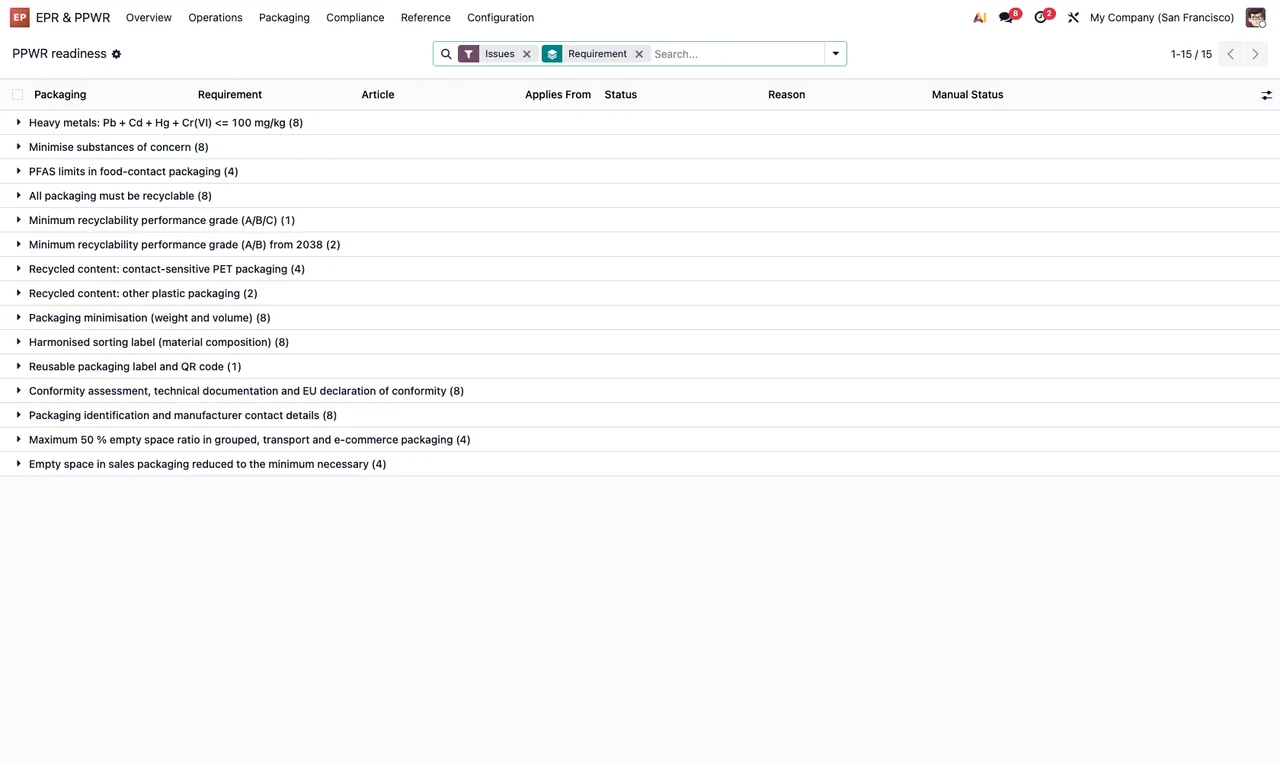
PPWR readiness list with the Issues filter, grouped by Requirement, showing the columns Packaging, Requirement, Article, Applies From, Status, Reason and Manual Status.Schemes, registrations, mandates and periods
Most of this group is about dates: the module will not let you save an end before the start. The other messages ask for a missing value.
| Message | When it appears | What to do |
|---|---|---|
The period end cannot be before its start. | The period ends before it starts. | Correct one of the two dates. |
An EPR declaration needs a scheme. | An EPR declaration has no scheme. | Choose the declaration's scheme. |
A plastic tax return needs the tax. | A plastic tax return has no tax set. | Set the tax on that return. |
The end date of a fee schedule cannot be before its start date. | A fee schedule has an end date before its start date. | Correct the fee schedule dates. |
A registered scheme needs its registration number (%s). | A registered scheme has no registration number. | Add the registration number. |
The registration end date cannot be before its start date. | A registration ends before it starts. | Check its start and end dates. |
The mandate end date cannot be before its start date. | A mandate ends before it starts. | Check its start and end dates. |
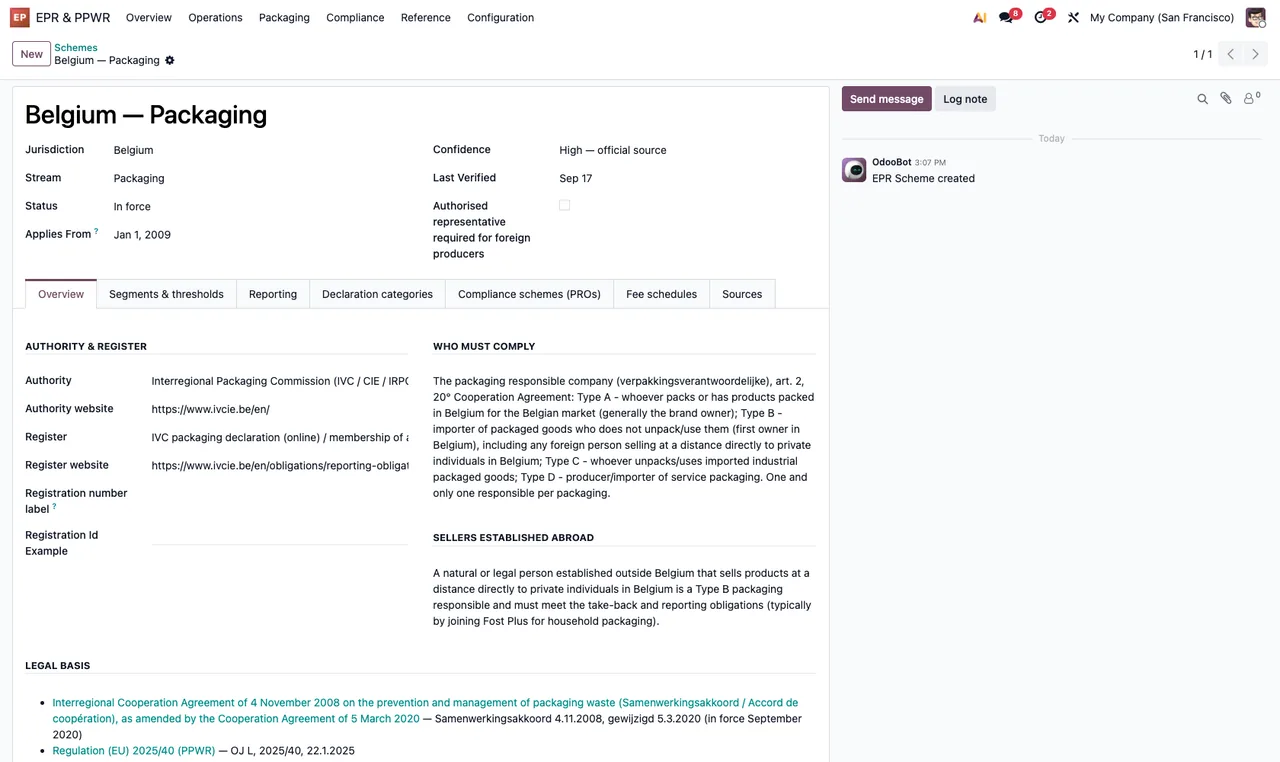
EPR & PPWR › Schemes, with jurisdiction, stream, state, authority and registration, who must comply, foreign sellers, legal basis and the chatter.What each declaration state allows
The declaration messages make the rules clear: a declaration can only be recomputed and submitted in draft; it can only be accepted once submitted; a submitted one only moves on through its buttons, by accepting it or by an EPR administrator cancelling it; and only a cancelled one goes back to draft. A submitted declaration cannot be deleted either.
| Message | When it appears | What to do |
|---|---|---|
Only draft declarations can be recomputed. | You try to recompute a declaration that is not in draft. | Recompute only in draft; if it is already submitted, create a correction or ask an EPR administrator to cancel it. |
Only draft declarations can be submitted. | You try to submit a declaration that is not in draft. | Check the state: it can only be submitted from draft. |
Only submitted declarations can be accepted. | You try to accept a declaration that has not been submitted. | Submit it first, then accept it. |
Only an EPR administrator can cancel a submitted declaration. | Someone who is not an EPR administrator tries to cancel a submitted declaration. | Ask an EPR administrator to cancel it. |
Only cancelled declarations can be reset to draft. | You try to reset a declaration to draft that is not cancelled. | If it is submitted, an EPR administrator has to cancel it first. |
Corrections are created for submitted declarations. | You try to create a correction for a declaration that has not been submitted. | Create the correction on a submitted declaration. |
A submitted declaration only moves on through its buttons: accept it, or have an EPR administrator cancel it. | You try to change a submitted declaration's state without using its buttons. | Use the buttons: accept it or ask an EPR administrator to cancel it. |
Submitted declarations cannot be deleted. | You try to delete a submitted declaration. | It cannot be deleted: accept it, create a correction or ask for it to be cancelled. |
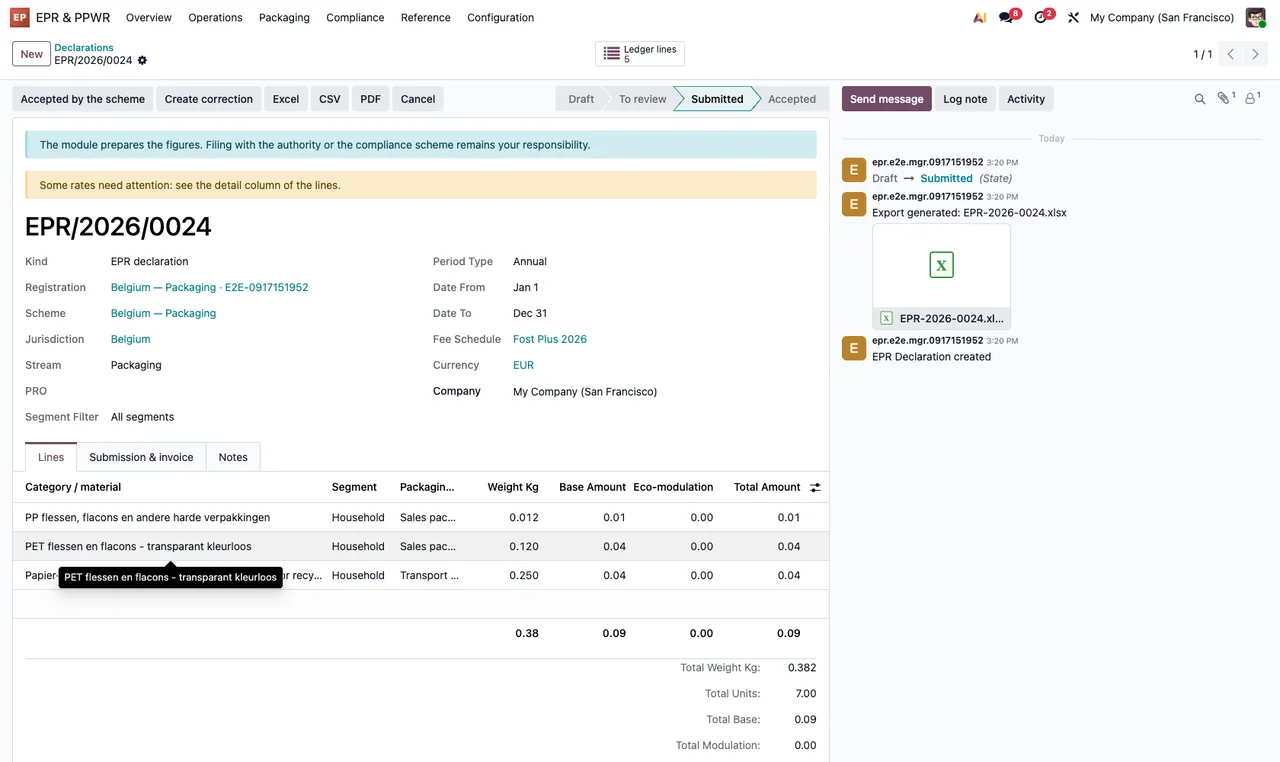
Submitted state under EPR & PPWR › Declarations, with type, registration, scheme, jurisdiction, annual period, material lines with weights and amounts, totals and the Excel export in the chatter.If you spot a mistake in a declaration that is already submitted, the messages leave you two routes: a correction, which is created for submitted declarations, or an EPR administrator cancelling it so it can be reset to draft.
The EPR ledger and file imports
Ledger lines that have already been declared are locked: the module will not let you change or delete them and asks you to record an adjustment. The other three messages in this table appear when you import a file.
| Message | When it appears | What to do |
|---|---|---|
Declared ledger lines cannot be changed. Record an adjustment instead. | You try to edit a ledger line that has been declared. | Record an adjustment instead of editing the line. |
Declared ledger lines cannot be deleted. Record an adjustment instead. | You try to delete a ledger line that has been declared. | Record an adjustment instead of deleting it. |
Reading XLSX needs the openpyxl library; save the sheet as CSV instead. | You import an XLSX file and the openpyxl library is missing. | Save the sheet as CSV and import it again, as the message itself suggests. |
The file is empty. | The file you are importing is empty. | Check you picked the right file and that it contains data. |
Missing columns: %s | The file is missing columns. | Add the columns the message lists and import again. |
EPR ledger pivot table with the weight per material for one quarter in Belgium (cardboard, PET bottles and rigid PP), a declaration in the Submitted state and the PPWR readiness list grouped by requirement.When the message comes from FlexigoTech Cloud
This module works with a local service from FlexigoTech Cloud, and that brings its own message: The answer of FlexigoTech Cloud does not match the request. Nothing was changed. It says two things: the service's answer does not match what was asked for, and nothing was changed. Run the action again and, if the message comes back, write to us with the record and the time it appeared.
Bear in mind too that without a subscription, or with the service suspended, whatever the subscription provides stops; your data stays in your Odoo. On Odoo Apps, the module costs €9 per Odoo version (one-off payment, excluding VAT) for 17.0, 18.0, 19.0 and 20.0; the local service costs €29/month or €290/year excluding VAT (Pro: €58/month or €580/year).
How FlexigoTech can help
If a message keeps coming back and you cannot see where it comes from, or you need the module to receive data from another system, FlexigoTech implements Odoo 17, 18, 19 and 20 and builds bespoke connectors and integrations. To get schemes, registrations and packaging filled in properly from day one, see the setup guide. The module is on its flexigotech.com page and on Odoo Apps.
Keep reading
Checked in the module's source code (version 20.0) and the linked sources
Sources
- Module source code: flexigo_extended_producer_responsibility_cross_border_p av20epr/20.0 (8a86e540): models/epr_declaration.py
- Module source code: flexigo_extended_producer_responsibility_cross_border_p av20epr/20.0 (8a86e540): models/epr_fee_schedule.py
- Module source code: flexigo_extended_producer_responsibility_cross_border_p av20epr/20.0 (8a86e540): models/epr_ledger.py
- Module source code: flexigo_extended_producer_responsibility_cross_border_p av20epr/20.0 (8a86e540): models/epr_packaging.py
- Module source code: flexigo_extended_producer_responsibility_cross_border_p av20epr/20.0 (8a86e540): models/epr_registration.py
- Module source code: flexigo_extended_producer_responsibility_cross_border_p av20epr/20.0 (8a86e540): models/product_template.py
- Module source code: flexigo_extended_producer_responsibility_cross_border_p av20epr/20.0 (8a86e540): models/stock_packaging.py
- Module source code: flexigo_extended_producer_responsibility_cross_border_p av20epr/20.0 (8a86e540): models/stock_picking.py
- Module source code: flexigo_extended_producer_responsibility_cross_border_p av20epr/20.0 (8a86e540): wizard/epr_wizards.py
- apps.odoo.com/apps/modules/20.0/flexigo_extended_producer_responsibility_cross_border_p
- apps.odoo.com/apps/modules/17.0/flexigo_extended_producer_responsibility_cross_border_p
- apps.odoo.com/apps/modules/18.0/flexigo_extended_producer_responsibility_cross_border_p
- apps.odoo.com/apps/modules/19.0/flexigo_extended_producer_responsibility_cross_border_p
- flexigotech.com/en/services.html
- flexigotech.com/precios.html