

 Español
 Català
 Deutsch
 Français
 Português
 Italiano
 Nederlands
 Polski
What the module covers according to its README
The module's documentation groups its features into several blocks. Here they are as listed, so you can compare them with what you need before deciding.
Data capture and the annual campaign
- Guided data capture per VSME disclosure group (
B1–B11,C1–C9). - A multi-step setup wizard for first-time configuration.
- Annual collection campaign management, with data owner assignments and deadline reminders.
- Auto-import from Odoo HR (
B8, workforce), payroll and accounting. - Per-field year-over-year delta tracking, with configurable data quality alert thresholds.
Reports and export
- VSME
Module BandModule B+Creport generation. - XBRL v1.2.0 package export using the EFRAG taxonomy.
- PDF and CSV export for all report snapshots.
- Report approval workflow:
draft → under review → approved. - Management summary report with a commentary section.
ESG questionnaires other people send you
- Bank ESG questionnaire auto-fill from your VSME disclosures.
- Supply chain ESG questionnaire templates and a custom template builder.
- Response export as PDF, CSV and JSON.
- Tracking and responding to ESG data requests from banks, investors and partners.
- A notice on the Omnibus I value-chain cap (Directive (EU) 2026/470) and an out-of-scope field list with a visibility flag.
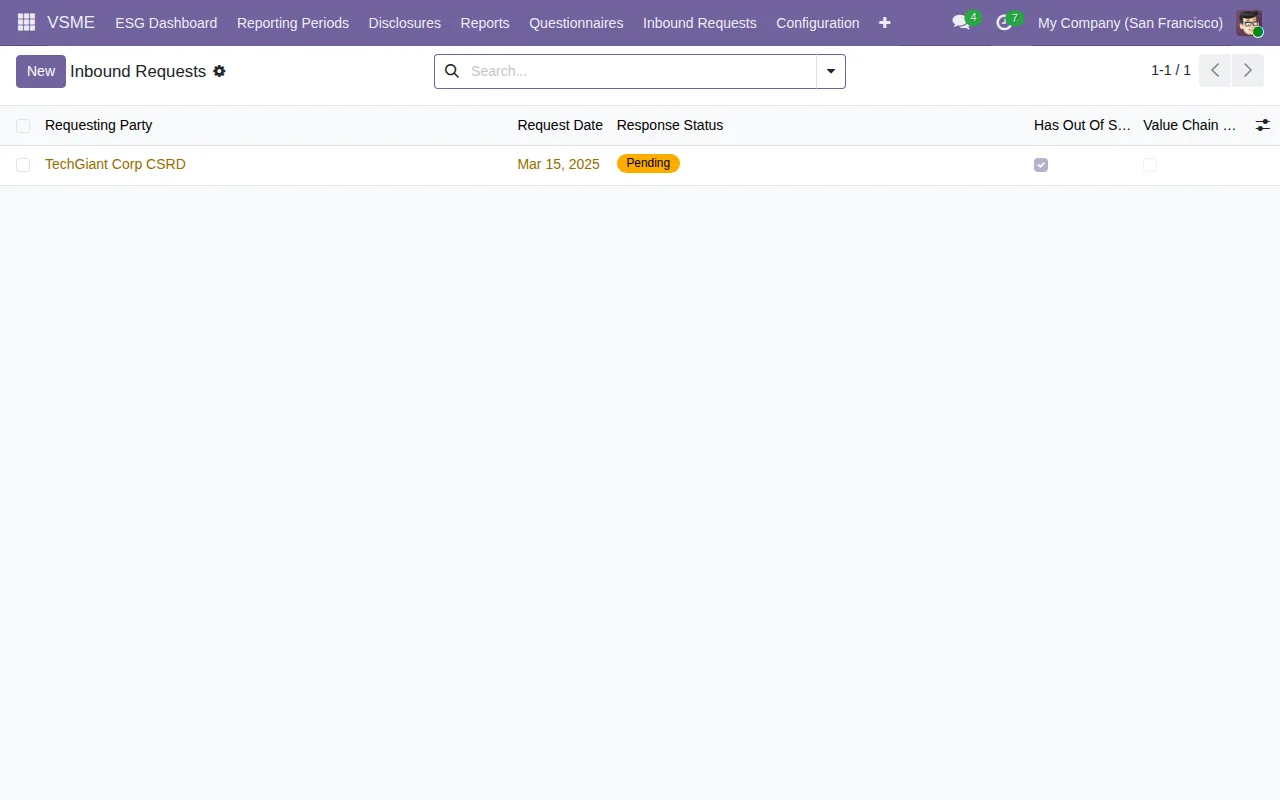
Inbound Requests list with a single sample record in Pending status and the box ticked in the out-of-scope column.Personal data, audit and configuration
- A GDPR Art. 15 access request (DSAR) wizard and a GDPR Art. 17 erasure wizard with a retention-policy check.
- Small-company redaction of aggregated HR figures (headcount < 50).
- An immutable audit trail for all ESG data changes (write-protected model) and a configurable data retention period.
- Multi-company: each legal entity keeps its own VSME records.
- Configurable regulatory thresholds, such as the employee count for the gender pay gap.
- Pre-loaded DEFRA and EEA grid-electricity emission factors, plus an industry benchmark overlay based on the NACE code.
If this is your situation, look at this part
| If this is your situation | What the documentation describes |
|---|---|
| You need a VSME report and already keep workforce or accounting data in Odoo | The wizard auto-imports available data from Odoo HR and accounting |
| A bank sends you an ESG questionnaire | Bank questionnaire auto-fill from your VSME disclosures |
| A large customer asks for supply chain ESG data | Supply chain templates and tracking of inbound requests |
| You need to deliver the report in XBRL | XBRL v1.2.0 package export with the EFRAG taxonomy |
| You have several companies in one database | Independent VSME records per legal entity |
| You want someone to review the report before it is final | The draft → under review → approved workflow |
| Your Odoo is not 17, 18 or 19 | It is not listed for any other version on Odoo Apps |
The README points to the EFRAG VSME Standard (2023) as a reference. What the module does with that standard is what you have just read: it does not replace reading the standard or the judgement of whoever signs the report.
What each Odoo version includes
| Odoo version | Published on Odoo Apps | Features |
|---|---|---|
| 17.0 | Yes, listing checked on 03-11-2026 | Those in the README |
| 18.0 | Yes, listing checked on 03-11-2026 | Those in the README |
| 19.0 | Yes, listing checked on 03-11-2026 | Those in the README |
All three listings show €39 excluding VAT, a one-off payment per Odoo version. You can check it on the Odoo Apps listing or on the module page.
What changes when you upgrade
It helps to separate two kinds of version here.
The Odoo version: payment is per version, so a licence for one version is not a licence for another: each listing has its own purchase.
The EFRAG taxonomy version: the module includes EFRAG VSME taxonomy version management, separate from your Odoo version. The Taxonomy Configuration list shows version 1.2.0 marked as included and active.
How to try it before deciding
These are the start-up steps the README gives, in order:
- Install the module.
- Go to
VSME → Configuration → Setup Wizard. - Enter your company's NACE code, reporting scope (
Module BorB+C) and fiscal year. - The wizard auto-imports available data from Odoo HR and accounting.
- Create a
Reporting Periodfor the current year.
Do this on a test database running your Odoo version. When you finish, your periods should appear in the Reporting Periods list.
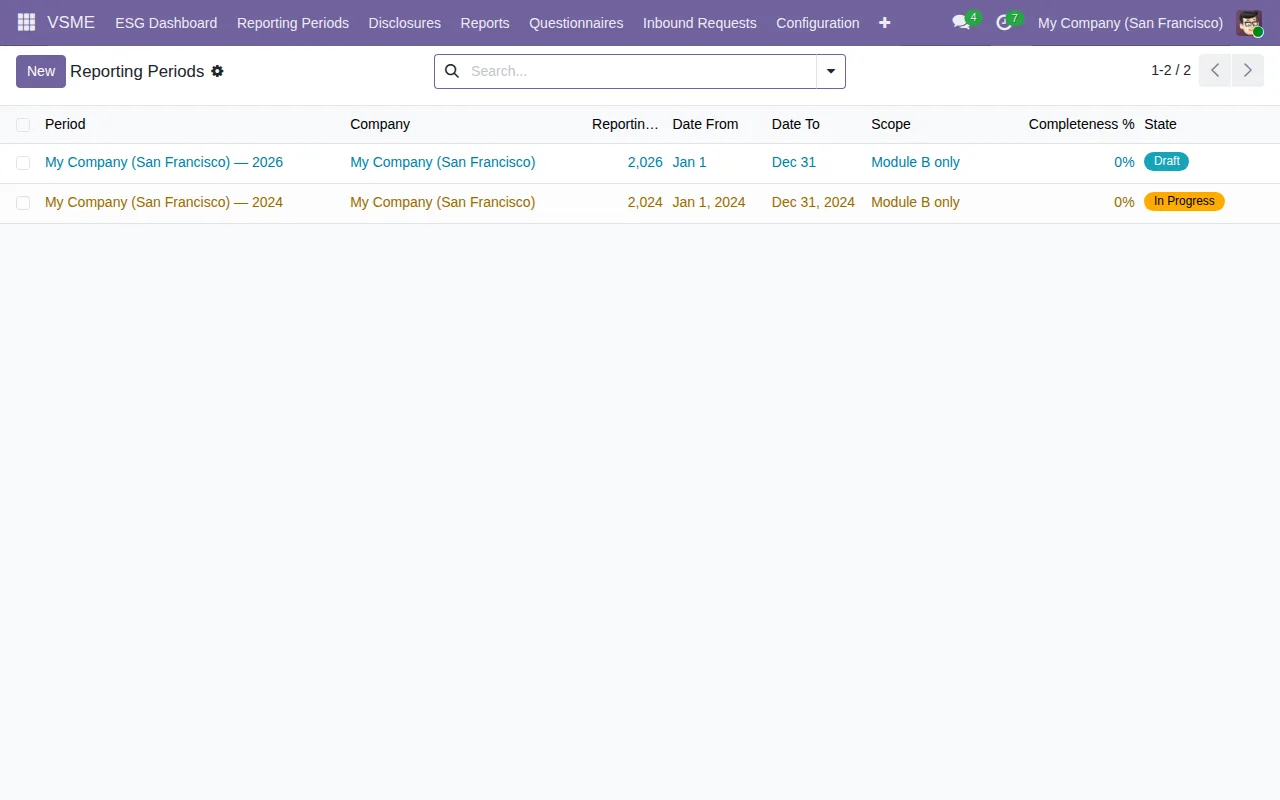
Reporting Periods list with demo data: two periods, one in Draft and one In Progress.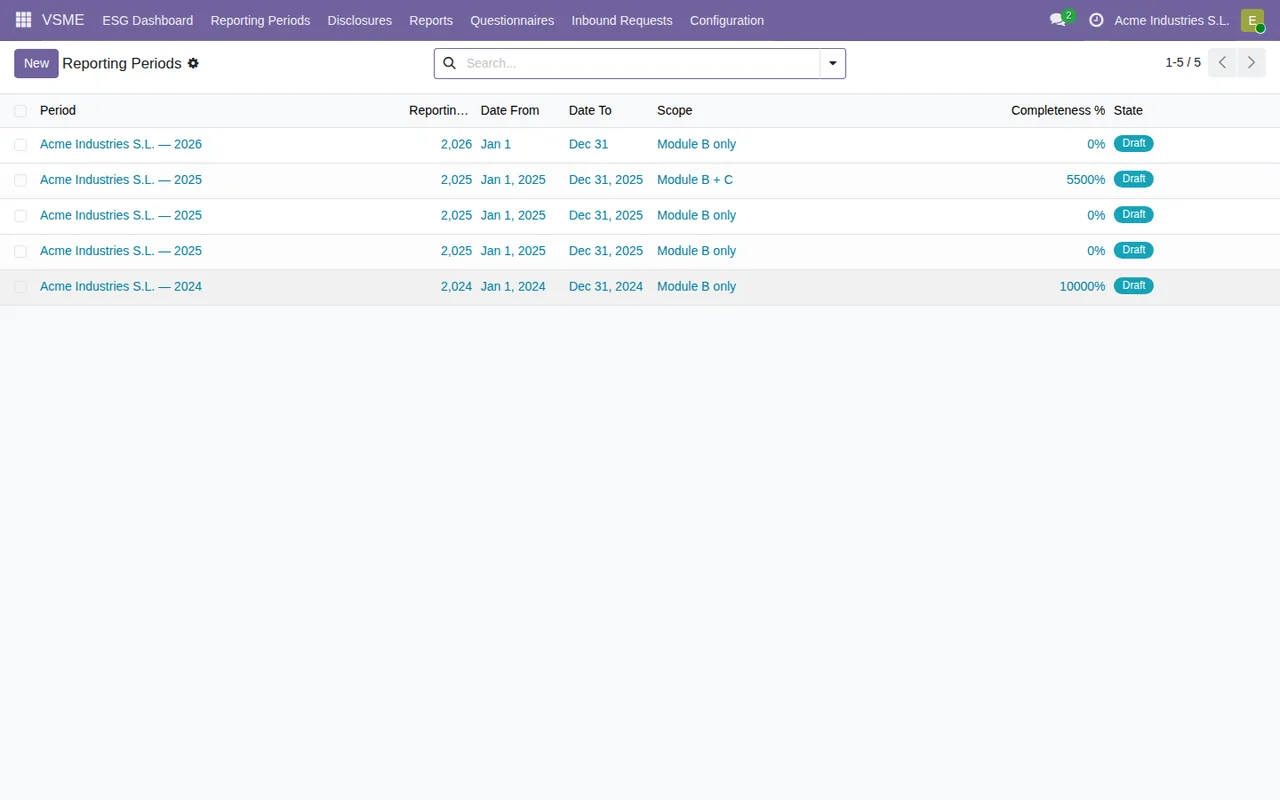
Reporting Periods with sample data for Acme Industries S.L., showing date, scope, completion and status columns.For the fields and statuses to check in the first week, see getting the module up and running.
What to have ready before installing
- Your NACE code: the wizard asks for it and it underpins the industry benchmark data.
- The reporting scope:
Module BorModule B+C. - The fiscal year you are reporting on.
- If you want to import, your workforce, payroll and accounting data in Odoo.
- Who owns each piece of data, so you can assign them in the annual campaign.
- The data retention period you intend to configure.
How FlexigoTech can help
We implement Odoo and build bespoke connectors and integrations. If your workforce or accounting data lives outside Odoo, or you need the module adapted to the way you work, we can help you get it running. And if a warning pops up while you are testing, have a look at the module's error messages and warnings first.
Keep reading
Checked in the module's source code (version 19.0) and the linked sources
Sources
- Module source code: flexigo_vsme_voluntary_sustainability_reporting_for_sme 19.0 (18bc0d83): README.rst
- apps.odoo.com/apps/modules/19.0/flexigo_vsme_voluntary_sustainability_reporting_for_sme
- apps.odoo.com/apps/modules/17.0/flexigo_vsme_voluntary_sustainability_reporting_for_sme
- apps.odoo.com/apps/modules/18.0/flexigo_vsme_voluntary_sustainability_reporting_for_sme
- flexigotech.com/en/services.html