

 Español
 Català
 Deutsch
 Français
 Português
 Italiano
 Nederlands
 Polski
How to read a VSME message
For each message in the table we quote the text exactly as it appears in the module's code.
Some messages contain placeholders that the module fills in: %s, %(group)s, %(years)d and %.1f. We leave them as they are in the table; in their place you will get the specific detail for your case (what is incomplete, the group, the years or the calculated total). Look at that detail: it shows you what to check.
The module's messages, one by one
| Message | When it appears | What to do |
|---|---|---|
Audit log entries are immutable and cannot be modified. | When you try to modify an audit log entry. | Nothing to fix in the entry: the module will not let you change it. Leave it as it is. |
Audit log entries are immutable and cannot be deleted. | When you try to delete an audit log entry. | The module does not allow it. Leave the entry in place. |
Waste recovery percentages must sum to 100%%. Current total: %.1f%% | When the waste recovery percentages do not add up to 100%. | Check the current total shown in the message and adjust the percentages until they add up to 100%. |
Approved report snapshots cannot be modified. | When you try to change the snapshot of an approved report. | It cannot be edited. The module allows approved reports to be revised (row further down): consider whether what you need is a revision. |
Approved report snapshots cannot be deleted. | When you try to delete the snapshot of an approved report. | It cannot be deleted. Keep it. |
Only draft reports can be submitted for review. | When you submit for review a report that is not in draft. | Check the report's status: only a draft can be submitted for review. |
Module C disclosures must be complete for B+C report. Incomplete: %s | On a B+C report with Module C disclosures left incomplete. | Complete the disclosures listed after Incomplete: and try again. |
Only reports under review can be approved. | When you approve a report that is not under review. | Check the status: only a report under review can be approved. |
Only CFO Approvers can approve reports. | When the person approving is not a CFO Approver. | Approval has to be done by a user with that role. |
Data quality alert for %(group)s must be acknowledged before approval. | When you approve with an unacknowledged data quality alert for the group named in the message. | Acknowledge that group's alert and approve again. |
Only approved reports can be revised. | When you request a revision of a report that is not approved. | Check the status: only an approved report can be revised. |
A revision reason is required. | When you request a revision without giving a reason. | Enter the reason for the revision and try again. |
Unknown import type. | When the import type is not one the module recognises. | Check the import type selected before importing. |
Cannot delete records within the %(years)d-year retention period. Consider anonymising HR fields instead. | When you delete records that fall within the retention period. | Do not delete them. The message itself suggests anonymising the HR fields instead. |
The messages along a report's path
Read together, four messages map out the path the module requires a report to follow: only a draft can be submitted for review (Only draft reports can be submitted for review.), only a report under review can be approved (Only reports under review can be approved.) and only an approved report can be revised (Only approved reports can be revised.). A revision also needs a reason (A revision reason is required.).
If you get any of these, start by checking the report's status and comparing it with what the message asks for. If you want to see the full path before changing anything, we cover it in setting up the module.
For approval, two other messages add conditions: approval must be done by a CFO Approver, and the data quality alert for the group named in the message must be acknowledged first. Separately, on a B+C report the module requires the Module C disclosures to be complete.
What the module will not let you delete or change
Three kinds of record are protected:
- Audit log entries: they cannot be modified or deleted (
Audit log entries are immutable). - Snapshots of approved reports: these cannot be modified or deleted either.
- Records within the retention period: they cannot be deleted, and the message suggests anonymising the HR fields.
These messages do not point to a fault: they are the module protecting those records. The way forward is the one each message suggests.
Data checks and imports
The waste message (Waste recovery percentages must sum to 100%%) gives you the current total to one decimal place, so you know how far over or under you are. Correct the percentages until they reach 100%.
The import message (Unknown import type.) relates to the import type. The module includes an Import VSME Data dialog with an Import Type selector and a CSV File field; if you see this message, check which type is selected there.
Where to find the configuration you see in the app
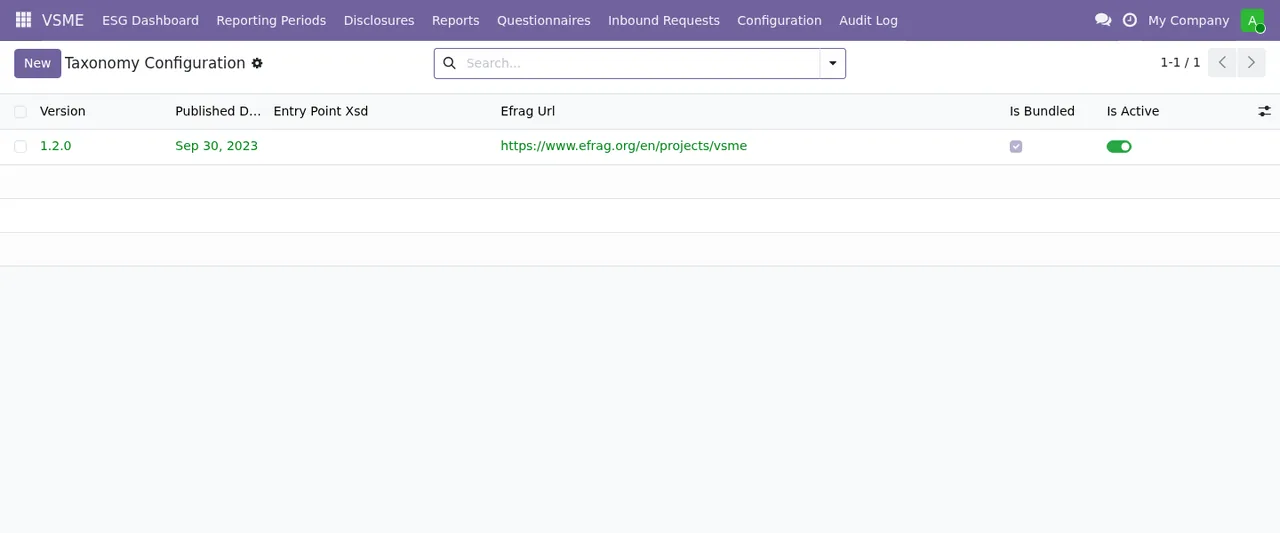
Besides reports, the app has configuration lists worth knowing when you are checking data. VSME › Configuration › Taxonomy Configuration has a record with the taxonomy version, its publication date and its EFRAG URL.
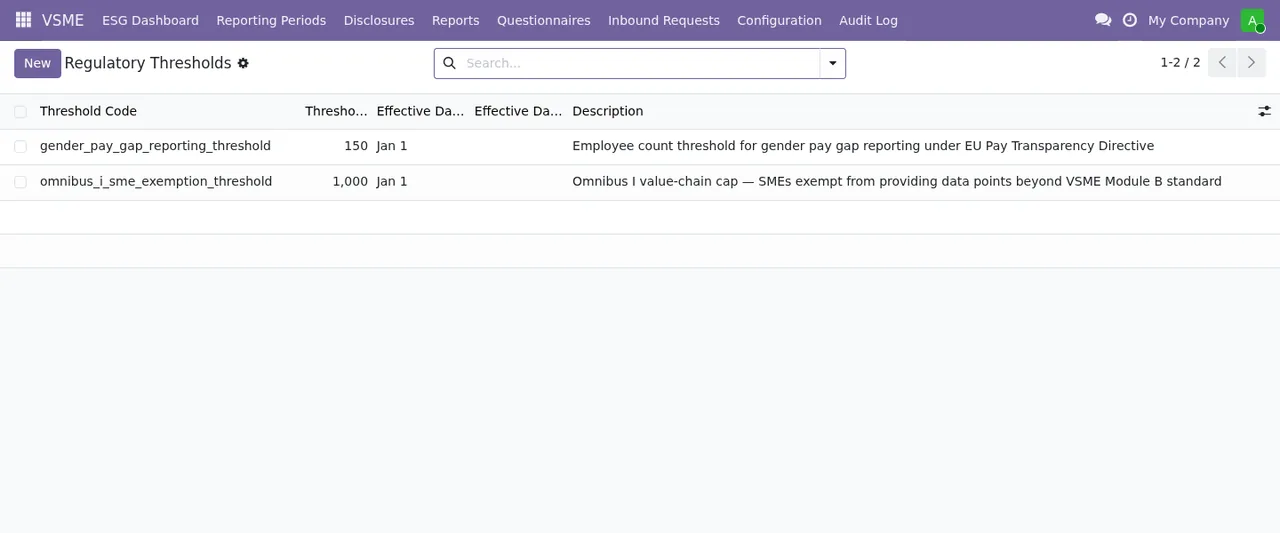
VSME › Regulatory Thresholds lists the regulatory thresholds, each with its value, effective date and description.
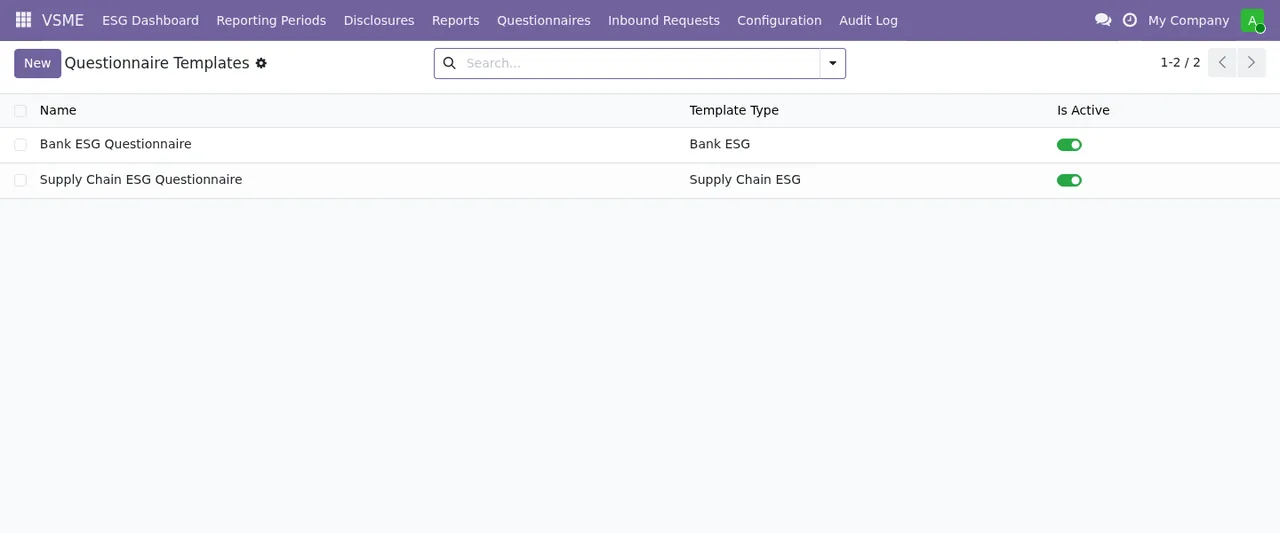
And the questionnaire template list shows each template with its type and the Is Active toggle.
To see how all of this fits together under the bonnet, read how the module works.
How FlexigoTech can help
The module is published on Odoo Apps for Odoo 17, 18 and 19, at €39 per version as a one-off payment, excluding VAT. You can find it on its Odoo Apps page and on its page at flexigotech.com.
If a message is not resolved by the table, or you need data to reach VSME from another system, FlexigoTech implements Odoo and builds bespoke connectors and integrations.
Keep reading
Checked in the module's source code (version 19.0) and the linked sources
Sources
- Module source code: flexigo_vsme_voluntary_sustainability_reporting_for_sme 19.0 (18bc0d83): models/vsme_audit_log.py
- Module source code: flexigo_vsme_voluntary_sustainability_reporting_for_sme 19.0 (18bc0d83): models/vsme_disclosure.py
- Module source code: flexigo_vsme_voluntary_sustainability_reporting_for_sme 19.0 (18bc0d83): models/vsme_report_snapshot.py
- Module source code: flexigo_vsme_voluntary_sustainability_reporting_for_sme 19.0 (18bc0d83): wizard/vsme_data_import_wizard.py
- Module source code: flexigo_vsme_voluntary_sustainability_reporting_for_sme 19.0 (18bc0d83): wizard/vsme_erasure_wizard.py
- apps.odoo.com/apps/modules/19.0/flexigo_vsme_voluntary_sustainability_reporting_for_sme
- apps.odoo.com/apps/modules/17.0/flexigo_vsme_voluntary_sustainability_reporting_for_sme
- apps.odoo.com/apps/modules/18.0/flexigo_vsme_voluntary_sustainability_reporting_for_sme
- flexigotech.com/en/services.html