

 Español
 Català
 Deutsch
 Français
 Português
 Italiano
 Nederlands
 Polski
Before you press: where the button is and when it shows
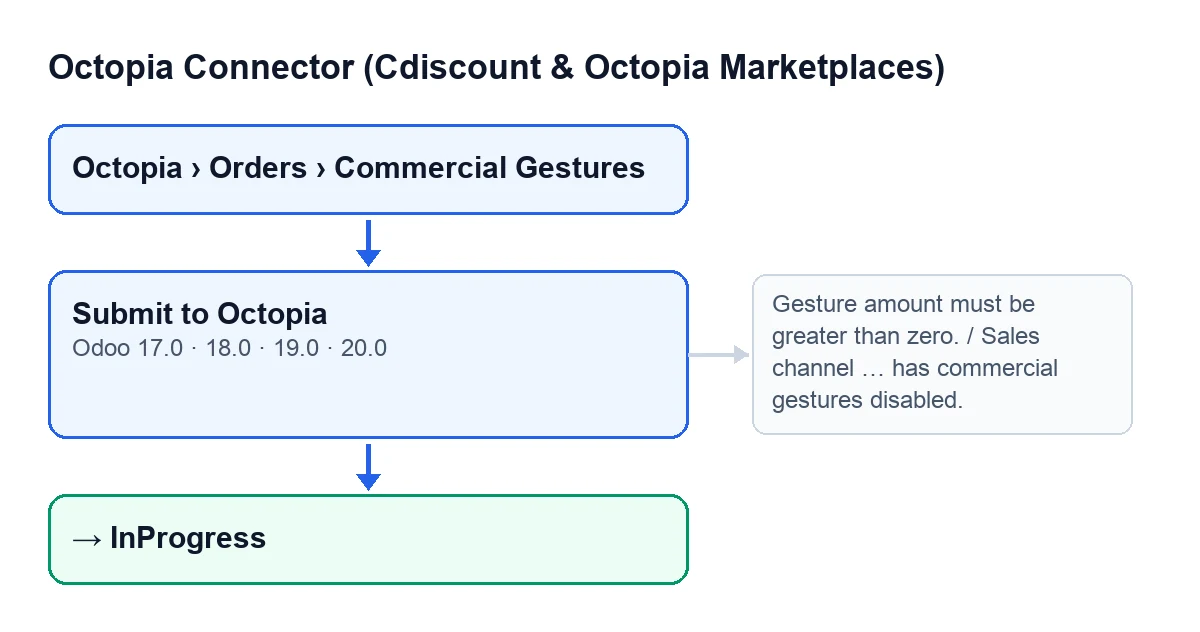
Commercial gestures open from Octopia › Orders › Commercial Gestures. The Octopia menu level asks for the Octopia User permission: without it, you do not see that level. The button is on the gesture form in the 17, 18, 19 and 20 branches of Odoo.
- Go to
Octopia › Orders › Commercial Gesturesand open the gesture form. - Review
Order,AmountandReason: all three appear on the form and in the list. - Check that you can see the button. It is hidden when the
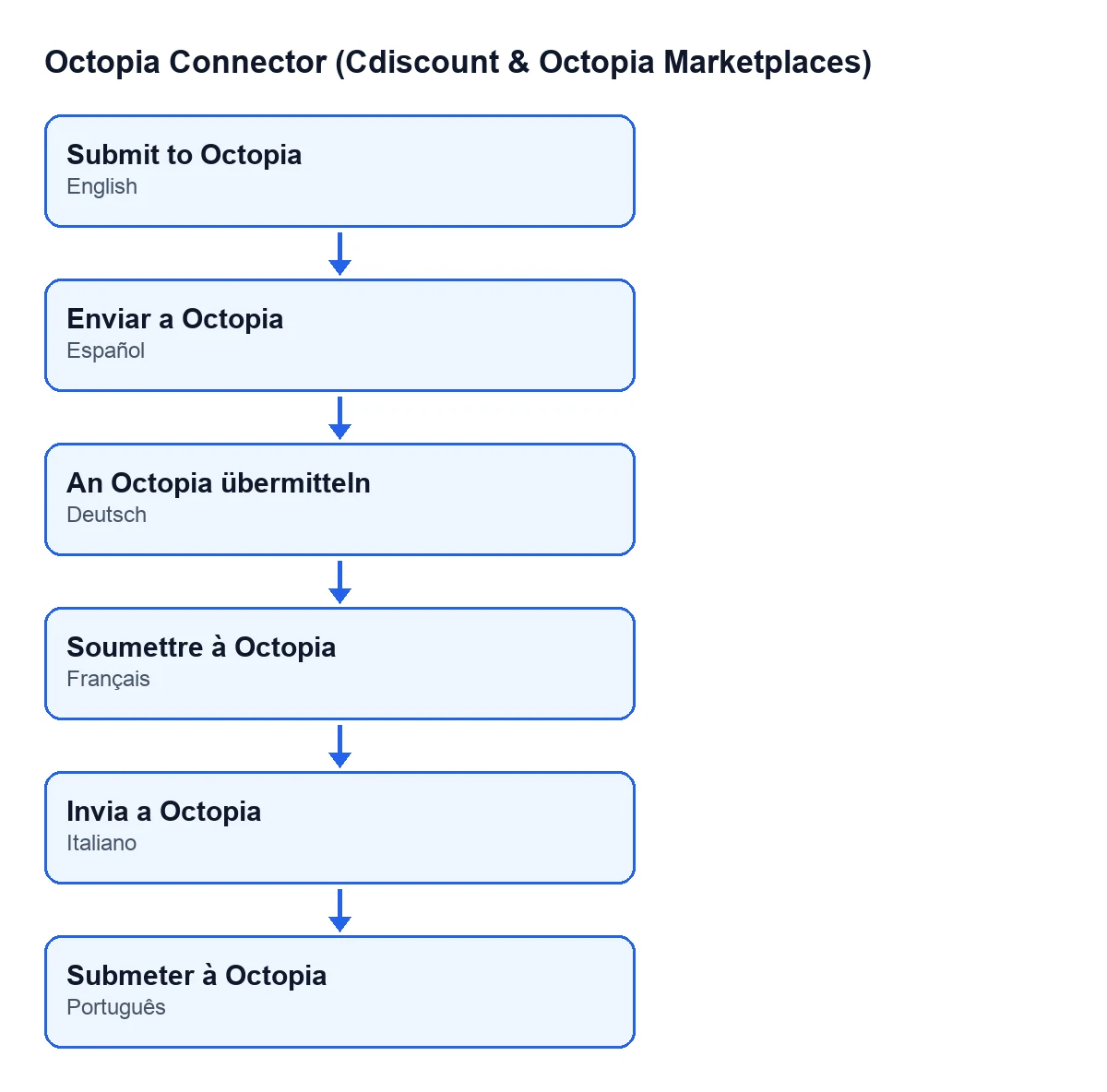
Statefield holds anything other than the value of a new gesture; with the default values, it is visible. - If your Odoo runs in another language, look for the translated button label. With Odoo in Spanish it is
Push to Octopia; in German,An Octopia übermitteln; in French,Soumettre à Octopia; in Italian,Invia a Octopia; in Portuguese,Submeter à Octopia.

What the button does when you press it, step by step
When you press it, Odoo asks for confirmation with this text: A commercial gesture refunds the customer this amount. Continue?. If you accept, in Odoo 20.0 the module runs through these checks in this order and stops at the first one that fails.
- Confirm the prompt only if the
Amountis what you want to refund to the customer: the prompt itself says the gesture refunds that amount. - Gesture state: if it is no longer in its initial state, the module skips it without a message and sends nothing.
- Amount: it must be greater than zero.
- Sales channel of the order: it only blocks if that channel has its configuration synced and that configuration says gestures are disabled. If the channel configuration has not been synced, it does not block: the Octopia API will answer.
- Order status: it must be shipped or delivered.
- Budget: the module asks Octopia how much is left for that order and stores what Octopia returns on the gesture (available budget and amount already applied). It only blocks if Octopia gives a figure (zero counts) and the amount exceeds it. If Octopia says nothing, it does not block and the API decides when it receives the gesture.
- Submission: the module sends Octopia the order, the reason, the reason details (empty if there are none) and the amount.
- Writing back: with Octopia's response, the gesture moves to
InProgressand stores the reference and the date and time of submission.
If a message appears: what it means and what to do
Each message stops the action and the gesture does not change state. Each one corresponds to one of the checks above:
Gesture amount must be greater than zero.: correct theAmounton the form and press again.Sales channel … has commercial gestures disabled.: the gap holds the channel code. The synced configuration of that channel says it does not allow gestures, so the module does not send the one for that order.Commercial gestures apply to shipped or delivered orders only (order … is …).: the message gives the Octopia order identifier and its current status. Try again when the order shows as shipped or delivered.Gesture amount %(amount).2f exceeds the remaining budget %(available).2f for this order.: the first value is your amount and the second is the budget Octopia has just returned. Lower theAmountuntil it fits.
After sending: what should have changed
- The gesture
StateisInProgress. - The button has gone, because the state is no longer the initial one.
- The gesture stores the reference Octopia returns (the request identifier or, if that is missing, its id) and the date and time of submission.
- The account's sync log has an entry with a successful result that mentions the order, the amount and the reason.
Who gets the channel ready for gestures
The button uses the gesture configuration the channel already has stored. One of the steps of the scheduled task Octopia: refresh referentials (categories, brands, carriers, typologies) is syncing the configuration of the sales channels, which records whether the channel allows gestures and when it was synced. The task runs every seven days and is active on installation. It works on connected accounts and skips those that go through FlexigoTech Cloud without saved credentials or without service. If a step fails, it writes to the sync log that the refresh was incomplete.
Cost and help
The module is published on Odoo Apps for 17, 18, 19 and 20 (see its listing) and needs the FlexigoTech Cloud subscription, Connector plan: €49 a month or €490 a year, excluding VAT, with up to 3 platform accounts. The connection goes through FlexigoTech Cloud, which stores the credentials encrypted and emails you if synchronisation fails.
If you are implementing Odoo and want to review how commercial gestures fit with your orders, FlexigoTech implements Odoo 17, 18, 19 and 20 and builds custom connectors and integrations.
Keep reading
Checked in the connector's source code (version 20.0) and the linked sources
Sources
- Module source code: flexigobe_octopia_connector 20.0 (4848da6a): views/octopia_order_actions_views.xml
- Module source code: flexigobe_octopia_connector 20.0 (4848da6a): models/octopia_order_actions.py
- Module source code: flexigobe_octopia_connector 20.0 (4848da6a): models/octopia_referential.py
- apps.odoo.com/apps/modules/20.0/flexigobe_octopia_connector
- flexigotech.com/precios.html
- flexigotech.com/en/services.html