

 Español
 Català
 Deutsch
 Français
 Português
 Italiano
 Nederlands
 Polski
When exactly it appears
The warning says, with the instance name included, that stock is pulled from Shopify into Odoo, that Shopify is the stock master, and that you need to turn off the Pull stock from Shopify box to push stock from Odoo.
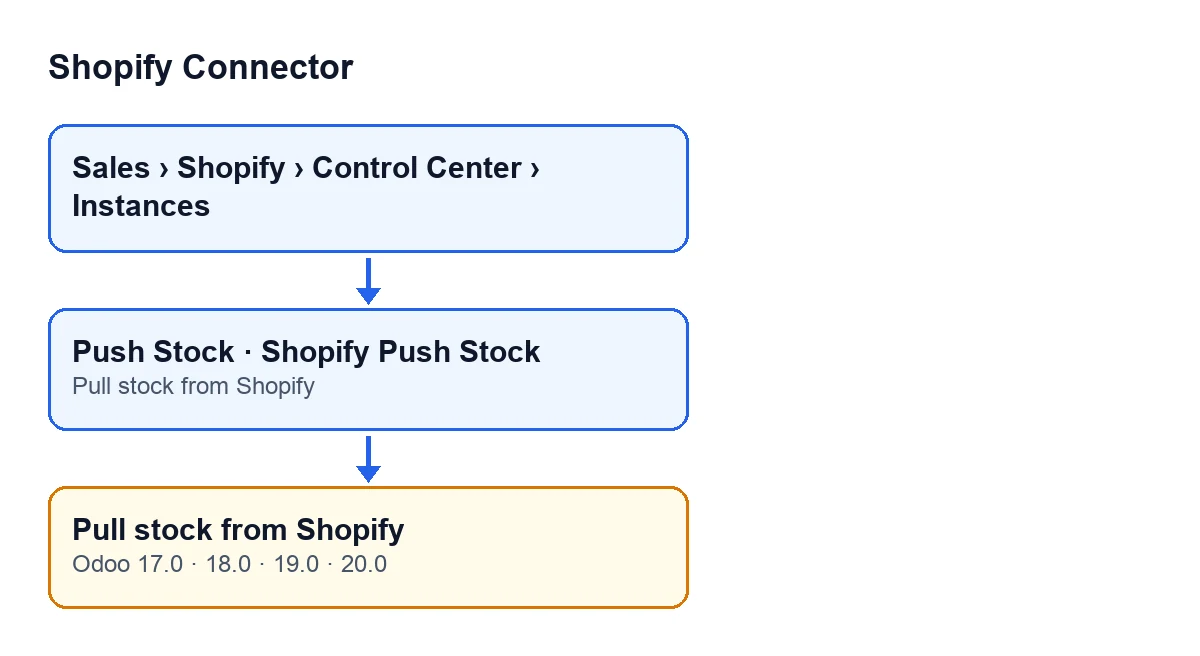
It appears when you press the Push Stock button on the instance form, and that button is visible in Odoo 17, 18, 19 and 20 with no condition. According to the Odoo 20.0 code, one thing triggers the warning: the Pull stock from Shopify box is ticked on that instance. The method checks it before anything else, before looking up the Shopify location and before looking at which products are linked. If it is ticked, the action stops and no quantity is sent to Shopify. The warning is in the published code of all four branches: 17.0, 18.0, 19.0 and 20.0.

What it means
Ticking Pull stock from Shopify tells the module that Shopify is the master of the stock. According to the field's help text, each pull sets the stock on hand of Shopify's main location in the linked Odoo location, using an inventory adjustment, less what Odoo has delivered and Shopify has not yet fulfilled. The same help text says the box cannot be on together with the stock push, nor with another store pulling into the same Odoo location.
Hence the warning: with Shopify as master, Push Stock refuses to send Odoo's stock to Shopify. Pulling and pushing do not live together on one instance. In the code, the box is off by default, and with that value the check is not met.
One point from that help text is worth keeping in mind: what Shopify holds as damaged, in quality control or as safety stock is part of its stock on hand, and in Odoo it is stock like the rest.
Worked example: a shop that wants to push its stock
Example Illustrative case: the company and its figures are made up to explain the flow.
Cerámicas Aurora, an invented shop, sells on Shopify and runs its warehouse in Odoo. The person in charge of purchasing opens the instance form and presses Push Stock, expecting Shopify to show Odoo's stock levels. Instead they get the warning that Shopify is the stock master, with the name of their shop included.
This is what they do next:
- They open the instance form from the menu
Sales › Shopify › Control Center › Instances. - They go to the
Operationstab, to theSync Settingsgroup, and seePull stock from Shopifyticked. - They decide who is in charge. If they want it to be Odoo, they untick the box, save the form and press
Push Stockagain. If they prefer Shopify to be in charge, they leave the box as it is and do not usePush Stock.
If they stay with Shopify as master, the field's help text warns that ticking the box does not run the pull: you also need to turn on the scheduled action that pulls stock. For the pull button, see what the Pull Stock button does.
What the example shows: the warning does not point to a dropped connection or a badly loaded record, but to a rule of the module. First decide which way the stock travels, then adjust the box.
Where the box is and what it is called
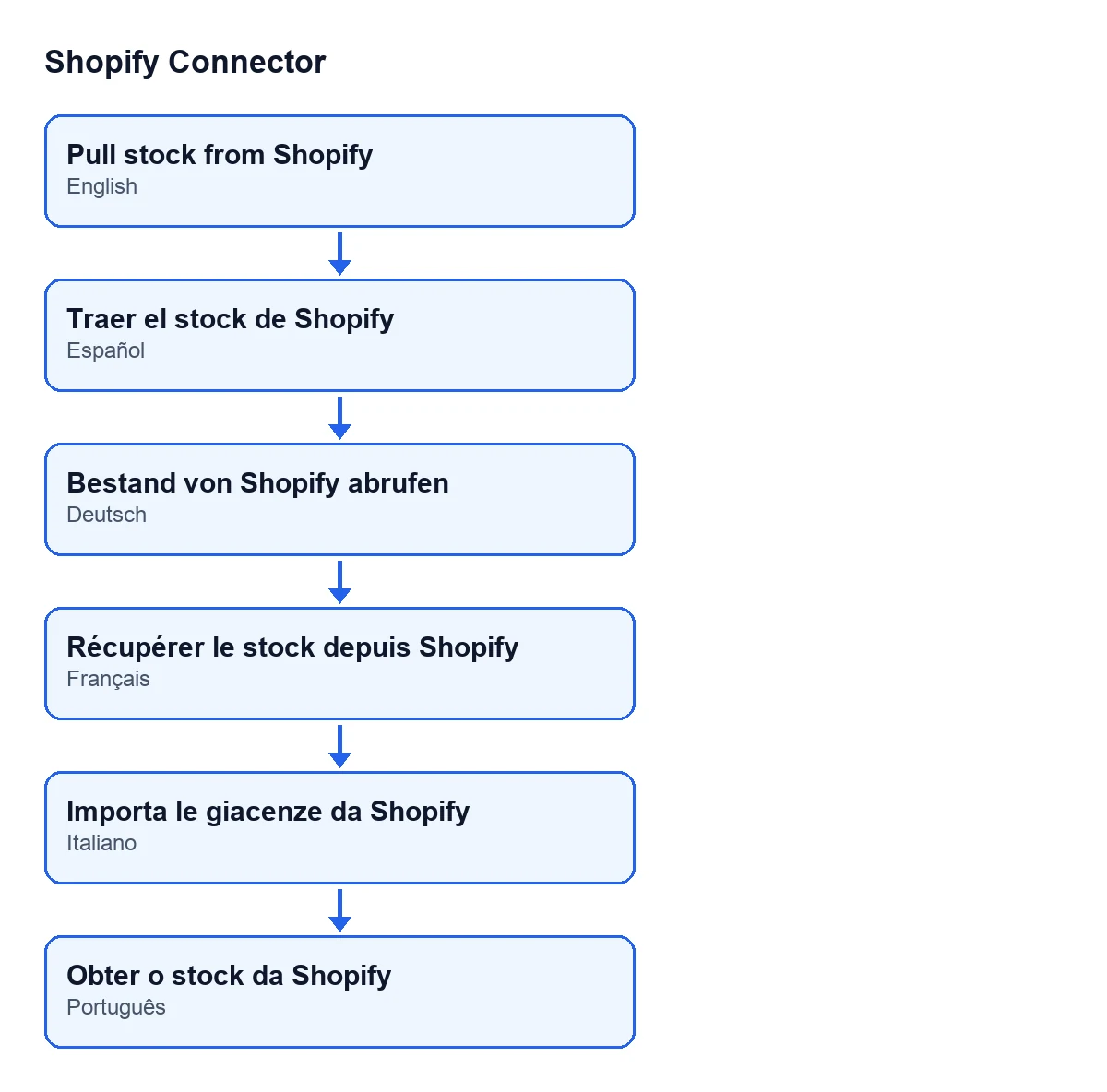
It is on the Shopify Instances form, Operations tab, Sync Settings group. Its label depends on the language of your Odoo:
| Language | Label of the box |
|---|---|
| Spanish | Traer el stock de Shopify |
| German | Bestand von Shopify abrufen |
| French | Récupérer le stock depuis Shopify |
| Italian | Importa le giacenze da Shopify |
| Portuguese | Obter o stock da Shopify |
What Push Stock does when the box is off
According to the Odoo 20.0 code, once the check is passed the method carries on like this:
- It uses the Shopify location saved on the instance. If there is none, it asks for the shop's first location and saves it.
- It takes the linked products that are active and have their Shopify inventory identifier, and leaves out those of a company other than the instance's.
- If none are left, it ends there. If some are, it sends Shopify the quantity on hand of each product in the instance's company, rounded to a whole number, in batches.
If another message appears after you untick the box, it is no longer this one: the box check comes first and you have passed it.
How FlexigoTech can help
FlexigoTech implements Odoo 17, 18, 19 and 20 and builds custom connectors and integrations. If you are unsure which side should be the master of your shop's stock, we can go through it with you before you touch the configuration.
Shopify Connector costs €9 per Odoo version, for 17, 18, 19 and 20, as a one-off payment excluding VAT. It also needs the FlexigoTech Cloud subscription, Connector plan: €49/month or €490/year excluding VAT.
Keep reading
Checked in the connector's source code (version 20.0) and the linked sources
Sources
- Module source code: flexigobe_shopify_connector 20.0 (c7078cd8): models/shopify_instance.py
- Module source code: flexigobe_shopify_connector 20.0 (c7078cd8): views/shopify_instance_views.xml
- Module source code: flexigobe_shopify_connector 20.0 (c7078cd8): data/ir_cron_data.xml
- Module source code: flexigobe_shopify_connector 20.0 (c7078cd8): models/fgt_cloud.py
- apps.odoo.com/apps/modules/20.0/flexigobe_shopify_connector
- apps.odoo.com/apps/modules/17.0/flexigobe_shopify_connector
- apps.odoo.com/apps/modules/18.0/flexigobe_shopify_connector
- apps.odoo.com/apps/modules/19.0/flexigobe_shopify_connector
- flexigotech.com/precios.html
- flexigotech.com/en/services.html