

 Español
 Català
 Deutsch
 Français
 Português
 Italiano
 Nederlands
 Polski
What the module covers and what stays with you
The module's README and listing let you split things into three groups: what the module does, what depends on the FlexigoTech Cloud service and what is down to you. The table puts them side by side.
| Need | What the documentation says | Who covers it |
|---|---|---|
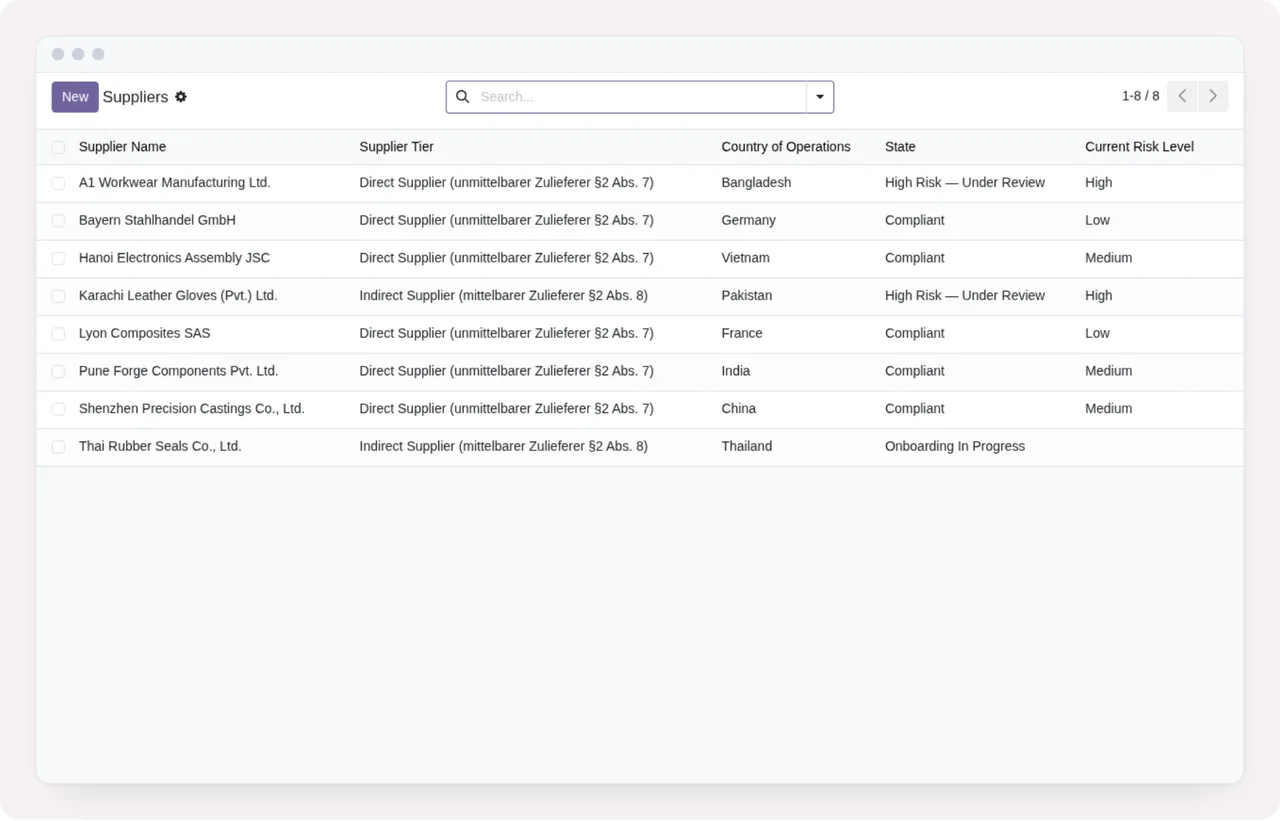
| Supplier onboarding (§6 Abs. 4 LkSG) | Captures and tracks supplier compliance data, questionnaires and contractual assurance clauses | The module |
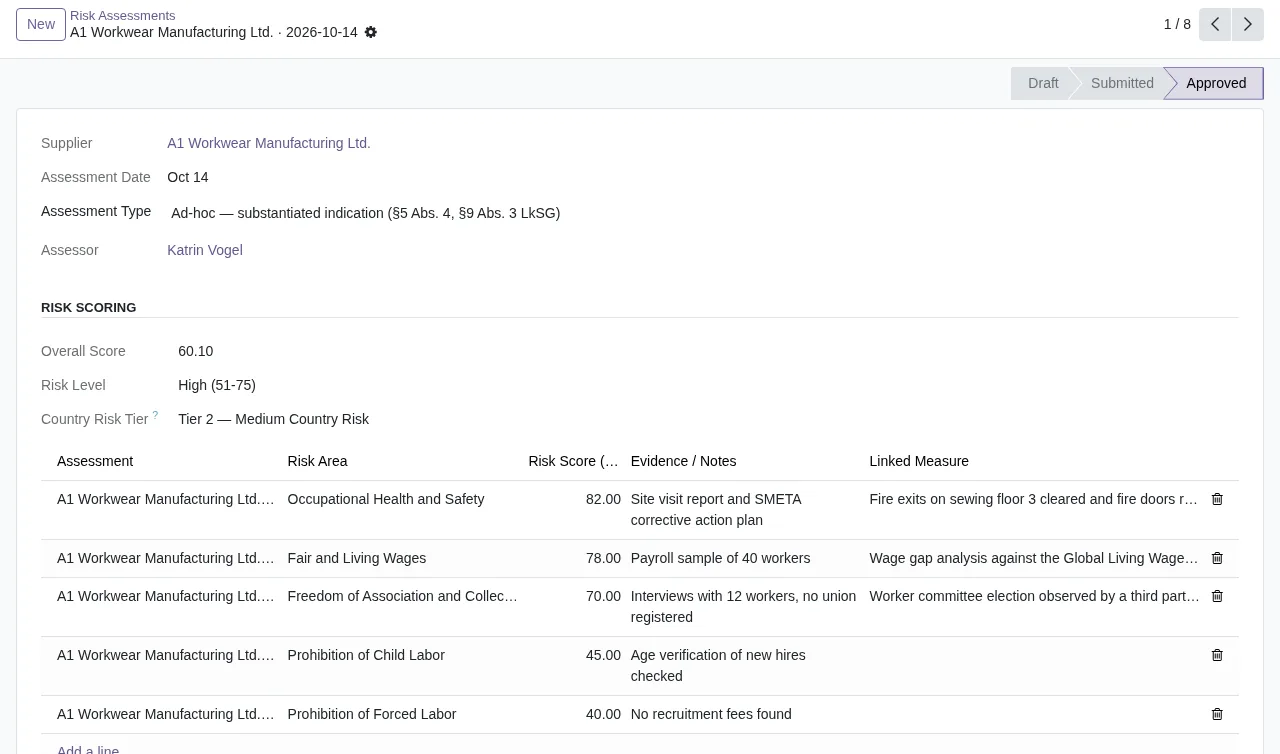
| Risk assessment (§5 LkSG) | Scores each supplier across 13 HR and ENV risk dimensions per §2 Abs. 2/3, with a weighted scoring algorithm | The module |
| Country risk reference | Country risk baseline, kept up to date | FlexigoTech Cloud, with a subscription |
| Compliance dashboard (§3, §10 LkSG) | Real-time overview of supplier states, open measures and upcoming BAFA deadlines | The module |
| Grievance channel (§8) | Public complaint portal with anonymity protection and IP rate-limiting | The module |
| BAFA annual report (§10 LkSG) | PDF and XML exports, prepopulated from the risk assessment data | The module |
| Data retention | 7-year retention schedule, DSAR flow and Art. 17 erasure conflict resolution | The module |
| Audit log | Immutable, 10-year, with write and delete blocked for all roles | The module |
| BAFA deadline reminder | A scheduled task you activate once you have your first report | You, by activating it |
| Migration to another Odoo version | FlexigoTech does not migrate your database | You or your implementer |
| Accounts and hosting | You contract and pay for each platform, Odoo and your hosting | You |
The reading is straightforward. Work with suppliers, assessments, complaints and the annual report is described as a module feature. The listing states explicitly that the up-to-date country risk baseline requires a FlexigoTech Cloud subscription. And two things are left out by the documentation: migrating your database to a new Odoo version and third-party costs.
Criteria for deciding whether it suits you
Whether the law applies to you is a question for your advisers. Here we only explain how the module handles it, so you can see whether its way of working matches yours.
- If you need to know whether you are in scope: the README asks you to set your employee count and uses
≥1,000 employeesas the threshold that triggers LkSG scope in the module. - If you assess suppliers in spreadsheets: the module scores each supplier across the 13 dimensions in the README with a weighted algorithm, and the dashboard brings together states, open measures and deadlines.
- If you need a complaints channel open to outsiders: the README describes a public portal with anonymity protection and IP rate-limiting.
- If you prepare the annual report for BAFA: the module generates PDF and XML from the risk assessment data.
- If being able to prove what happened and when matters to you: the audit log blocks writing and deleting for all roles.
- If you want the country risk baseline kept current: you need the FlexigoTech Cloud subscription.
- If your Odoo is not 17, 18, 19 or 20: the module is not published for your version.
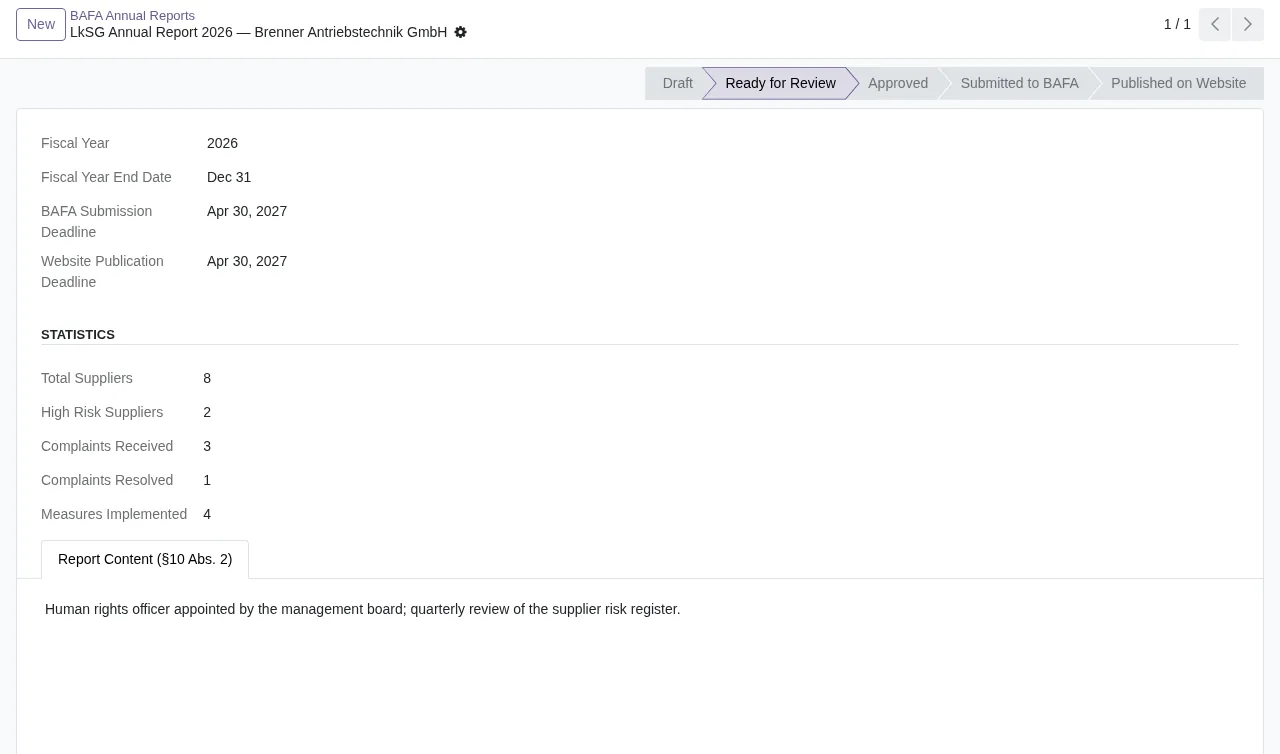
Ready for Review state, with fiscal year 2026 and the Report Content (§10 Abs. 2) tabWhat to have ready before installing
The README gives this order to get started:
- Install the module through the Odoo Apps interface.
- Go to
Settings → Companies → Your Company → LkSG Complianceto enable the module and set your employee count. - Open
LkSG Compliancefrom the main menu.
In the configuration, the README also asks for your data protection officer (DPO) email address and the complaint acknowledgement sender. Decide on both before you begin. The BAFA deadline reminder task is activated once you have your first compliance report, not on day one.
To see which menus it adds and what a record goes through, read how the module works under the hood. And if something stops you while testing, check its error messages and warnings.
Odoo versions and what you pay
The module is published on Odoo Apps for 17.0, 18.0, 19.0 and 20.0, and on all four listings it costs €9 per Odoo version, one-off payment, excluding VAT. The FlexigoTech Cloud local service costs €29/month or €290/year excluding VAT (Pro: €58/month or €580/year).
One detail that matters if you plan to upgrade: with the subscription, the module for new Odoo versions is included if you bought it on flexigotech.com; on the Odoo App Store, each version is bought there. Without a subscription, or with the service suspended, whatever the subscription provides stops, and your data stays in your Odoo.
What FlexigoTech Cloud receives if you take the service
Before signing up, it is worth knowing what data leaves your database. According to the listing:
- The database identifier (uuid), its address (URL) and the Odoo version.
- The FlexigoTech modules installed, with their version, and whether the database is a neutralised copy (staging or test).
- The company name and the email of the person who accepts, with the date and version of the text accepted.
- A public code to check that requests come from that database and a proof that it is that database, computed on your server without sending its secret.
- A request for its service permit every 6 hours and the health of the service: counters and errors (type and code), without the content of your records.
- When you use LkSG Data Feed: the names of the data tables your Odoo asks for and the version it already has, and nothing from your records.
The listing also includes support with a first response within one working day and module updates.
How FlexigoTech can help
FlexigoTech implements Odoo 17, 18, 19 and 20 and builds connectors and bespoke integrations. If you want to check whether the module fits the way you work with suppliers, you will find the details on the module page and its Odoo Apps listing.
Keep reading
Checked in the module's source code (version 20.0) and the linked sources
Sources
- Module source code: flexigo_german_supply_chain_due_diligence_act_complianc 20.0 (7d9884ea): README.rst
- Module source code: flexigo_german_supply_chain_due_diligence_act_complianc 20.0 (7d9884ea): static/description/index.html
- apps.odoo.com/apps/modules/20.0/flexigo_german_supply_chain_due_diligence_act_complianc
- apps.odoo.com/apps/modules/17.0/flexigo_german_supply_chain_due_diligence_act_complianc
- apps.odoo.com/apps/modules/18.0/flexigo_german_supply_chain_due_diligence_act_complianc
- apps.odoo.com/apps/modules/19.0/flexigo_german_supply_chain_due_diligence_act_complianc
- flexigotech.com/en/services.html
- flexigotech.com/precios.html