

 Español
 Català
 Deutsch
 Français
 Português
 Italiano
 Nederlands
 Polski
The official dates
- 1 February 2026 KSeF 2.0 goes live. Mandatory for companies that sold more than 200 million zł in 2024, VAT included.
- 1 April 2026 Mandatory for all other companies, except those invoicing at most 10,000 zł a month. The same day, access through the national node login.gov.pl opens.
- 1 January 2027 Mandatory also for those up to 10,000 zł a month. From this date, the penalties for errors, which had been postponed, apply.
One change worth knowing: KSeF access tokens were due to end in late 2026, but the Ministry of Finance decided to keep them with no end date.
To log in to KSeF, the Trusted Profile, the qualified signature, the token and the KSeF certificate all remain valid; the national node is one more route, not a replacement. If you are unsure which method to use for Odoo, our access guide explains it.
What to prepare in Odoo
Before the dates, one thing matters: that your invoices pass validation against the FA(3) schema. The actual sending to KSeF is done by Odoo's l10n_pl_edi module, which exists in versions 18, 19 and 20. The FlexigoTech module validates and prepares, but does not send.
- Before your date Validate FA(3) invoices with the module. Validation runs in FlexigoTech Cloud with the subscription and stores a signed report; each invoice ends up valid, not valid, not validated or expired.
- Before your date Review the FA(3) fields and the error codes under Configuration: they are the reference the validation uses.
- On day one Check credentials and authorisations. The module warns every day about the ones about to expire and marks the countdown: 30, 14, 7 and 1 days before.
- Every day If you work in offline mode, the module calculates the deadline until the next Polish working day and warns daily about what falls due.
- Every hour Invoices already sent by
l10n_pl_ediare validated again in the cloud every hour.
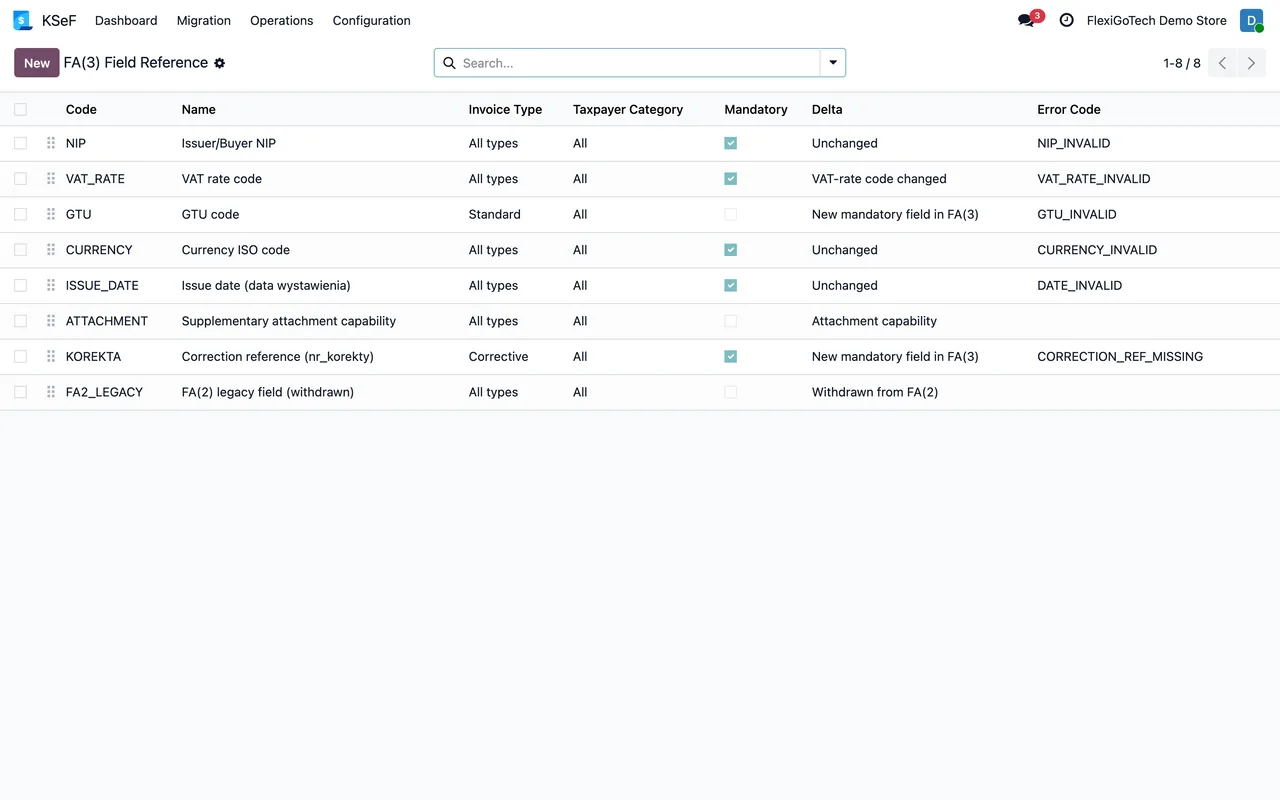
What it does with received invoices
The module also organises the vendor bills that l10n_pl_edi has already downloaded. An hourly task matches them with what is in Odoo, and each one ends up downloaded, matched, with a draft vendor bill or in manual reconciliation. It downloads nothing on its own: it works on what Odoo already brought from KSeF.
What changes on 1 January 2027
Until that date, penalties for KSeF errors are postponed. From then on, a badly filled schema stops being just a rejection and can cost money. That is why it pays to validate now, while an error is still only a warning.
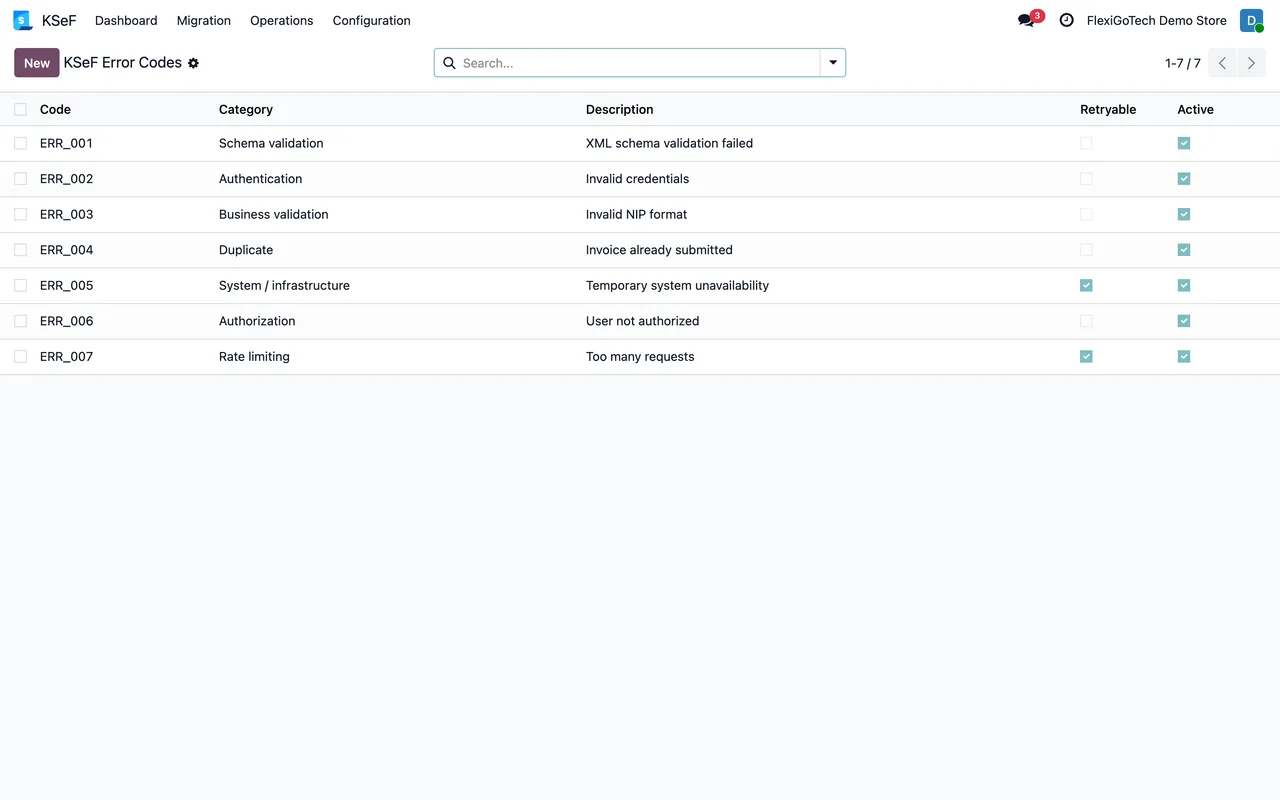
If your company joined on an earlier date, do not wait for January 2027 to review the warnings: every invoice rejected today is one that could carry a penalty tomorrow.
The dates come from the Ministry of Finance page on implementation stages and its questions and answers on KSeF 2.0, linked below. If they change, we will update this page.
Keep reading
Checked in the module's source code (version 20.0) and the linked sources
Sources
- ksef.podatki.gov.pl/etapy-wdrozenia-ksef/
- ksef.podatki.gov.pl/pytania-i-odpowiedzi-ksef-20/
- ksef.podatki.gov.pl/media/cq3laefg/podrecznik-ksef-2-0-cz-i-rozpoczecie-korzystania-z-ksef
- ksef.podatki.gov.pl/informacje-ogolne-ksef-20/certyfikaty-ksef/
- github.com/odoo/odoo/tree/18.0/addons/l10n_pl_edi
- Module source code: flexigo_poland_ksef_2_0_e_invoice_connector_and_migrati (cbca26e): models/ksef_session.py
- Module source code: flexigo_poland_ksef_2_0_e_invoice_connector_and_migrati (cbca26e): models/ksef_cloud.py
- Module source code: flexigo_poland_ksef_2_0_e_invoice_connector_and_migrati (cbca26e): models/ksef_tools.py
- Module source code: flexigo_poland_ksef_2_0_e_invoice_connector_and_migrati 20.0 (ba7c60f1): data/ksef_cron.xml
- Module source code: flexigo_poland_ksef_2_0_e_invoice_connector_and_migrati 20.0 (ba7c60f1): models/account_move.py
- Module source code: flexigo_poland_ksef_2_0_e_invoice_connector_and_migrati 20.0 (ba7c60f1): models/ksef_credential.py
- apps.odoo.com/apps/modules/20.0/flexigo_poland_ksef_2_0_e_invoice_connector_and_migrati
- Module source code: flexigo_poland_ksef_2_0_e_invoice_connector_and_migrati 20.0 (ba7c60f1): models/ksef_inbound_invoice.py