

 Español
 Català
 Deutsch
 Français
 Português
 Italiano
 Nederlands
 Polski
First, what Odoo does without you pressing anything
The normal route is not the button. The scheduled task Amazon SP-API - Sync returns runs every three hours and is active as soon as the module is installed. It includes a step that calls the same process as the button. Whether that step runs is decided by a checkbox on the account: External returns API (opt-in). You will find it on the Accounts form, in the Orders & Fulfillment tab, in the External Shipment Sync (ON by default) group, and in the code it is off by default. Its help text reads: «Enriches return lines from Amazon External Fulfillment Returns API when an External Return ID is available.»
- Open your account's form under
Accountsand find the checkbox in theOrders & Fulfillmenttab. - Decide whether you want the scheduled task to refresh external returns: that checkbox decides the automatic route.
- Keep the button for refreshing one specific line by hand.

Where the button is and who can press it
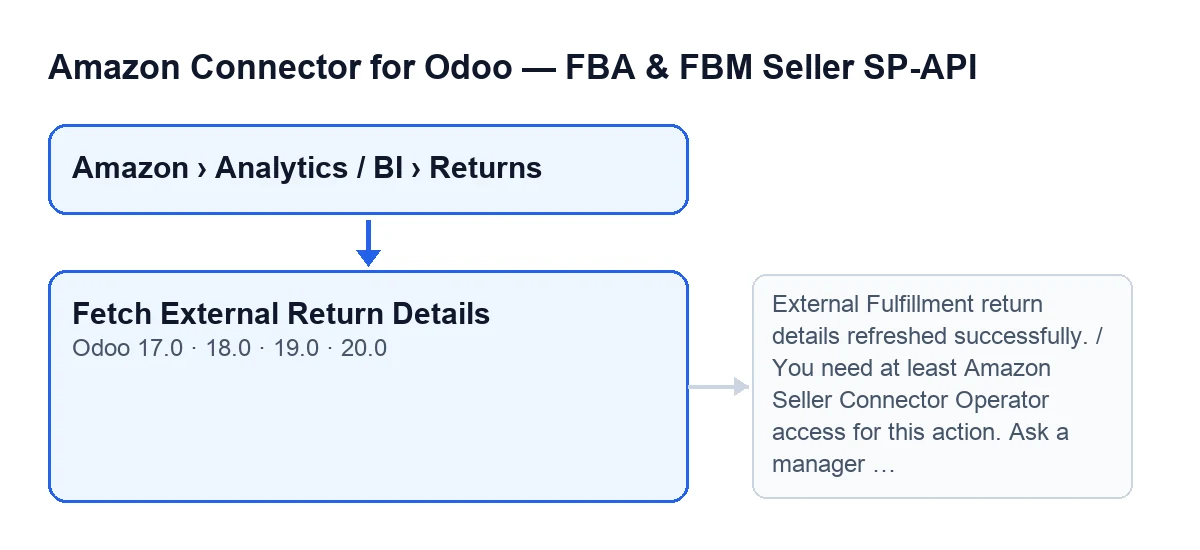
The Fetch External Return Details button is on the Returns (BI) screen and exists in Odoo 17, 18, 19 and 20. Return records are opened from the menu Amazon › Analytics / BI › Returns, and every step of that menu requires the Viewer permission. Everything below about checks, notifications and errors describes the behaviour of the Odoo 20 code.
- You arrive through
Amazon › Analytics / BI › Returns: if you cannot see a step of the menu, you are missing theViewerpermission. - The button is always visible: no view condition hides it, so there is no state to wait for.
- Seeing the button is not enough: when you press it, the module checks that your user has at least Operator access to the connector.
- The module also checks that you are allowed to write to that return line.
- The button works on one line at a time.
Before you press it
- Your user has Operator or Manager access to the connector.
- The return line has an Amazon account assigned.
- The line has an External Return ID.
What the button does, in order
This is the order the code follows when you press it:
- First it checks your access. If you do not have Operator (or Manager) access, it stops with the access message and nothing else is attempted. Runs with superuser permissions skip that check.
- Then it requires the line to have an Amazon account and an External Return ID (ignoring blank spaces at the start and end). If either is missing, it stops there.
- With that ID, it carries on with the line's sync using its Amazon account; if that finishes well, it shows the success notification.
- If something fails during the sync, it records the failure on the line and shows it to you (details below).
After pressing: what to check
If all went well, you will see a notification titled Amazon Returns with the text «External Fulfillment return details refreshed successfully.» It is not a sticky notification: it does not stay on screen until you close it.
- Confirm that the
Amazon Returnsnotification appeared with that text. - If it did not and you saw an error instead, go to the errors section.
What the button is called in your Odoo language
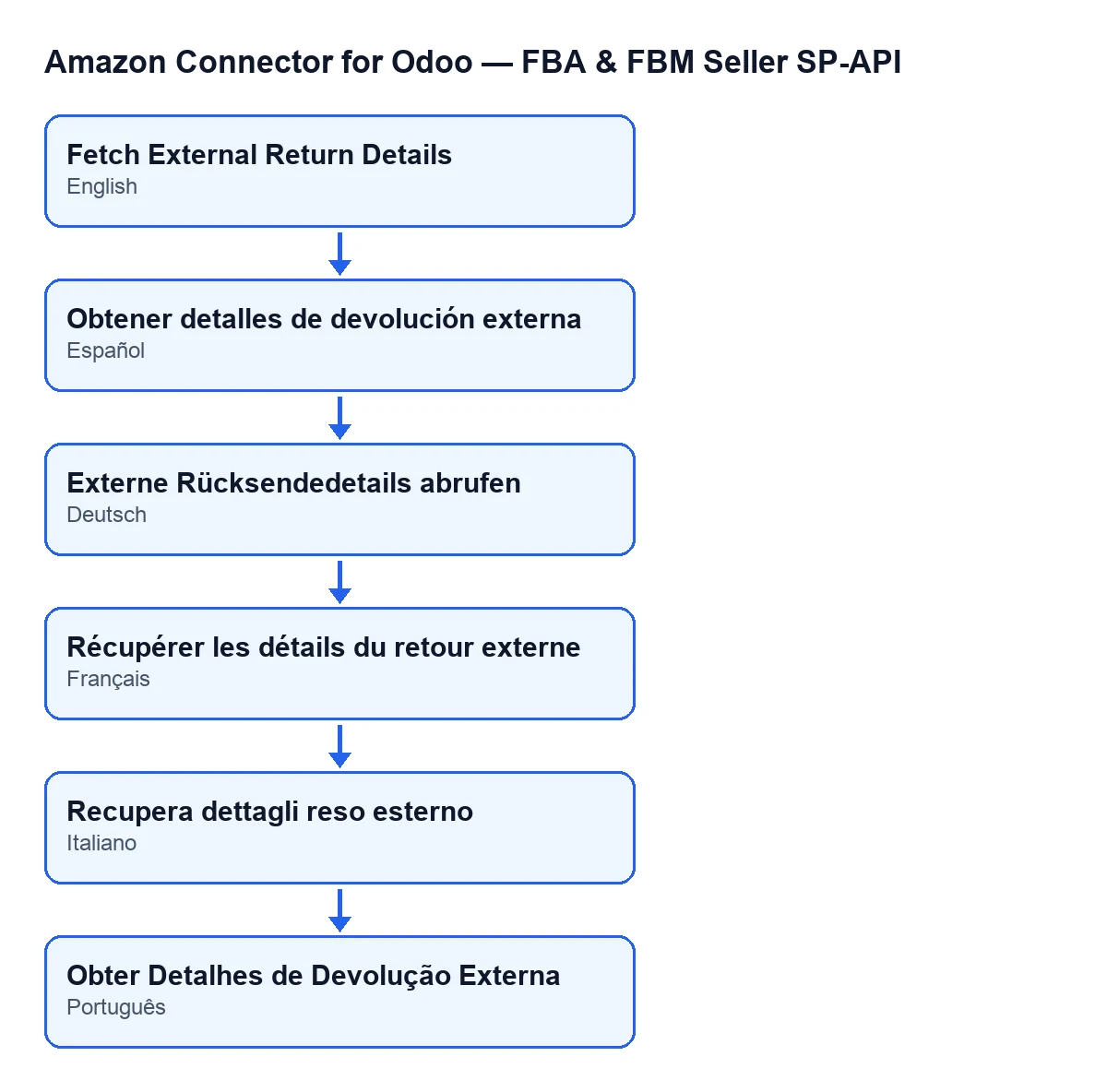
The label changes with the language of Odoo: with Odoo in English, the button reads Fetch External Return Details. The module also ships translations of that label into Spanish, German, French, Italian and Portuguese.
Errors and how to fix them
- If pressing the button gives
You need at least Amazon Seller Connector Operator access for this action. Ask a manager to grant Operator or Manager access., your user does not have Operator access. Ask a manager to grant you Operator or Manager access. This message comes from the access check, before the part that records errors on the line. - If the process fails after that check, the button records on the line that the sync ended in error, with the date and time of the attempt and the error text, and shows you that error.
- Once you have fixed the cause, you can press the button again.
Price and how FlexigoTech helps
The module is a one-off payment per Odoo version (17, 18, 19 and 20; the price of each is on the listing) and needs a FlexigoTech Cloud subscription, Connector plan: €49 a month or €490 a year, excluding VAT. The connection goes through FlexigoTech Cloud, which stores the credentials encrypted, monitors the sync and emails you if it fails. Without a subscription, or with the service suspended, whatever the subscription provides stops; your data stays in your Odoo. More on the module page.
FlexigoTech implements Odoo 17, 18, 19 and 20 and builds custom connectors and integrations. To see how we explain another button of the connector, read the article on the Amazon preview button.
Keep reading
Checked in the connector's source code (version 20.0) and the linked sources
Sources
- Module source code: flexigobe_amazon_seller_connector 20.0 (8576afa5): views/amazon_spapi_return_line_views.xml
- Module source code: flexigobe_amazon_seller_connector 20.0 (8576afa5): models/amazon_spapi_return_line.py
- Module source code: flexigobe_amazon_seller_connector 20.0 (8576afa5): models/amazon_spapi_account.py
- apps.odoo.com/apps/modules/20.0/flexigobe_amazon_seller_connector
- flexigotech.com/precios.html
- flexigotech.com/en/services.html