

 Español
 Català
 Deutsch
 Français
 Português
 Italiano
 Nederlands
 Polski
Misconceptions about what it covers
'Once installed, my invoices go out over Peppol'
That is not what its README describes. The Peppol transport comes from account_peppol, an Odoo Community module the manifest depends on. The Odoo modules it depends on are account_peppol, base, mail, account, account_edi_ubl_cii, contacts and web.
'The module checks every invoice before sending it'
It does not. The README is plain about it: the module does not check invoices before they are sent, because its validator is not linked to sending. The rules exist and appear in a list with their name, code, severity and reference.
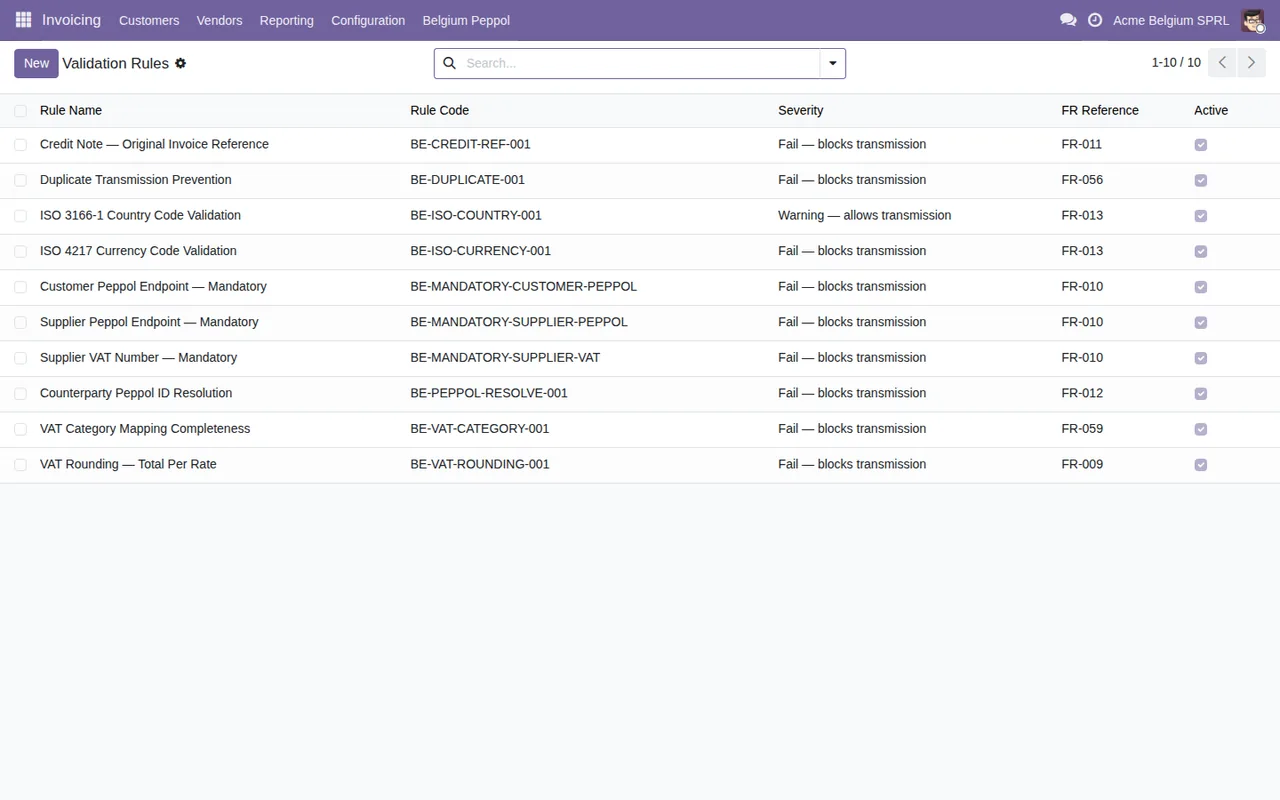
Invoicing › Belgium Peppol › Validation Rules: almost all of them are listed as blocking transmission and one as a warning only.Keep both points in mind: the list classifies rules by severity, and the README warns that the module's validator is not linked to sending. If a pre-sending check is a must for you, according to its documentation this module does not do it. To read the warnings it shows, see the guide to the module's messages and warnings.
'It only works for one company'
The README includes multi-company support aimed at fiduciaire or accountancy operations. If you look after several companies from the same Odoo database, this point counts in its favour.
'You install it and it just works'
Installing from Odoo Apps is the first step. Then you run the Setup Wizard, which configures your company profile, Peppol participant ID, access point and VAT mappings. According to the README, the wizard covers company info, Peppol registration, access point, credentials, VAT mapping, partner enrichment and the first invoice. Your server also needs the Python library cryptography. As for language, the README lists English (en_US).
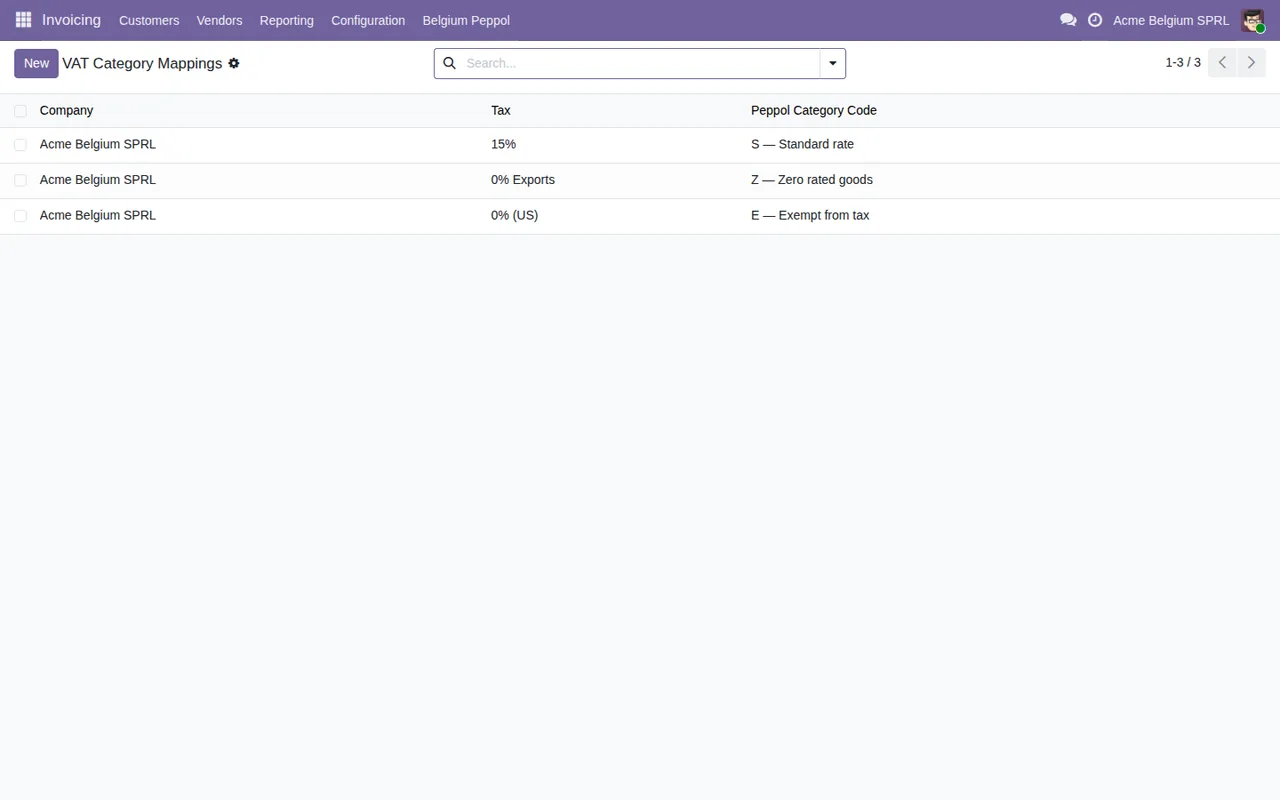
Invoicing › Belgium Peppol › VAT Category Mappings, with demo data.The module includes a Peppol SMK test (sandbox) mode with a transition to production (Go-Live), so you can start in test mode.

Completed status and Test / SMK mode, with demo data.'It gets me ready for everything coming in 2028'
What it includes is a 2028 e-reporting readiness assessment: a gap analysis against the five-corner model. It is a diagnosis, and its documentation says no more than that. Around it sit other monitoring and documentation pieces:
- A compliance dashboard with registration, thresholds and a readiness percentage, plus archive integrity monitoring.
- Monitoring of archive retention over 7 years, which the README links to Art. 60 of the Belgian VAT Code.
- A compliance evidence pack generator (PDF plus an XML index, SHA-256 fingerprinted).
- A workflow for documenting exceptional fallback cases.
- An annual AAI (Authority/Accountant Information) statistics report.
- An alert system with an email digest and web follow-up codes.
Transmission Log with the statuses Sent, Delivered, Failed, Received and Acknowledged, the compliance profile and Archive Scans with a Pass or Fail result, all with demo data.'With the service, FlexigoTech sets it up and migrates my database'
This is a module with a local FlexigoTech Cloud service. The listing covers monitoring of the module's reference sources with their alerts and the calendar of their deadlines, monitoring of the module's health in your database with alerts, support with a first response within 1 working day, and the service on the staging and test copies of your database. We do not migrate your database to a new Odoo version. Nor do we configure the module for you, customise it, import historical data or support modules that are not ours. Third-party costs (your account on each platform, Odoo and your hosting) are contracted and paid by you. On data, the listing sets out what your database sends: its identifier (uuid), its URL and the Odoo version; the FlexigoTech modules installed with their version and whether the database is a neutralised copy; the company name and the email of the person who accepts, with the date and version of the text accepted; a public code and a proof computed on your server without sending its secret; a request for its service permit every 6 hours and the module's health (counters and errors, type and code) without the content of your records. For alerts and the calendar, the database identifies itself and sends nothing else. Without a subscription, or with the service suspended, what the subscription provides stops and the data stay in your Odoo.
How to decide whether it fits your Odoo
- If you want to send from Odoo, the transport comes from
account_peppol, which the module depends on.
- If you need an invoice held back while it breaks a rule, this module does not do that according to its README.
- If you run several companies as an accountancy firm, you have multi-company support.
- If you want to test before going live, you have SMK mode and the move to
Go-Live. - If you want to monitor the archive and gather evidence, the dashboard, archive scans and evidence pack point that way.
- If you expect someone to do the configuration or customisation for you, that falls outside the service according to the listing.
Odoo versions and price
It is published on Odoo Apps for Odoo 17, 18, 19 and 20, at €9 per Odoo version, one-off payment, excluding VAT. The local service costs €29/month or €290/year excluding VAT (Pro: €58/month or €580/year). With the subscription, the module for new Odoo versions is included if you bought it on flexigotech.com; on the Odoo App Store, each Odoo version is bought there. You can also see the Odoo Apps listing.
How FlexigoTech can help
We implement Odoo 17, 18, 19 and 20 and build custom connectors and integrations, in case your situation needs something the module does not cover. If you have already decided to install it, carry on with setting it up and what to check in the first week.
Keep reading
Checked in the module's source code (version 20.0) and the linked sources
Sources
- Module source code: flexigo_belgium_peppol_b2b_e_invoicing_compliance_wizar 20.0 (8c3e3f48): README.rst
- Module source code: flexigo_belgium_peppol_b2b_e_invoicing_compliance_wizar 20.0 (8c3e3f48): static/description/index.html
- apps.odoo.com/apps/modules/20.0/flexigo_belgium_peppol_b2b_e_invoicing_compliance_wizar
- apps.odoo.com/apps/modules/17.0/flexigo_belgium_peppol_b2b_e_invoicing_compliance_wizar
- apps.odoo.com/apps/modules/18.0/flexigo_belgium_peppol_b2b_e_invoicing_compliance_wizar
- apps.odoo.com/apps/modules/19.0/flexigo_belgium_peppol_b2b_e_invoicing_compliance_wizar
- flexigotech.com/en/services.html
- flexigotech.com/precios.html
- Module source code: flexigo_belgium_peppol_b2b_e_invoicing_compliance_wizar 20.0 (8c3e3f48): __manifest__.py