

 Español
 Català
 Deutsch
 Français
 Português
 Italiano
 Nederlands
 Polski
Before you press it: the daily task, where the button is and permissions
Do I need to press the button for stranded inventory to sync?
No: the module ships with the scheduled task Amazon SP-API - Sync stranded inventory report (opt-in), which runs once a day and is active on install. It goes through the active accounts that have the stranded inventory sync switched on and runs the same process as the button for each one. There are differences: the Source: … line of the result says CRON instead of Manual, and the message is not posted on the account. The button is for running the sync right now, without waiting for the task.
Where is the button and when is it visible?
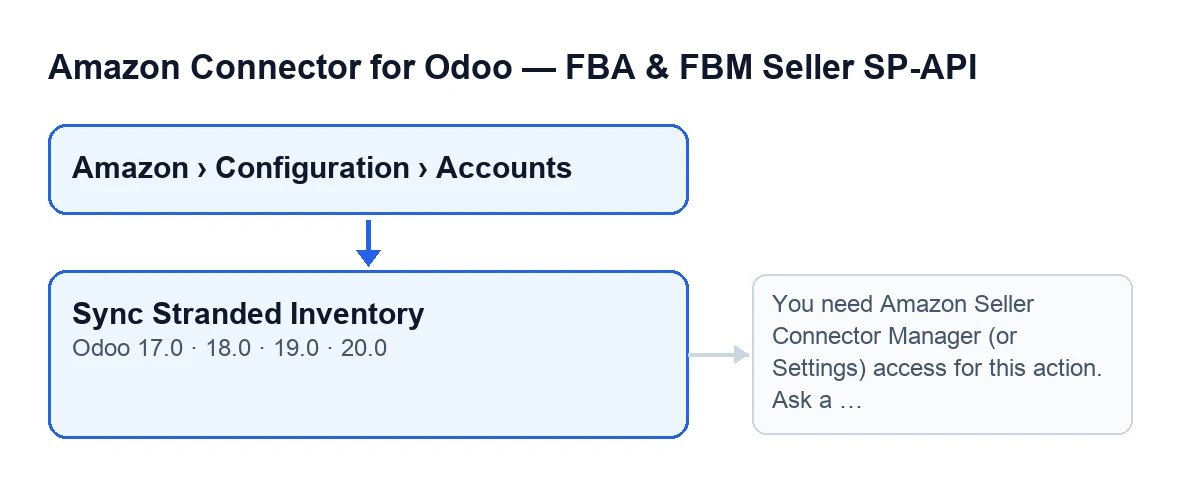
On the Accounts screen, which opens from the menu Amazon › Configuration › Accounts. Each part of the menu asks for a permission, and if you do not have it you do not see that part: Amazon asks for Viewer, and Configuration and Accounts ask for Manager. The button is always visible, with no condition, in Odoo 17, 18, 19 and 20. Its label depends on the language of your Odoo: with Odoo in English it is Sync Stranded Inventory.
Sync Stranded Inventory.Who can press it?
Before talking to Amazon, the button first checks permissions: you must belong to the Amazon connector Manager group or the Settings group, and you must also be able to write to that account. If not, it stops with You need Amazon Seller Connector Manager (or Settings) access for this action. Ask a manager to grant Manager access. and never asks Amazon for anything. The fix is the one the message gives: ask a manager to grant you Manager access.

What it does when you press it, step by step
What does the button do, in order?
Once the permission check passes, it works on a single account, the one on screen. First it asks Amazon to create a stranded inventory report. Then it checks the status of that report until Amazon marks it as finished (or failed) or the attempts run out. If the report is ready, it asks Amazon for the report document and processes it in Odoo; the result carries the row counters. Finally it stores the date and the result on the account and posts a message on it.
How long does the button wait for Amazon?
It checks the report status several times and waits a few seconds between checks. It stops as soon as the status is DONE, CANCELLED or FATAL. It reads the number of attempts and the wait from the account itself; if they have no value, the module uses twelve attempts and ten seconds between them.
How do I know it worked?
When it finishes, the account stores the date and time of the last run and the result text (up to five thousand characters), and that text is posted as a message on the account. It starts with Amazon FBA stranded inventory sync finished. and goes on with Account: …, the source (with the button, Manual), Report ID: … and Report status: …. If the report arrived and was processed, it adds the counters Report rows, Processed rows, Created, Updated, Skipped and With error.
What happens if the report does not finish in time?
If the report is still not ready after the attempts, the result carries Report polling timed out. Try again in a few minutes. Nothing is processed, but the date and the result are stored and the message is posted on the account. Do what the line says: wait a few minutes and press again. Each press starts from scratch and asks Amazon for a new report.
And if Amazon cancels the report, or finishes it without a document?
If the status is CANCELLED or FATAL, the result adds Amazon did not generate a usable stranded inventory report. If the status is DONE but Amazon gives no document identifier, it adds DONE report without reportDocumentId. When either happens, nothing is processed and the date and the result are stored, with the status and the report ID so you can see what Amazon answered.
Versions, subscription and help
Which versions is it in and what does it need to work?
The button is on the Accounts screen in every published branch of the module, for Odoo 17, 18, 19 and 20. The module is a one-off payment per Odoo version and needs the FlexigoTech Cloud subscription, Connector plan: €49 a month or €490 a year, excluding VAT, for up to three platform accounts. The connection goes through FlexigoTech Cloud, which stores the credentials encrypted, watches the sync and emails you if it fails. You can see the module on the Odoo Apps listing or on the flexigotech.com page.
If you are implementing Odoo and want to review permissions, accounts and scheduled tasks, FlexigoTech implements Odoo 17, 18, 19 and 20 and builds custom connectors and integrations.
Keep reading
Checked in the connector's source code (version 20.0) and the linked sources
Sources
- Module source code: flexigobe_amazon_seller_connector 20.0 (8576afa5): views/amazon_spapi_account_views.xml
- Module source code: flexigobe_amazon_seller_connector 20.0 (8576afa5): models/amazon_spapi_account.py
- apps.odoo.com/apps/modules/20.0/flexigobe_amazon_seller_connector
- flexigotech.com/precios.html
- flexigotech.com/en/services.html